
SurfTideWatch (Tide graph)
Tide graph app for Watch.
Designed for iPhone, iPod touch
Free
- Age rating4+
- CategorySports
- DeveloperMitsuhiro Shirai
- LanguagesEnglish+ 1 more
- Size27.6 MB
Links to the official App Store page
Download.org hosts no file of SurfTideWatch (Tide graph). The button opens its official App Store page, published by Mitsuhiro Shirai. Listing last checked on Nov 12, 2026.
Screenshots
About
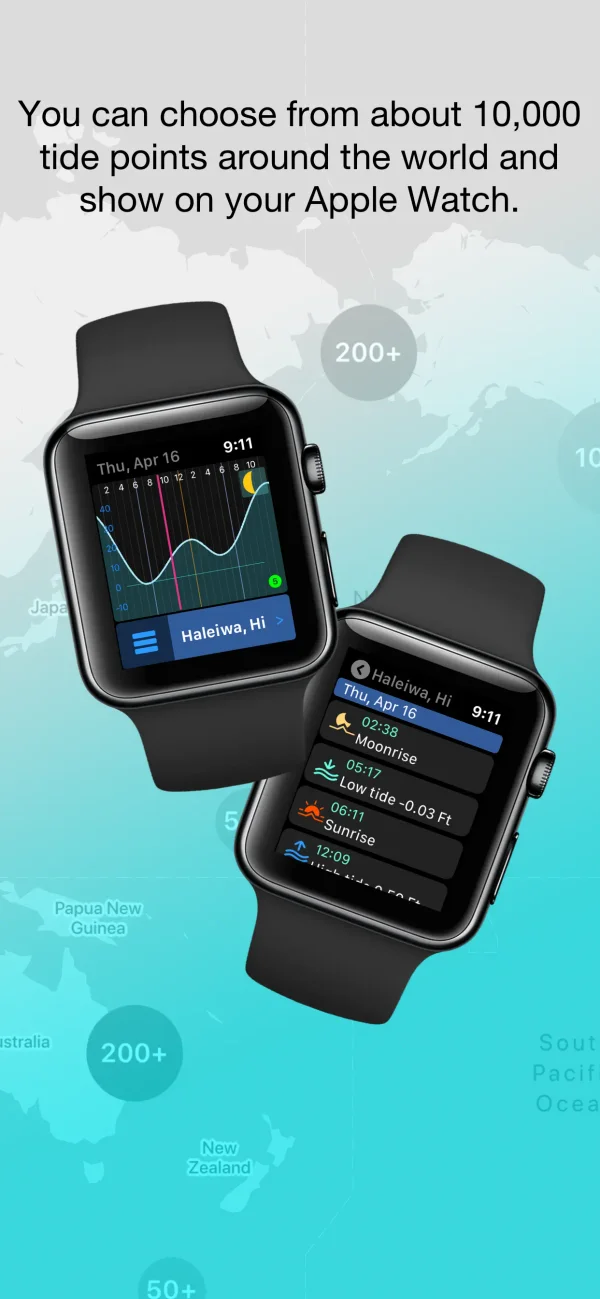
"SurfTideWatch" is an app that show a tide graph on Apple Watch.
It can be able to select the places to use from about 10,000 tide points around the world on iPhone and synchronize with Apple Watch.
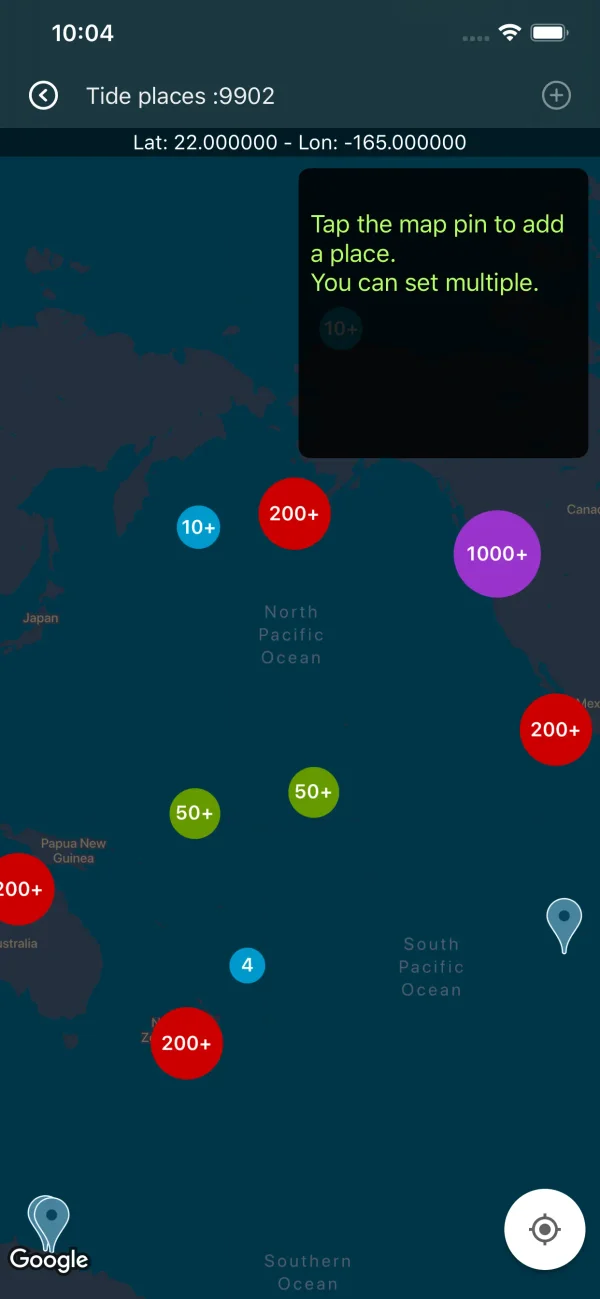
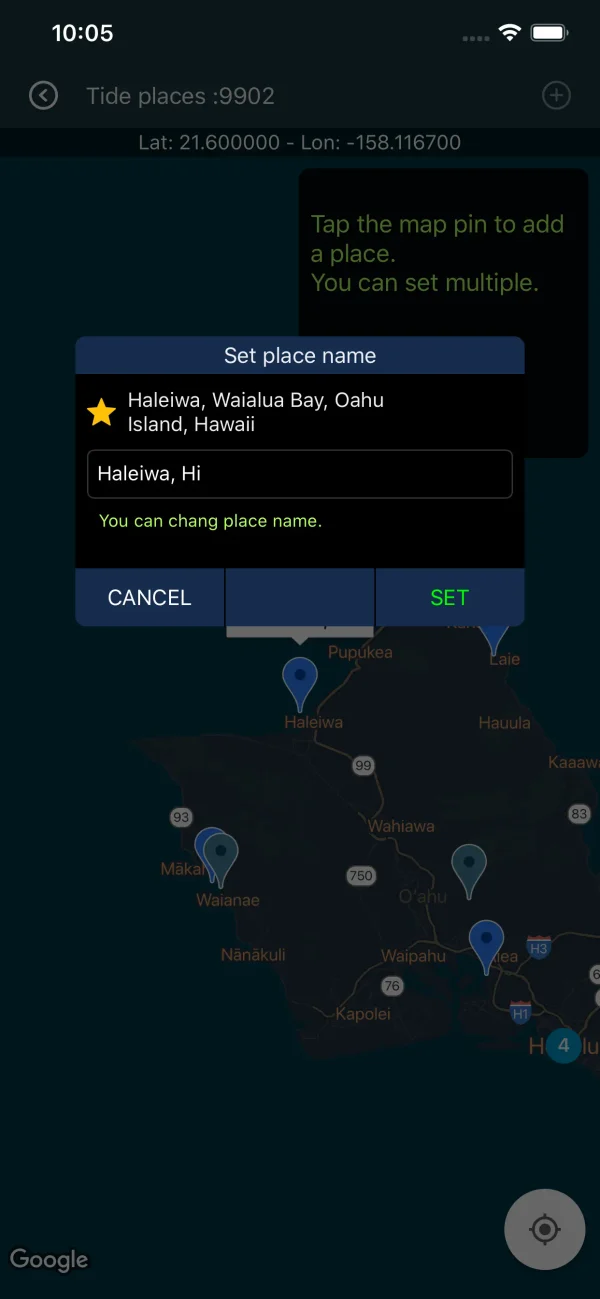
You can select from the map a tide place. Also you can change the place name to make it easier to understand.
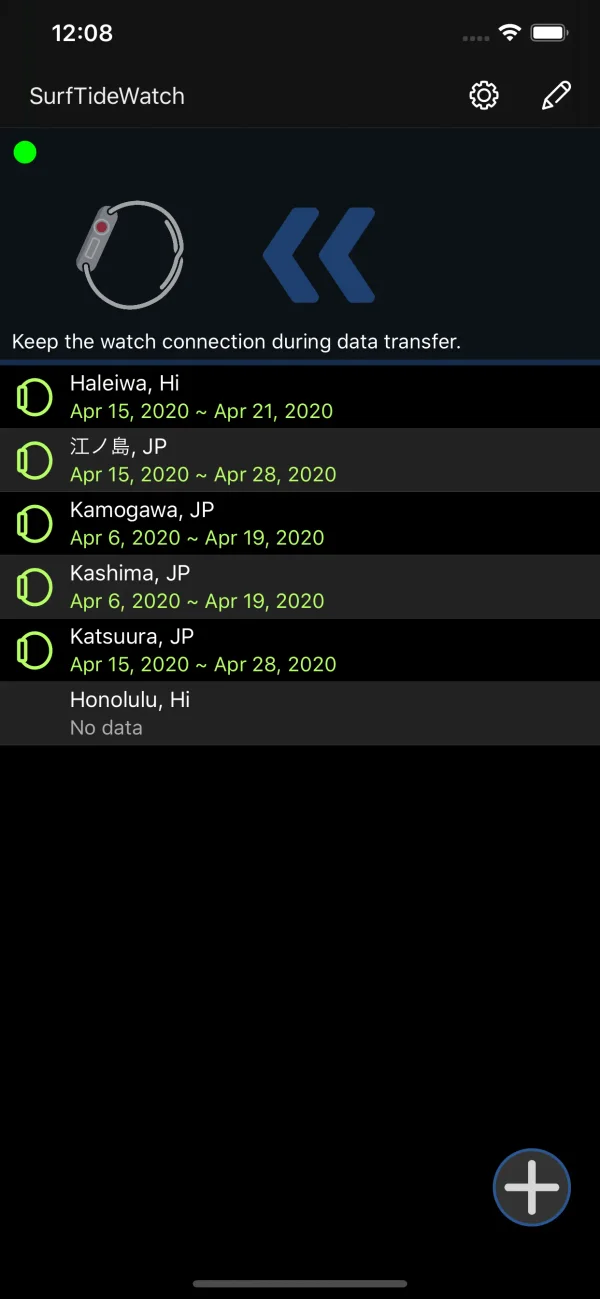
It can store up to 5 places on Apple Watch.
It can be saved is for 2 weeks of tide data, but it can be updated from your iPhone at any time.
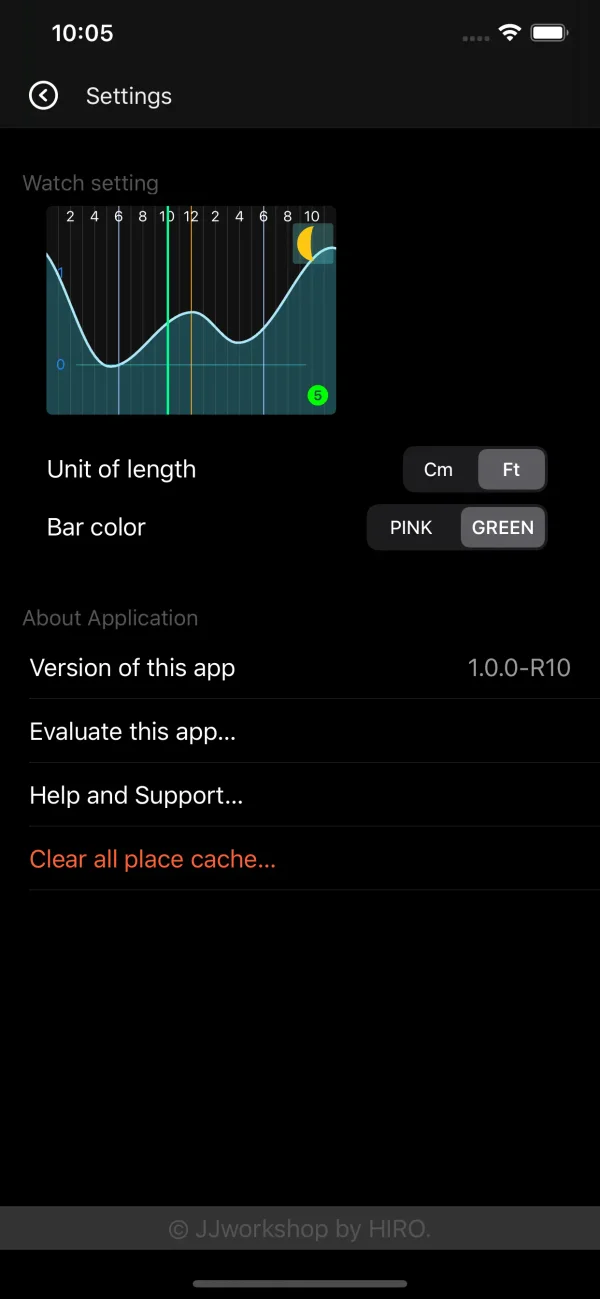
It can be shown graphically and you can check astronomical events such as sunrise, sunset, high tide, low tide and more infomation.
It also supports watch's complications. Some complications can display the next tide event information.
The following is a simple method for creating tide data on your iPhone.
For details, check to "Help & Support" from "Settings" in the app.
-----
1, Tap the "+" button at the bottom right of the main screen
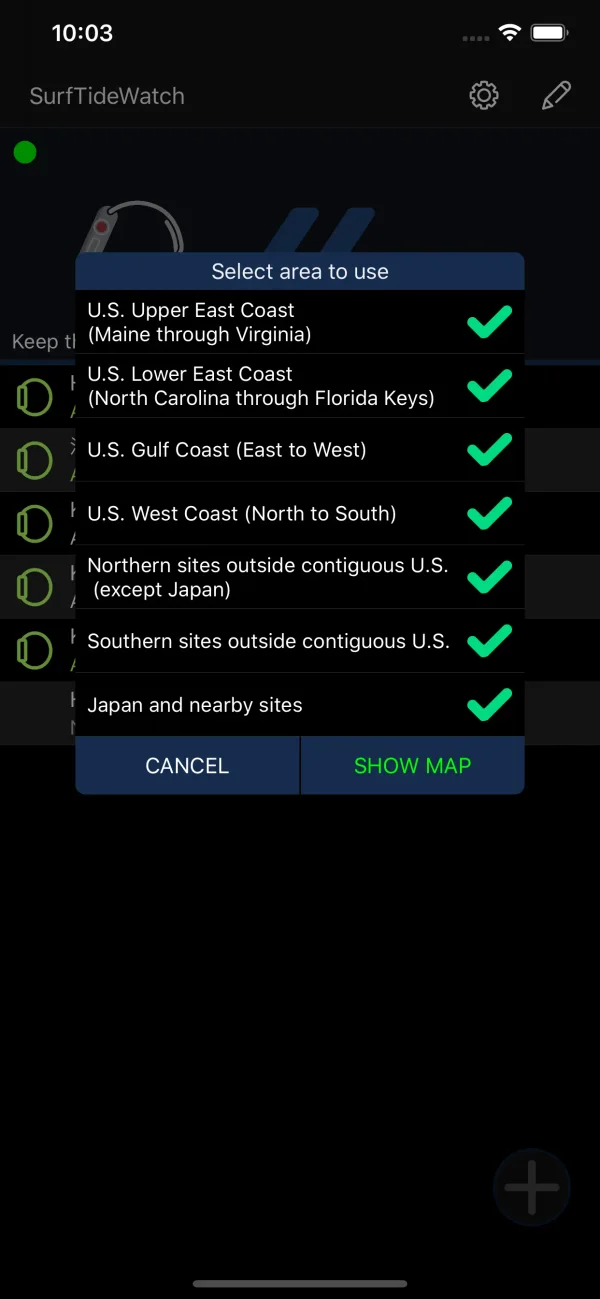
2, Select which area tide places will be shown on the map
You can choose from the following 7 areas.
- U.S. Upper East Coast (Maine through Virginia)
- U.S. Lower East Coast (North Carolina through Florida Keys)
- U.S. Gulf Coast (East to West)
- U.S. West Coast (North to South)
- Northern sites outside contiguous U.S. (except Japan)
- Southern sites outside contiguous U.S.
- Japan and nearby sites
When the selection is over, it will be the map screen
It takes some time to process the first time.
3, Tap the map pin shown on the map and select the place to register
Places that are close together are clustered.
Clustering is released when you zoom the map.
You can select multiple places.
4, Tap the "+" navigation button at the top right of the map screen and to return to the main screen
5, Tap "Update All" on the right side of the screen to get tide data
This takes a little time.
The operation up to this point , the preparation of tide data is complete.
Finally, send the tide data to your Apple Watch.
If Apple Watch is connected to iPhone, tap "≪" at the top center of the screen to synchronize.
If it is not connected, tap "Save to iCloud". In this case, Apple Watch will automatically sync when it comes online.
-----
Note:
This app is an app for showing a tide information on Apple Watch. It cannot show tide data on the iPhone alone.
This app can be used for marine sports such as surfing and fishing, but please do not use it for nautical purposes.
To use iCloud, you must be signed in to iCloud on your iPhone.
What’s new
Version 1.0.12 · Sep 24, 2024
This app has been updated by Apple to prepare for watchOS 27 compatibility. No new features are included.
Reduced the load on the weather information server.
App privacy
What Mitsuhiro Shirai declares on the App Store about how this app handles data.
-
Data used to track you
May be used to track you across apps and websites owned by other companies.
- Identifiers
-
Data not linked to you
May be collected but is not linked to your identity.
- Identifiers
Privacy practices may vary, for example with the features you use or your age.
Information
- Seller
- Mitsuhiro Shirai
- Category
- Sports
- Version
- 1.0.12
- Updated
- Sep 24, 2024
- Released
- Apr 18, 2020
- Size
- 27.6 MB
- Requires
- iOS 13.2 or later
- Age rating
- 4+
- Price
- Free
- Languages
- English, Japanese
- Copyright
- © JJworkshop.