
SurfTideWatch (Tide graph)
Tide graph app for Watch.
iPhone, iPod touch için tasarlandı
Ücretsiz
- Yaş sınırı4+
- KategoriSpor
- GeliştiriciMitsuhiro Shirai
- Dillerİngilizce+ 1 dil daha
- Boyut27,6 MB
Resmi App Store sayfasına bağlanır
Download.org, SurfTideWatch (Tide graph) için hiçbir dosya barındırmaz. Düğme, uygulamanın App Store üzerindeki sayfasını açar; uygulamayı orada Mitsuhiro Shirai yayınlar. Sayfanın son kontrolü: 12.11.2026.
Ekran görüntüleri
Hakkında
Geliştirici bu metni dilinizde sunmamış.
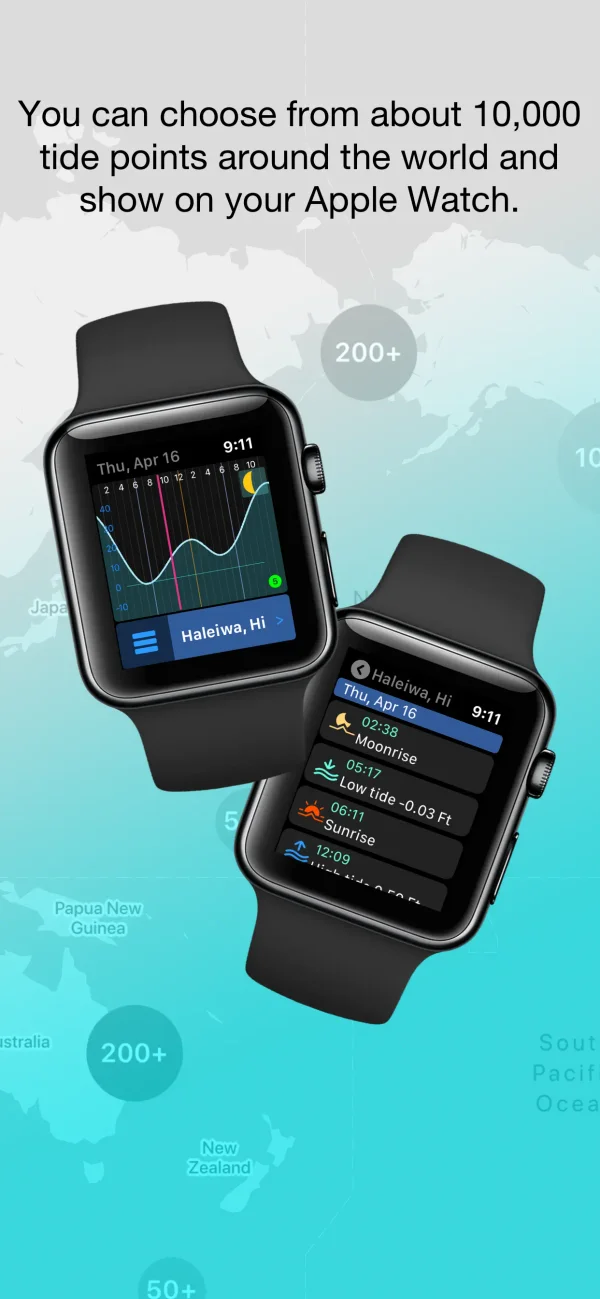
"SurfTideWatch" is an app that show a tide graph on Apple Watch.
It can be able to select the places to use from about 10,000 tide points around the world on iPhone and synchronize with Apple Watch.
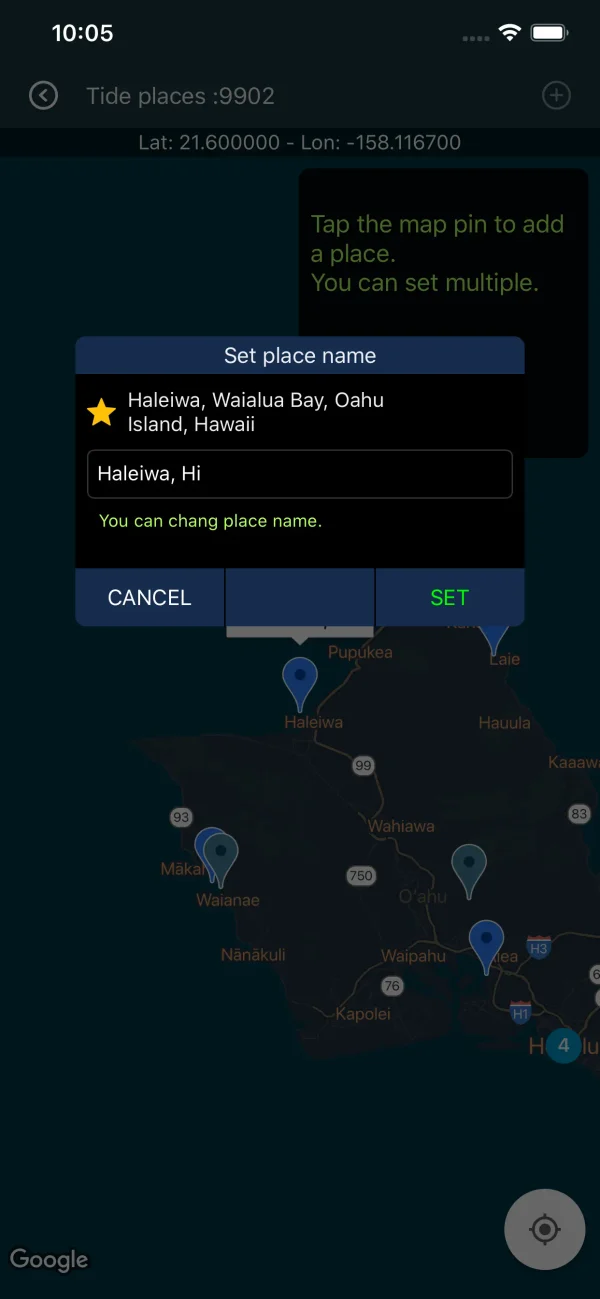
You can select from the map a tide place. Also you can change the place name to make it easier to understand.
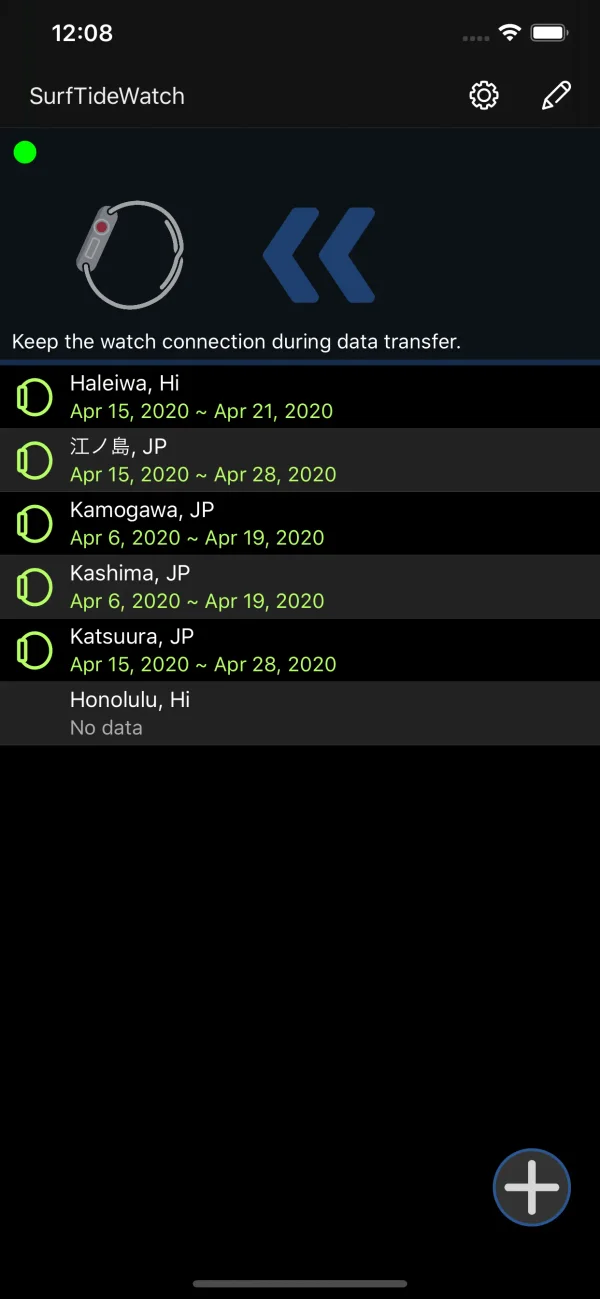
It can store up to 5 places on Apple Watch.
It can be saved is for 2 weeks of tide data, but it can be updated from your iPhone at any time.
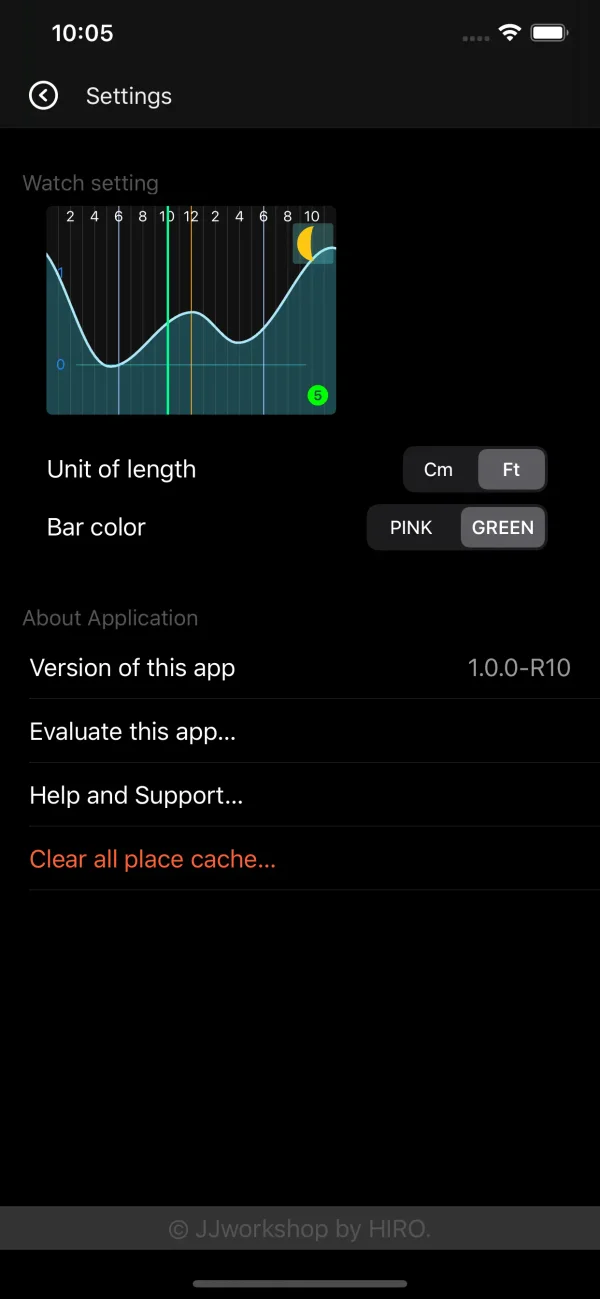
It can be shown graphically and you can check astronomical events such as sunrise, sunset, high tide, low tide and more infomation.
It also supports watch's complications. Some complications can display the next tide event information.
The following is a simple method for creating tide data on your iPhone.
For details, check to "Help & Support" from "Settings" in the app.
-----
1, Tap the "+" button at the bottom right of the main screen
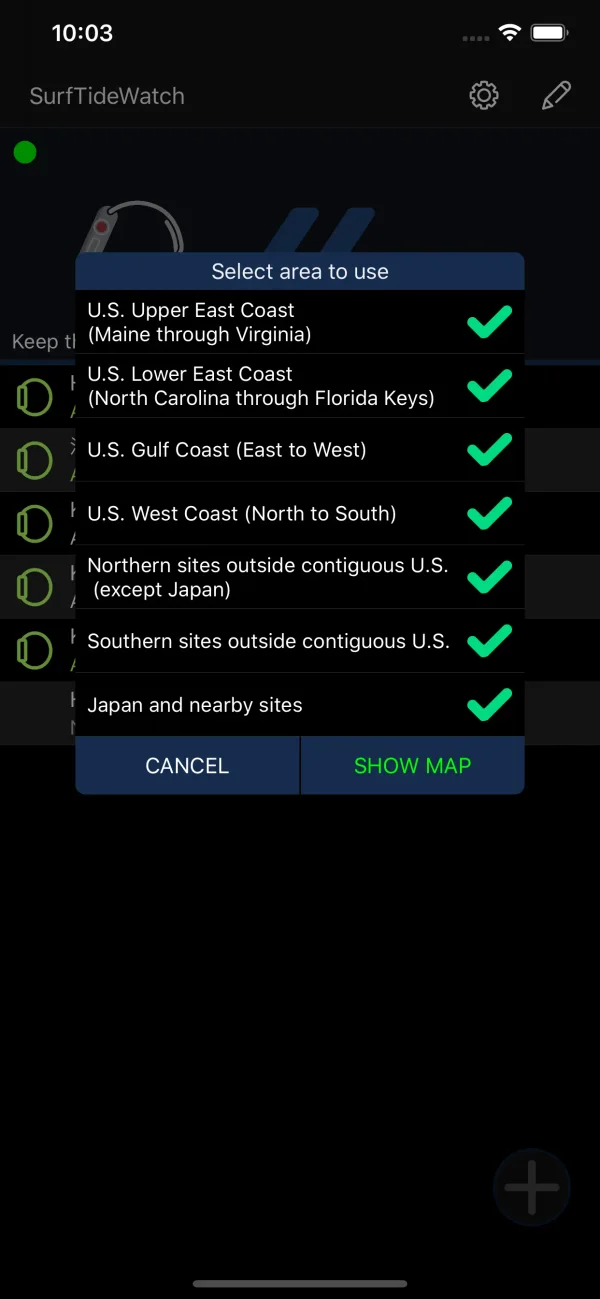
2, Select which area tide places will be shown on the map
You can choose from the following 7 areas.
- U.S. Upper East Coast (Maine through Virginia)
- U.S. Lower East Coast (North Carolina through Florida Keys)
- U.S. Gulf Coast (East to West)
- U.S. West Coast (North to South)
- Northern sites outside contiguous U.S. (except Japan)
- Southern sites outside contiguous U.S.
- Japan and nearby sites
When the selection is over, it will be the map screen
It takes some time to process the first time.
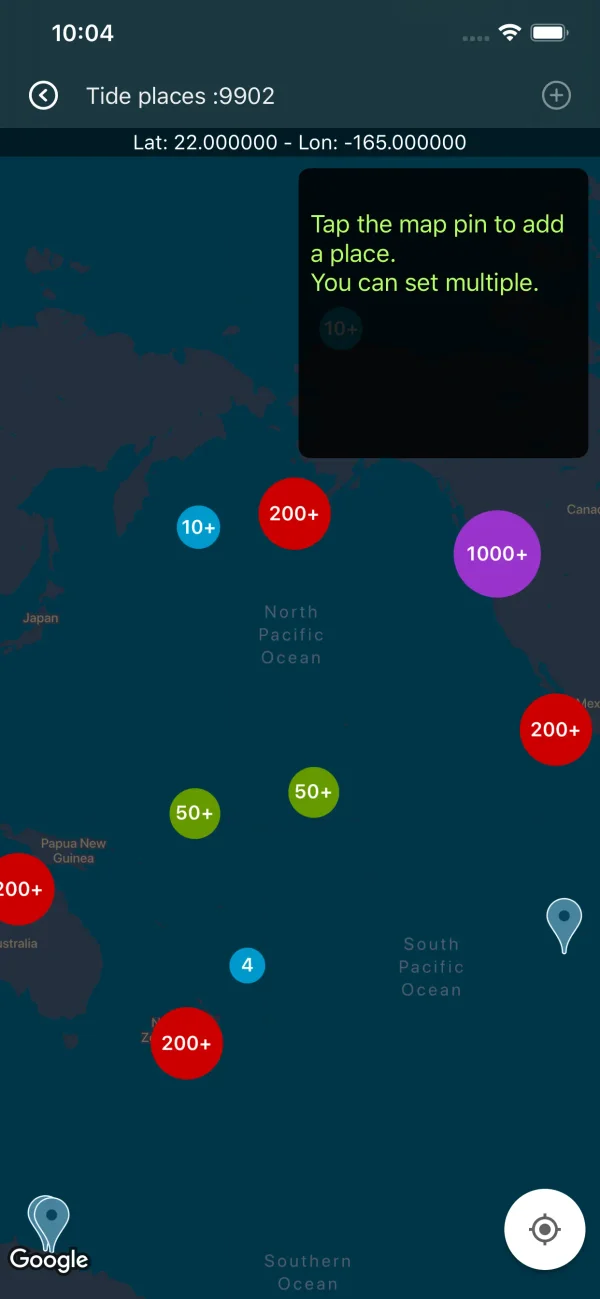
3, Tap the map pin shown on the map and select the place to register
Places that are close together are clustered.
Clustering is released when you zoom the map.
You can select multiple places.
4, Tap the "+" navigation button at the top right of the map screen and to return to the main screen
5, Tap "Update All" on the right side of the screen to get tide data
This takes a little time.
The operation up to this point , the preparation of tide data is complete.
Finally, send the tide data to your Apple Watch.
If Apple Watch is connected to iPhone, tap "≪" at the top center of the screen to synchronize.
If it is not connected, tap "Save to iCloud". In this case, Apple Watch will automatically sync when it comes online.
-----
Note:
This app is an app for showing a tide information on Apple Watch. It cannot show tide data on the iPhone alone.
This app can be used for marine sports such as surfing and fishing, but please do not use it for nautical purposes.
To use iCloud, you must be signed in to iCloud on your iPhone.
Yenilikler
Sürüm 1.0.12 · 24.09.2024
This app has been updated by Apple to prepare for watchOS 27 compatibility. No new features are included.
Reduced the load on the weather information server.
Uygulama gizliliği
Bu uygulamanın verileri nasıl işlediği hakkında Mitsuhiro Shirai tarafından App Store üzerinde yapılan beyan.
-
Sizi izlemek için kullanılan veriler
Başka şirketlere ait uygulamalarda ve web sitelerinde sizi izlemek için kullanılabilir.
- Tanımlayıcılar
-
Sizinle ilişkilendirilmeyen veriler
Toplanabilir ancak kimliğinizle ilişkilendirilmez.
- Tanımlayıcılar
Gizlilik uygulamaları, örneğin kullandığınız özelliklere veya yaşınıza göre değişiklik gösterebilir.
Bilgiler
- Satıcı
- Mitsuhiro Shirai
- Kategori
- Spor
- Sürüm
- 1.0.12
- Güncellendi
- 24.09.2024
- Yayın tarihi
- 18.04.2020
- Boyut
- 27,6 MB
- Gereksinim
- iOS 13.2 veya sonrası
- Yaş sınırı
- 4+
- Fiyat
- Ücretsiz
- Diller
- İngilizce, Japonca
- Telif hakkı
- © JJworkshop.