
SwiftSheet: Client & Job Forms
Consent, Job Cards & Repairs
Designed for iPhone, iPad
In-app purchases
- Age rating4+
- CategoryBusiness
- DeveloperDistex Ltd
- LanguagesEnglish
- Size17.2 MB
Links to the official App Store page
Download.org hosts no file of SwiftSheet: Client & Job Forms. The button opens its official App Store page, published by Distex Ltd. Listing last checked on Nov 23, 2026.
Screenshots
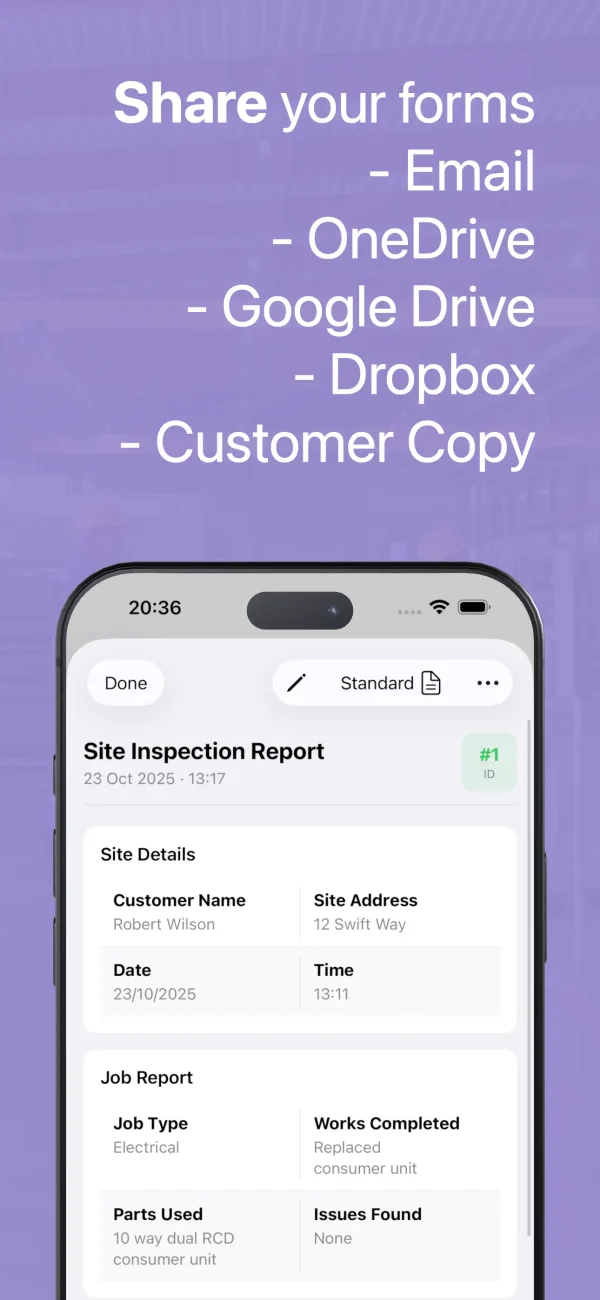
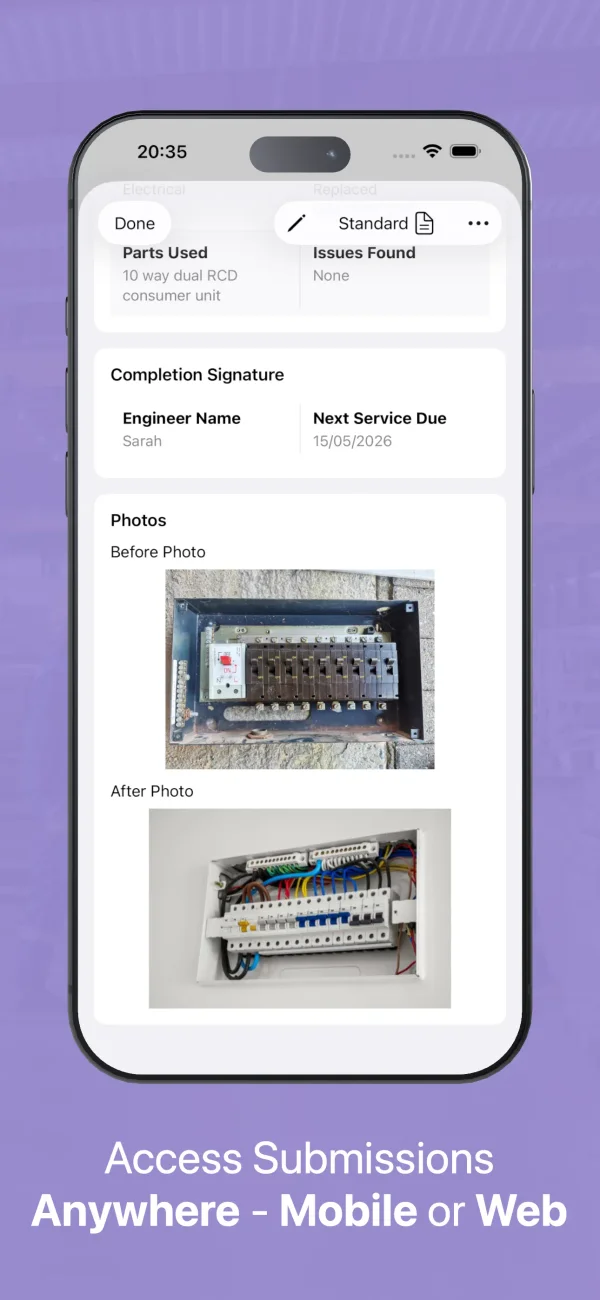
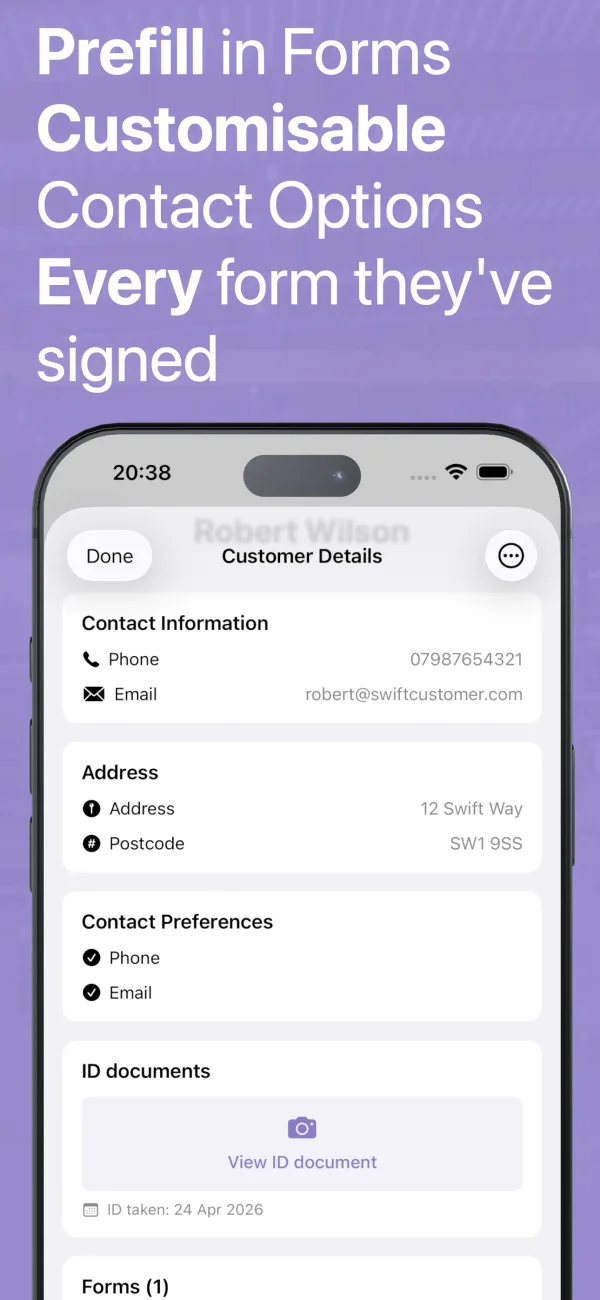

About
The clipboard on your counter, on your iPad.
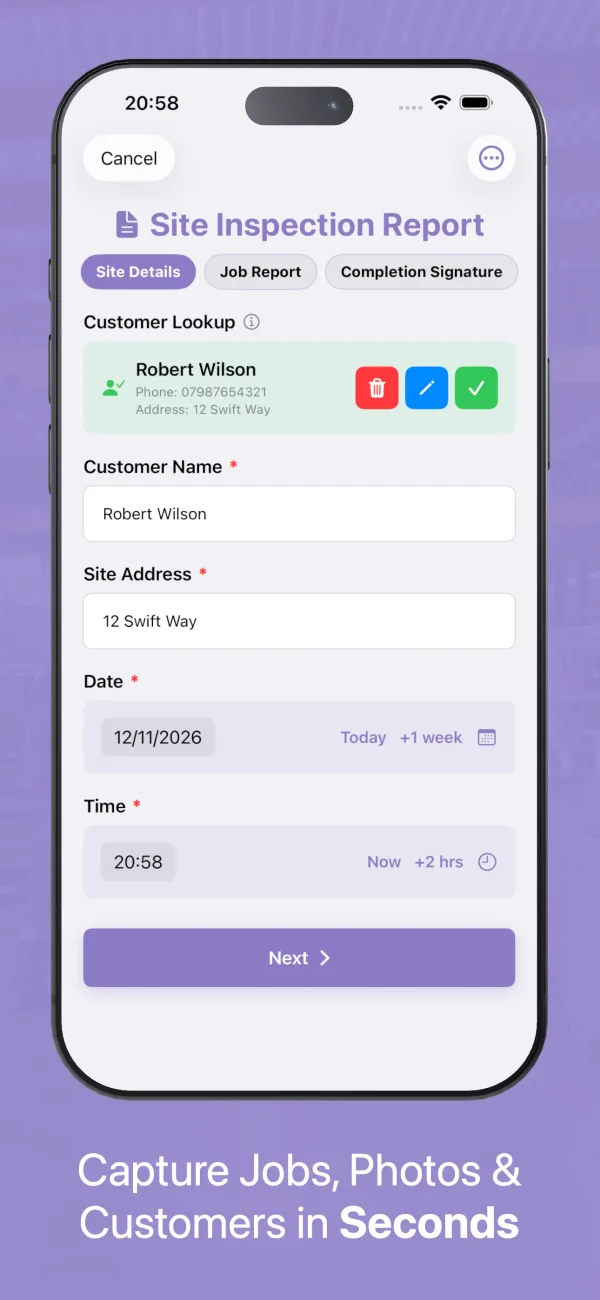
SwiftSheet is for businesses that fill in forms with the customer in front of them: repair and second-hand shops, salons and clinics, garages and tradespeople. Pick your trade, get ready-made forms, and send a branded PDF before your customer leaves. 7-day free trial, no card needed to start.
Start In A Minute
• Tell us your trade and we'll add your first forms
• Ready-made forms for phone repair and buy-ins, beauty and aesthetics, health and clinics, garages, and trades
• Change anything to suit your business, or describe a form and let AI draft it (Beta)
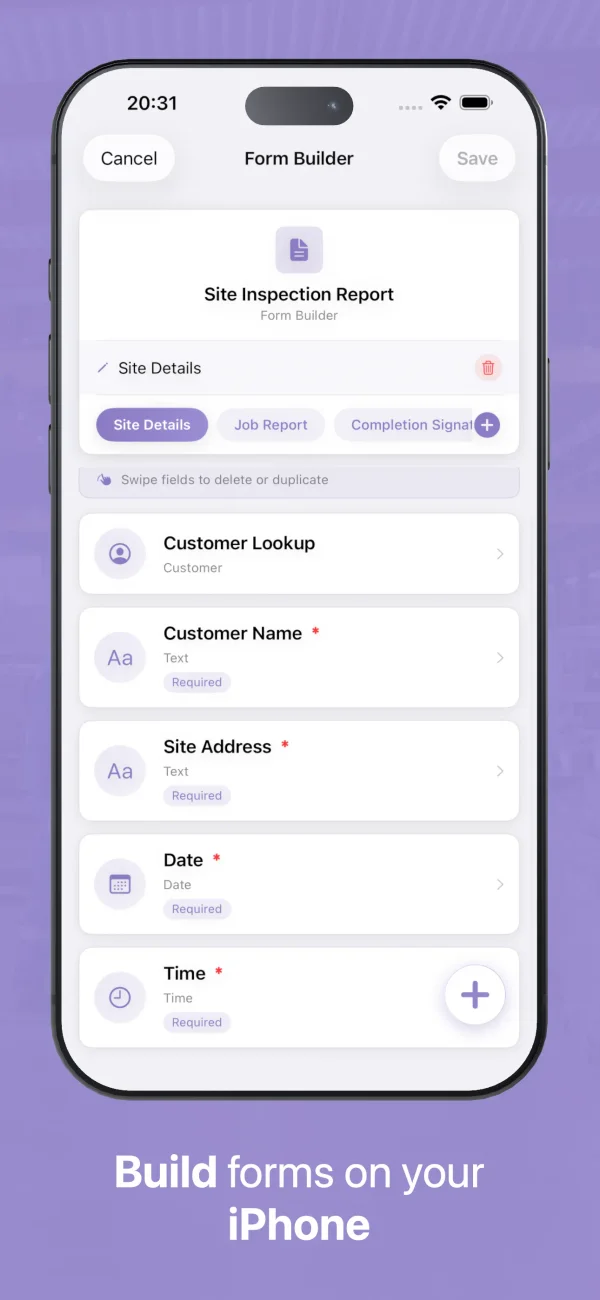
• Or build your own from scratch, right on your iPad, with no computer needed
Customers Sign On The iPad
• Your terms, consent wording and signature on one form
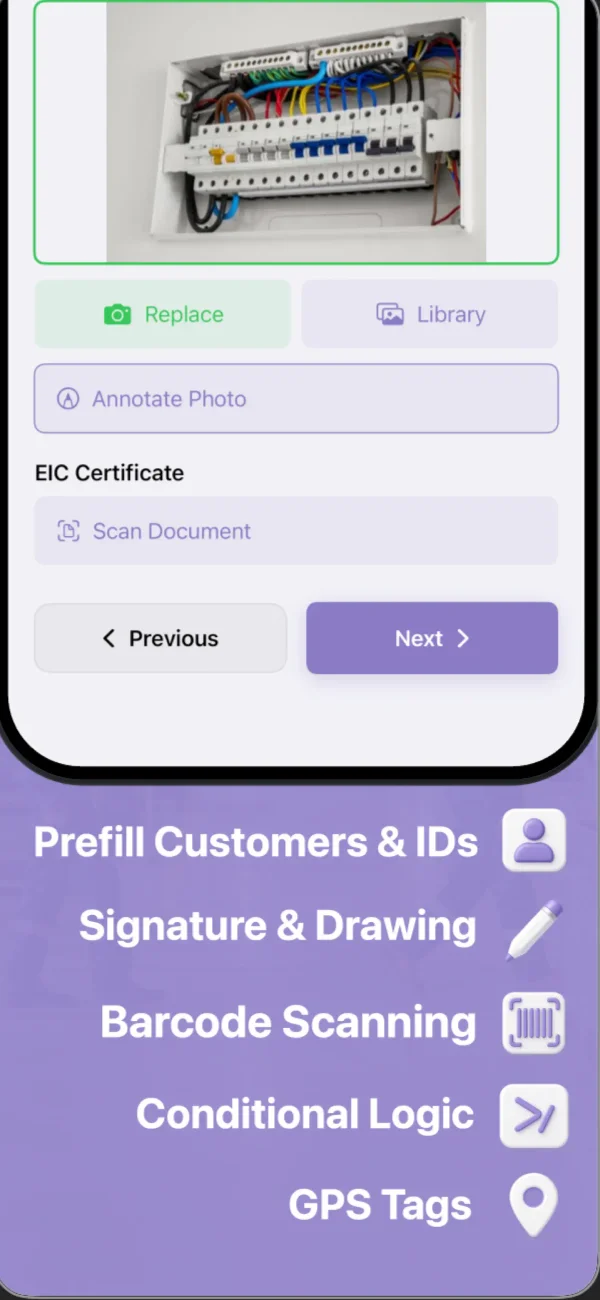
• Add photos, drawings and scanned documents as you go
• Several photos in one field, with a minimum you can set
• Open any scanned document as a PDF to print, share or save
• Save drafts and carry on later
• Works offline, then syncs when you're back online
Remember Every Customer
• Find a returning customer in seconds and fill in their details automatically
• Keep up to two photo ID images per customer (front and back)
• Every completed form keeps its own copy of the ID as it was at the time, ideal for buying records
• Start a form straight from a customer's page
• See every form a customer has filled in, and search inside them
• A warning when a new customer looks like one you already have
• Import and export customers as CSV, in the app or on the web
Branded PDFs, Sent Straight Away
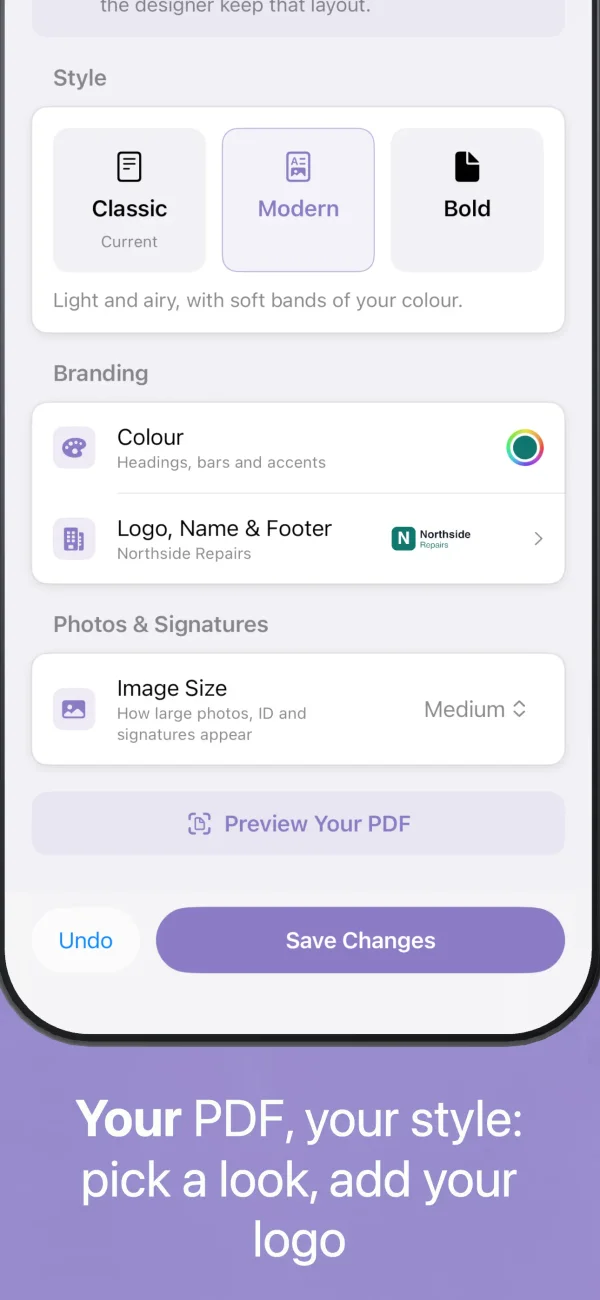
• Your logo and colours on every PDF and customer email
• Replies from customers come straight to you
• Filed automatically to Dropbox, OneDrive or Google Drive
• Choose a Classic, Modern or Bold PDF style, with a live preview
• Design your own PDF layouts with the drag-and-drop designer, no coding needed
• Past forms and PDFs are always there to view and download
Built For Your Trade
• Repair shops: faults, passcodes, unlock patterns, before photos and warranty returns
• Buying second-hand: photo ID, IMEI and serial numbers, stock numbers and buy-back prices
• Beauty and aesthetics: consultations, patch tests, treatment records and aftercare
• Health and clinics: patient intake and session notes
• Garages: job cards, handover sheets and vehicle checks
• Trades: quotes, site inspections, job sign-off and invoices
Build Your Own
• A full form builder on your iPad and iPhone, as well as our website
• Multi-page forms that show the right questions at the right time
• Tables with repeating rows and automatic totals
• GPS location stamping and barcode scanning
Run A Team
• Send pre-filled jobs to your staff from the web dashboard
• Staff see only the jobs assigned to them
• Finished jobs come back to your account automatically
Secure
• Customer details, photos, scanned documents and form answers are encrypted
• Face ID support
• No adverts and no tracking
Terms of Use: https://www.swiftsheet.co.uk/terms
Privacy Policy: https://www.swiftsheet.co.uk/privacy
What’s new
Version 18.8 · Nov 22, 2026
New in this version:
• Several photos field: take up to 10 photos in one field
• PDF styles: choose Classic, Modern or Bold, and preview your PDF in the new Design Your PDF screen
• Open a scanned document as a PDF to print, share or save
• See all of a customer’s forms on their page, and search inside them
• Import and export customers as CSV, right from Settings
• A warning when a new customer looks like one you already have
• Choosing fields for PDF filenames and submission cards is now a searchable list, easier on long forms
• Dates follow your country’s format
• Tidier Settings: tap Version to see what’s new
Also:
• The missing-fields list shows your progress and jumps to each field
• Security improvements
• Bug fixes
App privacy
What Distex Ltd declares on the App Store about how this app handles data.
-
Data linked to you
May be collected and linked to your identity.
- Purchases
- Location
- Contact info
- User content
- Identifiers
Privacy practices may vary, for example with the features you use or your age.
Information
- Seller
- Distex LTD
- Category
- Business
- Version
- 18.8
- Updated
- Nov 22, 2026
- Released
- Oct 23, 2025
- Size
- 17.2 MB
- Requires
- iOS 18.6 or later
- Age rating
- 4+
- In-app purchases
- Yes
- Languages
- English
- Copyright
- © Distex Ltd
You might also like
-
 Settld - Invoice & PaymentsInvoices, Billing & Tap to Pay
-
 Site Report & Snagging ListDaily Log, Job Sheet & Photos
-
 Sign Any PDF: Fill FormsDocument Signature & Scanner
-
 Doclution: Photo ReportsPhoto proof & PDF reports
-
 WorkProof: Job Photo ReportsProof of work, signed on site
-
 ServiceBro: Business AppManagement for Tradespeople
-
 Checkomat: Private ChecklistsTasks, To-Dos, Habits & Lists
-
 kept · Doc Scanner & OrganiserScan receipts, bills & PDFs
-
 Site Report: Site Audit & SnagDaily Snagging List & Diaries
-
 Collective GemsBusiness