
- Age rating4+
- CategoryProductivity
- Developer037
- LanguagesEnglish+ 7 more
- Size12.8 MB
Links to the official App Store page
Download.org hosts no file of Sync: Plan & Actual. The button opens its official App Store page, published by 037. Listing last checked on Nov 23, 2026.
Screenshots



About
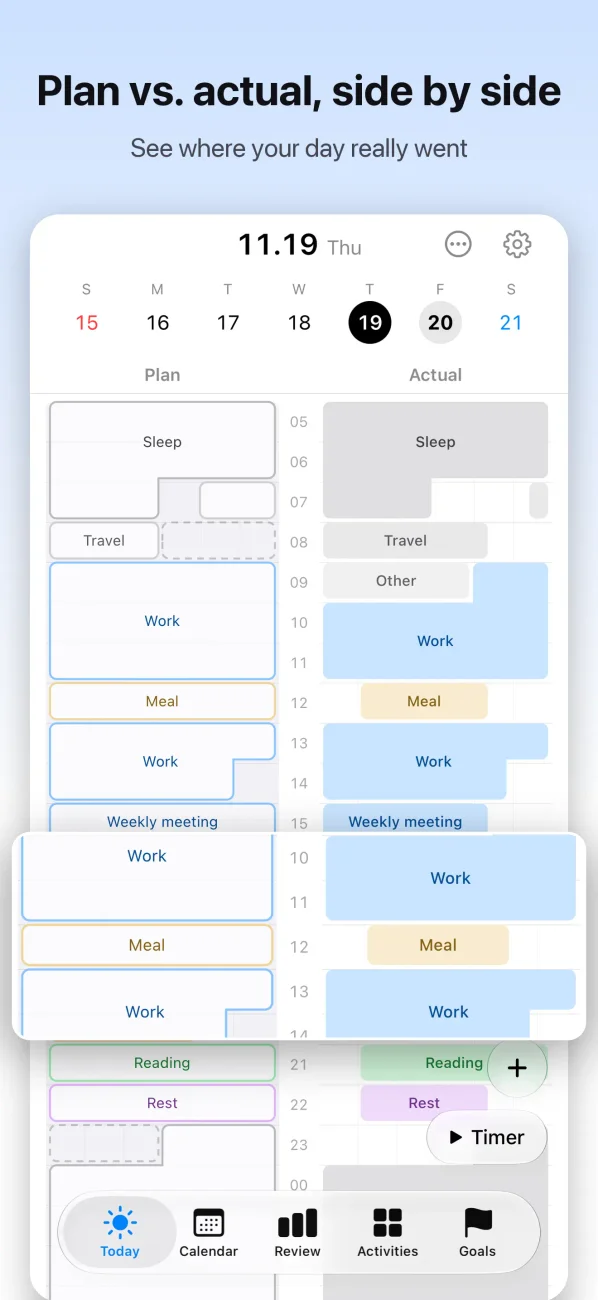
Few days go exactly as planned. Sync lines up your plan and what you actually did on one timeline, and shows where they part. After a week, the hours that always slip become obvious.
Plan your day in the morning, record what you did in the evening, and the two tracks line up side by side. Time that went as planned and time that drifted show in color.
■ Two tracks
Plan and actual share one time axis. Drag over the hours, pick an activity, done.
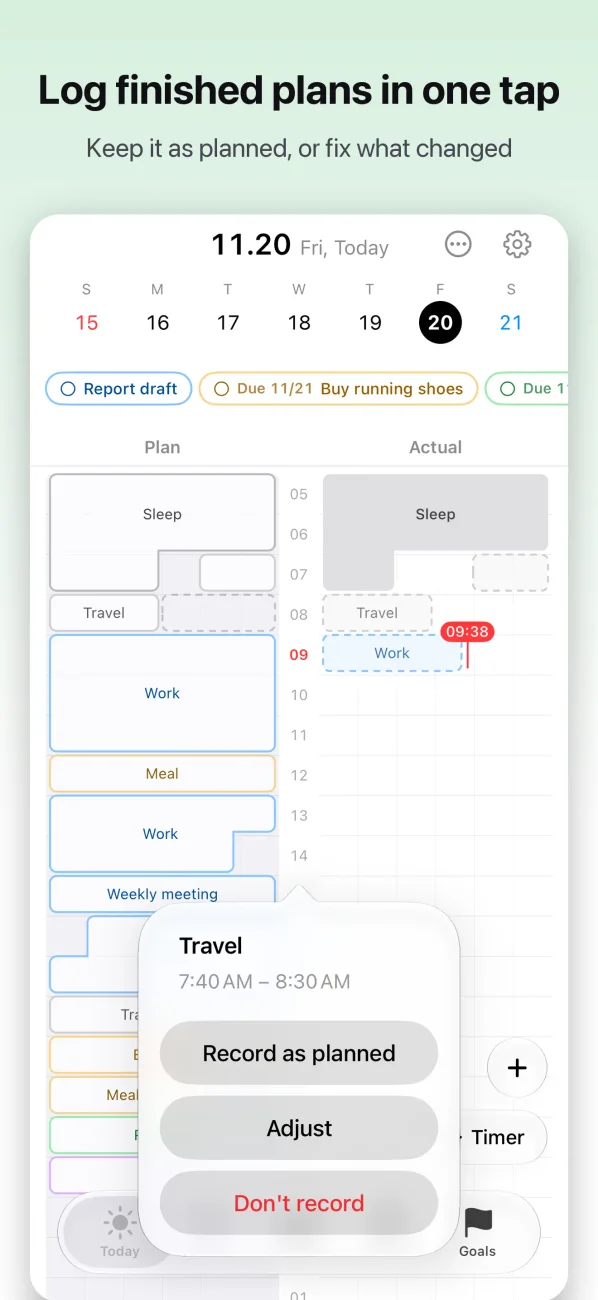
■ One tap to confirm
When a plan ends, a notification and a confirm card offer three buttons: Record as planned · Adjust and record · Skip. The buttons are right on the Lock Screen and in widgets.
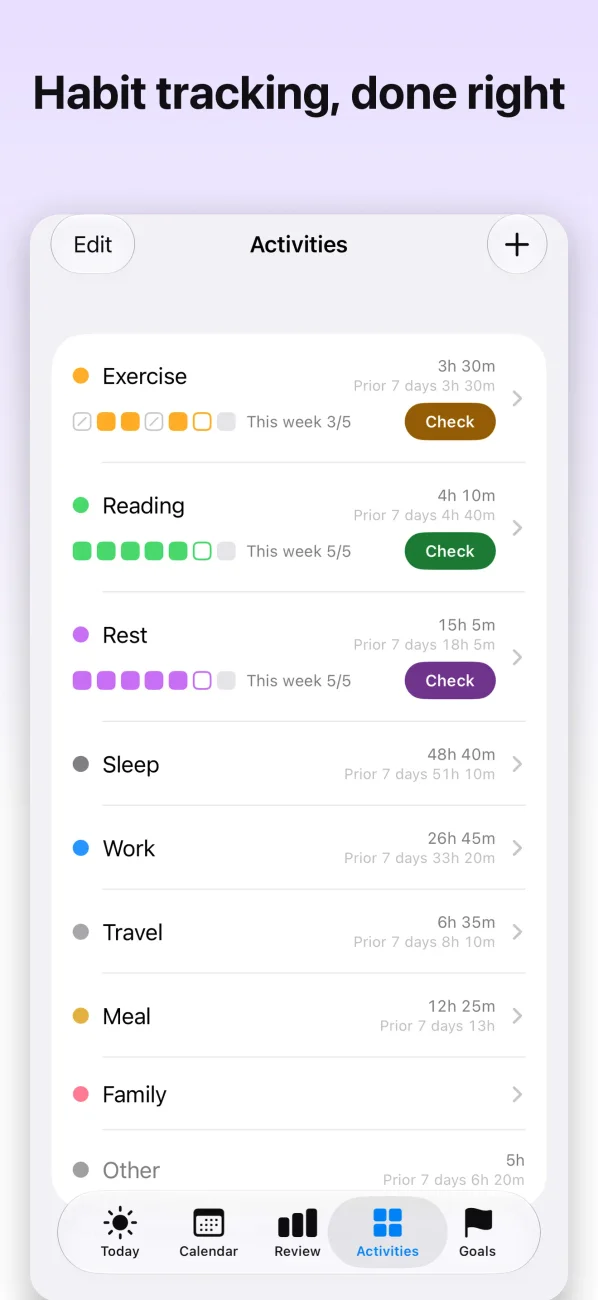
■ Repeats and habits
Turn a plan into a repeat or a habit as you save it. When you edit a repeating plan, choose "Save for this day only" or "Save for all future days." Plans that run past midnight save in one go.
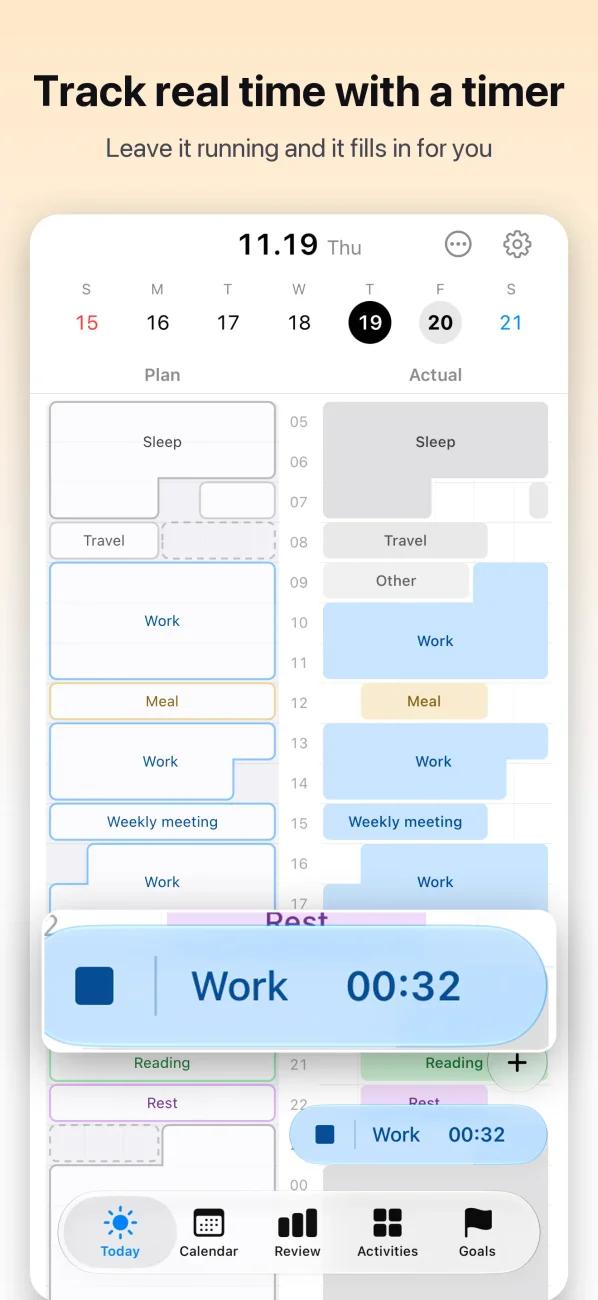
■ Timer
Start a timer and the actual track grows in real time. Stop it from the Lock Screen or the Dynamic Island.
■ Goals and to-dos
Set weekly, monthly, or yearly time goals per activity and they fill in from your actuals. To-dos can have both a scheduled day and a deadline.
■ Apple Health, Calendar, Reminders
Connect Apple Health (HealthKit) and your workouts and sleep — from Apple Watch or any app that writes to Health — flow into the actual track automatically. Read-only: Sync never writes to Health. Calendar events show beneath the plan track; choose which calendars to show, and the activity is picked for you when you import an event. To-dos stay in sync with a Reminders list.
■ Close the day
Close your day before bed to see your Sync and time per activity, and leave a one-line note.
■ iPhone and iPad
On iPad, Sync uses views made for the larger screen. Turn on iCloud sync to keep records in step on an iPhone and iPad signed in to the same Apple Account. Sync works only between Apple devices.
Your records are stored on your device. With iCloud sync on, they move only through your own iCloud. No sign-up, no server of ours. Pay once, for less than a year of a typical subscription. No subscription, ads, or extra purchases.
What’s new
Version 1.6.0 · Nov 21, 2026
· Calendar: Months scroll on continuously. Tap a date to open that day.
· Review cards: See the numbers, weekday bars and time per activity as cards.
· Habits in one line: See this week's days done and the count in one line.
· Widgets: Tap an upcoming plan to open its day, or start the current plan right away.
· Sharing: Make a card from the ⋯ menu or under the day summary, without closing the day, and save it straight to Photos.
App privacy
What 037 declares on the App Store about how this app handles data.
-
Data not collected
The developer does not collect any data from this app.
Privacy practices may vary, for example with the features you use or your age.
Information
- Seller
- 037
- Category
- Productivity
- Version
- 1.6.0
- Updated
- Nov 21, 2026
- Released
- Sep 10, 2026
- Size
- 12.8 MB
- Requires
- iOS 18.0 or later
- Age rating
- 4+
- Languages
- English, Indonesian, Italian, Japanese, Korean, Traditional Chinese, Simplified Chinese, Vietnamese
- Copyright
- © 2026 037 works
You might also like
-
 序日Track plans, journals & dates
-
 Titanova: Life PlannerGoals, Habits, Tasks & Focus
-
 FavPicks:bookmarks saverManage Favorites & Reminders !
-
 Synca · Sync Your Aha MomentCapture Ideas, Synced Anywhere
-
 Horizon: Calendar HighlightsBriefings, goals & countdowns
-
 Inky Habits: Daily TrackerStamp your day with Inky
-
 TimeColorCue: Focus TimerVisual timers for every stage
-
 Todolog: To-dos to RecordsWrite your todo and log days
-
 Bookmark Read Later - LinkjoyOffline, Highlight, Notebook
-
 Kanban Board & Notes - BoardlyTask Lists, Projects & Planner