
- Age rating4+
- CategoryProductivity
- Developer琦 张
- LanguagesEnglish+ 4 more
- Size23.5 MB
Links to the official App Store page
Download.org hosts no file of 序日. The button opens its official App Store page, published by 琦 张. Listing last checked on Nov 27, 2026.
Screenshots


About
Xuri is a journaling app that keeps what you want to stick with, the dates that matter, and how each day felt in one place, so you can look back later.
Records stay on your device by default, with no account to create. When you want to use more than one device, you can turn on private iCloud sync yourself.
[Plans: one card, one thing]
To keep up a habit, make a card for it. There are three ways to record: Cumulative counts the total; Streak allows one per day, resets the streak if you miss, and keeps your best; Counted sets a remaining number, subtracts one per check-in, and can be undone.
Cards get a built-in icon and pattern based on the name and category. You can adjust color and position, and each card can have its own category and size.
[Anniversaries and countdowns]
Anniversaries and countdowns live on their own page and never mix into your daily check-ins. Open it to see how long it has been or how many days are left, and the date is marked on the calendar when it arrives.
[Journal: one line, or just a photo]
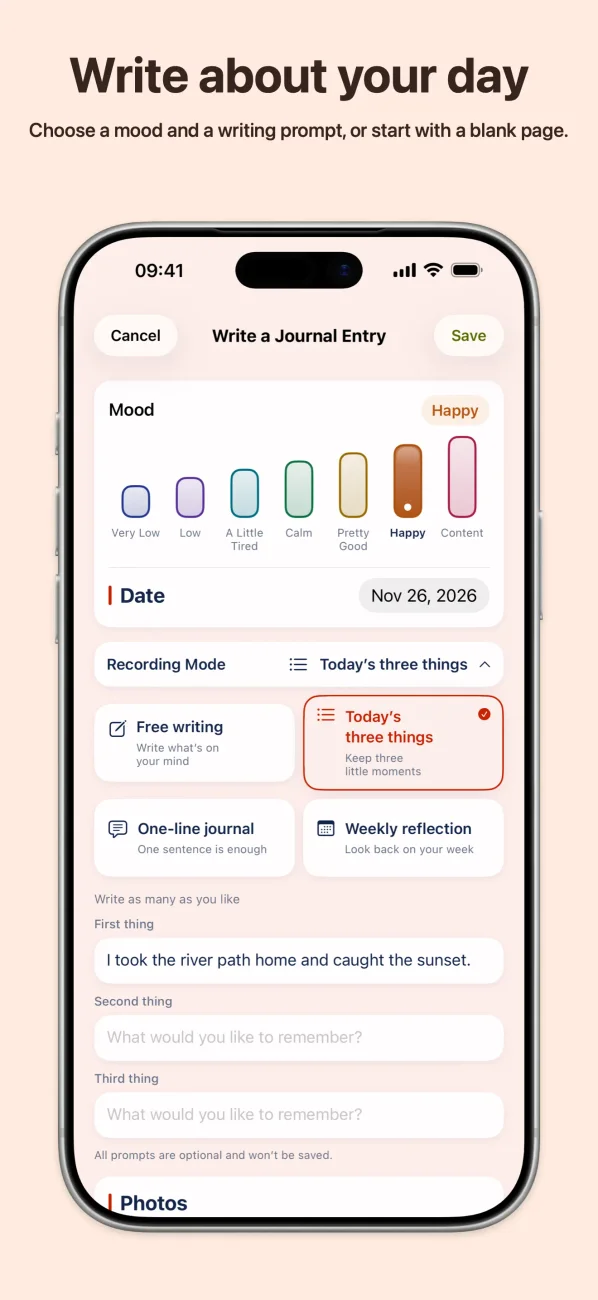
The journal body is flexible. Write a single line to save, or add only a photo with no text. Photos and mood are both optional, and you can write more than one entry on the same day. The entry also lists anything you have not done yet that day, so you can tap to catch up.
[Review and calendar]
Review shows the last 7 calendar days and only lists days with content. Expand it to the last 14 days, or collapse it into a one-card-per-type overview. Earlier days are reachable from the calendar or history. The calendar shows one month per screen and marks check-ins, journal entries, and anniversaries.
[Weekly and monthly reports]
The weekly report charts check-ins and journal entries per day. Use the wheel to change the period. Pro also unlocks earlier weekly and monthly reports.
[Home screen widgets]
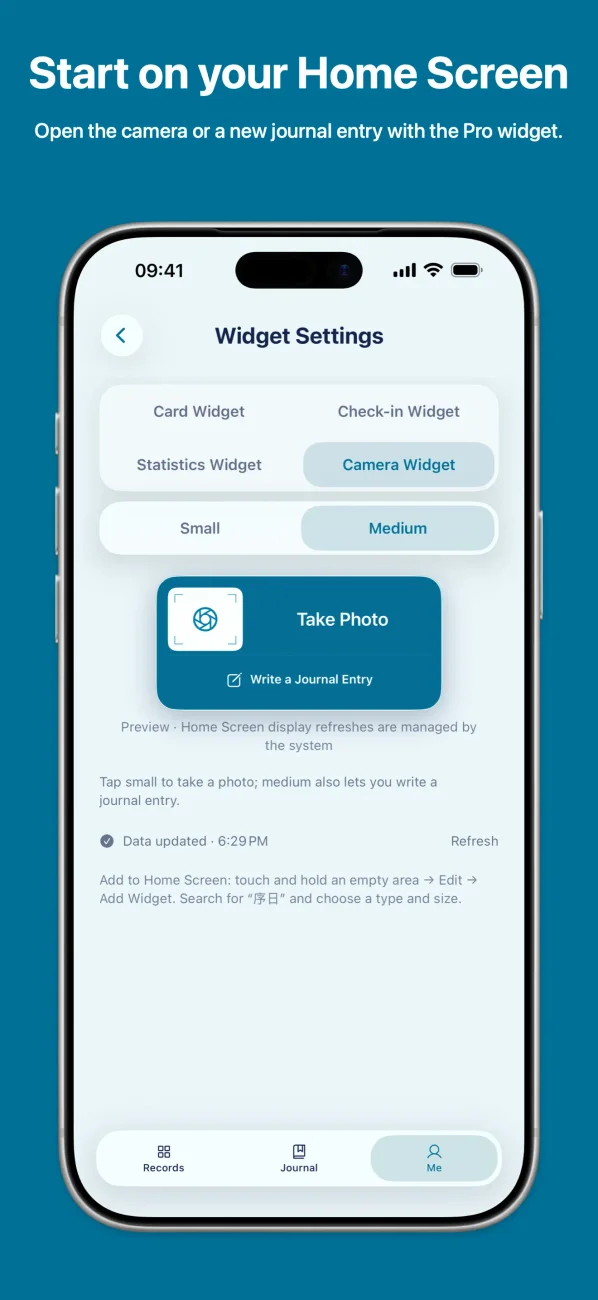
Card, check-in, and statistics widgets each come in small, medium, and large; the camera widget comes in small and medium. Put a card on your Home Screen to see progress at a glance and record with one tap.
[Themes]
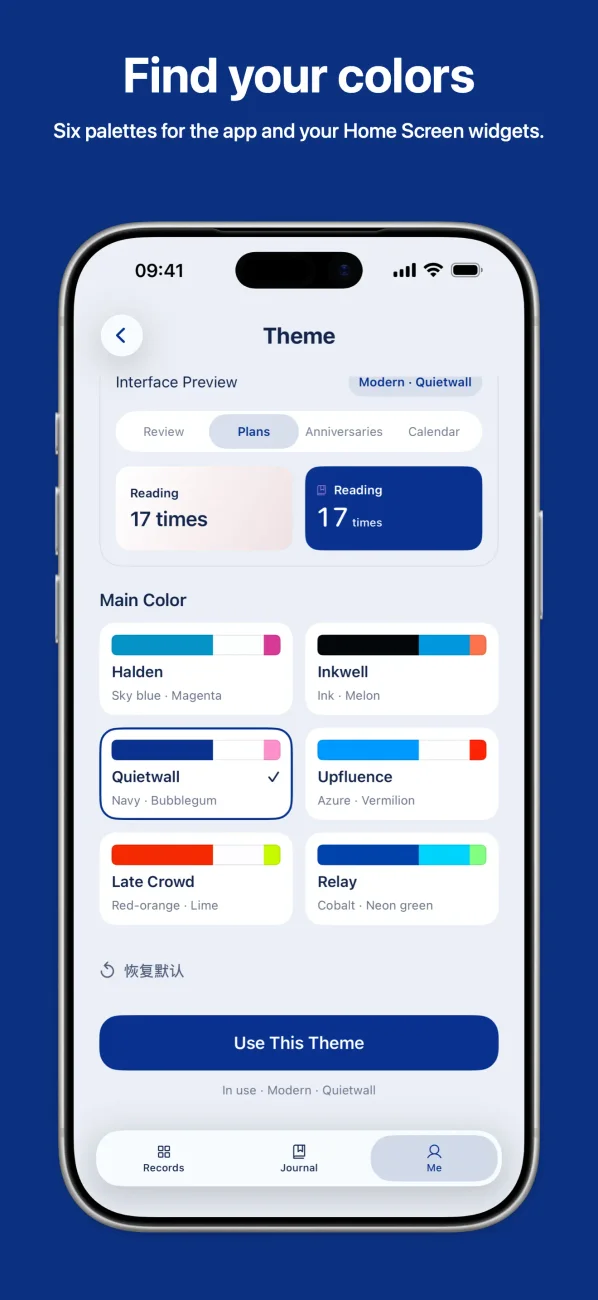
Preview six palettes in Me → Theme. Apply your favorite to the app and your Home Screen widgets.
[Backup and iCloud]
Pro backs up categories, cards, history, journals, app-viewable images, photo moments, your avatar and transferable settings. System-library originals are excluded. Preview before restoring, turn off iCloud first and keep backups secure. Merge and replacement save a safety copy.
Optional private iCloud sync is off by default and covers categories, cards, check-ins, journals and journal photos. Photo moments are outside its sync scope.
[Free and Pro]
Free: six preset categories (Sport, Habits, Study, Life, Health, Work) with 1 regular card each, plus 3 anniversaries and countdowns combined.
Pro unlocks with a one-time purchase: unlimited cards and categories, with free creation of new categories; four kinds of Home Screen widgets; earlier weekly and monthly reports; backup export and import; and private iCloud sync that you turn on yourself. No subscription and no second cloud charge. The actual price appears on the App Store purchase confirmation screen.
[First launch]
When you first open Xuri there is a short guide: make your first card, check in for the first time, write your first journal entry, and save your first photo moment, all using your own real records. Every step can be skipped, and you can skip the whole thing at any time. Leave and come back to continue where you left off, and replay it later.
[Privacy]
No Xuri account is required. Purchases are handled by the App Store, and Xuri does not read your payment information. iCloud sync uses your own private iCloud, is off by default, and is turned on or off by you.
What’s new
Version 2.0.10 · Nov 26, 2026
Choose from six color themes for the app and your Home Screen widgets. The redesigned widgets make it easier to check in, see your stats, take a photo or start a journal entry. In the journal editor, the active text field stands out and writing templates respond when pressed.
App privacy
What 琦 张 declares on the App Store about how this app handles data.
-
Data not collected
The developer does not collect any data from this app.
Privacy practices may vary, for example with the features you use or your age.
Information
- Seller
- 琦 张
- Category
- Productivity
- Version
- 2.0.10
- Updated
- Nov 26, 2026
- Released
- Oct 11, 2026
- Size
- 23.5 MB
- Requires
- iOS 18.0 or later
- Age rating
- 4+
- Price
- Free
- In-app purchases
- Yes
- Languages
- English, Japanese, Korean, Simplified Chinese, Traditional Chinese
- Copyright
- © 2026 qi zhang
You might also like
-
 Synca: Notes & File TransferQuick capture, sync everywhere
-
 Sync: Plan & ActualTime blocking & plan tracker
-
 Capylist: Countdown & HabitWater Habit Tracker · Calendar
-
 Titanova: Life PlannerGoals, Habits, Tasks & Focus
-
 EverTrans - 文本、语音、图片离线翻译助手Offline Translate
-
 NexPaste - Clipboard ManagerEverything you copy, in reach
-
 Inky Habits: Daily TrackerStamp your day with Inky
-
 To Do List & Planner · HandfulDaily Tasks, Reminders & Focus
-
 OneDay: Focus on today’s todoOnly what matters today
-
 個人 CRMProductivity