
SyncFlow - Devices Data Sync
Wi-Fi clipboard, files, screen
Designed for iPhone, iPad, Mac, iPod touch
Free · In-app purchases
- Age rating4+
- CategoryUtilities
- Developerying lu
- LanguagesEnglish+ 12 more
- Size41.1 MB
Links to the official App Store page
Download.org hosts no file of SyncFlow - Devices Data Sync. The button opens its official App Store page, published by ying lu. Listing last checked on Nov 12, 2026.
Screenshots



About
【PRODUCT OVERVIEW】
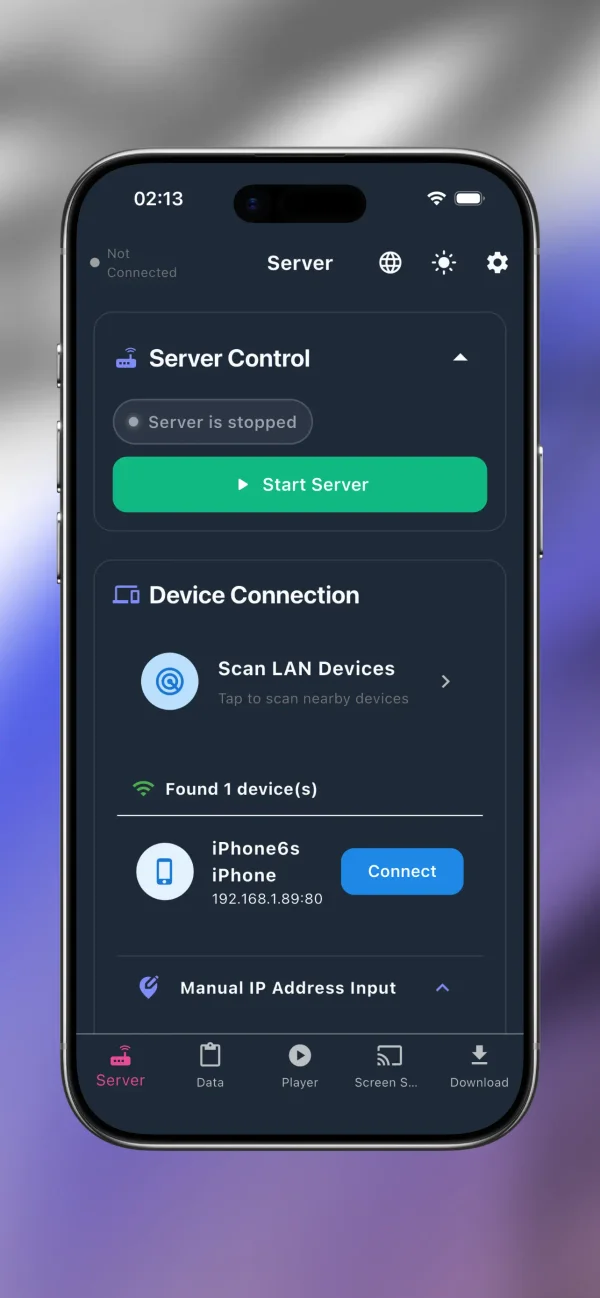
SyncFlow is a cross-device sync tool for local networks. Move text, files, and screens between phones, tablets, and computers—without routing data through cloud accounts.
【NETWORK REQUIREMENTS】
Make sure all devices are on the same local network first: connect to the same Wi‑Fi, or have one device turn on its personal hotspot and connect the other devices to it before pairing and transferring.
【WHAT YOU GET】
Privacy & local-first
• Traffic stays on your local network—no cloud server in the middle
• No sign-up or login required—open the app and go
• Content stays between your devices—great for privacy and productivity
Connection & pairing
• Automatically discovers devices on the same network with less manual setup
• Any device running SyncFlow can be the connection hub; install the same app on other devices to join—no separate “server” vs “client” apps
• QR pairing for quick connection
• Multi-device workflows for work and sharing
Sync & transfer
• Copy on your phone, paste on your computer—smoother cross-device workflows
• Transfer files over the LAN—no cables
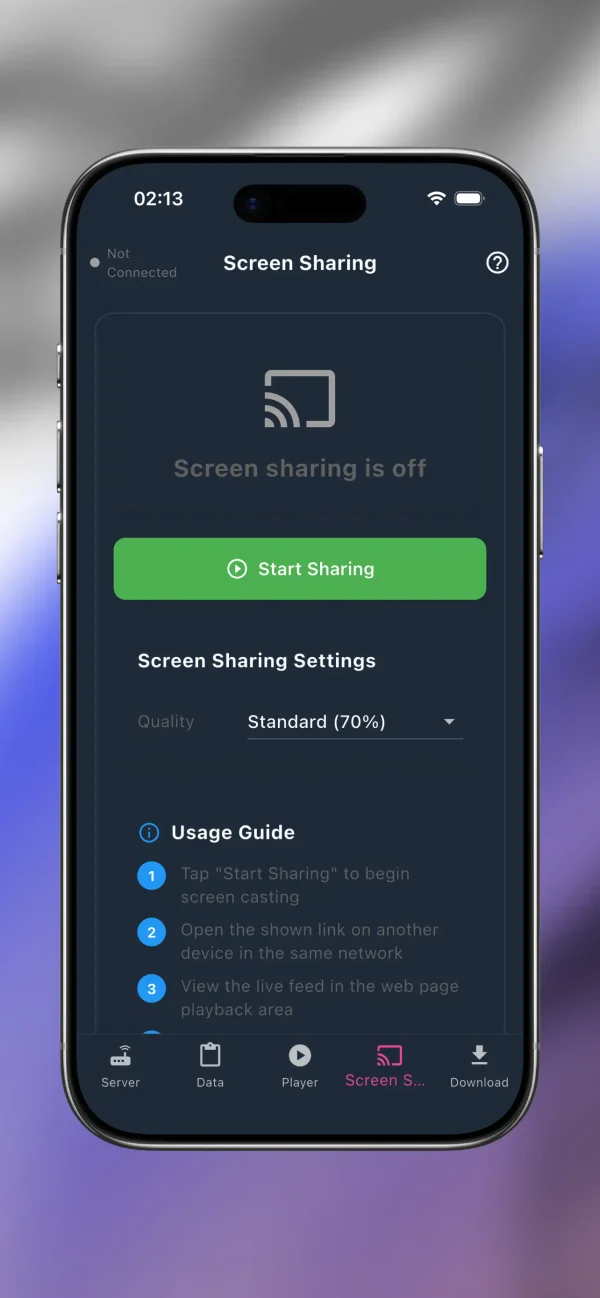
• Share your screen to a larger display in real time
【CORE FEATURES】
Clipboard sync
• Copy on your phone, paste on your computer—less retyping
• Real-time two-way text sync with clipboard monitoring
• QR-based quick sync and connection
File sharing
• Send files between phones, tablets, and computers
• Common formats supported; large files streamed for stability
• Preview images, videos, PDFs; source-aware organization
Screen sharing
• Mirror your phone to a computer or larger display
• Low latency for demos, teaching, and daily viewing; full-screen supported
• Great for presentations, teaching, gaming, and video
【USE CASES】
Work
• Copy links or codes on your phone and paste on your computer
• Send spreadsheets, screenshots, and links without logging into WeChat or other chat apps—transfer directly over the same Wi-Fi
• Sync documents, screenshots, and materials across devices
Entertainment
• Play mobile games or videos on a larger PC screen
• Move screenshots and recordings to your computer for editing
• Share photos and videos between home devices
Team collaboration
• Distribute files quickly without uploading to cloud drives first
• Sync materials and links during presentations
• Share temporary content instantly for smoother communication
【PLATFORMS & HOW CONNECTION WORKS】
• Works across phones, tablets, computers, and the web
• One app is enough for LAN connection and sharing
• Open the web address this device provides in a browser, or scan a QR code to join
【PRIVACY & SECURITY】
We take your privacy and security seriously.
No cloud relay
• Data travels only on your local network
• Nothing is uploaded to our servers
• No third-party relay in the middle
No account required
• No phone number or email required
• Connect without registration or login
Your data stays local
• Transfers stay on your devices
• No unnecessary personal data collection
• Works in offline LAN scenarios in many cases
【WHY SYNCFLOW】
More private: local network—no cloud dependency
More efficient: copy, send, and view in one flow
Easier setup: auto discovery and QR pairing
More practical: clipboard, files, and screen sharing in one place
Works everywhere: major mobile and desktop platforms
Flexible: clipboard, files, and screen sharing in one workflow across your devices
Download SyncFlow for a faster, more private way to sync across devices.
What’s new
Version 2.5.0 · Aug 22, 2026
1. Fixed known issues
2. Optimized features
App privacy
What ying lu declares on the App Store about how this app handles data.
-
Data not linked to you
May be collected but is not linked to your identity.
- Location
- User content
- Identifiers
- Other data
Privacy practices may vary, for example with the features you use or your age.
Information
- Seller
- ying lu
- Category
- Utilities
- Version
- 2.5.0
- Updated
- Aug 22, 2026
- Released
- Dec 29, 2025
- Size
- 41.1 MB
- Requires
- iOS 13.0 or later
- Age rating
- 4+
- Price
- Free
- In-app purchases
- Yes
- Languages
- English, Arabic, Dutch, French, German, Italian, Japanese, Korean, Portuguese, Russian, Simplified Chinese, Spanish + 1 more
- Copyright
- © NM.TEAM
You might also like
-
 Unzip ZIP RAR 7Z - LAN ShareImport & Export Files Easily
-
 ViaShare – Fast File TransferFast LAN & WiFi File Sharing
-
 CasavaultUtilities
-
 拓虎锂电BMSUtilities
-
 SizoraSize Assistant, Fit Better.
-
 FixMine : AI PC Problem SolverFix your PC with AI instantly
-
 Game ShellGame Launcher
-
 Ferry: Send Large FilesFile transfer via link or QR
-
 水平尺-随身测量校准助手Utilities
-
 PasteeUtilities