- Age rating4+
- CategoryMusic
- DeveloperYue Wu
- LanguagesEnglish
- Size68.6 MB
Links to the official App Store page
Download.org hosts no file of SyncStep. The button opens its official App Store page, published by Yue Wu. Listing last checked on Nov 16, 2026.
Screenshots
About
* SyncStep — Learn Dances Faster
Master choreography with perfectly synced videos.
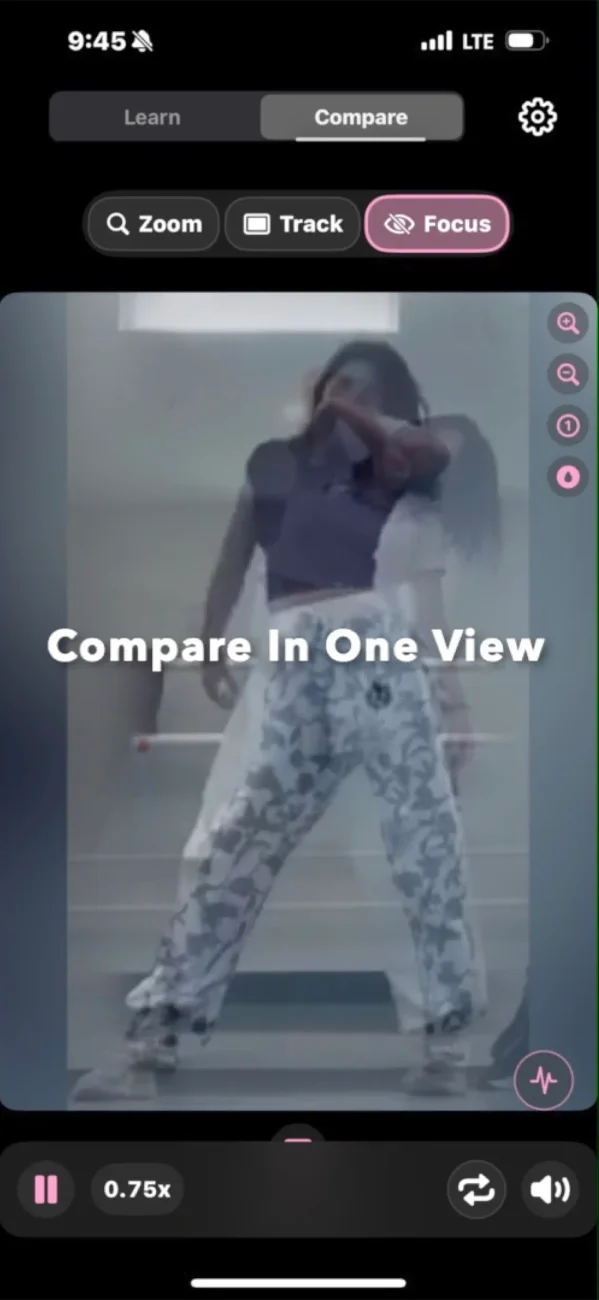
SyncStep helps dancers compare, learn, and refine moves by placing two clips side by side and automatically syncing their audio. Load your reference video and your practice take, then zoom or track to spotlight the dancer you want—no editing required.
* Compare Mode (Analyze Two Videos Together)
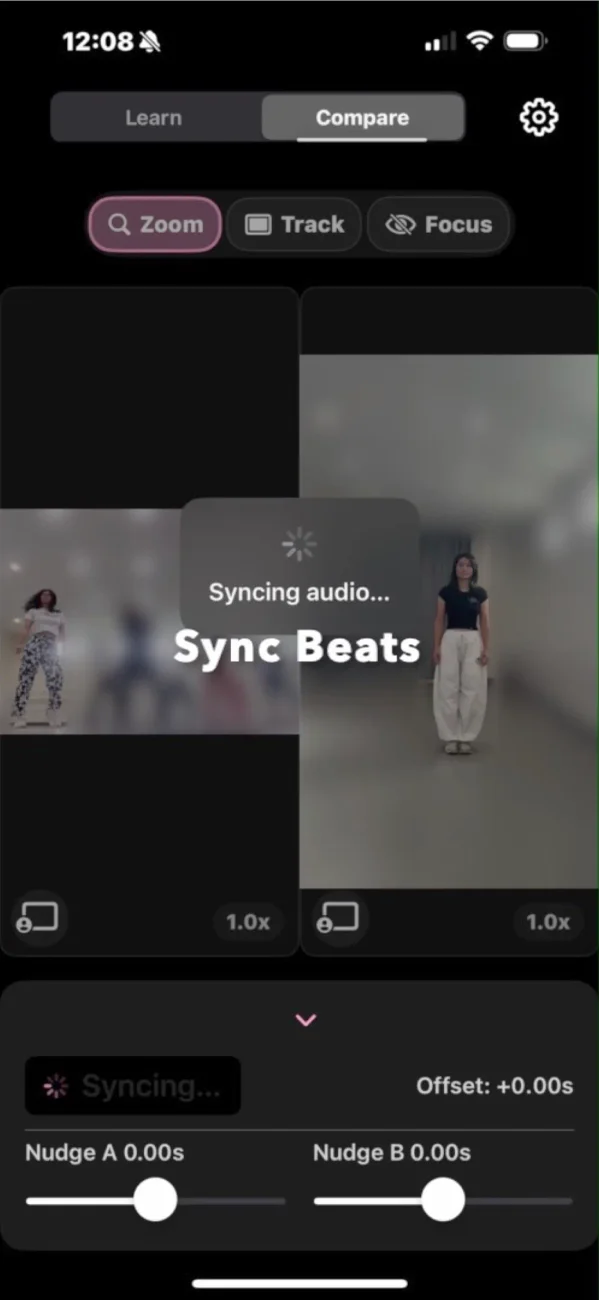
**One-Tap Audio Sync: Instantly align beats between videos for accurate timing comparison.
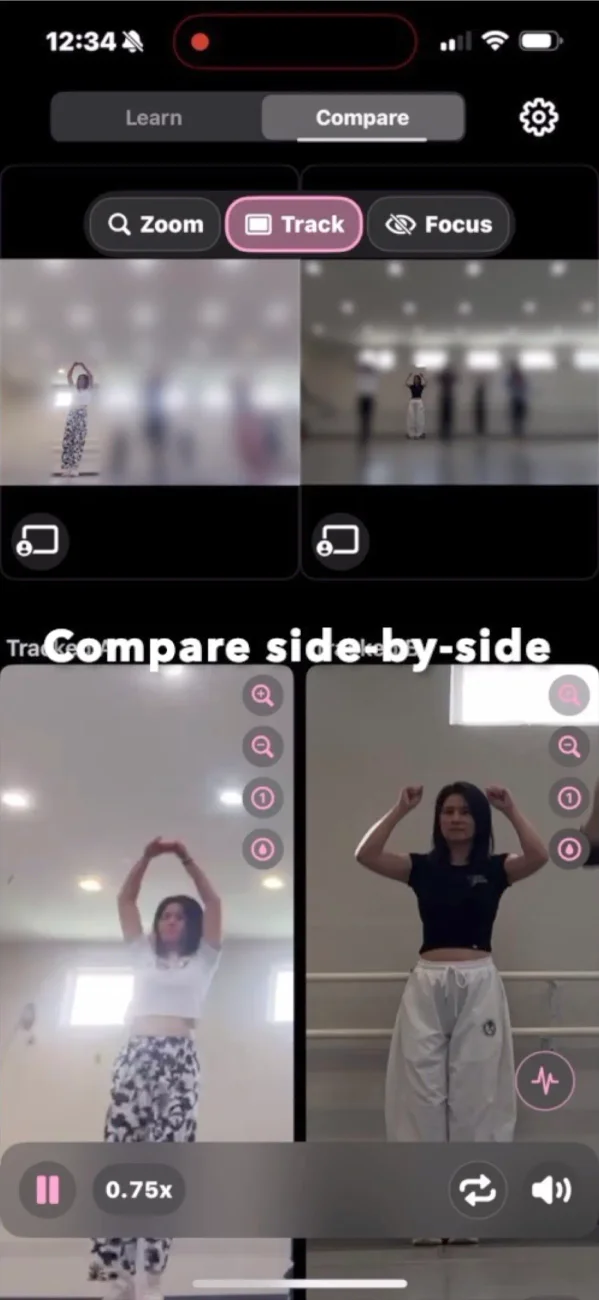
**Three View Modes: Choose from Zoom (manual pinch-to-zoom), Track (AI tracking with boxes), or Focus (tracking with originals hidden).
**Split View: Watch two dancers side-by-side with smart cropping and adjustable zoom.
**Ghost Mode Overlay: Merge both videos into a transparent overlay to reveal subtle differences in timing, angles, and form.
**Smart Auto-Zoom: Keeps small dancers readable (wide zoom range when unlocked).
**Track Mode: Draw a box—SyncStep automatically follows the dancer through the video. Perfect for duets, groups, or formations.
**Tap to Hide/Show Controls: Tap anywhere on video to hide all UI for distraction-free viewing and screen recording.
**Speed Control: Slow down or speed up both videos for study and review.
**Nudges & Fine-Tuning: Manually adjust timing offsets for frame-accurate precision.
**Mirror Mode: Flip Video A horizontally in Zoom mode for easier comparison.
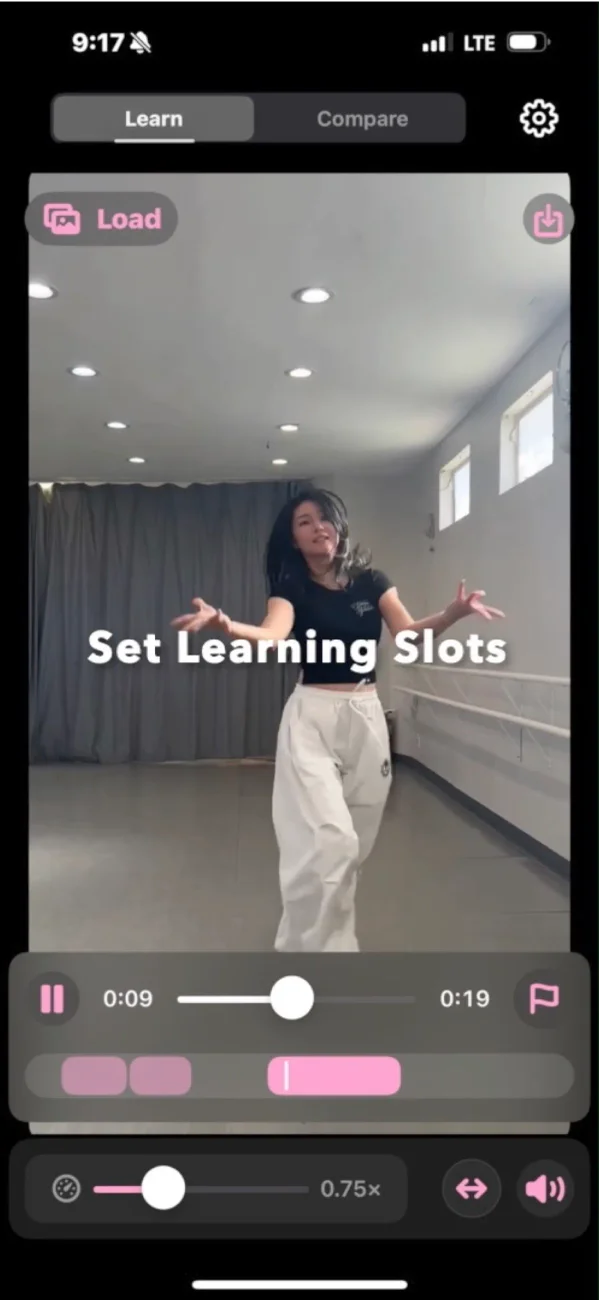
* Learn Mode (Your Solo Practice Studio)
Focus on one video with tools designed for personal practice:
**Follow-Along Recording: Open a front-camera preview, use a short countdown, and record yourself while your reference video plays. Drag the picture-in-picture preview and pinch to resize; the main video stays large. Saves your camera clip to Photos (reference video is not merged into the same file).
**Practice Slots: Save custom loops and jump between tricky segments instantly.
**Speed Control: Slow down or speed up playback to master technique.
**Mirror View: Flip your video to match choreography orientation.
**Clean Controls: Smooth scrubbing, looping, and rewinding without clutter.
**Perfect for self-training and reviewing your own performance.
* Guidance & Tools
**Languages: Choose Follow System, English, or 简体中文 in Settings.
**How to Use: Step-by-step guide for Compare and Learn, including follow-along recording.
**Pro Tips: Quick starred tips inside the guide.
**Optional Auto-Tips when you need a nudge.
**Info buttons for fast explanations where it matters.
*Clean, Dark Design
Built for rehearsals, late-night practice sessions, and long study periods.
Optimized layouts for both iPhone and iPad, in portrait or landscape.
* Perfect For
**Learning choreography and formations
**Rehearsal review and technique refinement
**Dance teachers preparing demos
**Creators making comparison or practice clips
* SyncStep Pro
Unlock unlimited access to advanced tools, Ghost Mode, Smart Auto-Zoom, enhanced tracking, and future upgrades.
Manage your subscription anytime in Settings.
* Privacy & Support
Your videos stay private—SyncStep never uploads or shares them.
All processing happens securely on your device.
Terms of Use (EULA):
https://www.apple.com/legal/internet-services/itunes/dev/stdeula/
Privacy Policy:
https://docs.google.com/document/d/1CwFKSKHbcdqwdiEWDFRhjnX_Wa5aEg22NkZ5XUIylgs
What’s new
Version 3.2 · Apr 7, 2026
* Follow-along recording: Open the camera preview while your reference video plays, use the countdown, and record your take—great for learning choreography side by side with the teacher.
* Smarter PiP: Drag the preview to where you want it, pinch to resize, and keep the main video large. What you see in the preview matches what saves to Photos.
* Guides & tips: “How to Use” and Pro Tips now explain follow-along recording and how saving works (camera clip only, not merged with the reference video).
App privacy
What Yue Wu declares on the App Store about how this app handles data.
-
Data not collected
The developer does not collect any data from this app.
Privacy practices may vary, for example with the features you use or your age.
Information
- Seller
- Yue Wu
- Category
- Music
- Version
- 3.2
- Updated
- Apr 7, 2026
- Released
- Dec 2, 2025
- Size
- 68.6 MB
- Requires
- iOS 17.6 or later
- Age rating
- 4+
- Price
- Free
- In-app purchases
- Yes
- Languages
- English
- Copyright
- © 2025 SyncStep. All rights reserved.
You might also like
-
 Sa Re Ga Ma With HarmoniumSur Sadhana - Alankars Paltas
-
 BeatLoop: Dance Practice LoopSlow Down Music & Learn Moves
-
 DanceFlowWBeat, Stems & 3D Dance
-
 Dance CamTrack Progress, Edit Smart
-
 Loopit – Slow Down & AB RepeatGuitar, Piano & Music Practice
-
 Bachata SpeedChoose a tempo & play songs
-
 Shuffler: Music Video CollabShuffler
-
 OSE - Music App8 focused tools for musicians
-
 咕乐-AI作曲更简单Music
-
 Scrobblie - Last.fm ScrobblerScrobble everywhere you listen