
BeatLoop: Dance Practice Loop
Slow Down Music & Learn Moves
Designed for iPhone, iPad, iPod touch
Free · In-app purchases
- Age rating4+
- CategoryMusic
- DeveloperOnBeat HQ UG (haftungsbeschraenkt)
- LanguagesEnglish
- Size142.3 MB
Links to the official App Store page
Download.org hosts no file of BeatLoop: Dance Practice Loop. The button opens its official App Store page, published by OnBeat HQ UG (haftungsbeschraenkt). Listing last checked on Nov 14, 2026.
Screenshots


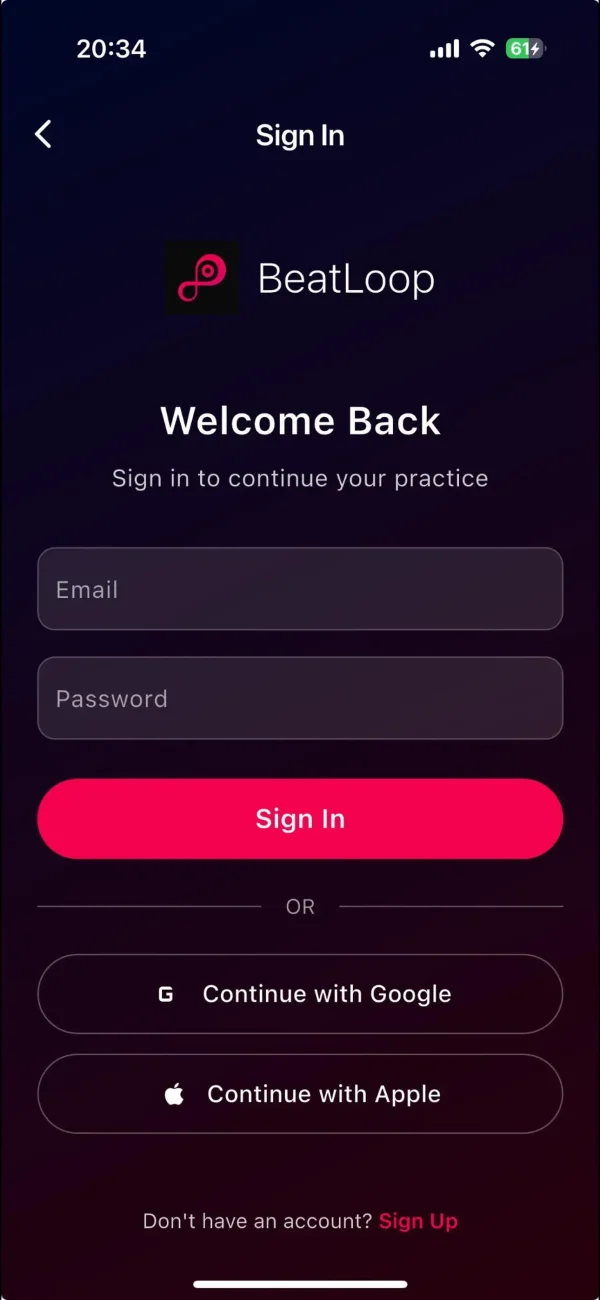
About
Loop any section. Slow down any song or video. Learn any choreography at your own pace.
BeatLoop is the precision practice tool for dancers, choreographers and dance teachers. Mark the parts you need to drill, loop them, slow them down and record yourself until every move clicks. Load audio or video from your device, or stream songs straight from YouTube.
BUILT FOR PRACTICE, NOT PLAYBACK
Every other slow-downer was made for someone sitting still with an instrument in their hands. BeatLoop is made for a body that has to get back to its mark. Every rep starts with a countdown you can see and hear, so you can stand in position with your eyes up instead of staring at your phone waiting for the music. Set a break between reps, and let the speed climb a little each pass until you're back at full tempo without noticing.
SLOW IT DOWN, SAME PITCH
Drop a track to a quarter speed and it still sounds like the track — same key, same pitch, just slower. That's what makes slow practice work. Break down fast choreography, intricate footwork and tight eight-counts at a tempo you can actually learn at, then build the speed back up. It works the same on audio and on video.
MIRROR ANY TUTORIAL
Learning from a video where the teacher faces you? Flip it. Their moves match your side instead of reversing in your head.
RECORD YOURSELF WHILE THE MUSIC RUNS
Hit the shutter and BeatLoop films you dancing while the loop plays. Every run saves as a take, named after the passage you were drilling and numbered across runs, so you can watch your third attempt at the chorus next to your first. Pinch to zoom up to 5x and set the shot up once.
YOUR TAKES, ORGANIZED
The Videos tab keeps every take in a folder per session, grouped by segment. Search, sort, rename, favorite or delete — or open any take back up as a session and keep drilling.
SHARE IT
Send a take to your teacher or your group chat straight from the player. Share a whole session with a partner. And send videos and links into BeatLoop from other apps, so a tutorial you spot while scrolling is one tap from loopable.
WHAT YOU CAN DO
• A-B repeat — drop A–Z markers and loop any part as long as you need
• Change the speed — practice slow, then build back up to full tempo
• Mirror mode — flip any tutorial so the moves match your side
• Link segments — drill a full routine section by section
• Get counted in — see and hear the countdown before every rep
• Break time — set a pause between reps to reset and get back to your mark
• Record takes — film yourself and play it back in sync with the music
• Import anything — audio and video from your device, or stream from YouTube
• Share in and out — send clips to BeatLoop, send your takes to anyone
• Cast to a TV — send your practice to the big screen for classes and rehearsals
• Full screen — cleaner and easier to follow from across the room
• Save sessions — markers, segments, speed and settings, right where you left them
FOR TEACHERS AND CHOREOGRAPHERS
Break a routine into named sections and teach them one at a time. Slow the tempo for beginners, loop the hard parts for your advanced students, and cast to a speaker or screen so the whole class stays in sync. Share a session with your group so everyone drills the same thing. Spend class time teaching, not scrubbing through a track.
FOR STUDENTS AND SELF-LEARNERS
Learn from YouTube and your own clips at a pace that works for you. Loop the move you can't quite get, drop the speed until it clicks, then film yourself to check your timing.
EVERY STYLE
Hip hop, contemporary, ballet, jazz, tap, salsa, bachata, kizomba, zouk, tango, K-pop, breaking, ballroom, heels and more. Preparing a wedding dance? Learn it one eight-count at a time.
FREE TO START
Loop, slow down, record and practice for free, with 3 markers and 2 segments per session. Premium unlocks unlimited markers and segments, the full speed range, longer loops, and flexible break and prep timing.
Make the music your own. Always stay OnBeat.
What’s new
Version 1.2.9 · Nov 2, 2026
New in 1.2.9
• Courses: Cuban Salsa / Casino Basics with Dr. Ash & Josi. 33 lessons filmed from the front and the back. Loop any step and slow it down.
• Choose the video quality for each lesson, or leave it on Auto.
• Try Premium with a free trial. Cancel anytime.
• Got a partner code from your dance school? Enter it for a discount on Premium.
• Manage or cancel your subscription right from your account.
• Bug fixes and stability improvements.
• Courses tab → Salsa Cubana Basic → Buy. Restore is on the same page.
App privacy
What OnBeat HQ UG (haftungsbeschraenkt) declares on the App Store about how this app handles data.
-
Data not linked to you
May be collected but is not linked to your identity.
- Contact info
Privacy practices may vary, for example with the features you use or your age.
Information
- Seller
- OnBeat HQ UG (haftungsbeschraenkt)
- Category
- Music
- Version
- 1.2.9
- Updated
- Nov 2, 2026
- Released
- Sep 12, 2025
- Size
- 142.3 MB
- Requires
- iOS 14.0 or later
- Age rating
- 4+
- Price
- Free
- In-app purchases
- Yes
- Languages
- English
- Copyright
- Copyright © 2026 OnBeat. All rights reserved.
You might also like
-
 AB LooperLoop Any Video Section
-
 ChoreoPocketRehearse. Play music. Catalog.
-
 PercussionTutorWorld Rhythms Reference App
-
 SMTC: Dance & MusicalityLearn Rhythm. Dance to Music.
-
 Cadance: Plays music for classDance teacher's tempo wizard
-
 Bachata SpeedChoose a tempo & play songs
-
 Bachatapp StudioMusic
-
 Dancetime - Salsa Beat FinderFind Rhythm in Real Songs Live
-
 SyncStepCompare. Sync. Dance.
-
 Salsa RhythmLatin Dance Metronome & Beats