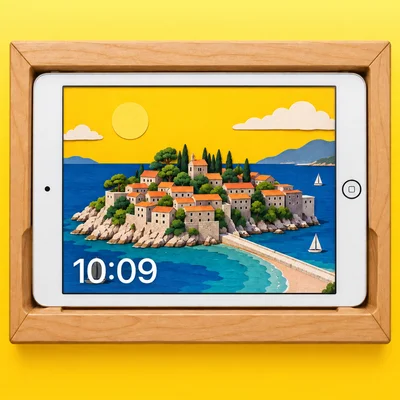
Tablet Photo Frame
Give your old tablet new life
Designed for iPad
In-app purchases
- Age rating4+
- CategoryPhoto & Video
- DeveloperRobinvanholst BV
- LanguagesDutch+ 22 more
- Size17.6 MB
Links to the official App Store page
Download.org hosts no file of Tablet Photo Frame. The button opens its official App Store page, published by Robinvanholst BV. Listing last checked on Nov 12, 2026.
Screenshots





About
Give your old iPad a second life as a photo frame for the whole family. Enjoy full-screen photos, see upcoming plans and make the week familiar with colorful weekdays.
USE WHAT YOU ALREADY HAVE
A working iPad deserves more than a place in a drawer. iPad Photo Frame supports iPadOS 15 and later, giving older iPads a useful place in your home. Keeping your device in use can help you put off buying a separate digital photo frame and avoid unnecessary electronic waste.
GIVE YOUR PHOTOS THE WHOLE SCREEN
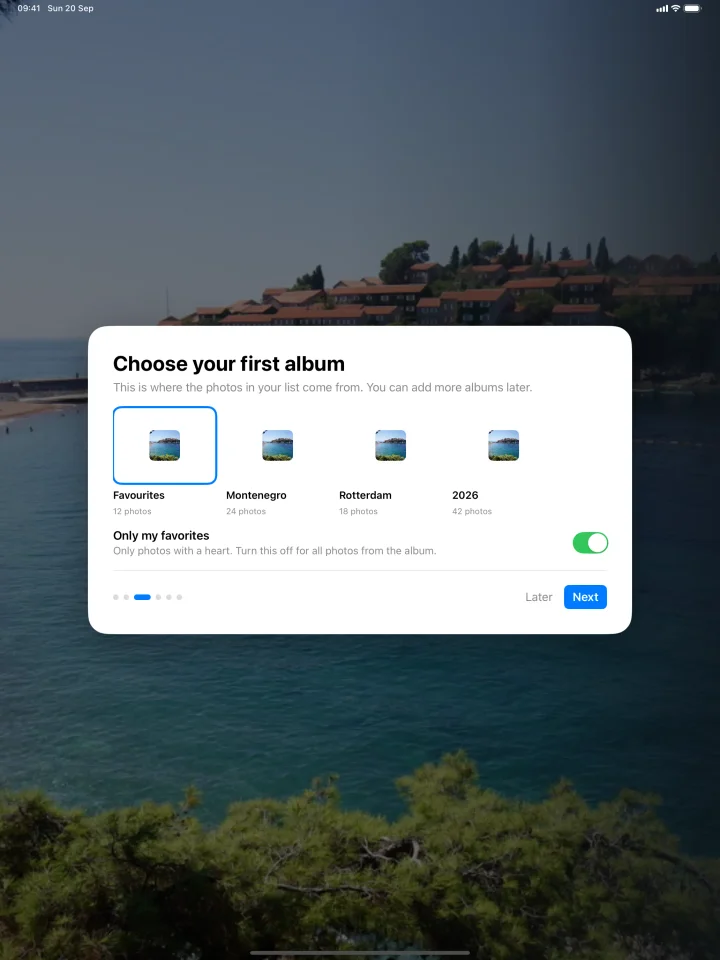
Choose one or more albums from Apple Photos and let your memories play automatically. Combine albums, include shared albums and choose favorites only for each source. Enjoy photos in portrait or landscape, with the option to display two photos together.
A FAMILIAR WEEK FOR CHILDREN
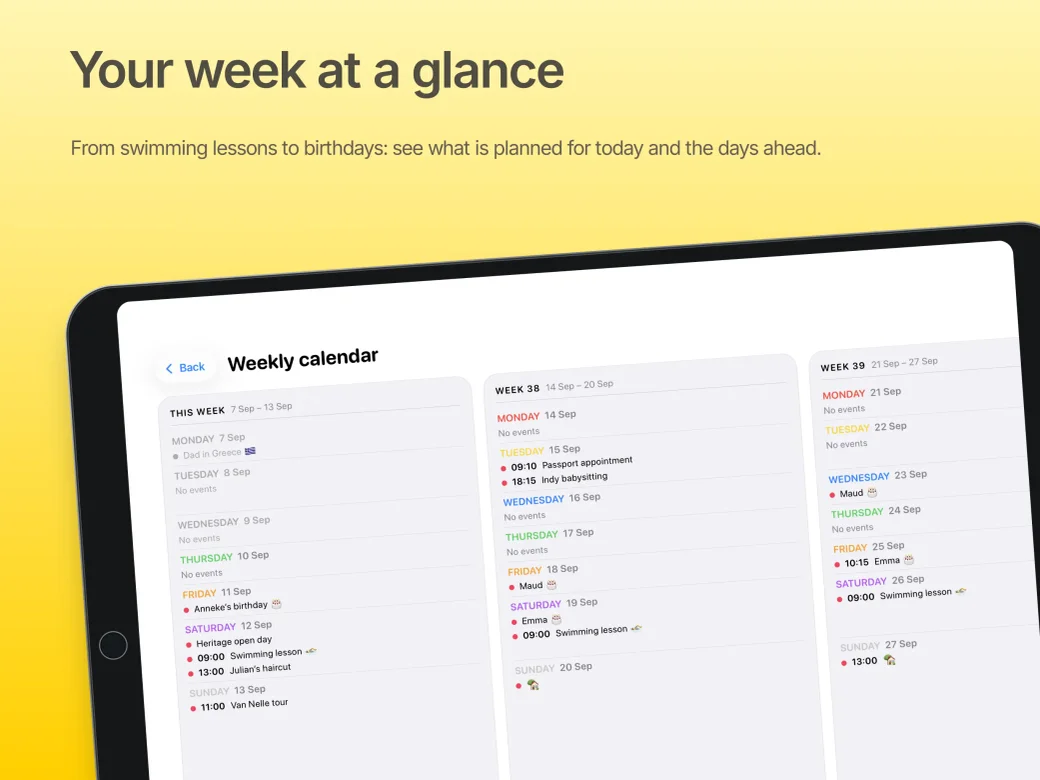
Show calendar events and a weekly overview alongside your photos. Assign recognizable weekday colors using the Dalton preset, another built-in scheme or your own colors. Match the colors your child knows from home or school.
SIMPLE TO SET UP
Choose your albums, turn on the elements you want and position them on the screen. Adjust the clock, weekday colors and layout to suit your family.
• Full-screen slideshows from your photo albums
• Favorites-only filtering for each album
• Optional clock, date and photo details
• Calendar and weekly overview with customizable weekday colors
• Weather for the coming hours and days
• Portrait and landscape layouts
• Support for iPadOS 15 and later
Enjoy your first 30 hours of use without a support label. Then continue free with a small support label, or support the developer with a monthly or yearly subscription to remove it. The price and any available trial are shown before purchase. Your subscription renews automatically unless canceled through your Apple account.
Privacy: https://robinvanholst.nl/apps/privacy/?lang=en
Terms of Use: https://www.apple.com/legal/internet-services/itunes/dev/stdeula/
What’s new
Version 1.1 · Sep 21, 2026
New in this version:
• A clear first-start guide helps you grant access, choose an album, set the photo order and arrange the screen.
• Choose how photos appear: smart mix, this week through the years, in sets or completely random.
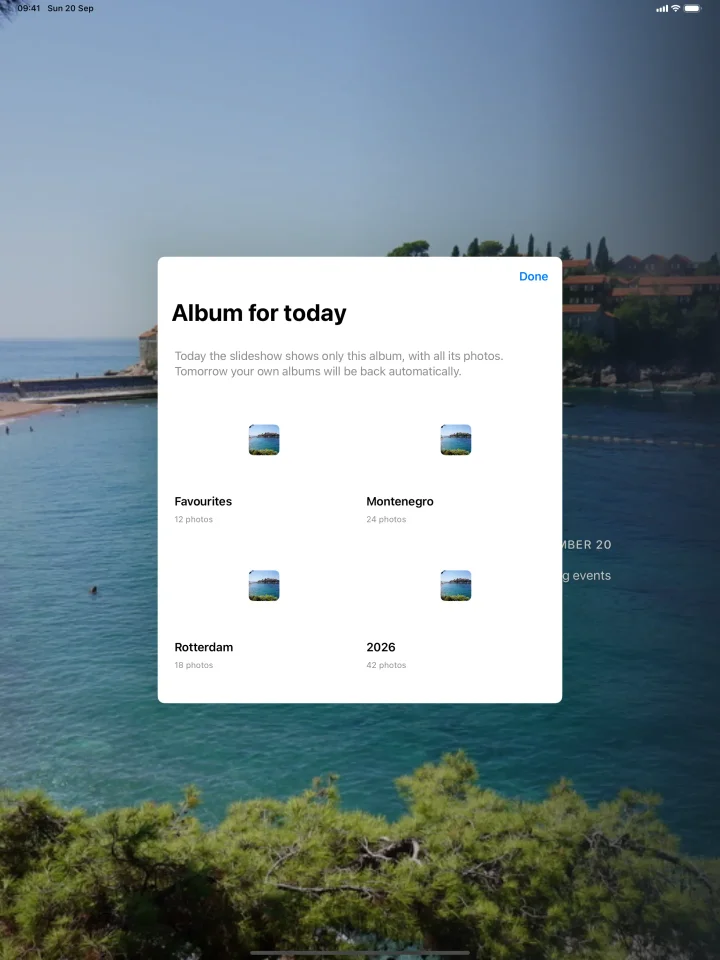
• Pick an album for today; it automatically ends the next day.
• Better performance on older iPads.
• You can also support the developer with a one-time purchase.
App privacy
What Robinvanholst BV declares on the App Store about how this app handles data.
-
Data not linked to you
May be collected but is not linked to your identity.
- Location
Privacy practices may vary, for example with the features you use or your age.
Information
- Seller
- Robinvanholst BV
- Category
- Photo & Video
- Version
- 1.1
- Updated
- Sep 21, 2026
- Released
- Sep 13, 2026
- Size
- 17.6 MB
- Requires
- iOS 15.0 or later
- Age rating
- 4+
- In-app purchases
- Yes
- Languages
- Dutch, Norwegian Bokmål, Catalan, Danish, German, English, Finnish, French, Greek, Hungarian, Italian, Croatian + 11 more
- Copyright
- © 2026 Robinvanholst BV
You might also like
-
 Photo Frame for TabletDigital Slideshow, No Cloud
-
 VistaDashPhoto frame for your desk
-
 Picturella- Smart Photo Framewith Picture Info & Widgets
-
 Luxa: Digital Photo FrameSlideshow, Clock & Calendar
-
 DigiFrame: Digital Photo FrameSlideshow, Clock & Weather
-
 PicDock: Digital Photo FrameSlideshow & Bedside Clock
-
 GoThru Photo ViewerPhoto & 360 Panorama Viewer
-
 Storyframe - smart photo framePhoto & Video
-
 Easy Slideshow: Photo & MusicMemorial, Wedding & Family
-
 Digital Frame LitePhoto & Video