
TakeKit: Teleprompter Camera
Read the script, look natural
Designed for iPhone, iPad, Mac
Free · In-app purchases
- Age rating4+
- CategoryPhoto & Video
- DeveloperEduardo Pinillos
- LanguagesEnglish+ 7 more
- Size4.5 MB
Links to the official App Store page
Download.org hosts no file of TakeKit: Teleprompter Camera. The button opens its official App Store page, published by Eduardo Pinillos. Listing last checked on Nov 17, 2026.
Screenshots
About
Stop memorizing every line.
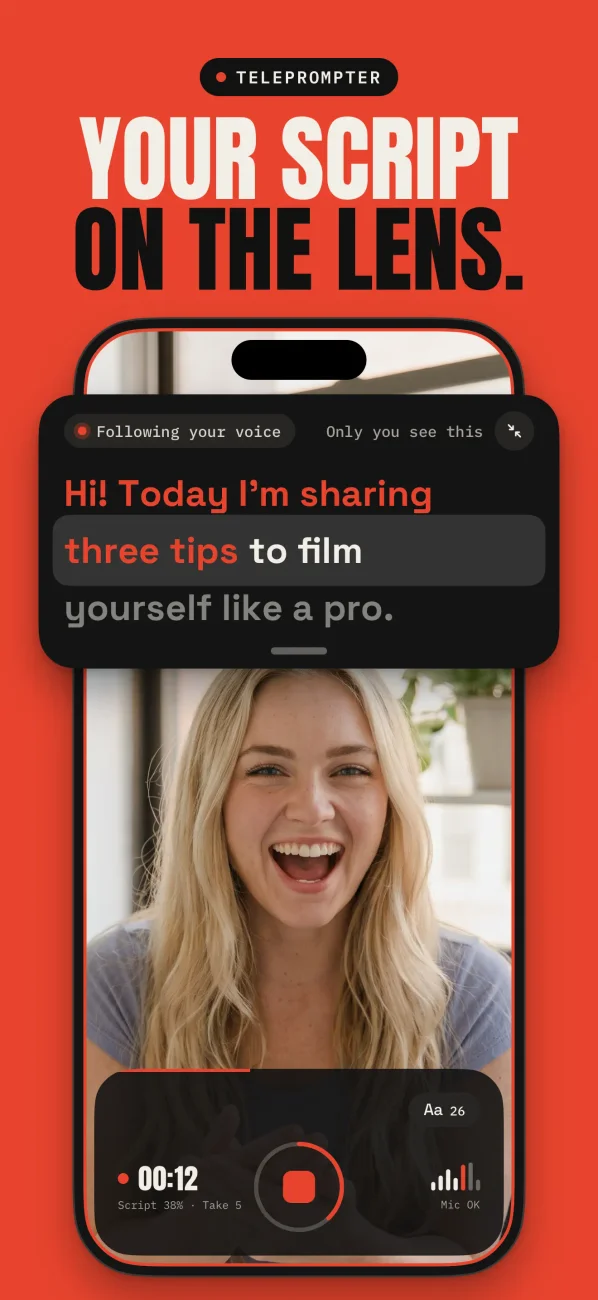
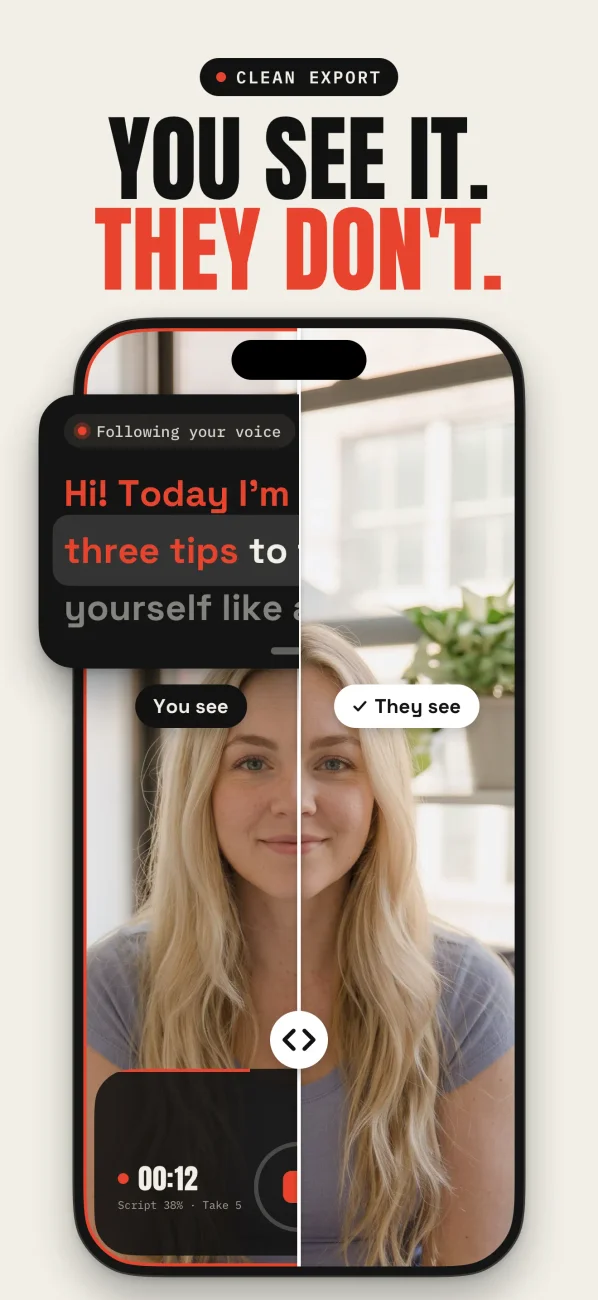
TakeKit is a teleprompter camera for creators, coaches, and founders. Write your script, hit record, and read from an on-screen guide that only you can see — your exported video is always clean.
READ WHILE YOU RECORD
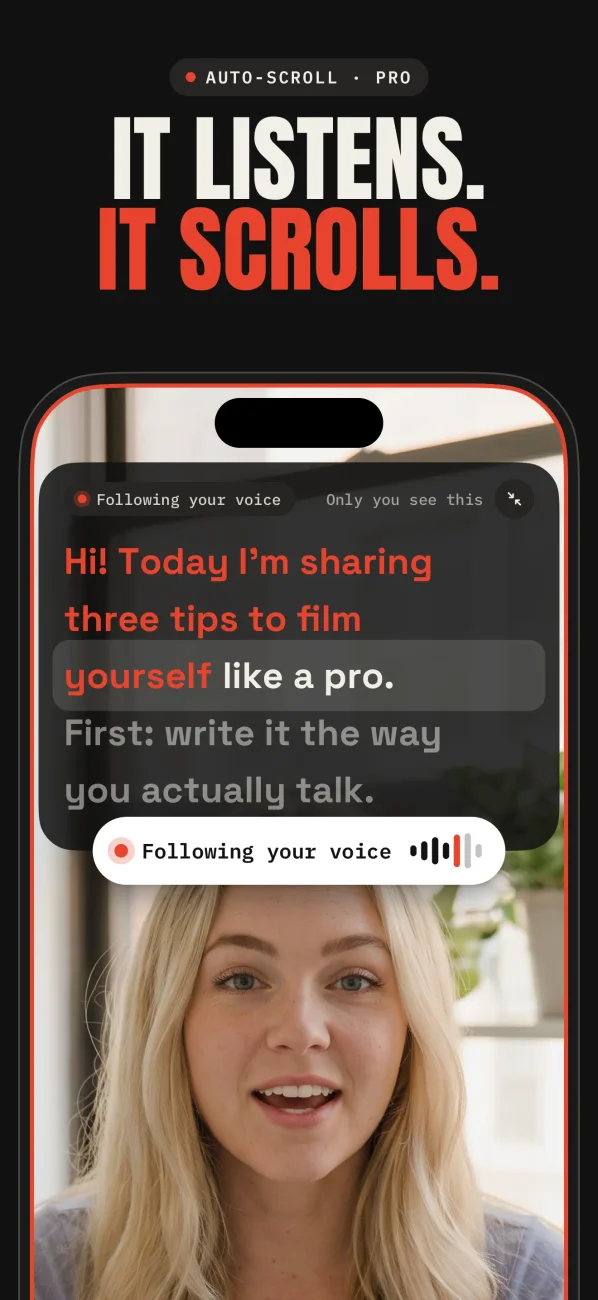
• The guide scrolls automatically as you speak (speech recognition, fully on-device)
• Or use fixed-speed scrolling with instant speed control
• The current line stays highlighted mid-screen so you never get lost
• Eye-contact mode docks the text next to the front lens — you appear to look straight at the camera
BUILT FOR TAKES
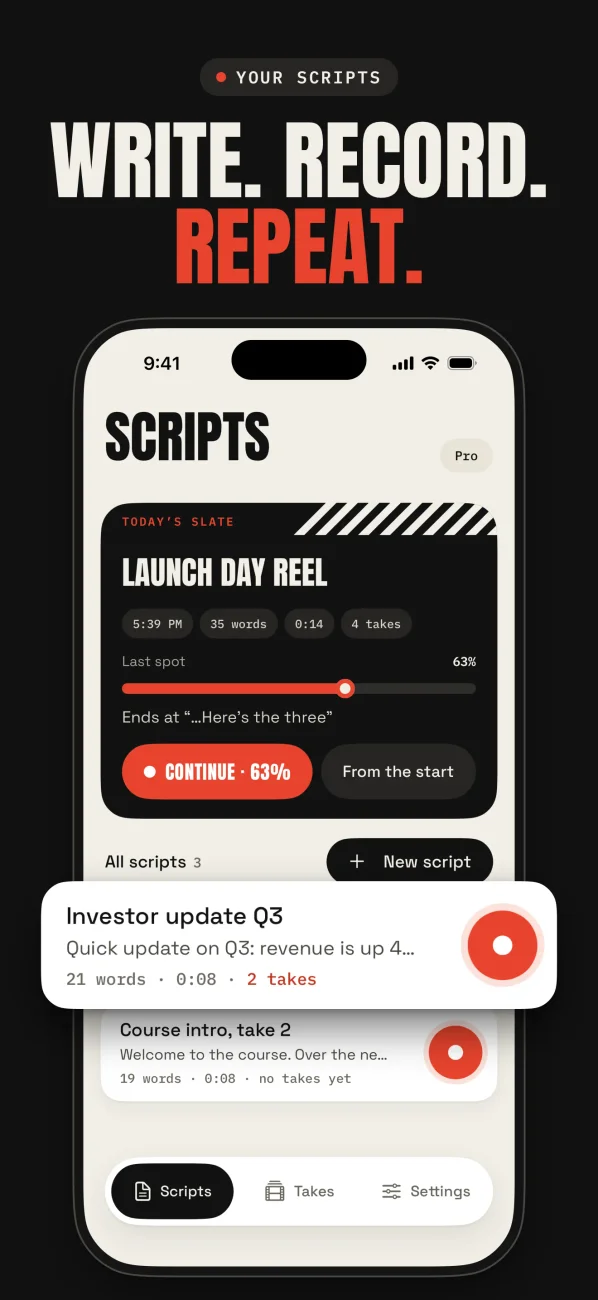
• Record as many takes as you need, grouped by script
• Resume from where you stopped — no re-reading from the top
• Mark your best take with a star, rename it, compare attempts
• Live mic meter so you never discover bad audio too late
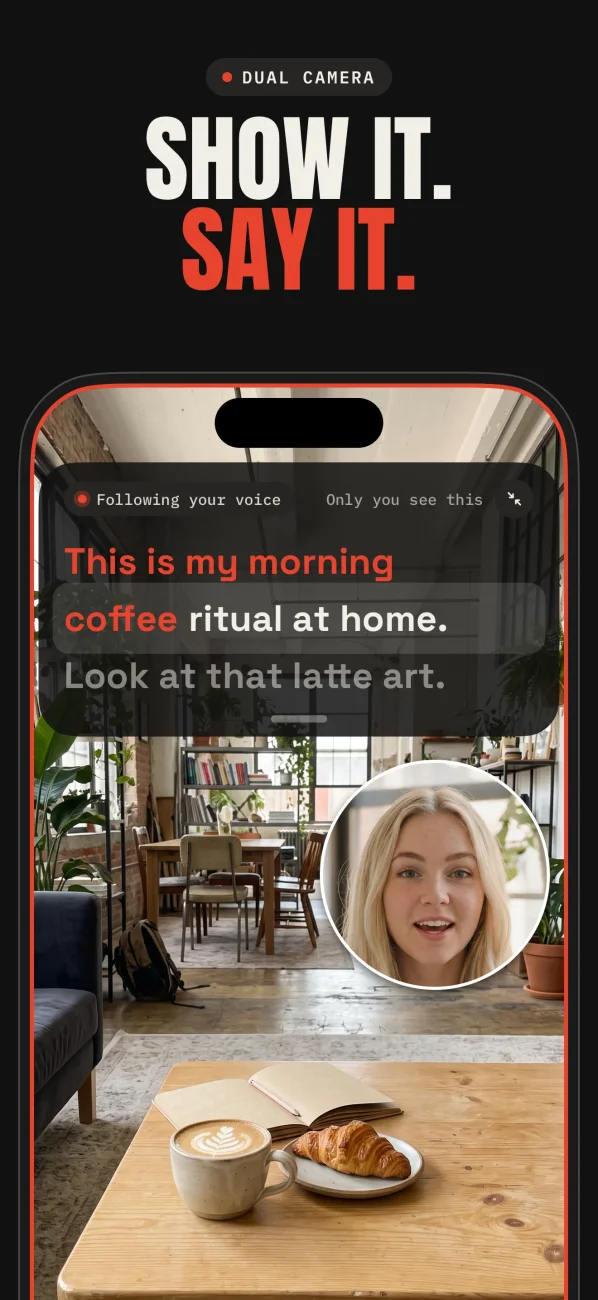
• Dual camera: record front and back at the same time (supported devices)
EXPORT CLEAN
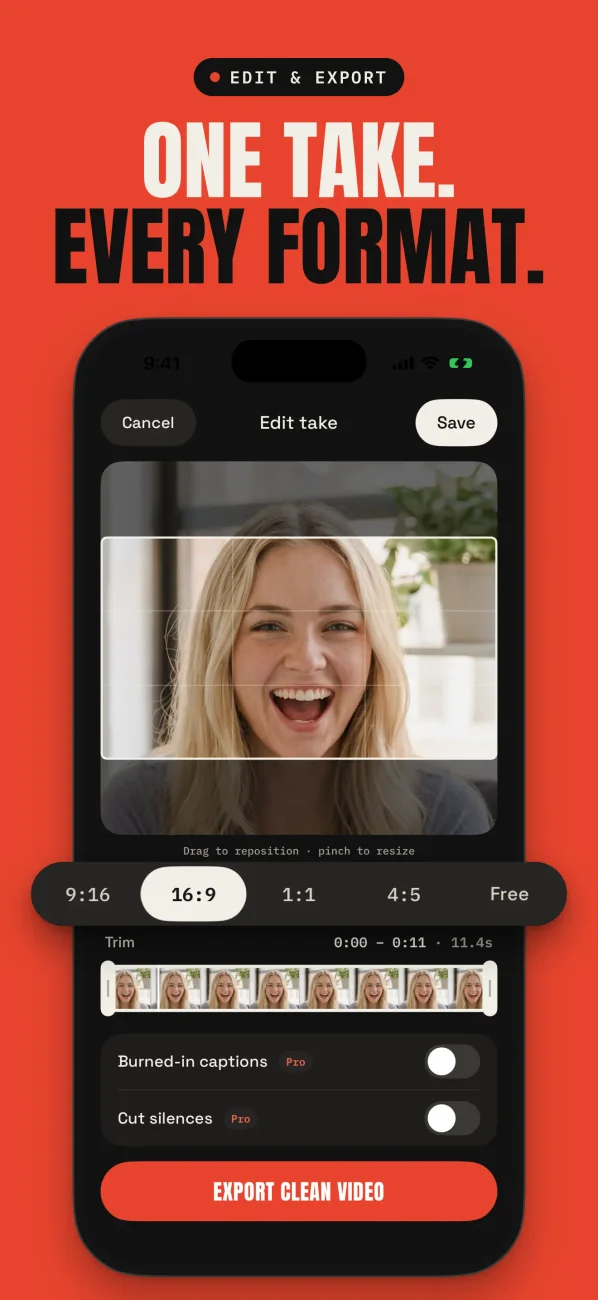
• Crop to 9:16, 16:9, 1:1, or 4:5 for Reels, TikTok, Shorts, YouTube
• Trim, then export in up to 1080p — the guide text is never in the video
• Pro: burn in auto-generated captions, timed word by word
• Pro: auto-cut silences and dead air
YOURS, PRIVATELY
• No account, no login — your scripts and takes sync privately through your own iCloud
• Speech recognition runs on your iPhone; nothing is sent anywhere
• Share text from any app straight into TakeKit as a new script
PAY ONCE, OWN IT
TakeKit is free for up to 5 scripts and 5 recordings with a small watermark. TakeKit Pro is a single one-time purchase — no subscription, no renewal, ever. It unlocks unlimited scripts and takes, speech-paced auto-scroll, captions, silence cutting, and watermark-free export.
Write it once. Say it like you mean it.
What’s new
Version 1.5 · Oct 14, 2026
Unfold your phone, and your script unfolds with it.
TakeKit now runs on iPhone Duo, closed and open:
• Closed, it works like the iPhone you know, with its controls in the column beside the camera. Turn on Eye contact and your script docks right next to the outer lens, so you read where you look.
• Open, you get two pages: your scripts in a strip, the one you're writing on the big page beside it. In the camera, your picture fills one page and your script sits on the other, just under the inner camera — so you're looking at the lens while you read.
• Stand it up or fold it like a laptop and it records with no tripod: the script takes the half with the lens, your picture and the controls take the other.
• Fold or unfold and you carry on in the same script. Fold mid-take and the take is saved before the camera switches.
Also new
• TakeKit now runs on iPad: two pages on its side, the iPhone layout upright, with the guide at the iPad's front camera.
• A friendlier look throughout: softer cards, a floating tab bar and a rounded camera console.
• Delete many takes at once: tap Select in Takes.
• Your iPhone no longer locks during a long take, and if a call or the side button interrupts you, the take is saved up to that moment instead of lost.
• Word counts and reading times are now right in Chinese and Japanese.
App privacy
What Eduardo Pinillos declares on the App Store about how this app handles data.
-
Data not collected
The developer does not collect any data from this app.
Privacy practices may vary, for example with the features you use or your age.
Information
- Seller
- Eduardo Pinillos
- Category
- Photo & Video
- Version
- 1.5
- Updated
- Oct 14, 2026
- Released
- Jul 25, 2026
- Size
- 4.5 MB
- Requires
- iOS 26.0 or later
- Age rating
- 4+
- Price
- Free
- In-app purchases
- Yes
- Languages
- English, French, German, Italian, Japanese, Korean, Simplified Chinese, Spanish
- Copyright
- © 2026 Eduardo Pinillos
You might also like
-
 Teleprompter: Eye ContactRead your script, record video
-
 KinberryMoments, mapped and shared
-
 LegendFilm: Analog Film CameraVintage Grain & Date Stamp
-
 Lines: Teleprompter for VideoEye Contact. Every Take.
-
 Taylormade CameraPodcast Camera & Teleprompter
-
 j. CameraAnalog Film & Grain
-
 Luma: TeleprompterVideo Camera & Scripts
-
 PromptFly TeleprompterFloating Voice Cue Prompter
-
 CamPouch: Sun & Shoot PlannerGolden Hour, Shoots & Releases
-
 Emulsion: Film CameraManual capture & photo editing