- Age rating4+
- CategoryPhoto & Video
- DeveloperNelson Taylor
- LanguagesEnglish
- Size20.3 MB
Links to the official App Store page
Download.org hosts no file of Taylormade Camera. The button opens its official App Store page, published by Nelson Taylor. Listing last checked on Nov 16, 2026.
Screenshots




About
Taylormade Camera turns your iPhone into a podcast camera, a teleprompter that follows your voice, and a pro camera with an editor built in. Film your show, your talking heads and your reels, and redo any take in a tap.
PODCAST MODE: YOUR IPHONE AS A PODCAST CAMERA
Works with Taylormade Podcast on your Mac. Scan a code to pair, and each iPhone becomes a wireless camera that keeps its own full-quality copy and sends it to the Mac after the show. Each person sees their own script or talking points right under the lens. Start, stop, mark a clip or go to the next topic from the iPhone, or just say "start recording" and "stop recording". In Scripts mode, the script picked on the Mac shows on the phone with Retake, Record and Next, and every take plays back so you can keep it or redo it. Got an invite link from a host? Tap it to join their show from anywhere.
A TELEPROMPTER THAT FOLLOWS YOUR VOICE
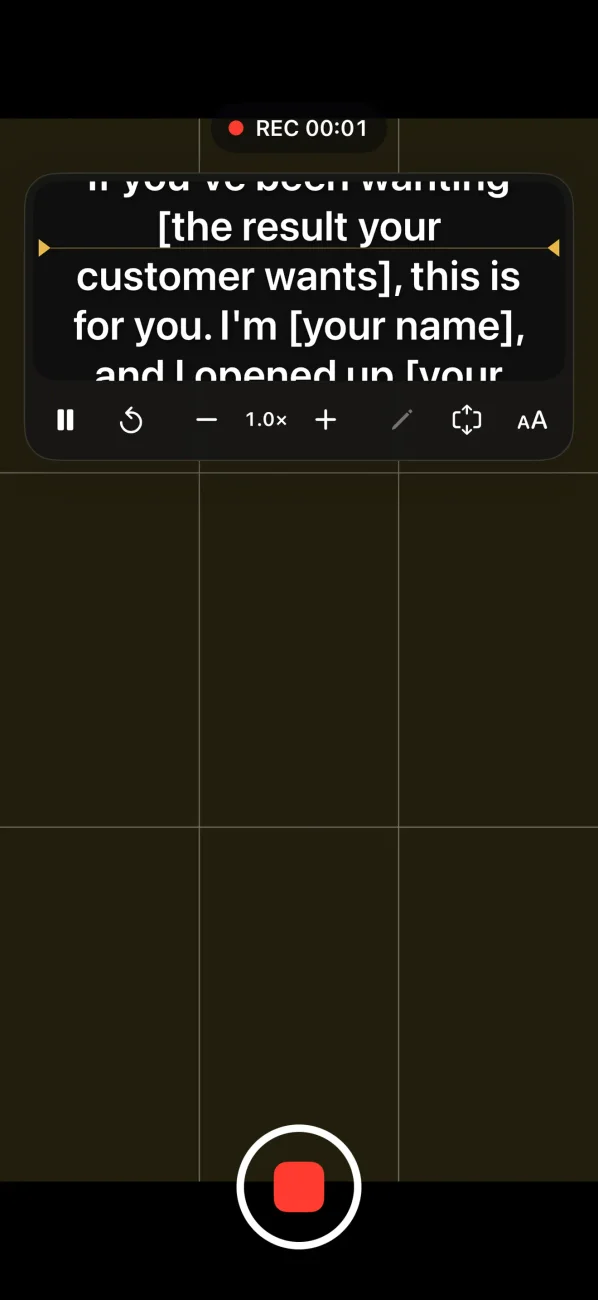
Your script scrolls as you talk and holds when you pause, so you never race the prompter or lose your place. It sits in a compact band right under the camera with a gold reading line, so your eyes stay on the lens. It listens on your iPhone, so nothing you say leaves your phone.
RETAKE IN ONE TAP
After every take, watch it back right away. Keep it, or retake it and the old one is gone. No digging through bad takes later.
LIKE A CINEMA CAMERA
Pro mode gives you Apple Log, HEVC and ProRes on supported iPhones, shutter angle, ISO, white balance, focus peaking, zebras, false color, a histogram, a horizon level and Skin Tone Guard, with dials you set by scrubbing a ruler. Import your own .cube LUTs. Easy mode keeps it simple when you just want to hit record.
SAY "START RECORDING"
Say "start recording" and the countdown begins. Say "stop recording" to stop. Or start and stop from your Apple Watch.
EDIT FULL SCREEN, RIGHT ON YOUR PHONE
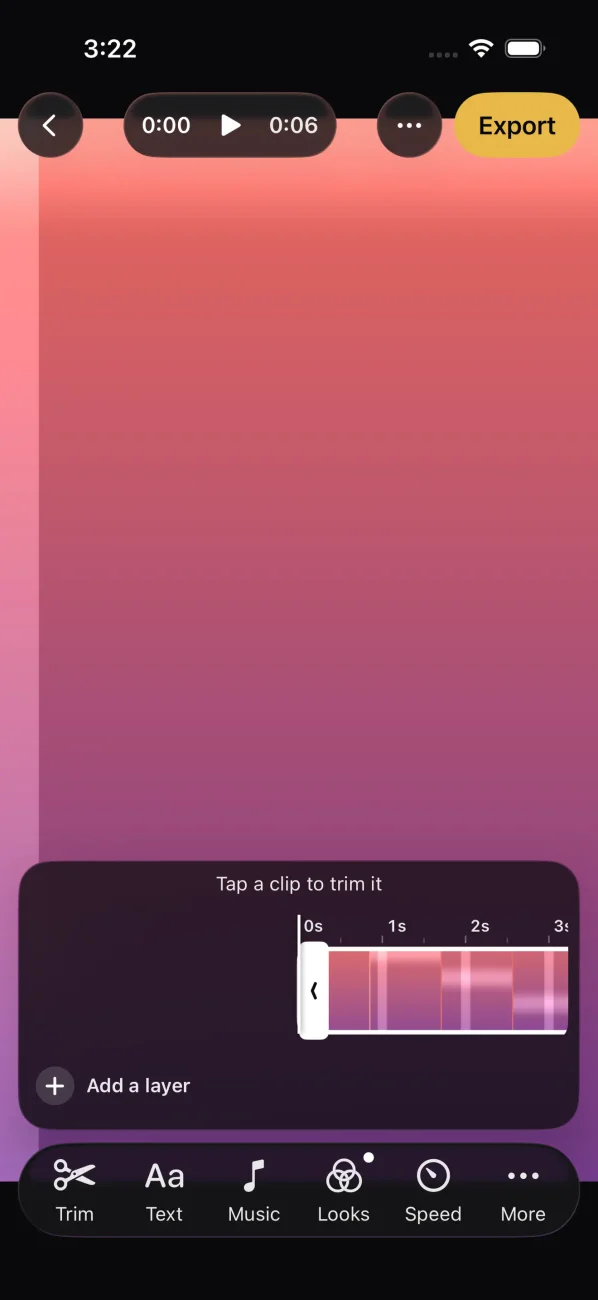
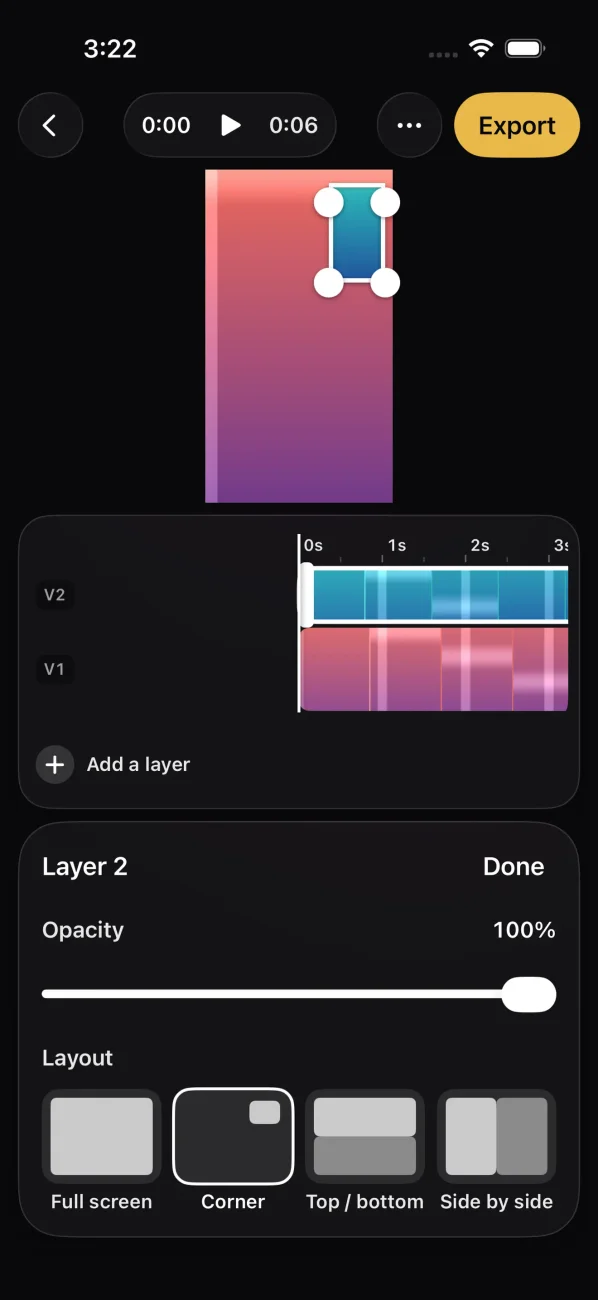
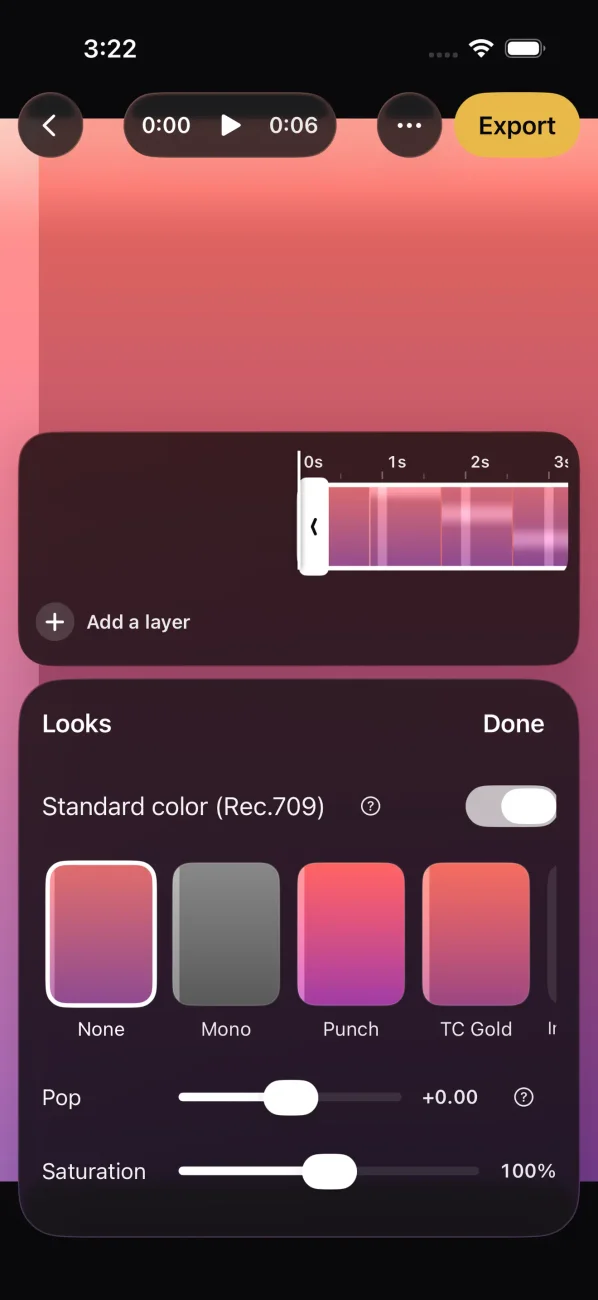
Trim, split and reorder clips on a real timeline. Add text, music or a voiceover, remove a green-screen background, apply color looks, and stack up to 4 video layers. Export sized for Reels, TikTok and Shorts.
YOUR TAKES ARE KEPT
If a call comes in or the app is closed mid-take, your take is kept.
YOUR FOOTAGE STAYS YOURS
No account, no tracking, no ads. What you shoot and edit stays on your iPhone unless you choose to share it. The one exception: if you join a show as a remote guest, your take is sent to the host who invited you, then deleted from our storage.
What’s new
Version 2.1 · Oct 19, 2026
New in 2.1: Podcast Mode.
PODCAST MODE
• Pair with Taylormade Podcast on your Mac by scanning a code. This iPhone becomes a wireless camera and keeps its own full-quality copy.
• Your script or talking points show right under the lens.
• Start, stop, mark a clip or go to the next topic from the iPhone.
• Scripts mode: every take plays back, then Keep, Retake or Next.
• Got an invite link from a host? Tap it to join their show from anywhere.
SAY "START RECORDING"
• Say "start recording" to start and "stop recording" to stop, in Podcast Mode and on the camera. Turn it off in Settings.
ALSO
• The teleprompter keeps up with your voice faster.
App privacy
What Nelson Taylor declares on the App Store about how this app handles data.
-
Data not linked to you
May be collected but is not linked to your identity.
- User content
Privacy practices may vary, for example with the features you use or your age.
Information
- Seller
- Nelson Taylor
- Category
- Photo & Video
- Version
- 2.1
- Updated
- Oct 19, 2026
- Released
- Jul 15, 2026
- Size
- 20.3 MB
- Requires
- iOS 17.0 or later
- Age rating
- 4+
- Price
- Free
- Languages
- English
- Copyright
- © 2026 Taylormade Creative
You might also like
-
 CinemaKitPhoto & Video
-
 Video Tape CameraRecord clips. Make a movie.
-
 RTL TeleprompterYour iDevice to Teleprompter
-
 TakeKit: Teleprompter CameraRead the script, look natural
-
 ShardCastLive Studio for Creators
-
 Olune NDI CameraLive camera for NDI setups
-
 UP100: Teleprompter & CameraAI Captions, Vlog & Auto Cut
-
 Rokkaku Silent CameraPhoto & Video
-
 Teleprompter Studio: CueLensVideo Script Reader & Prompter
-
 PromptFly TeleprompterFloating Voice Cue Prompter