- Age rating4+
- CategoryProductivity
- Developersunkyu song
- LanguagesKorean+ 1 more
- Size24.5 MB
Links to the official App Store page
Download.org hosts no file of TalkMemo - Smart Voice Notes. The button opens its official App Store page, published by sunkyu song. Listing last checked on Nov 12, 2026.
Screenshots

About
Speak while the thought is fresh. Find it when you need it.
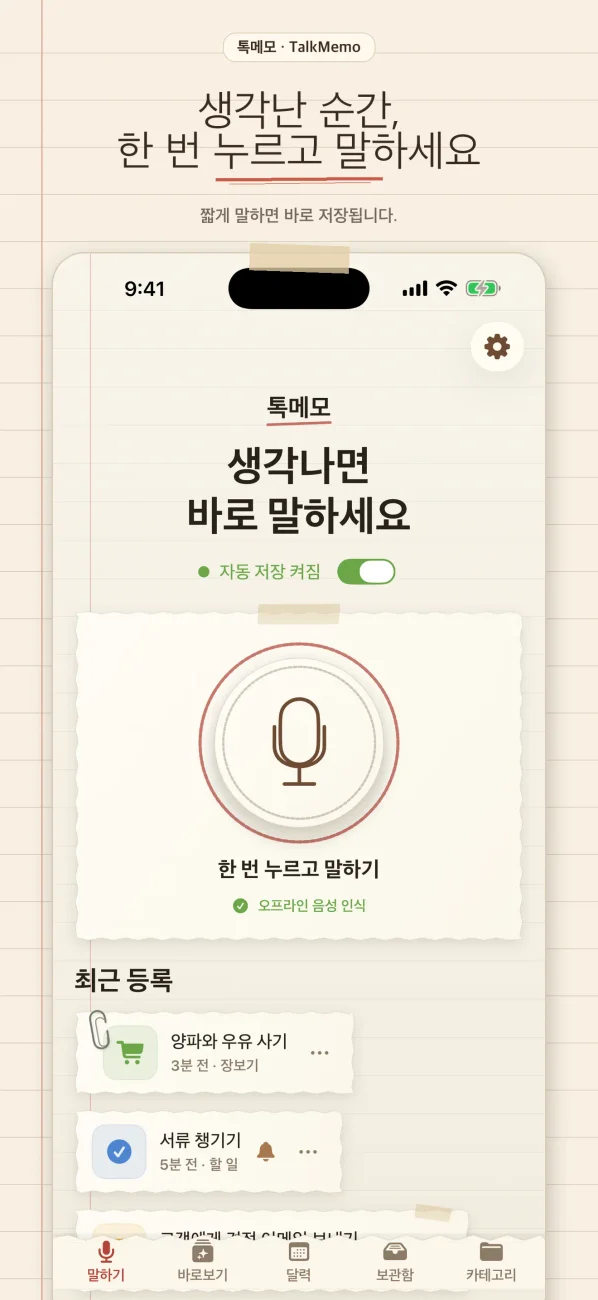
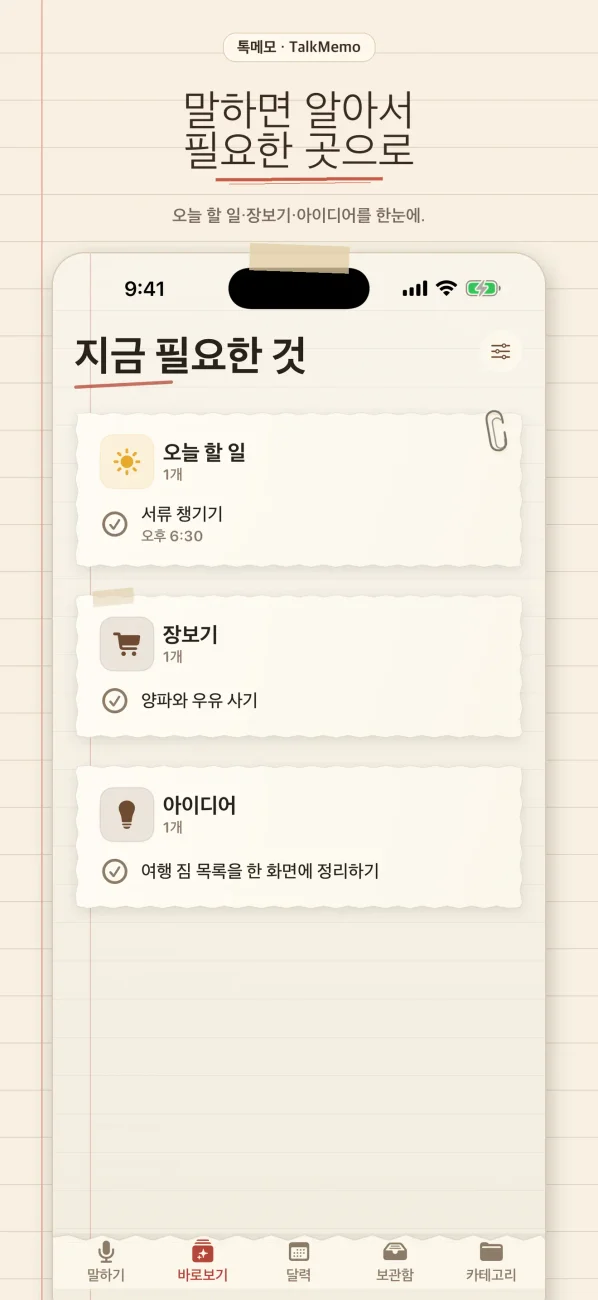
TalkMemo turns voice notes into organised memos and helps you manage tasks and dated items. Choose Korean or English in Settings.
PERSONALISATION THAT REFLECTS YOUR CORRECTIONS
Start with useful default categories and keywords. If a memo belongs somewhere else, move it to the right category. TalkMemo remembers the expressions and categories you correct and uses them in later classification. Repeated title corrections can also become text-correction rules.
Store up to 20,000 personal classification rules. Learning does not stop at the limit: new corrections are applied while less-confirmed, older rules are retired. This is not a limit on saved memos. Review, edit or remove learned patterns and pronunciation corrections in Settings.
YOUR CATEGORIES AND KEYWORDS
Create categories for your work, shopping, ideas or personal projects. Add the words you use most often to help classification. A dated action may be treated as a task; say the destination category explicitly or choose it on the save screen when you want a particular folder.
DATES AND REMINDERS
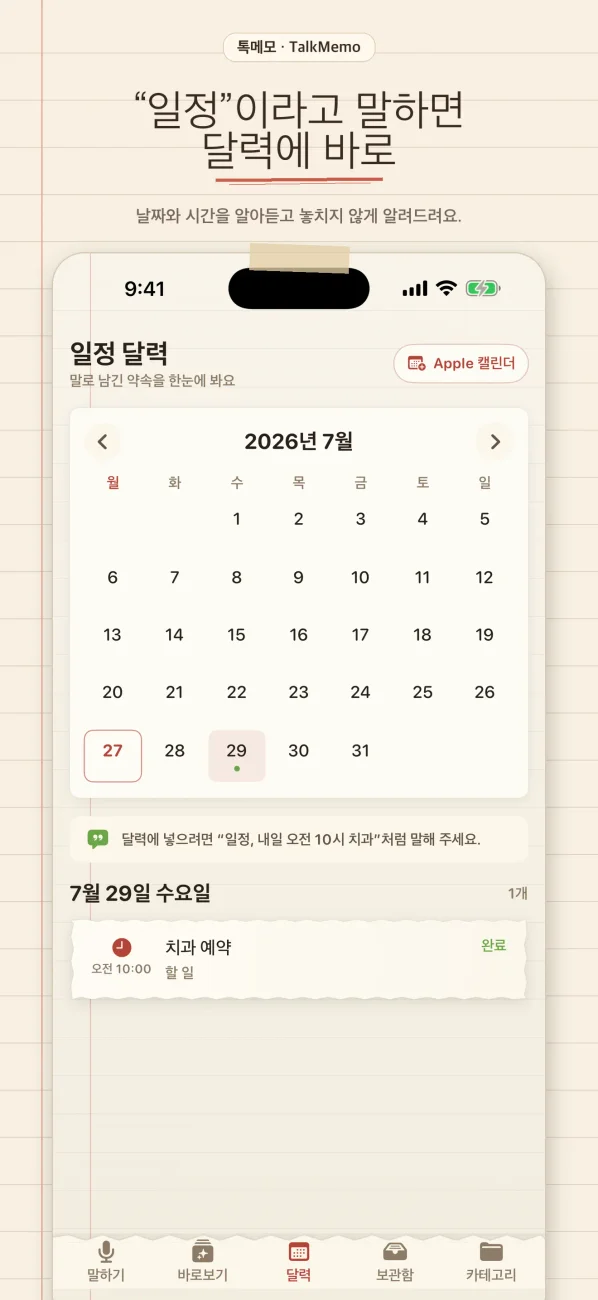
Try 'Add dentist tomorrow at 3 pm to my calendar', then check the recognised date. TalkMemo distinguishes alarms from ordinary notifications and asks you to check invalid or ambiguous dates. Reminder delivery depends on device support and permissions. An ordinary notification may be used when an alarm is unavailable. Sync to Apple Calendar manually from the calendar screen when you choose.
QUICK CAPTURE AND EDITING
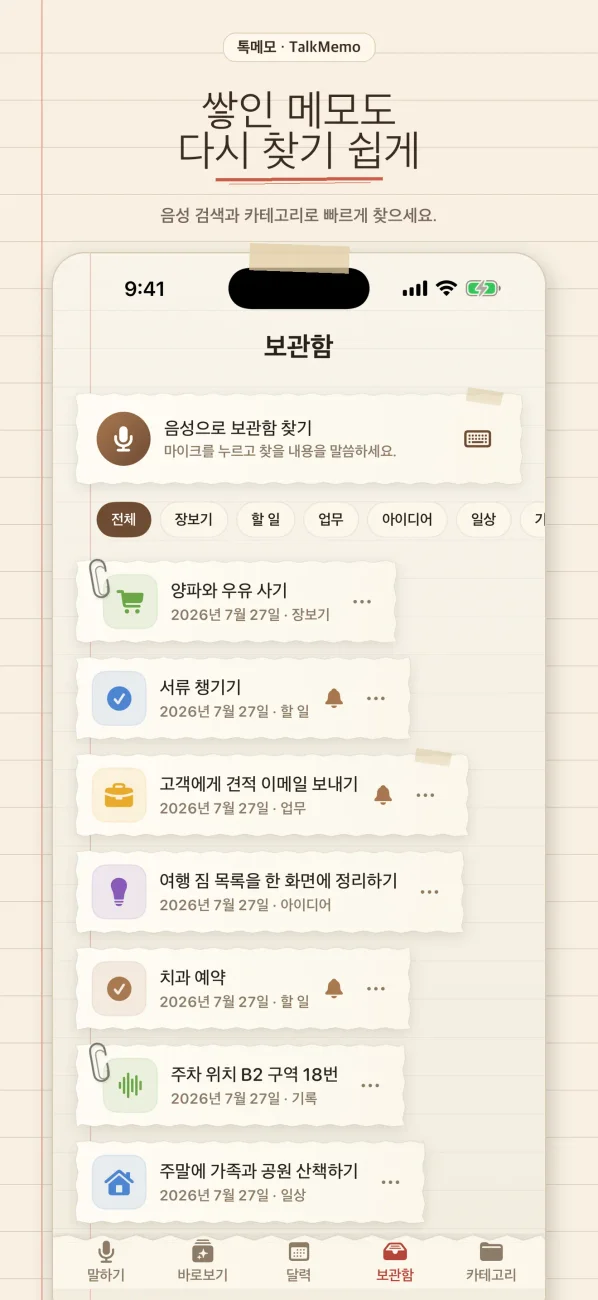
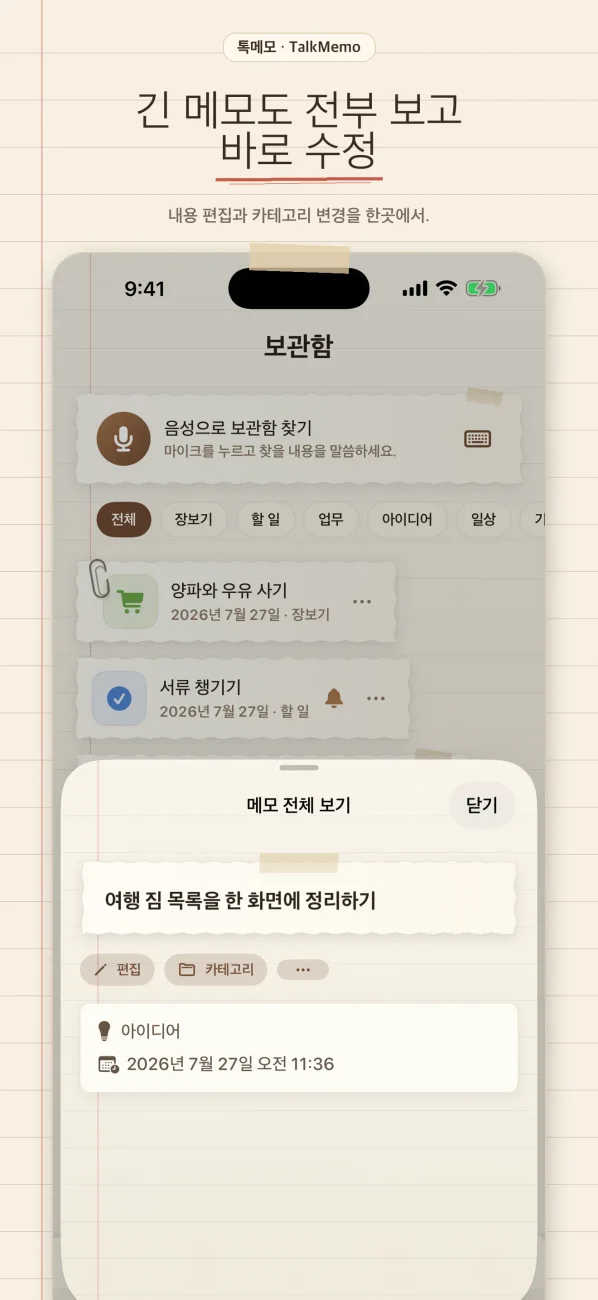
• Capture, Quick View, Calendar and Library views
• Search, edit titles, change categories and mark items complete
• Quick capture with Siri
• Voice capture on Apple Watch with transfer to iPhone
• A detailed in-app guide in Korean and English
GETTING STARTED
Names, accents and background noise can affect early results. Personalisation adapts to the categories and expressions you correct; it does not retrain Apple's speech recognition model or remove every recognition error. Check important content and dates, and correct anything that is wrong.
Personal rules are stored on your device. Speech-to-text may use Apple servers depending on your device and connection, so recognition is not always offline. Korean and English are selected separately.
What’s new
Version 1.8.3 · Nov 8, 2026
Type when you can’t speak, pick up an unfinished draft, or bring back a note you deleted by mistake.
• Type or paste a note and review the suggested category before saving.
• Resume an unfinished draft after reopening the app.
• Recover notes from Trash until you delete them permanently.
• Back up notes, categories, keywords and learned sorting preferences in Settings → Protect Your Notes. Restoring a backup adds missing items without replacing existing notes.
We’ve also improved relative date and English time recognition, reminders and Apple Watch sync. Keep backup files in a private location: they contain your notes without encryption.
App privacy
What sunkyu song declares on the App Store about how this app handles data.
-
Data not collected
The developer does not collect any data from this app.
Privacy practices may vary, for example with the features you use or your age.
Information
- Seller
- sunkyu song
- Category
- Productivity
- Version
- 1.8.3
- Updated
- Nov 8, 2026
- Released
- Aug 3, 2026
- Size
- 24.5 MB
- Requires
- iOS 17.0 or later
- Age rating
- 4+
- Languages
- Korean, English
- Copyright
- © 2026 Sunkyu Song
You might also like
-
 핸드로그(HANDlog)Productivity
-
 MemoTap : To-Do & SchedulesQuick Notes on Lock Screen
-
 talkdam - Capture daily chatsPersonal chat-style notepad
-
 Basin: Voice Memos to TextPrivate, on-device dictation
-
 Gluon - Calendar & PlannerPlan, Focus & Sync with cloud
-
 NICE - Habit AccountabilityStop being nice to yourself
-
 Live MemoLock Screen Memo
-
 mo.TodayFocus on today
-
 Oh! RightCapture it before it's gone
-
 NoteScrap: Note, Memo, OCRHandwriting scan & organize