
TalkTick
Your voice in giant text
Designed for iPhone, iPad
Free · In-app purchases
- Age rating4+
- CategoryUtilities
- Developerfurtiv
- LanguagesDanish+ 7 more
- Size1.1 MB
Links to the official App Store page
Download.org hosts no file of TalkTick. The button opens its official App Store page, published by furtiv. Listing last checked on Nov 21, 2026.
Screenshots
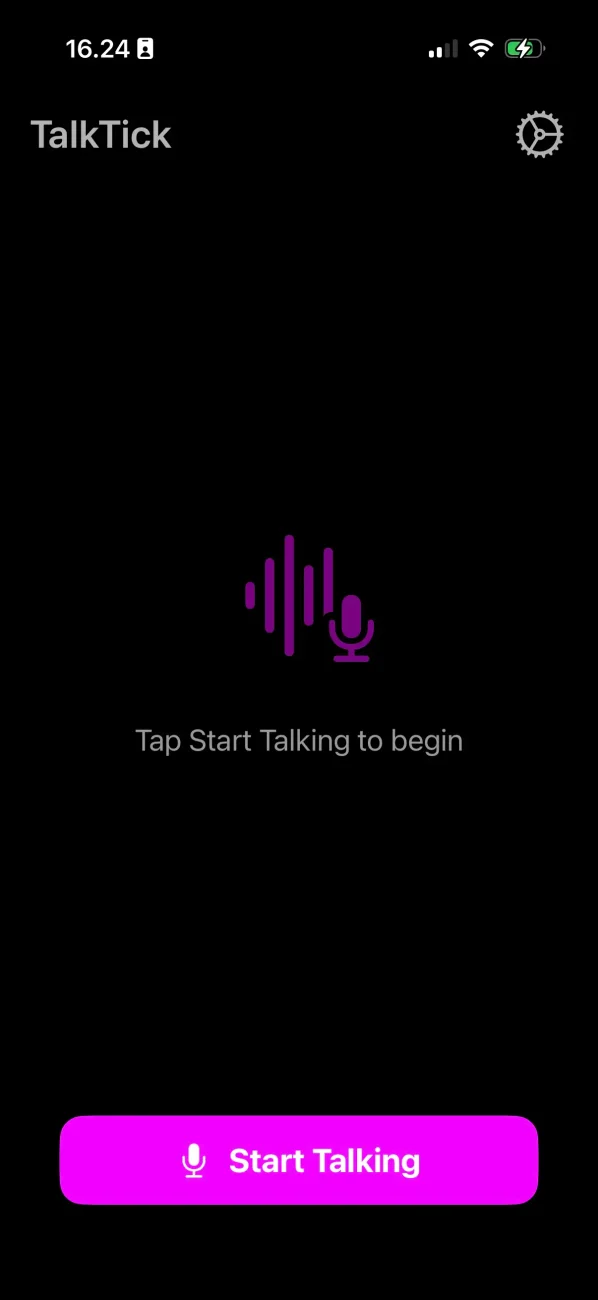


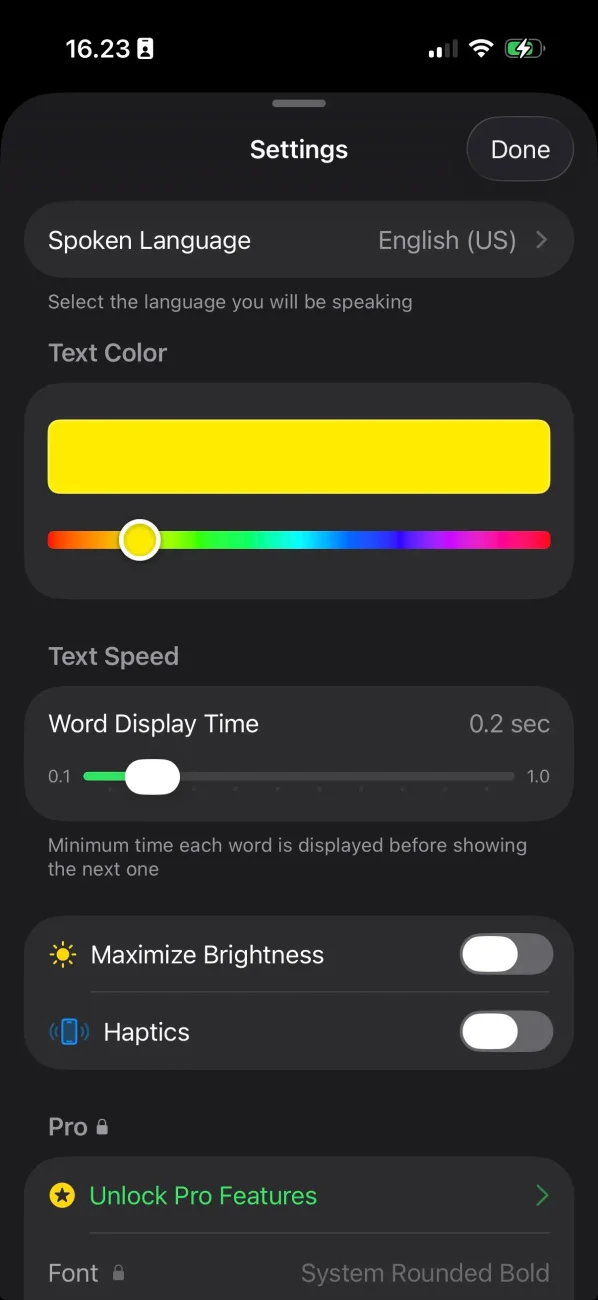


About
See your words come alive—one at a time, larger than life.
TalkTick is a unique speech-to-text app that transcribes your voice and displays each word individually in stunning, full-screen text. Whether you're 10 feet away or across the room, your words are always readable.
COMPLETELY PRIVATE
All speech recognition happens directly on your device—your voice never leaves your iPhone or iPad. No internet required. No data collected. Just you and your words.
HOW IT WORKS
Simply tap Start and speak. TalkTick transcribes your speech in real-time and displays each word one at a time, sized to fill your entire screen. The text automatically adapts to word length, ensuring even the longest words remain perfectly readable.
CORE FEATURES (FREE)
Real-time speech-to-text transcription
Full-screen word display—one word at a time
Adjustable display speed (0.1 to 1.0 seconds per word)
Customizable text color with spectrum slider
5 supported languages (English, Spanish, French, German, Italian)
Auto-hide controls for distraction-free viewing
Optional screen brightness boost
Haptic feedback for each word, so you can feel when your words are dislayed if pointing your screen away from you
Works with device mic, headphones, or Bluetooth
PRO FEATURES
Select font styles (Courier, Helvetica Neue, Georgia, Avenir, and more)
Invert colors—black text on colored background
Mirror mode—flip text horizontally for reflected displays
Profanity filter control
CREATIVE USES
Live Presentation Aid – Place your device at the back of the room as a confidence monitor. Your speech becomes giant, glanceable cue cards.
Live Events & Performances – Display song lyrics, poetry, or spoken word on a large screen. The audience sees each word with dramatic impact.
Content Creators – Display your speech while recording.
Public Speaking Practice – See exactly what you're saying as you say it. Great for pacing, articulation, and confidence building.
Language Learning – Practice pronunciation and see your words transcribed in real-time. Supports 9 languages with automatic device language detection.
Accessibility – Perfect for individuals who benefit from large visual text. Create a clear visual channel from speech to readable words.
Workout Coaching – Trainers can speak instructions that display large enough to read mid-exercise.
Loud Environments – In noisy venues, use TalkTick to communicate visually what you're saying into your headset mic.
Terms of Use: https://furtiv.com/terms.html
App privacy
What furtiv declares on the App Store about how this app handles data.
-
Data not collected
The developer does not collect any data from this app.
Privacy practices may vary, for example with the features you use or your age.
Information
- Seller
- Furtiv Ltd
- Category
- Utilities
- Version
- 1.1
- Updated
- Feb 12, 2026
- Released
- Feb 11, 2026
- Size
- 1.1 MB
- Requires
- iOS 26.0 or later
- Age rating
- 4+
- Price
- Free
- In-app purchases
- Yes
- Languages
- Danish, Finnish, French, German, Italian, Norwegian Bokmål, Spanish, Swedish
- Copyright
- © 2026 furtiv Ltd
You might also like
-
 CIMG Product Showcase StudioAI Product Photos & Models
-
 Talk VisibleIntelligent Caption Assistant
-
 Master PrompterPro Teleprompter & Recorder
-
 Viva VideoFlowAI Video Creator & Editor
-
 LoopClass - Class & ScheduleLesson planner & class tracker
-
 Autooptimo Car ManagementVehicle management solution
-
 Viva PrompterTeleprompter, Float & Camera
-
 Remouse - Mac Remote ControlControl Mac from iPhone & iPad
-
 Journal 2026Large Text, Big Fonts Diary
-
 Newal RobotUtilities