
Remouse - Mac Remote Control
Control Mac from iPhone & iPad
Designed for iPhone, iPad, iPod touch
Free
- Age rating4+
- CategoryUtilities
- Developer佳 廖
- LanguagesEnglish+ 4 more
- Size12.2 MB
Links to the official App Store page
Download.org hosts no file of Remouse - Mac Remote Control. The button opens its official App Store page, published by 佳 廖. Listing last checked on Nov 12, 2026.
Screenshots
About
Since I use the TV as a monitor for my Macbook, but I was sitting on the sofa, it was very inconvenient for me to control the MacBook, so I developed this app for myself to use for free. If you have more improvement suggestions, you can always send an email to my email address (7666535@gmail.com), I will follow your suggestions and optimize it. From the following, I will start a very formal introduction to the app.
# Remouse - Wireless Mac Controller
Transform your iPhone into a powerful wireless touchpad and keyboard for your Mac. Control your computer from across the room with precision and ease.
## KEY FEATURES
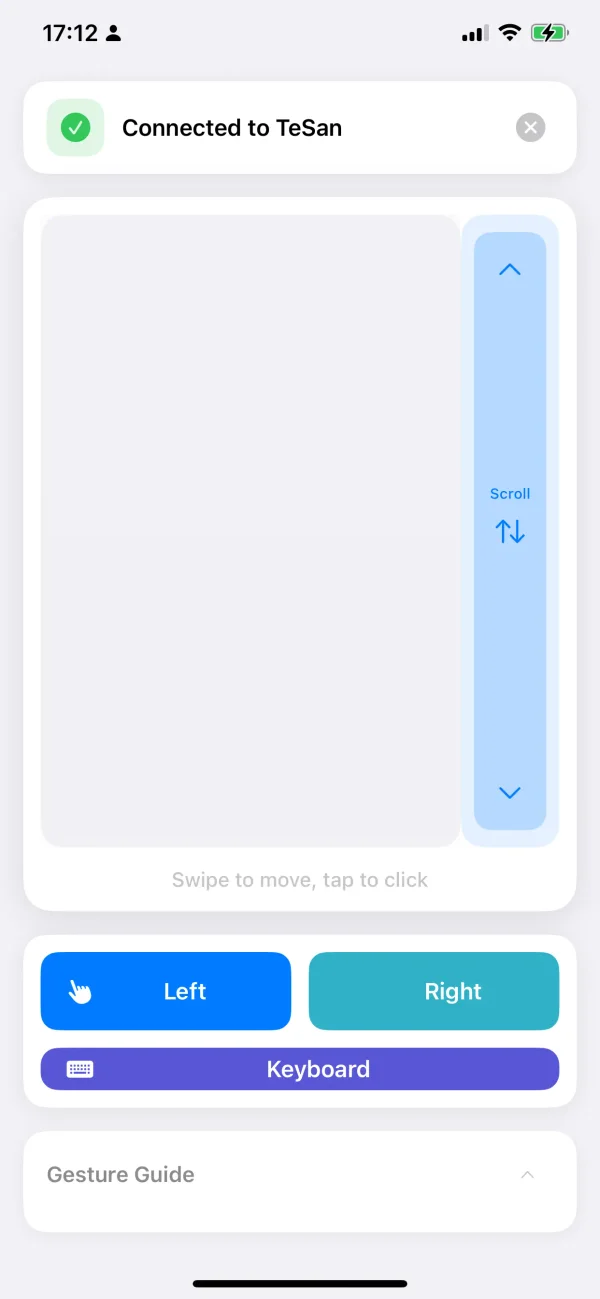
Precision Touchpad
• Smooth cursor control with adjustable sensitivity
• Natural gesture support: tap, double-tap, two-finger scroll
• Auto-scroll by long-pressing the scroll bar
• Instant response with minimal latency
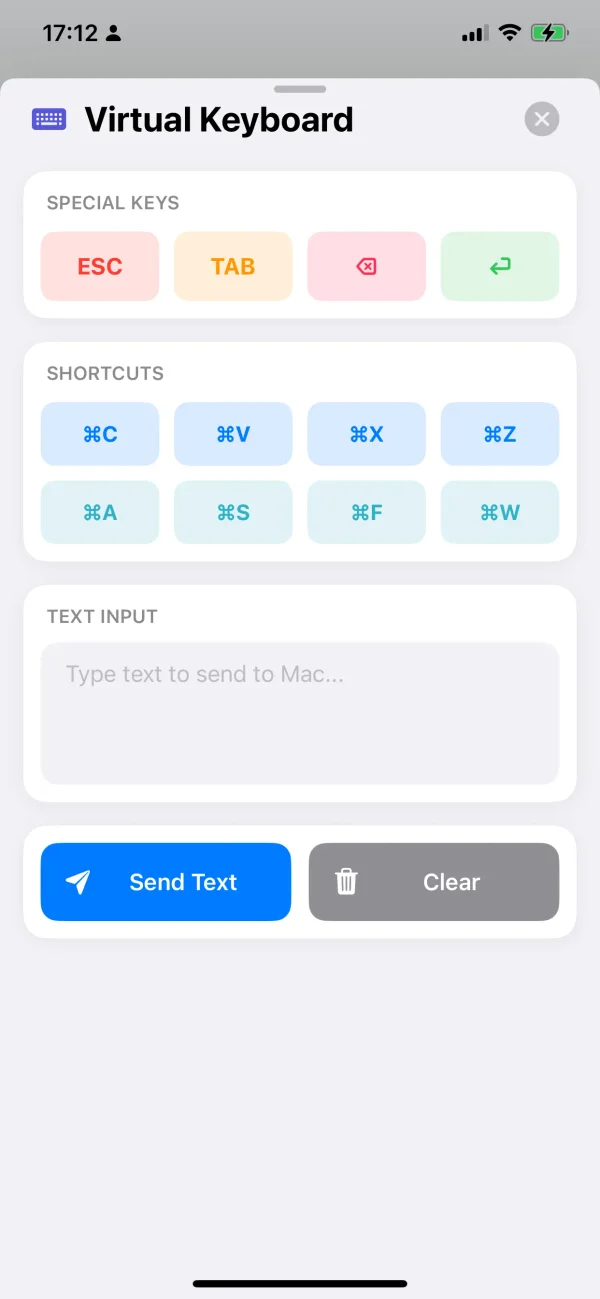
Full Keyboard Support
• Complete virtual keyboard with special keys
• Function keys (F1-F12) and modifier keys
• Quick text input for any Mac application
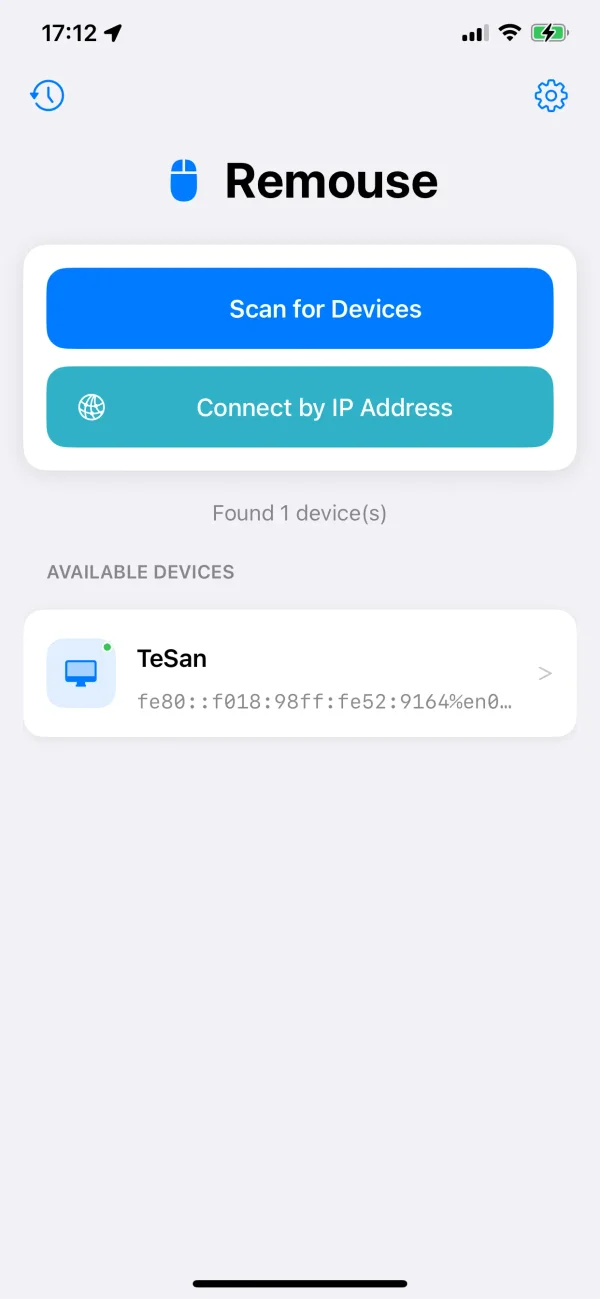
Seamless Connection
• Automatic device discovery via Bonjour
• Manual connection by IP address
• Connection history for quick reconnect
• Secure local network communication
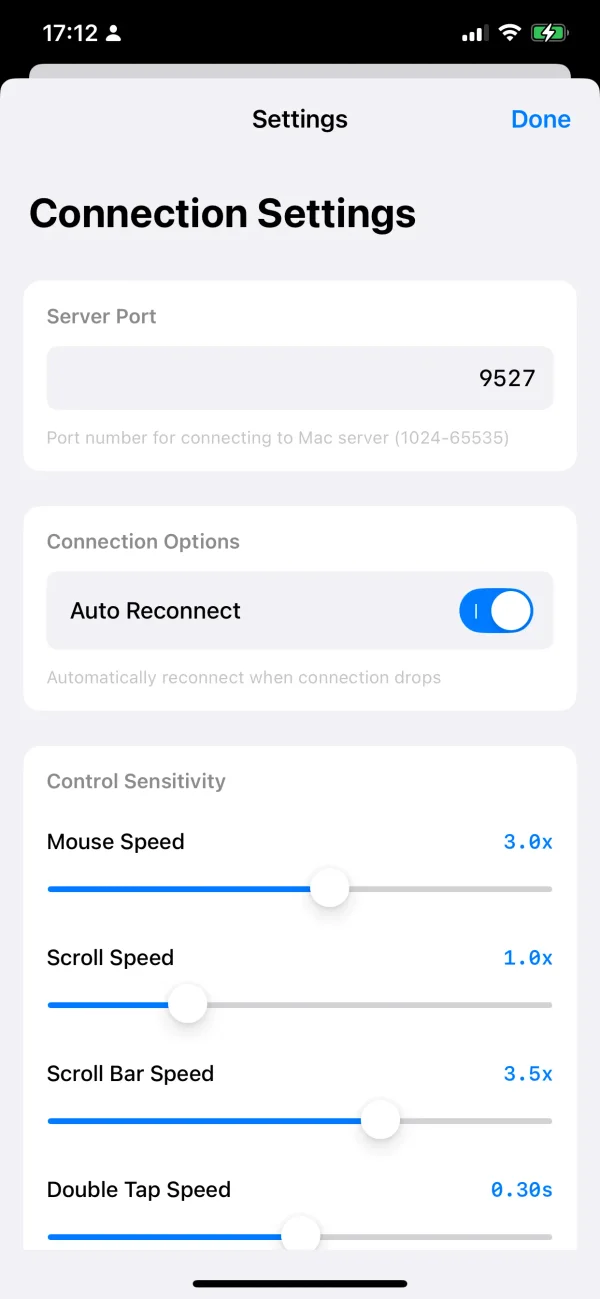
Customizable Settings
• Adjustable cursor sensitivity (0.5x - 5.0x)
• Adjustable scroll sensitivity (0.5x - 5.0x)
• Adjustable scroll bar sensitivity
• Personalized control experience
## PERFECT FOR
• Presentations and demos
• Media center control from your couch
• Working from a distance
• Accessibility needs
• Multi-screen setups
## HOW IT WORKS
1. Install RemouseServer on your Mac (available on AppStore)
2. Connect both devices to the same WiFi network
3. Launch Remouse on your iPhone
4. Select your Mac from the discovered devices
5. Start controlling!
## REQUIREMENTS
• iPhone running iOS 15.0 or later
• Mac running macOS 12.0 or later
• Both devices on the same WiFi network
• RemouseServer app installed on Mac
## PRIVACY & SECURITY
• All communication stays on your local network
• No internet connection required
• No data collection or tracking
---
Experience the freedom of wireless control. Download Remouse today and turn your iPhone into the ultimate Mac controller!
What’s new
Version 1.2 · Nov 3, 2025
The control logic has been optimized and some issues have been fixed.
App privacy
What 佳 廖 declares on the App Store about how this app handles data.
-
Data not collected
The developer does not collect any data from this app.
Privacy practices may vary, for example with the features you use or your age.
Information
- Seller
- 佳 廖
- Category
- Utilities
- Version
- 1.2
- Updated
- Nov 3, 2025
- Released
- Oct 27, 2025
- Size
- 12.2 MB
- Requires
- iOS 15.6 or later
- Age rating
- 4+
- Price
- Free
- Languages
- English, French, German, Japanese, Simplified Chinese
- Copyright
- © Jiager
You might also like
-
 USBEE – Free Up SpaceMove photos videos to USB fast
-
 Mivory: Bookmark ManagerYour online memory
-
 Linkboard - Cross-Device P2PPrivate Clipboard & File Sync
-
 Trackless Links Pro: URL+Clean links, stop trackers
-
 Poplet ShareSimple Screen Sharing
-
 Audio Extractor: VoxCutExtract Audio from Video
-
 Video to MP3 Converter ©Extract Audio from Video
-
 FullControl: Remote for MacRemote for Mac
-
 SMS Forwarder - Forward SMSAuto Text Forwarding to Email
-
 Countdown: Minimal Event TimerWidgets, Progress & Reminders