
Tappio: Computer Remote
Mouse, Trackpad & Keyboard
Designed for iPhone, iPad
Free · In-app purchases
- Age rating4+
- CategoryUtilities
- DeveloperMaaya Labs LLC
- LanguagesEnglish+ 23 more
- Size14.3 MB
Links to the official App Store page
Download.org hosts no file of Tappio: Computer Remote. The button opens its official App Store page, published by Maaya Labs LLC. Listing last checked on Nov 16, 2026.
Screenshots



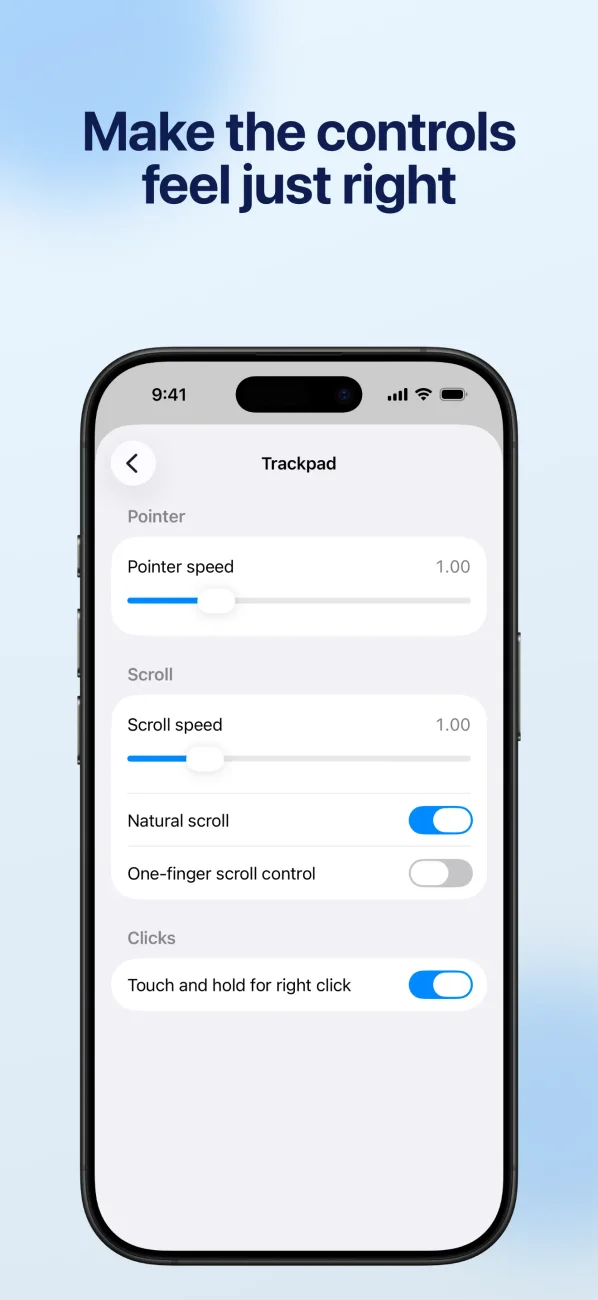
About
Turn your iPhone or iPad into a wireless trackpad, keyboard, and all-in-one remote for your computer. Control media playback, navigate your browser, switch apps, and sync clipboard text over your local Wi-Fi network—with instant QR pairing and no account required.
Whether you’re relaxing on the couch watching videos, browsing the web from across the room, or need a wireless mouse and keyboard, Tappio gives you effortless desktop control from your phone or tablet. Your essential desktop controls are just a swipe away.
Trackpad
• Smooth, responsive cursor movement across your entire screen
• Tap to left-click, and tap with two fingers (or long press) to right-click
• Scroll long pages effortlessly with one thumb using the dedicated scroll bar, or use two-finger scrolling
• Adjustable pointer speed, scroll speed, and natural scrolling direction
• Personalize your trackpad with custom wallpapers
Keyboard
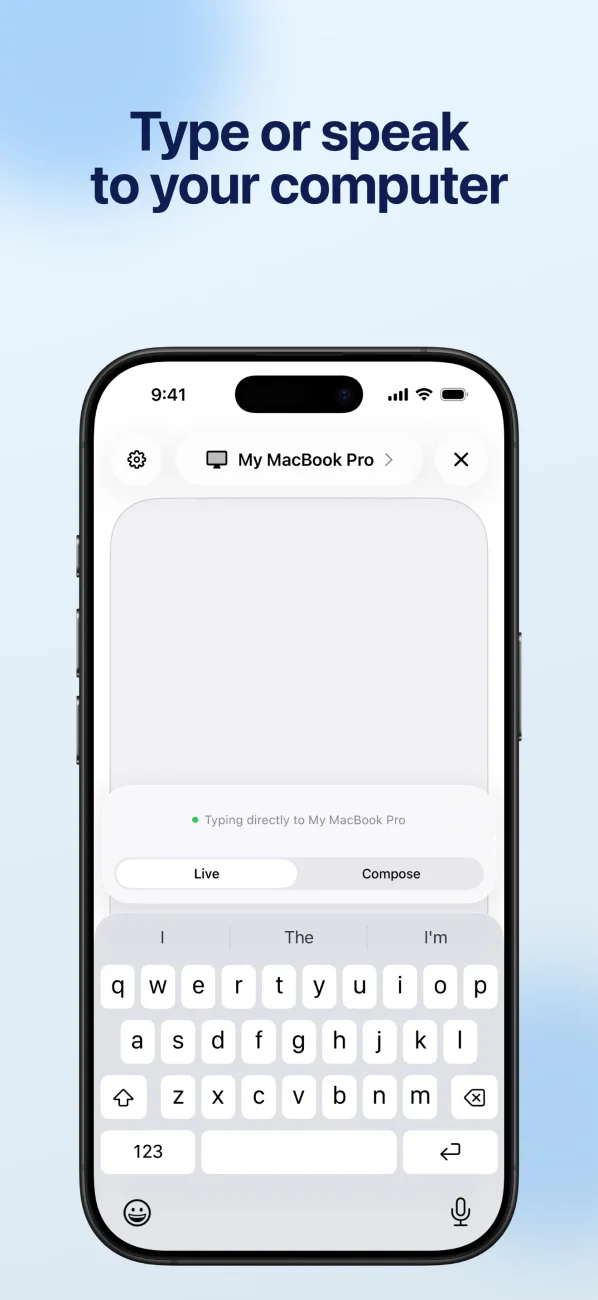
• Type into any app using your native mobile keyboard, auto-correct, and emojis
• Live mode sends text to your computer as you type
• Compose mode lets you draft, edit, and review text before sending
• Use voice dictation to capture text on your device, review it, and send it with one tap
App Launcher
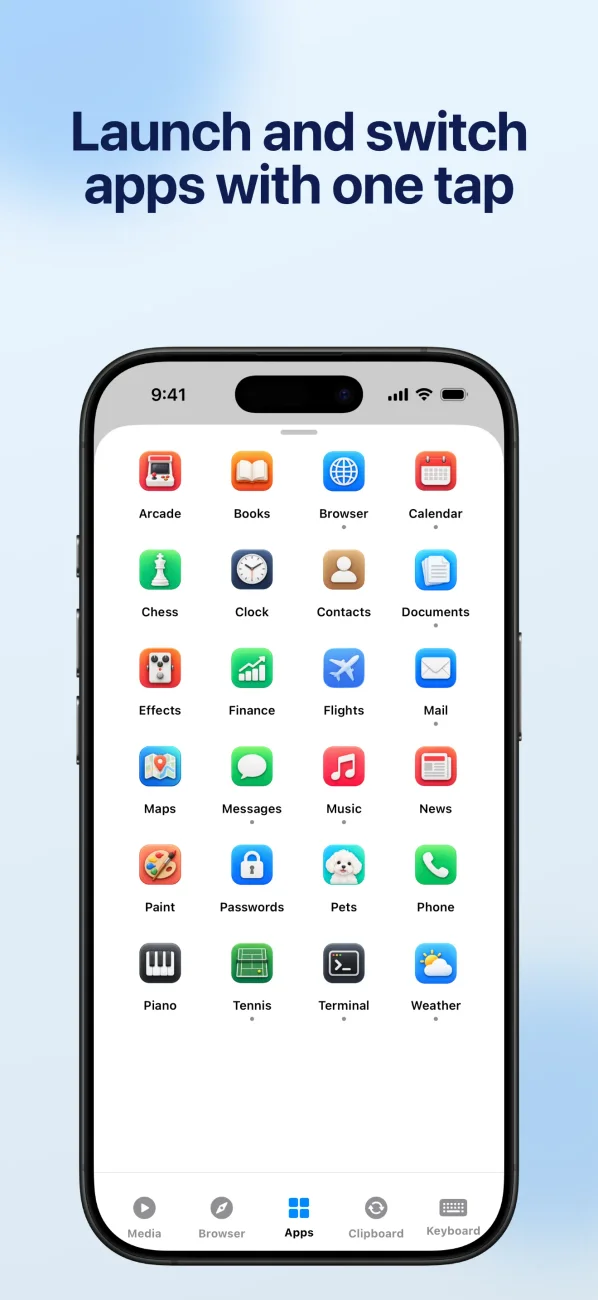
• View all running applications on your computer at a glance
• Bring any running app to the front or launch apps in one tap
• Quit apps with a single tap
Media Remote
• Play, pause, and skip tracks across supported audio and video players
• Adjust system volume easily from across the room
• See what’s playing right on your screen
Browser Remote
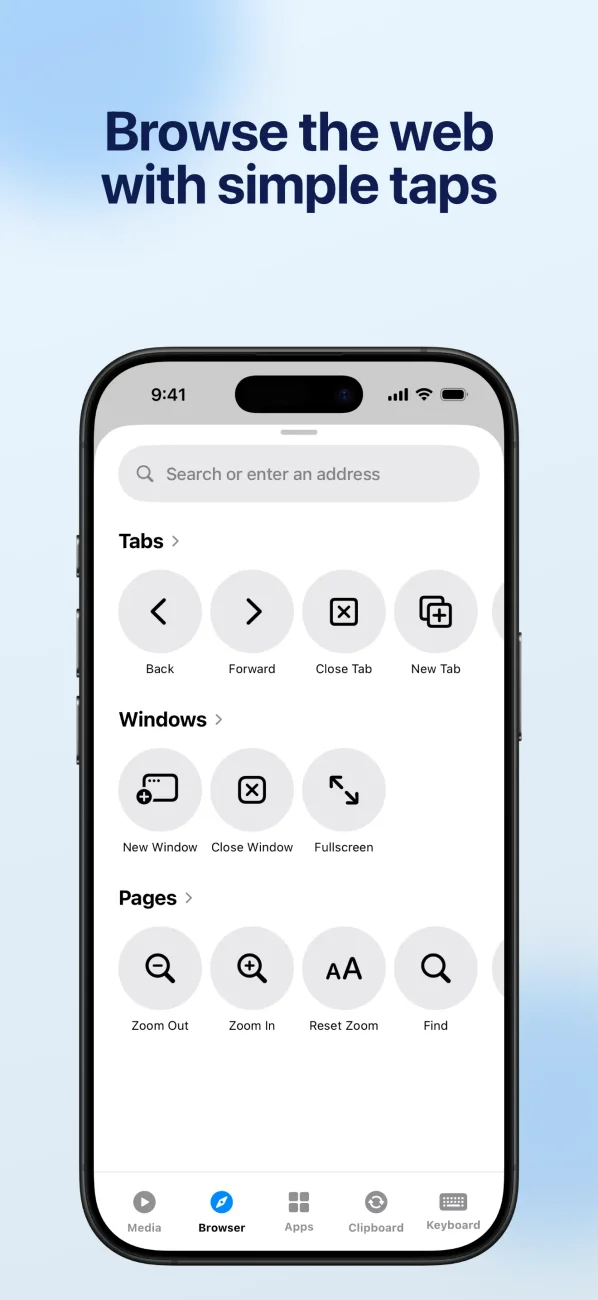
• Browse the web with simple taps and dedicated controls
• Flip between tabs, open new tabs, and close tabs easily
• Quick shortcuts to search, refresh, toggle fullscreen, and zoom in or out
• Supports Safari, Chrome, Edge, Firefox, and more
Clipboard Sync
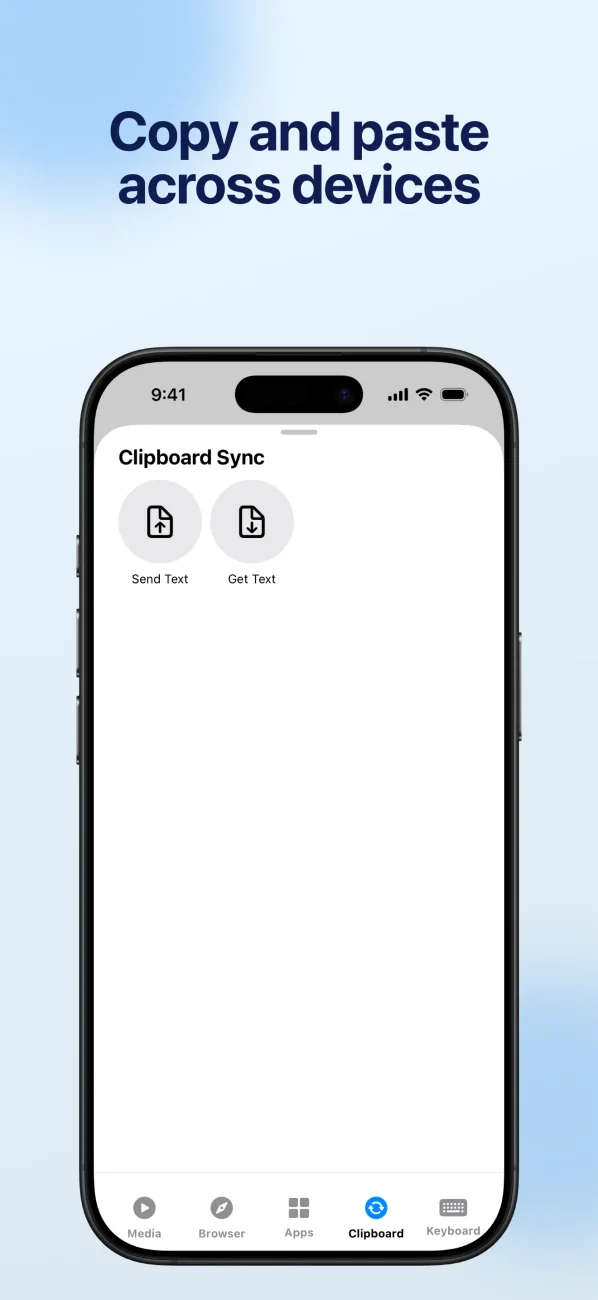
• Send clipboard text to your computer, or copy text back to your phone or tablet
• Fast, reliable text transfer over your local Wi-Fi network
• Keep your workflow moving without emailing or messaging snippets to yourself
System Shortcuts
• Put your computer to sleep, lock your screen, restart, or shut down right from your phone or tablet
Security & Privacy
• Direct local connection: Remote-control traffic stays entirely on your local Wi-Fi network between your devices.
• Strong encryption: Commands use TLS; low-latency mouse and scroll input uses AES-256-GCM.
• Secure QR pairing: Pairing requires scanning the QR code displayed on your computer.
• No account required: No emails, passwords, or sign-ups to manage.
Tappio Pro (Optional Upgrade)
Enjoy Trackpad, Keyboard, App Launcher, and System Shortcuts completely free with zero ads. Upgrade to Tappio Pro to unlock Media Remote, Browser Remote, Clipboard Sync, and Custom Wallpapers.
Setup
1. Download Tappio on your iPhone or iPad, and get the free companion app for your Mac or Windows PC at www.tappioapp.com.
2. Connect both devices to the same Wi-Fi network.
3. Open Tappio on your computer and scan the on-screen QR code with your phone or tablet. You’re ready to go!
Requirements
• A Mac with macOS 13 or later, or a PC with Windows 10 or 11 (x64). The companion app is free at www.tappioapp.com.
• Both devices must be connected to the same local Wi-Fi network.
Terms of Use:
https://www.tappioapp.com/terms
Privacy Policy:
https://www.tappioapp.com/privacy
What’s new
Version 1.1.0 · Oct 23, 2026
Double-tap and hold to drag windows, files and text on your computer.
Pinch with two fingers to zoom in apps on your Mac or PC.
New Appearance settings: choose a Light, Dark or Auto theme, a Tinted or Standard Media Remote, and two free built-in wallpapers.
Dragging and zooming need the latest Tappio on your computer.
Bug fixes and other improvements.
App privacy
What Maaya Labs LLC declares on the App Store about how this app handles data.
-
Data not linked to you
May be collected but is not linked to your identity.
- Purchases
- Identifiers
- Usage data
- Diagnostics
Privacy practices may vary, for example with the features you use or your age.
Information
- Seller
- Maaya Labs LLC
- Category
- Utilities
- Version
- 1.1.0
- Updated
- Oct 23, 2026
- Released
- Sep 28, 2026
- Size
- 14.3 MB
- Requires
- iOS 18.6 or later
- Age rating
- 4+
- Price
- Free
- In-app purchases
- Yes
- Languages
- English, Arabic, Czech, Dutch, Finnish, French, German, Indonesian, Italian, Japanese, Korean, Norwegian Bokmål + 12 more
- Copyright
- © 2026 Maaya Labs LLC
You might also like
-
 PC Controller: Remote MouseKeyboard, power & Wake on LAN
-
 Phone Mouse・Remote・KeyboardMobile Trackpad for Mac & PC
-
 AirBoard: Bluetooth KeyboardMouse & Trackpad for Mac & PC
-
 Mobile Mouse USB RemoteUSB Mouse Touchpad Keyboard
-
 BT Remote: Keyboard & TrackpadBluetooth Keyboard & Trackpad
-
 BT Keys: Keyboard & TrackpadBluetooth mouse & TV remote
-
 Tracepad - Mouse & TrackpadKeyboard for Mac, iPad, PC
-
 Mobile Mouse Bluetooth RemoteWireless Touchpad & Keyboard
-
 Mobile Mouse Remote - CloudComputer Trackpad & Keyboard
-
 Remote MouseHandy Computer Remote