
TapTrace: Notes & Reminders
Notes, Reminders & Tracking
Designed for iPhone, iPad
$3.99
- Age rating4+
- CategoryProductivity
- DeveloperStelios Platsis
- LanguagesEnglish+ 5 more
- Size8.5 MB
Links to the official App Store page
Download.org hosts no file of TapTrace: Notes & Reminders. The button opens its official App Store page, published by Stelios Platsis. Listing last checked on Nov 12, 2026.
Screenshots

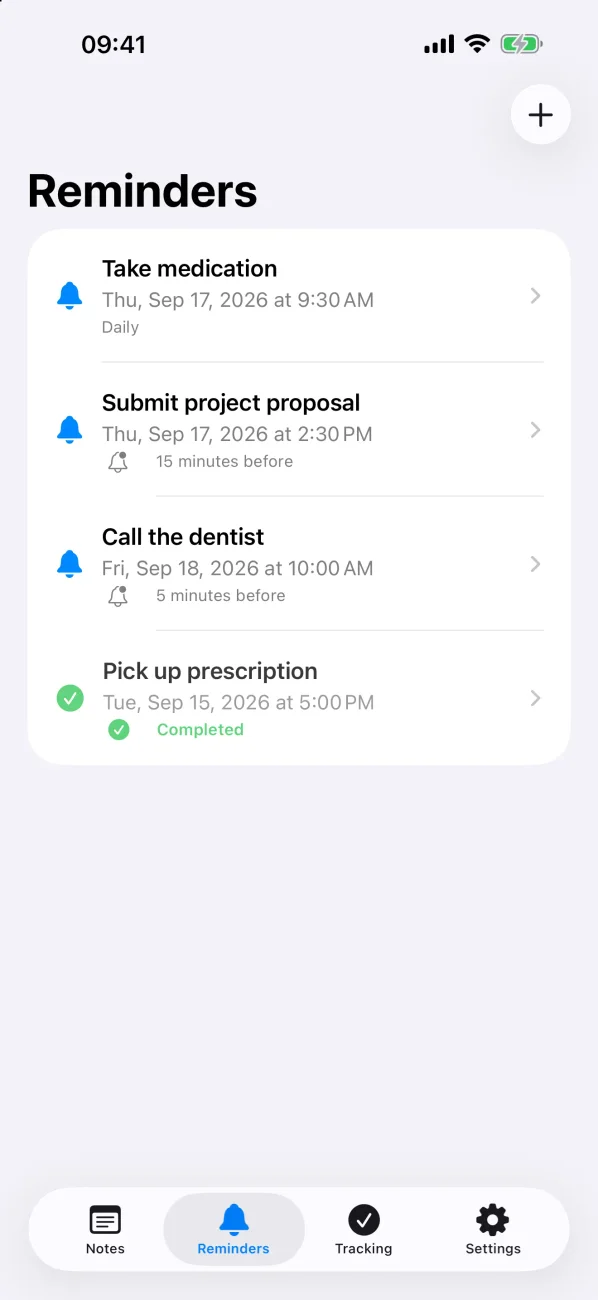
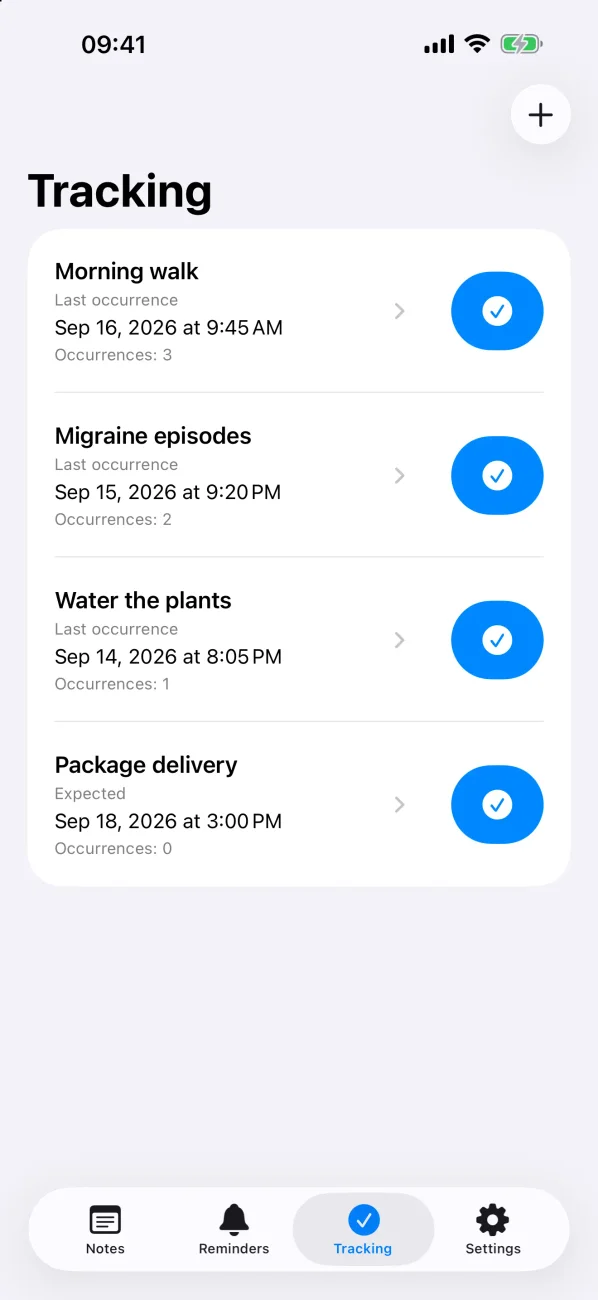
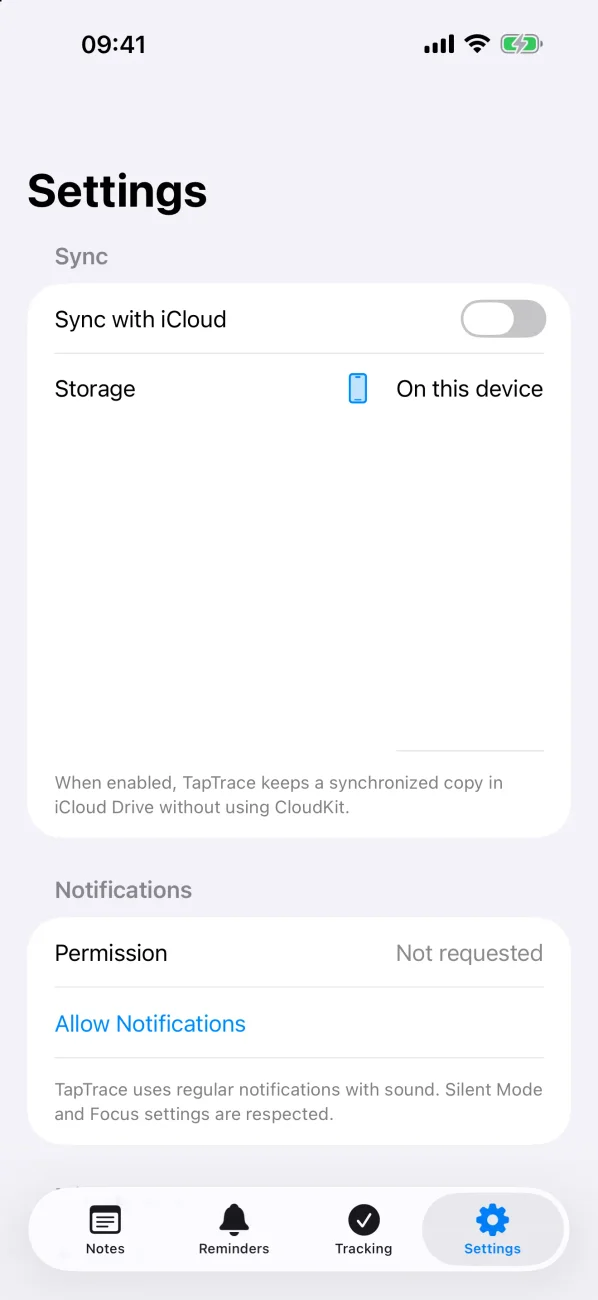
About
Capture what matters, remember it at the right time, and keep an organized history of the things that happen again—all in one place.
TapTrace brings notes, reminders, lists, and repeatable event tracking together in one simple, organized app.
Notes With More Possibilities
Create rich-text notes with headings, bold, italic, underline, strikethrough, and lists. Organize them into folders and attach images, PDFs, text documents, audio files, and voice notes.
Protect selected notes with Face ID, Touch ID, or your device passcode. Authentication is also required before a locked note can be deleted.
Quick Recording
Press and hold the Quick Recording button to capture a thought immediately, then release to save. On supported devices, you can also start or stop recording from the Lock Screen, Control Center, or the Action button.
Reminders That Fit Your Schedule
Set one-time or repeating reminders and optionally receive an additional notification 5 to 30 minutes beforehand. Reminders are ordered so the next one due appears first, and one-time reminders are clearly marked after completion.
Lists And Collaboration
Create lists with pending and completed items, plus an optional notification at a chosen date and time. Send an independent copy without requiring iCloud, or use iCloud Drive to collaborate with other people. You can manage access, stop sharing, or leave a collaborative list.
Track Repeatable Events
For something that may happen more than once, tap “Log Now” whenever it occurs. TapTrace keeps a complete date-and-time history and places the most recently active trackers first.
Set an expected date or ask TapTrace to notify you after a chosen number of days from the latest occurrence. If you do not log it again, notifications can repeat every two hours for up to 48 hours.
Choose which trackers appear in the widget and log a new occurrence without opening the app.
Share From Other Apps
Share text to TapTrace to create a new note quickly. Images, videos, audio files, and compatible documents can be added to an existing note from the iOS share sheet.
Privacy And Sync
No account is required, and the developer does not collect your data. Optional iCloud Drive sync is off by default and can be enabled whenever you need it. You can also remove synchronized data from iCloud without deleting the local copy on your device.
A clear layout, support for larger text, Dark Mode, and thoughtful VoiceOver behavior make TapTrace comfortable for more people to use.
Available in English, Greek, German, French, Spanish, and Italian.
What’s new
Version 1.2.1 · Oct 2, 2026
Important fixes for a better user experience.
App privacy
What Stelios Platsis declares on the App Store about how this app handles data.
-
Data not collected
The developer does not collect any data from this app.
Privacy practices may vary, for example with the features you use or your age.
Information
- Seller
- Stelios Platsis
- Category
- Productivity
- Version
- 1.2.1
- Updated
- Oct 2, 2026
- Released
- Sep 16, 2026
- Size
- 8.5 MB
- Requires
- iOS 17.0 or later
- Age rating
- 4+
- Price
- $3.99
- Languages
- English, French, German, Greek, Italian, Spanish
- Copyright
- © 2026 Stelios Platsis
You might also like
-
 Remote Incident Manager MobileAccessibility Anywhere
-
 RecorderHQ ProProductivity
-
 Daily routine planner - PhasioRoutine tracker & ADHD help
-
 LogBooklet: Journal & LogbookNotes the time and the place
-
 Pomod'Hero: your focus friendThe VoiceOver-friendly timer
-
 ghostWriter MarkdownAccessible Markdown Editor
-
 Perspective TranscribePrivate AI Audio Transcription
-
 Folio: Tracking NotebooksMeds, Bills, Books & Habits
-
 StudyBuddy: Pomodoro TimerFocus Timer for Students
-
 Better notetaking – photopicsNotes organized with hashtags