Task Focus: Project Planner
Kanban To Do List
Designed for iPhone, iPad, Mac
Free · In-app purchases
- Age rating4+
- CategoryProductivity
- DeveloperLukas Burgstaller
- LanguagesEnglish+ 44 more
- Size310.7 MB
Links to the official App Store page
Download.org hosts no file of Task Focus: Project Planner. The button opens its official App Store page, published by Lukas Burgstaller. Listing last checked on Nov 17, 2026.
Screenshots


About
Task Focus brings your tasks, projects, and plans together in a flexible to-do list and daily planner. Organize work and everyday life, build routines, and make room for what matters.
Keep Your Day Manageable
Set task limits for your day, areas, projects, or tags. Mark tasks as deferrable when they can wait for another day. If they become overdue, Smart Clean Up automatically moves them forward based on your limits, workdays, and priorities, so unfinished tasks don’t keep piling up on today’s list.
Plan with Precision
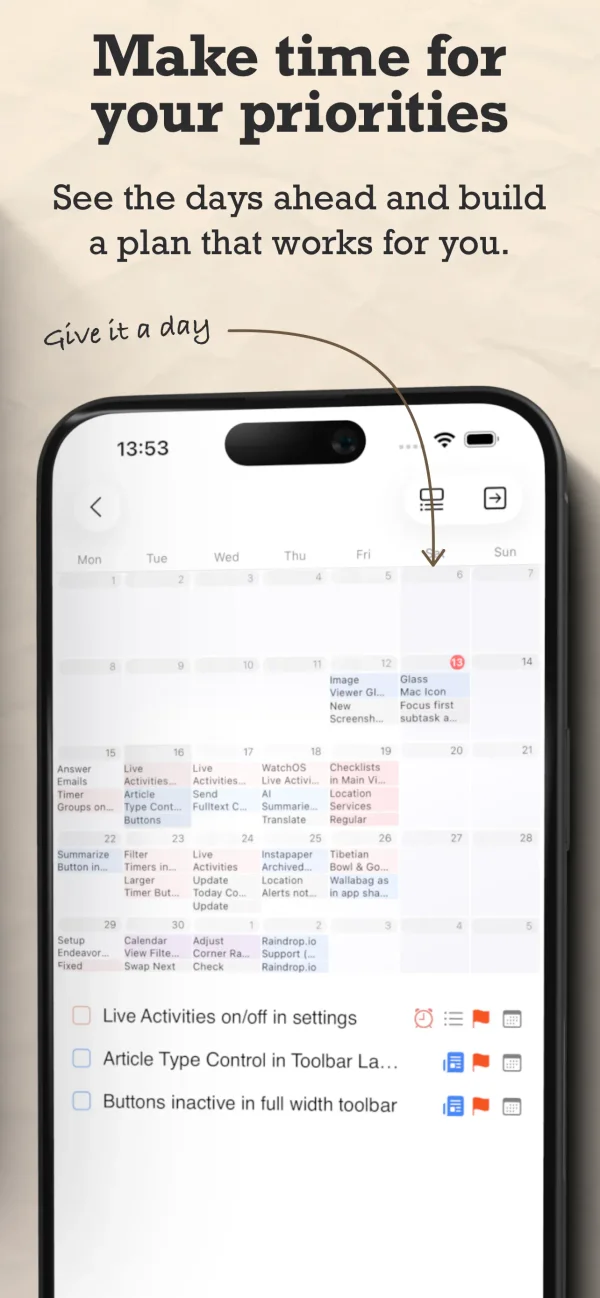
See today’s tasks and plan by day, week, or month. Block time for tasks alongside calendar events. Arrange columns by date, project, area, priority, duration, or location, and add custom sections to lists and boards.
Your Workflow, Your Way
Move tasks through stages with Kanban boards, organize a Getting Things Done (GTD) system with projects and tags, or build a workflow of your own. Combine lists, calendars, boards, filters, and configurable columns to match how you think and work.
Organize with Ease
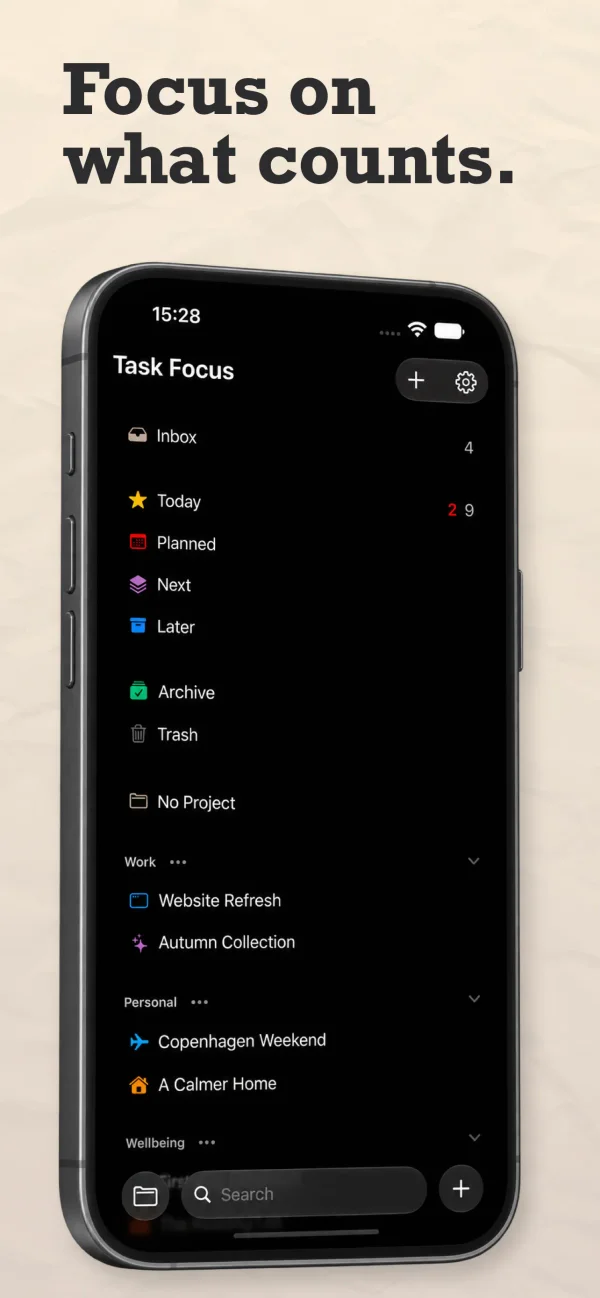
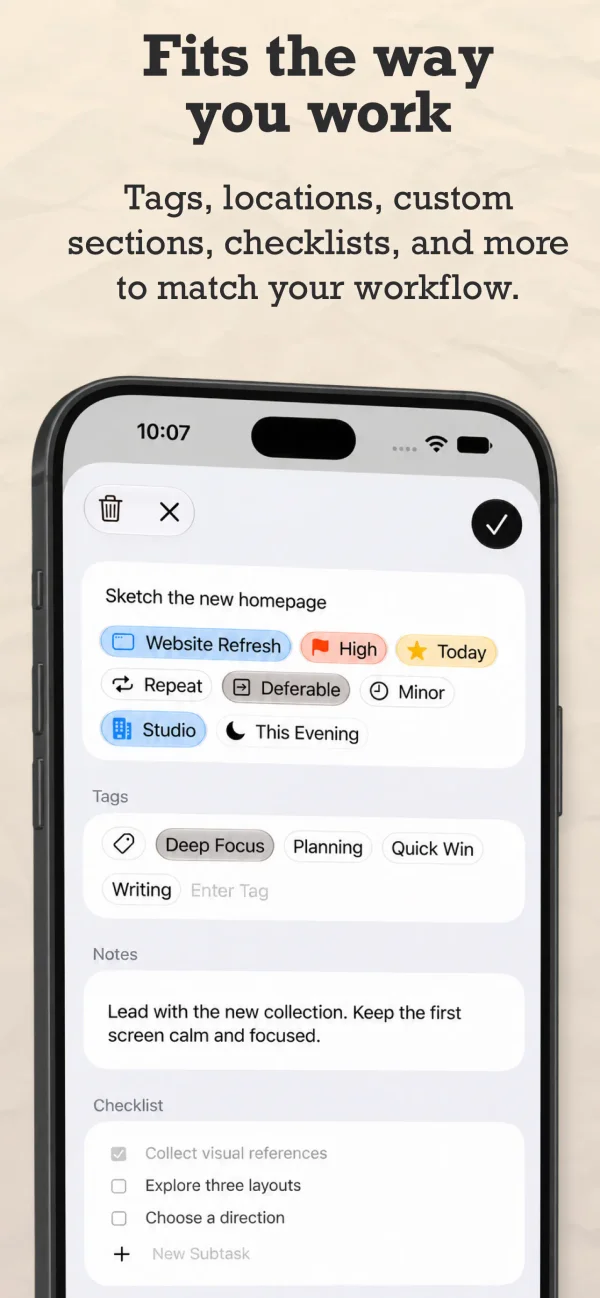
Keep work and personal tasks organized into areas, projects, and tags. Add notes, break larger tasks into subtask checklists, and filter your lists to focus on what matters.
Put Tasks in Context
Assign locations to tasks so you know what needs doing at home, at work, or wherever you go. Organize tasks by place and get reminders when you arrive at or leave a location.
Build Your Routines
Schedule repeating tasks for daily habits, regular responsibilities, and weekly reviews. Use subtask checklists to follow each step and priorities to decide what comes first.
Help from Your Assistant
Ask the integrated AI assistant to find and organize tasks, answer questions, or draft new ones, then review proposed changes before applying them.
Integrate Seamlessly
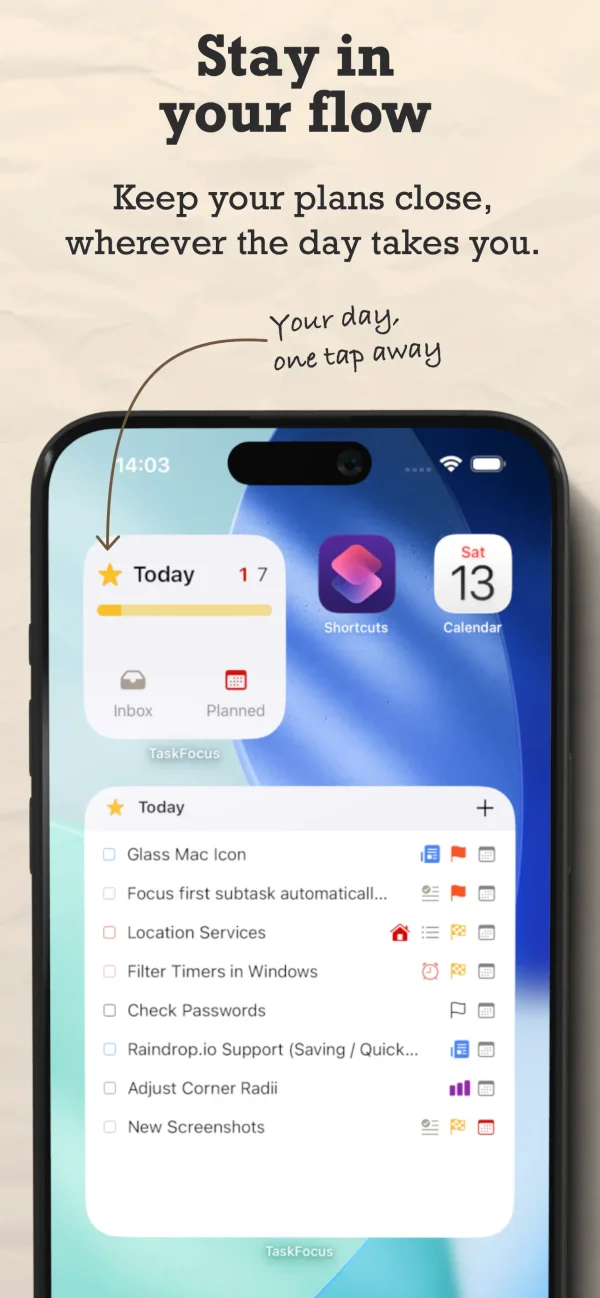
Capture tasks from compatible share sheets, automate actions with Shortcuts, and keep tasks in view with widgets.
Stay Connected
Keep your tasks in sync across iPhone, iPad, and Mac with iCloud synchronization. View calendar events alongside your tasks and import from Apple Reminders.
Terms of Use (EULA): https://voidstern.net/terms-of-use
Privacy Policy: https://voidstern.net/privacy-policy
What’s new
Version 2.4.1 · Nov 16, 2026
Changes
- Added In-App Feature Requests to settings
- Replaced the app icon context menu shortcuts with more useful actions
Fixes
- Fixed possible crash when editing multiple tasks
- No longer selects a task on open, if expand tasks is disabled
App privacy
What Lukas Burgstaller declares on the App Store about how this app handles data.
-
Data not linked to you
May be collected but is not linked to your identity.
- Purchases
- Diagnostics
Privacy practices may vary, for example with the features you use or your age.
Information
- Seller
- Lukas Burgstaller
- Category
- Productivity
- Version
- 2.4.1
- Updated
- Nov 16, 2026
- Released
- Mar 18, 2024
- Size
- 310.7 MB
- Requires
- iOS 18.0 or later
- Age rating
- 4+
- Price
- Free
- In-app purchases
- Yes
- Languages
- English, Arabic, Bengali, Catalan, Cree, Croatian, Czech, Danish, Dutch, Finnish, French, German + 33 more
- Copyright
- © 2025 Lukas Burgstaller
You might also like
-
 Thrivo - Daily PlannerTasks, Calendar & Routines
-
 Work Planner: Daily ScheduleTime Blocking & Habit Tracker
-
 AI To Do List & Task ManagerAI Checklist, Voice & Pomodoro
-
 Mono Task - Focus Day PlannerStructured Time Blocking
-
 Todura: Task Manager OrganizerDaily Planner,Calendar,Agenda
-
 Got Done: Tasks & HabitsPrivate tasks & real habits
-
 To-Do List & Planner : TaskitoTimeblock, Calendar, Reminders
-
 To-Do List: Time PlannerDaily Schedule, Task Organizer
-
 Daypiece AI Daily PlannerSchedule, Calendar, To-Do List
-
 Execute: Daily PlannerSchedule, prioritize, focus