Task Office lite: to-do list
Daily GTD organizer and CRM
Designed for iPhone, iPad, iPod touch
Free · In-app purchases
- Age rating4+
- CategoryProductivity
- DeveloperDK CONSULTING, TOV
- LanguagesEnglish+ 14 more
- Size84.8 MB
Links to the official App Store page
Download.org hosts no file of Task Office lite: to-do list. The button opens its official App Store page, published by DK CONSULTING, TOV. Listing last checked on Nov 16, 2026.
Screenshots


About
Task Office is the best of ever existing GTD, to do lists, projects and contacts management apps. Manage both simple and complex projects, to do lists without any difficulties and focus on the final result. Manage your contacts and relationships, schedule your time and succeed.
Planning & Performing
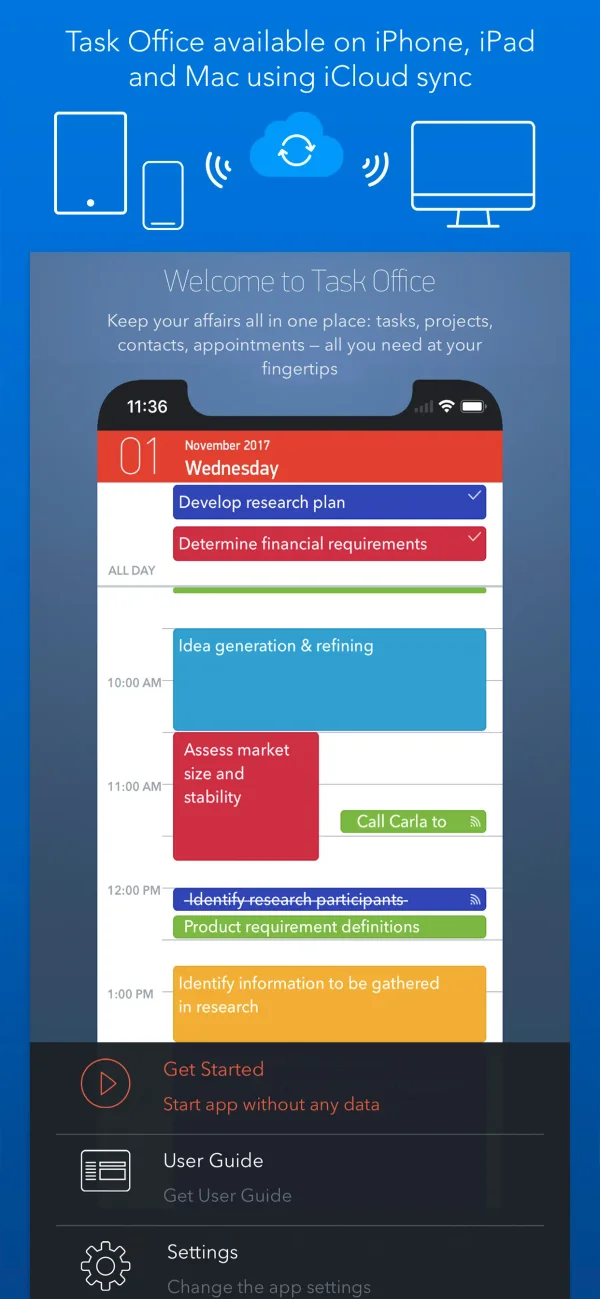
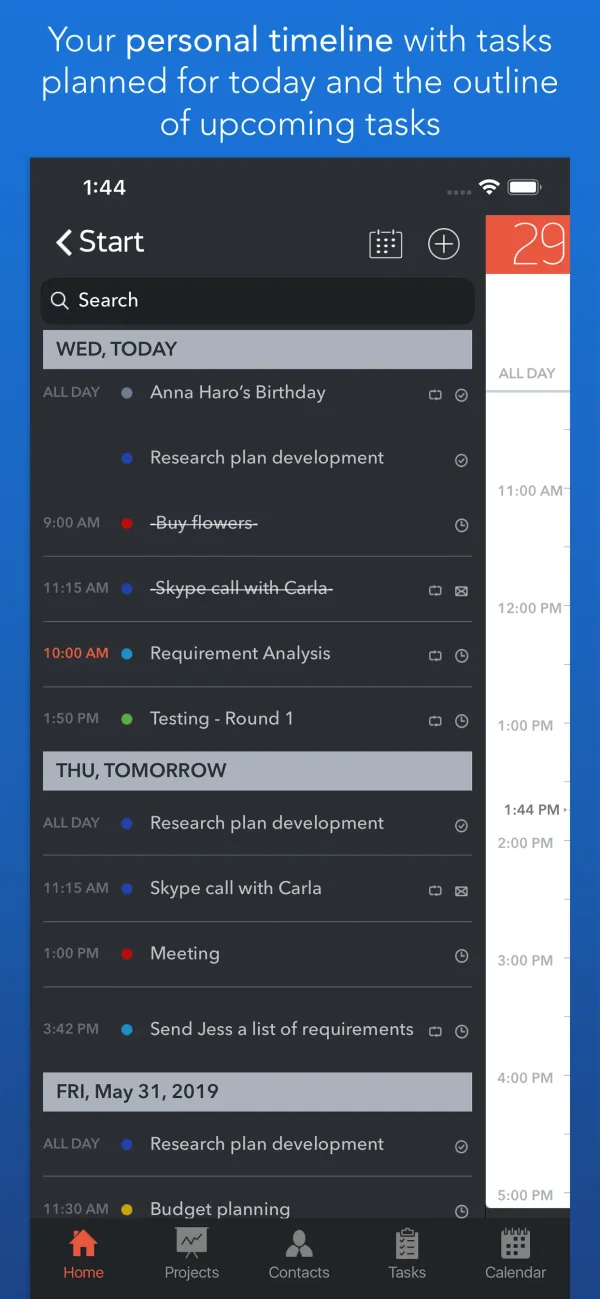
• Start scheduling each new day on Home screen. Here you will find your current projects and to dos: a timeline with tasks you have planned for today and outline of upcoming tasks. Home screen allows you to focus only on current tasks, planned for today, and not to get lost in plenty of other planned tasks. You can plan your day directly from Home screen creating new tasks, projects, contacts and companies
Quick & Easy navigation
• Reach any project, task, to do list or contact in seconds. Task Office is designed in a way that will allow you to navigate within app screens just in one tap
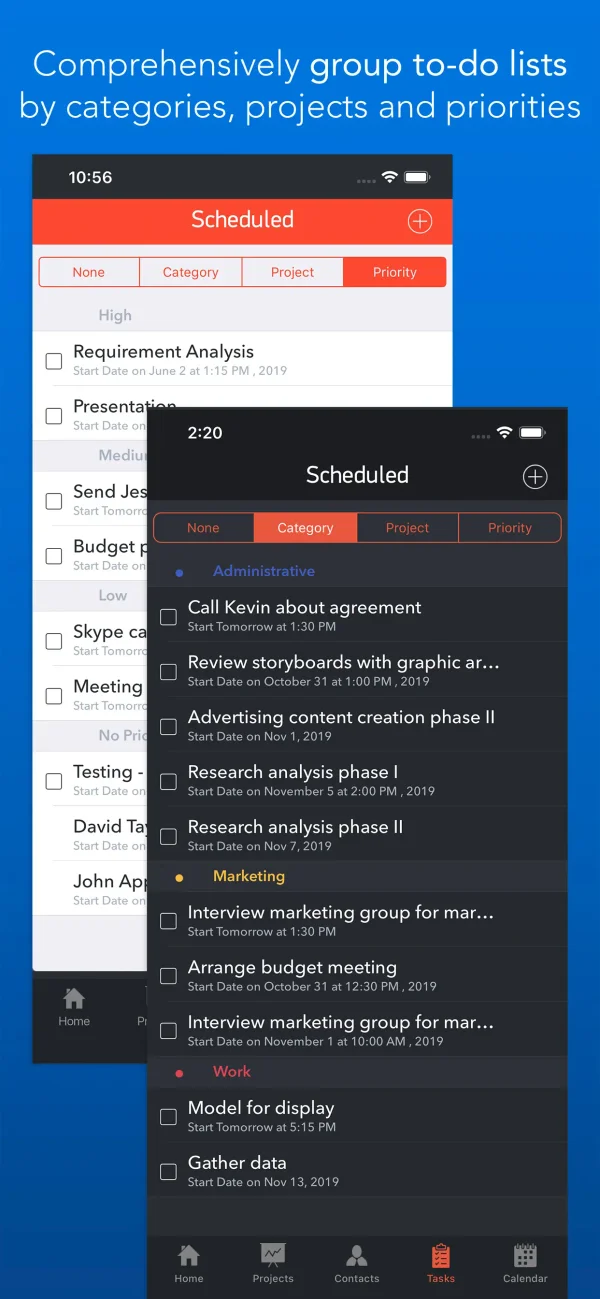
• Organize your tasks by categories, projects or priorities and make a logic order of all your plans
Detailed GTD
• Add all important details to get things done: choose tasks category, status, priority and set dates
• Assign tasks to people by choosing a person from all existing contacts
• Add locations to each task and project
• Make all your information categorized – assign special categories for easy filtering and browsing through tasks and projects
Comprehensive GTD Tab
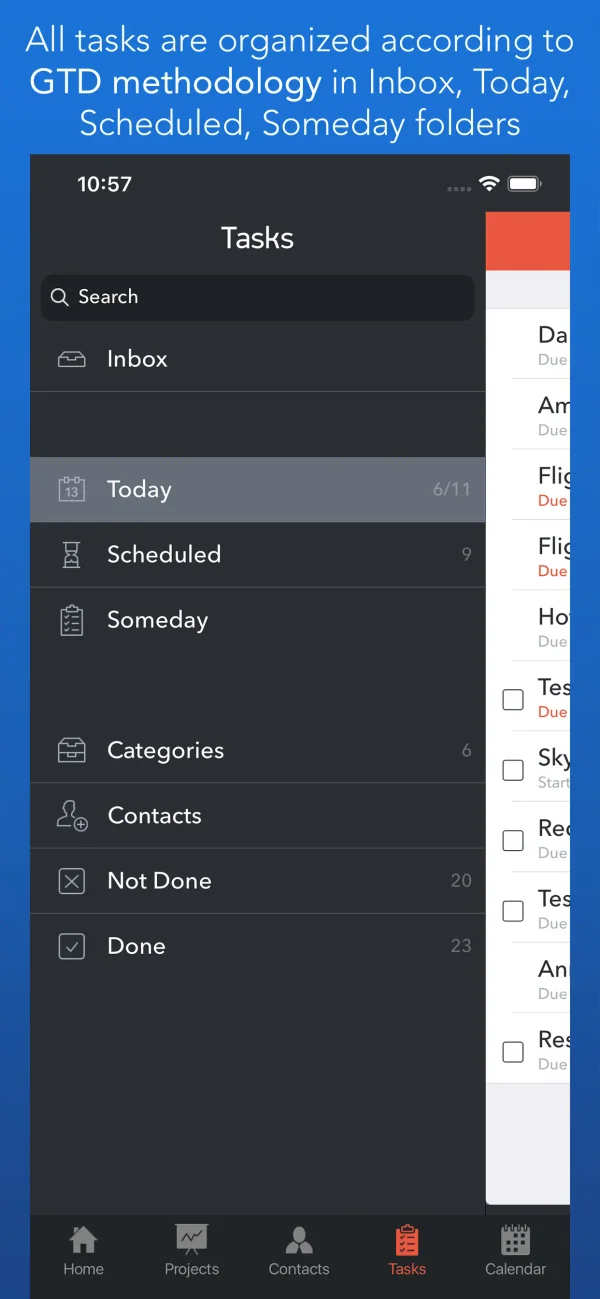
• All tasks are organized according to GTD methodology (by D. Allen)
• Add tasks of different types:
- ToDo – tasks with duration of several days
- Appointment – assign task duration accurate to minutes
- Email/Call – short task for making calls or sending emails to any user
Alerts
• Use double alert and let the program remind you what is next to be done
Tracking project progress
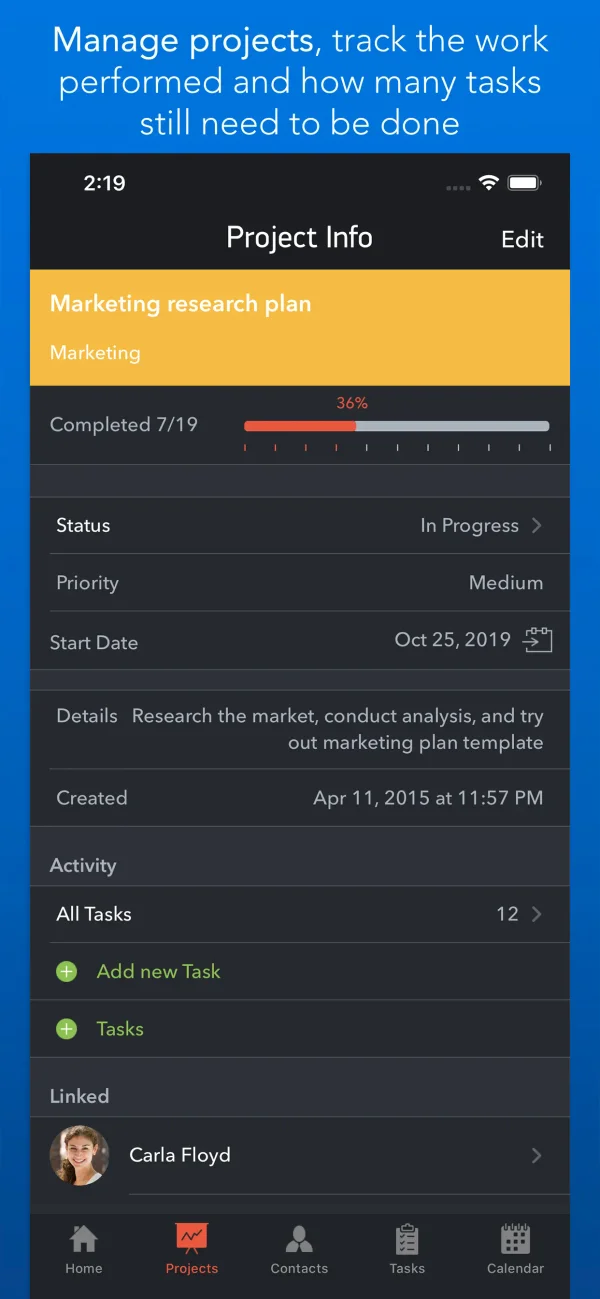
• Track the progress of your projects and to do lists by viewing the pipeline: view the percentage of work performed and how many tasks still need to be done
• Check out everyone who is involved in project: view the list of contacts involved in the project
Managing your team
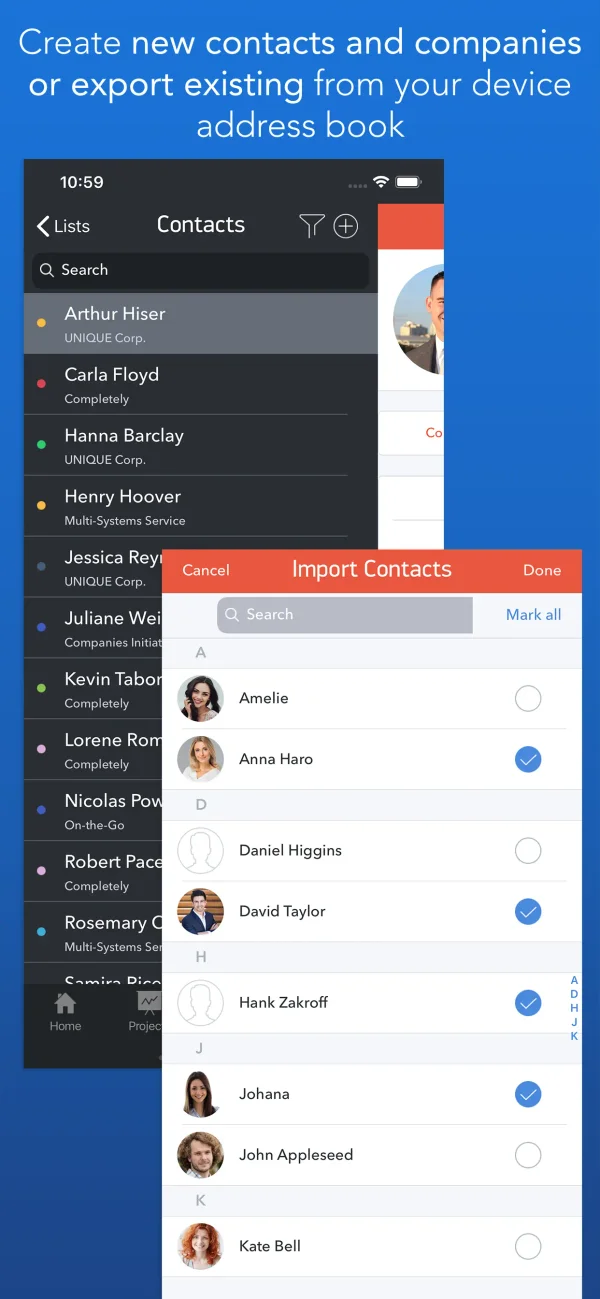
• Create new contacts and companies; add all the important information about your contact or company. Either you can import existing contact from your iOS device Address Book
• Send e-mails directly from Contacts Screen
• Group your contacts creating your Private Lists, so that you can easily monitor their productivity and track task implementation. Save each Private list and refer back to easily
Visualized Calendar
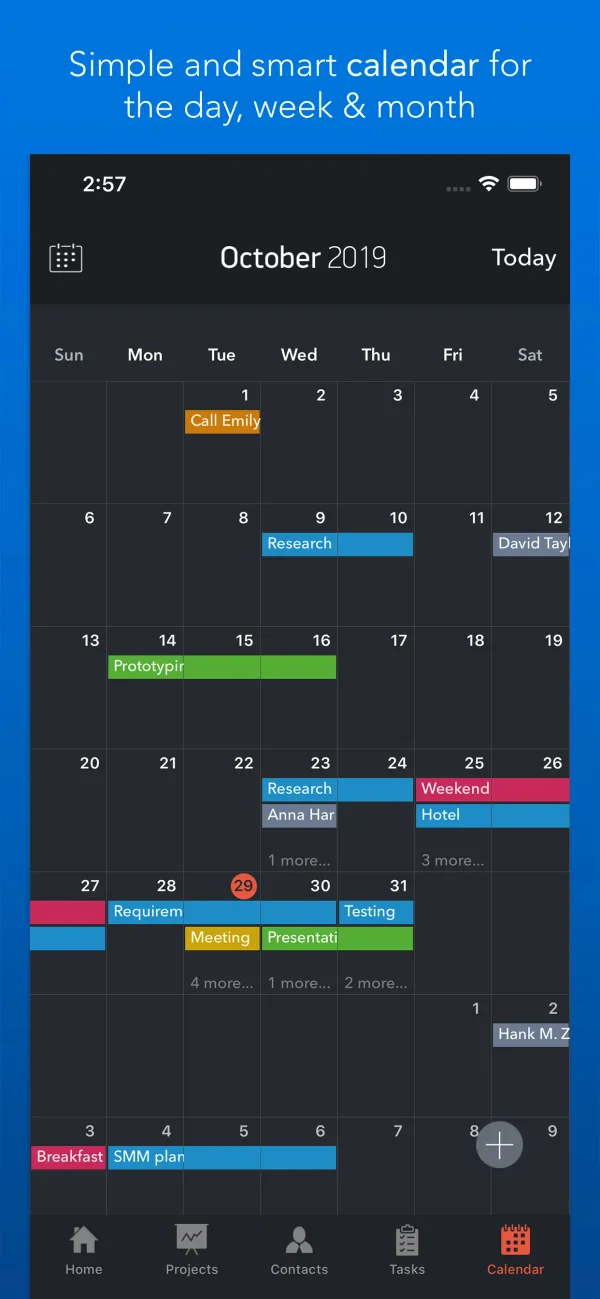
• Task Office calendar allows you to focus on what is important in your timeline. See your planed To Dos, Appointments, Emails/Calls to get things done in time
• View calendar by day, week or month
• Add tasks directly to the Calendar by Tap&Hold
• Change tasks duration or Start and Due Dates simply Drag&Drop
Calendar Syncing
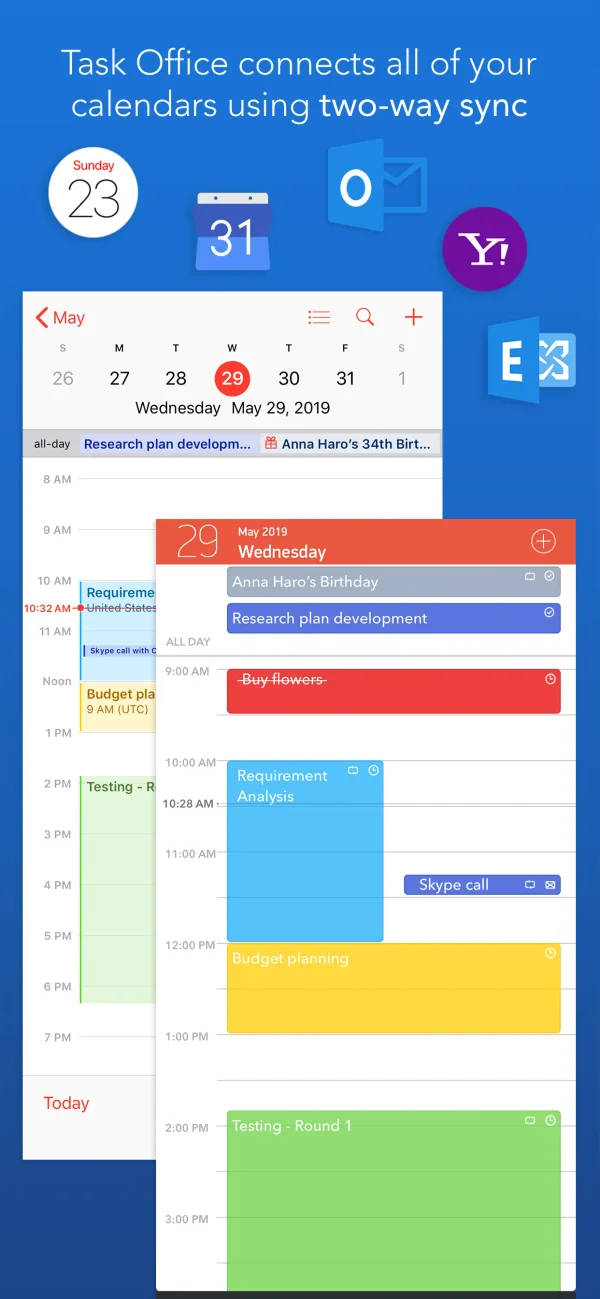
• Task Office syncs with Calendars (iCloud, Google Calendar, Exchange, Yahoo, Outlook) and you will not miss anything checking out due dates
iCloud Sync
• Sync your information – tasks, projects, contacts, etc. – between your devices
Repeating tasks
• Add repeated tasks, choosing recurrences frequency
Set goals and achieve them. Become a part of Task Office team today!
What’s new
Version 11.0 · May 1, 2024
Task Office version 11.0 squashes bugs and makes some performance and stability improvement:
• Fixed an issue which occurred when purchasing the app.
App privacy
What DK CONSULTING, TOV declares on the App Store about how this app handles data.
-
Data not collected
The developer does not collect any data from this app.
Privacy practices may vary, for example with the features you use or your age.
Information
- Seller
- DK CONSULTING, TOV
- Category
- Productivity
- Version
- 11.0
- Updated
- May 1, 2024
- Released
- Sep 2, 2015
- Size
- 84.8 MB
- Requires
- iOS 12.0 or later
- Age rating
- 4+
- Price
- Free
- In-app purchases
- Yes
- Languages
- English, Dutch, French, German, Italian, Japanese, Korean, Malay, Norwegian Bokmål, Portuguese, Simplified Chinese, Spanish + 3 more
- Copyright
- © DK-Consulting
You might also like
-
 Execute: Daily PlannerSchedule, prioritize, focus
-
 Forlist: To-Do List & CalendarTo do, task reminders & habits
-
 Do Next - Simple Task ManagerCapture in a basic to do list
-
 Schedule Planner - MixDaily Planner & Organizer
-
 Things To Do - Tasks ListTo-Do, Travel & Shopping Lists
-
 This Week: Weekly Task PlannerTask Planner with Reminders
-
 TaskFire: To-Do List & PlannerShared lists, reminders & Siri
-
 LightTime: To Do List and GTDTask Planner & Reminders
-
 Do! Spring Pink – To Do ListReminders & widgets, your way
-
 To do list - ReminderSchedule daily planner