- Age rating4+
- CategoryProductivity
- DeveloperMichael Surratt
- LanguagesEnglish
- Size14.1 MB
Links to the official App Store page
Download.org hosts no file of TaskFlow Studio. The button opens its official App Store page, published by Michael Surratt. Listing last checked on Nov 18, 2026.
Screenshots
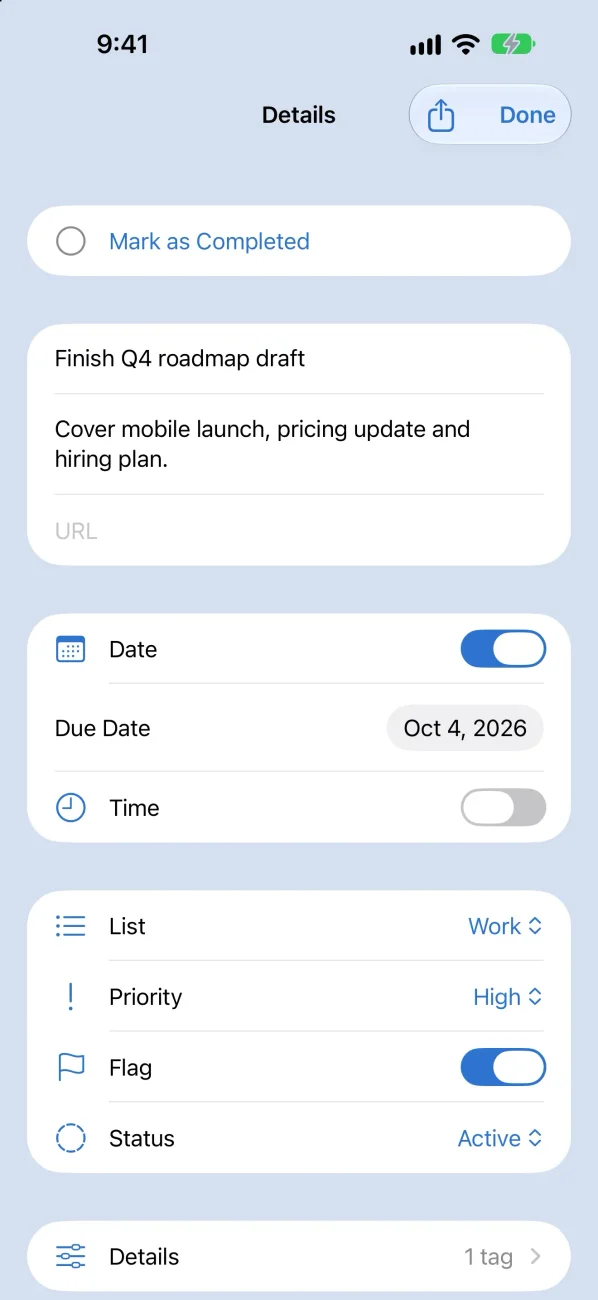


About
TaskFlow Studio: because your to-do list was getting a little too confident.
Your tasks, calendar, and notes finally agreed to sit at the same table. TaskFlow Studio is built on Apple Reminders and Calendar, so everything stays in sync with the apps you already use, and it adds the planning tools those apps leave out.
It looks and feels like it belongs on your iPhone and iPad, because it does. Standard iOS lists, familiar gestures, and no learning curve. Productivity apps should help you do the work, not become the work.
PLAN YOUR DAY
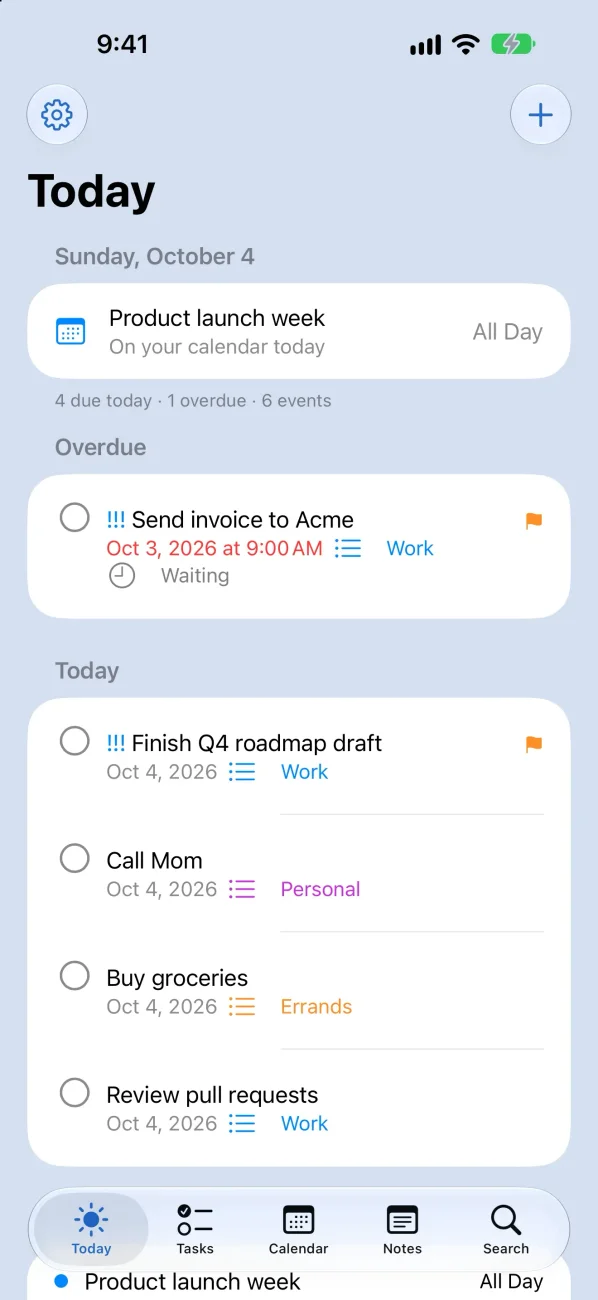
• Today brings together overdue tasks, today's tasks, your calendar, and tomorrow
• Suggested surfaces flagged and high-priority work. Swipe right to commit it to today.
• Swipe left on overdue tasks to move them to tomorrow, for when today has other plans
CAPTURE AND EDIT FAST
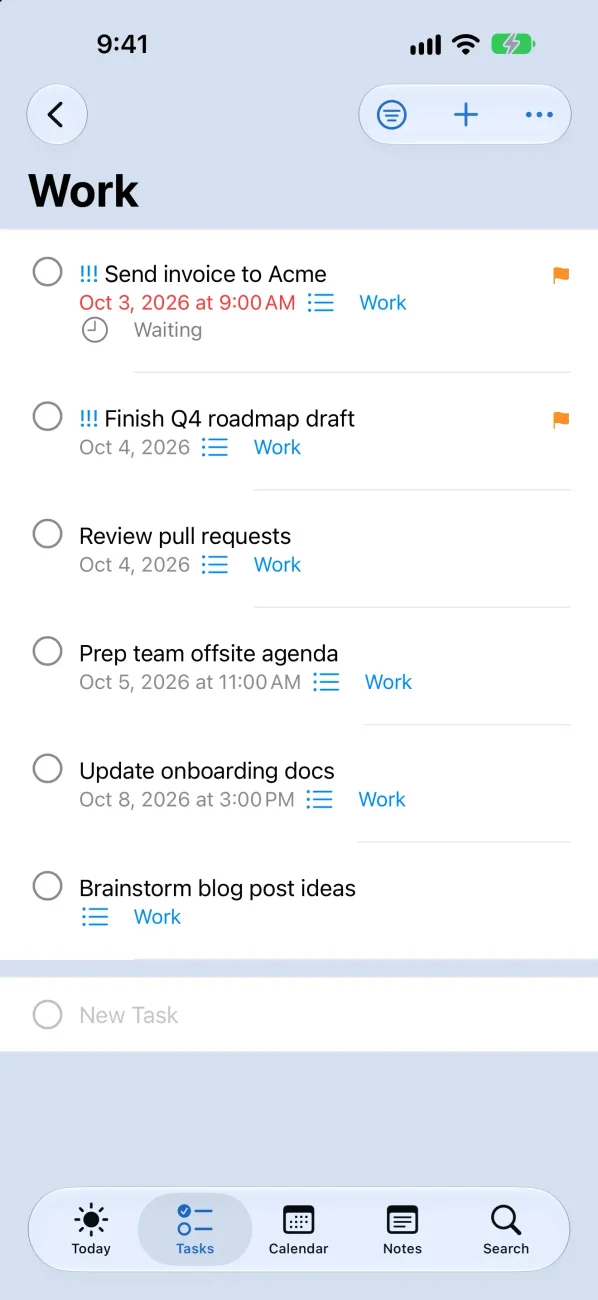
• Add tasks inline at the bottom of any list, then keep typing
• Tap a task to edit it in place. Changes save automatically.
• Quick Capture turns "call the dentist Friday at 9" into a task or event
• Shake to undo when your thumb gets ahead of your brain
ORGANIZE YOUR WAY
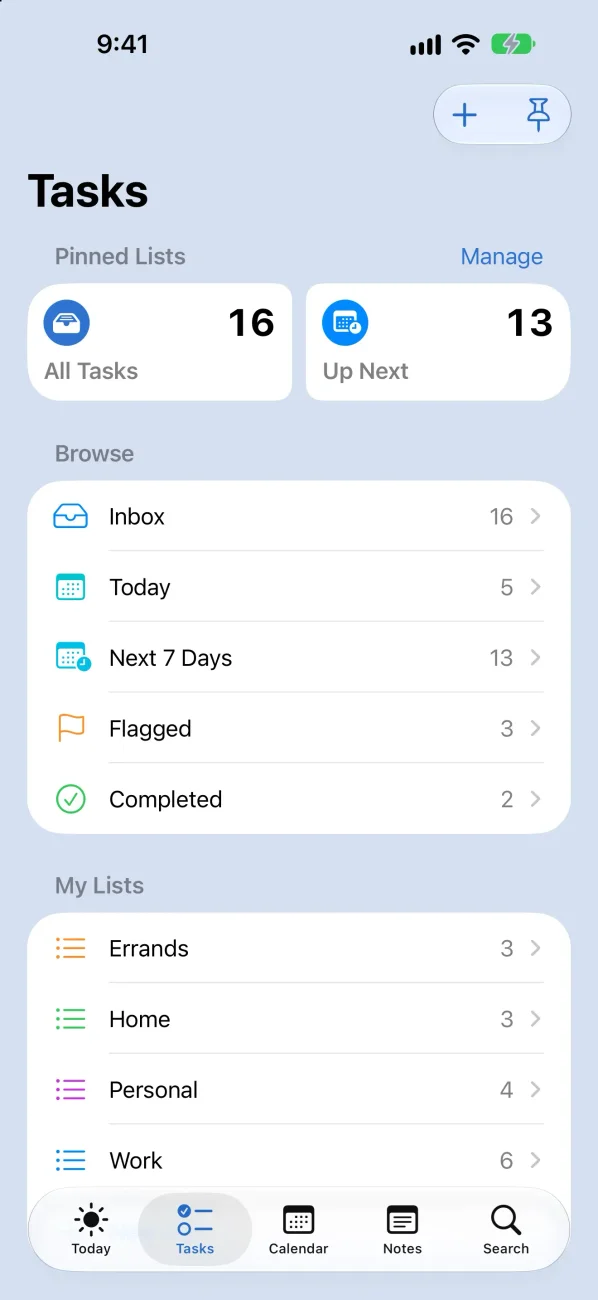
• Lists, smart lists, pinned lists, flags, priorities, and tags
• Subtasks, dependencies, comments, notes, attachments, and location alerts
• Show any list as rows or columns
• Filter and sort by status, priority, due date, or tag
TASKS AND CALENDAR, TOGETHER
• Day, Week, Month, and List views show your events and due tasks side by side
• Create and edit events with Apple's own Calendar editor
• Tag events and see everything due on any day at a glance
FIND ANYTHING
• Search tasks, notes, events, comments, and tags
• Type # to jump straight to a tag
NOTES
• Quick notes for ideas, checklists, and drawings, with tags
• Every task comment in one place
AT HOME ON YOUR DEVICE
• Home Screen widgets for Today, Up Next, Agenda, High Priority, and smart lists. Complete tasks right from the widget.
• Quick Capture in Control Center, on the Lock Screen, or on the Action button
• Optional Live Activity with today's tasks on the Lock Screen
• Focus filters show only the lists that matter right now
• Siri and Shortcuts support for adding, completing, and finding reminders
• A full iPad layout with a sidebar, drag and drop, and side-by-side details
GREAT FOR
Daily planners, Reminders power users, calendar-driven work, and anyone juggling home, health, family, and work lists. Also people who love tags a normal amount.
TaskFlow Studio helps your tasks go from "I should remember that" to "handled."
Finally. Mostly. Tomorrow also exists.
What’s new
Version 1.17 · Nov 16, 2026
What’s New in TaskFlow 1.17
SHOPPING, REBUILT FOR THE STORE
Shop by aisle
• Tap Start Shopping for big, easy-to-tap rows grouped by aisle. Tap an item to put it in your cart, and use Undo if you tap the wrong one.
• Aisles show your progress and disappear once everything in them is in the cart.
• Can’t find something at this store? Swipe left and choose Not Here. It stays on your list for next time.
• Finish Trip shows what you bought against your budget, lets you keep or remove what’s left, and can scan your receipt.
• Follow your trip on the Lock Screen or in the Dynamic Island, and mark the next item In Cart right from there.
Faster to add, easier to read
• Type “2 lb chicken @Costco” to set the amount and store and automatically categorize the item.
• See what’s left, what’s in the cart, your total, and your budget in one place. Tap an amount to change it.
• See and edit Store and Shopper right from an item’s row. Clear the active store filter in one tap.
• Checking off an item puts it in your cart. Purchased items stay collapsed until you need them.
Smarter over time
• Past Trips groups spending by month and store and spots habits like “about $85 at Costco every 2 weeks.”
• “Running low?” suggests items you buy regularly when it’s about time to restock.
• See when a price has gone up or down since your last trip.
MAKE TODAY YOUR OWN
• Pin Shopping or any reminder list to Today. Shopping’s tile shows how many items are left, and one tap opens the list.
• Catch up with Review Overdue. Go through reminders one at a time, oldest first. Mark one complete, move it to today or tomorrow, pick a date, or skip it for now. You can undo your last change or come back to skipped reminders.
• Quick Capture on Today lets you start a task or calendar event from the same place.
A CLEANER TASKFLOW
• Tasks have a larger checkoff button and a simpler editor that puts title, list, and due date first.
• List Tools brings pinning, editing, and cleanup together in one menu.
• Calendar has a direct date picker and a clearer daily agenda. You can also add an event through Apple’s Calendar editor without giving TaskFlow access to read your calendar.
• Notes show a short preview and last-edited date, and search labels make it clear whether you’re searching Notes or all of TaskFlow.
• Library has dedicated Up Next, Lists, and Upcoming tabs. Settings is easier to scan and shows when iCloud last synced.
App privacy
What Michael Surratt declares on the App Store about how this app handles data.
-
Data not collected
The developer does not collect any data from this app.
Privacy practices may vary, for example with the features you use or your age.
Information
- Seller
- Michael Surratt
- Category
- Productivity
- Version
- 1.17
- Updated
- Nov 16, 2026
- Released
- Jun 1, 2026
- Size
- 14.1 MB
- Requires
- iOS 17.0 or later
- Age rating
- 4+
- Price
- $4.99
- Languages
- English
- Copyright
- © 2026
You might also like
-
 ButterDocsWrite together without chaos
-
 STERIS ConnectCareSTERIS ConnectCare
-
 Stash: Fast Add to ClipboardSnippets, links, photos, files
-
 Actions For ObsidianYour notes + Shortcuts.
-
 Tasks for Notion - To-Do ListCalendar Planner & Reminders
-
 Things 3 for iPadOrganize your life
-
 Actions: To Do List OrganizerPlanner, Reminders & Goals
-
 Superlist: To Do List & NotesAI Meetings, Tasks & Reminders
-
 Webroot Mobile SecurityProductivity
-
 Pet CloudProductivity