TaskFrame | Task Manager
Your tasks, your way
Designed for iPhone, iPad
Free · In-app purchases
- Age rating4+
- CategoryProductivity
- DeveloperBradley Rothbaum
- LanguagesEnglish
- Size52.4 MB
Links to the official App Store page
Download.org hosts no file of TaskFrame | Task Manager. The button opens its official App Store page, published by Bradley Rothbaum. Listing last checked on Nov 18, 2026.
Screenshots



About
Smart Organization
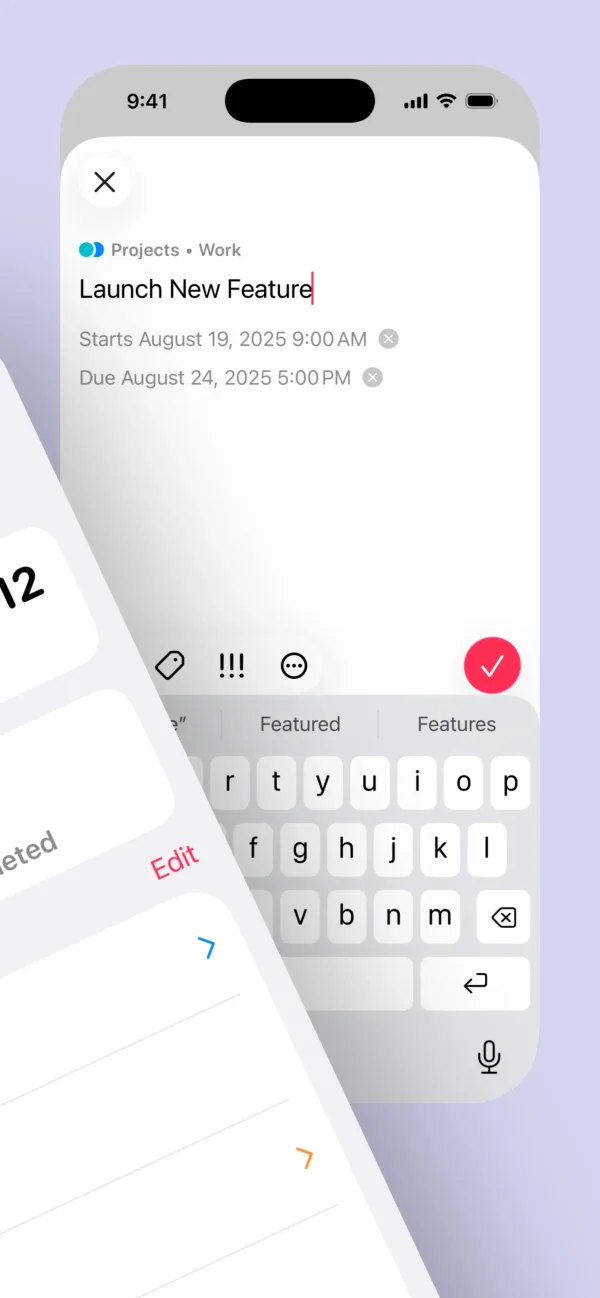
* Start & Due Dates: Tasks don't clutter your view until you need them.
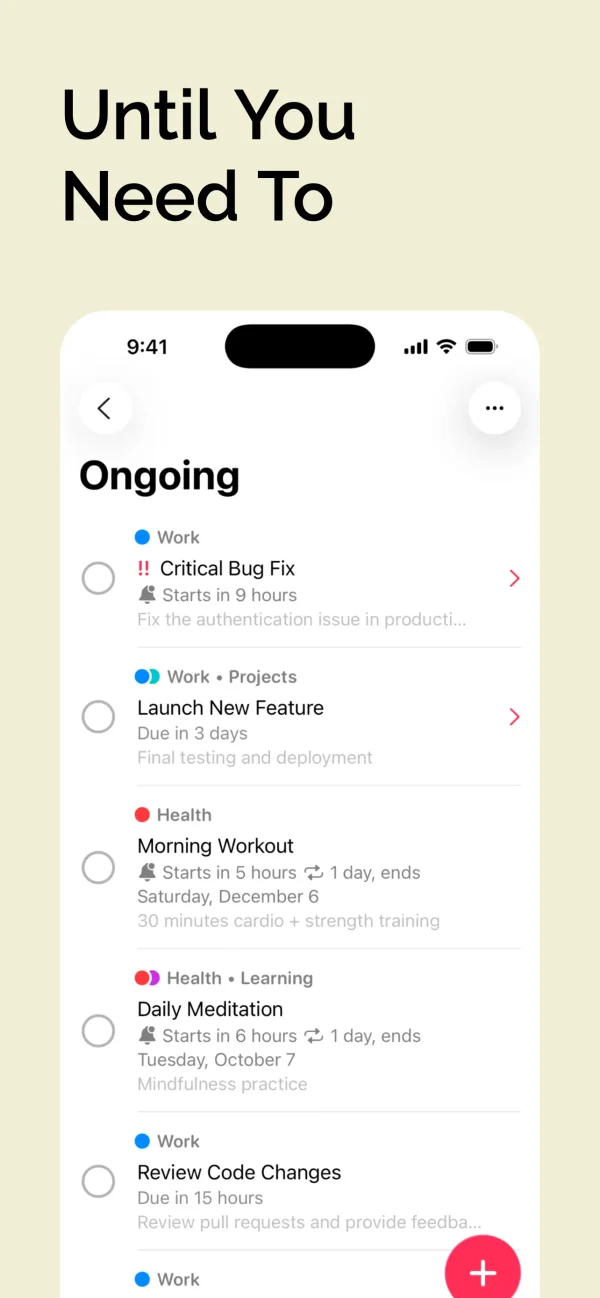
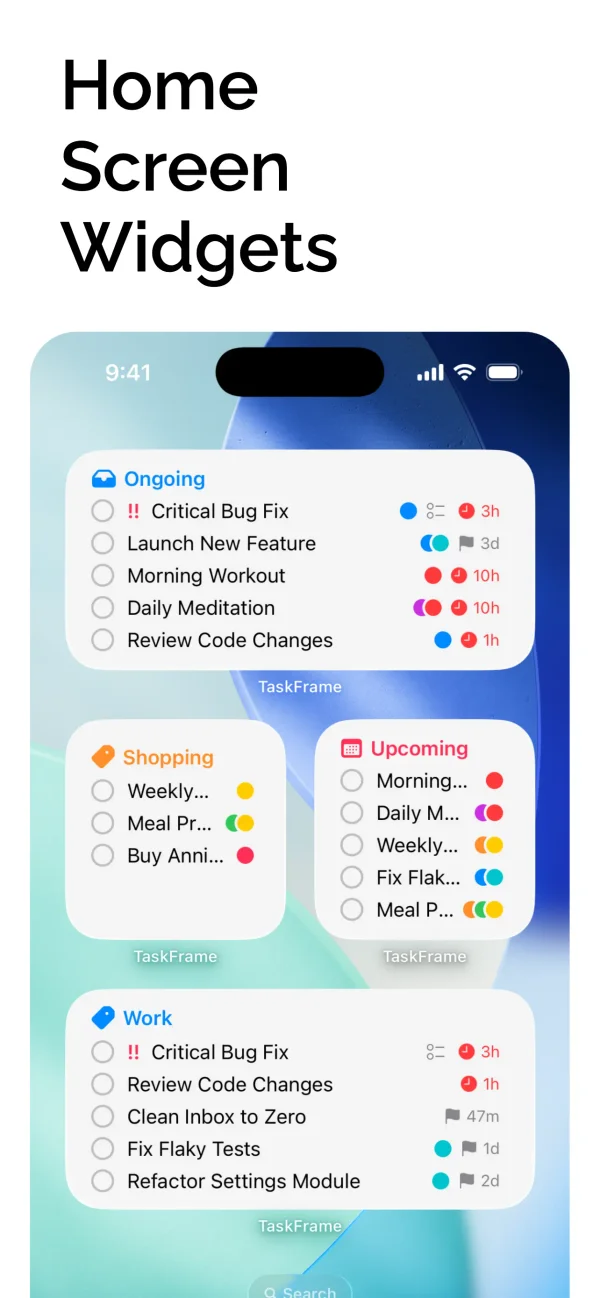
* 10+ Filtering Options: See just the tasks you need with powerful filters, like what’s ongoing, recurring tasks, and more.
* Color-Coded Tags: For separating your tasks into groups and projects based what makes sense to you.
Advanced Task Features
* Recurring Tasks: Automatically repeat with customizable intervals
* Priority: Mark urgent tasks so what needs attention first always gets done first
* Notifications: Alarms and notifications to be notified of something when you need to be notified
* More Details: Add notes, URLs, and subtasks to keep all of your information in one place
Free Features
* Unlimited tasks and tags
* Start and due notifications
* Subtasks
* Recurring tasks
* Priority
* iCloud sync
Pro Features
* Dashboard Customization: Reorder dashboard items and pin your most used tags to the top
* Time Presets: Create custom time presets with unlimited options
* Notification Upgrade: Set custom reminder notifications and add system alarms to tasks
What’s new
Version 1.2 · Jun 21, 2026
Smarter Quick Add
Type naturally and TaskFrame picks out dates, times, and tags. A live preview shows what it found before you save.
Streaks
Track how many times in a row you've completed a recurring task on time. Enable it per task and keep the chain going.
Focus Hours
Assign a task a time window and it stays hidden outside of it. Morning tasks won't clutter your evening list.
Task Templates
Save any task as a template and reuse it in one tap. Perfect for routines you set up more than once.
More Improvements
Reorderable dashboard, smarter task sorting, and the usual assortment of fixes.
App privacy
What Bradley Rothbaum declares on the App Store about how this app handles data.
-
Data not linked to you
May be collected but is not linked to your identity.
- Identifiers
- Usage data
Privacy practices may vary, for example with the features you use or your age.
Information
- Seller
- Bradley Rothbaum
- Category
- Productivity
- Version
- 1.2
- Updated
- Jun 21, 2026
- Released
- Sep 15, 2025
- Size
- 52.4 MB
- Requires
- iOS 18.0 or later
- Age rating
- 4+
- Price
- Free
- In-app purchases
- Yes
- Languages
- English
- Copyright
- © Brad Rothbaum
You might also like
-
 Daylish - Visual ScheduleAppointment Reminder Alarm App
-
 TaskMiny: Task ManagerYour Personal To-Do Manager
-
 Hello ToDo: Your Task ManagerYour Task Manager
-
 Re:mindr - Quick RemindersReminder, ToDo & Planner
-
 Brainbits: Notes for IdeasCapture and grow ideas
-
 Daily Planner - TrioHabit Tracker, To Do, Calendar
-
 Dona - Simple tasksMinimalist task management
-
 Habit Tracker - DayriseStreaks, Routines & Motivation
-
 Tempus: Daily Planner & To-DoTime Blocking & Focus for ADHD
-
 TapCal: Calendar & WidgetsMonth Widgets & Reminders