
- Age rating12+
- CategoryProductivity
- DeveloperArakawa Hironori
- LanguagesEnglish+ 1 more
- Size13.8 MB
Links to the official App Store page
Download.org hosts no file of TASKILL. The button opens its official App Store page, published by Arakawa Hironori. Listing last checked on Nov 23, 2026.
Screenshots
About
Habits grow from routines. TASKILL helps you build routines, break them into steps, and reshape them as your life changes, so the habit sticks even when a day doesn't go to plan. Most habit apps assume you will hit 100 percent. TASKILL assumes you are a person.
BREAK ROUTINES DOWN
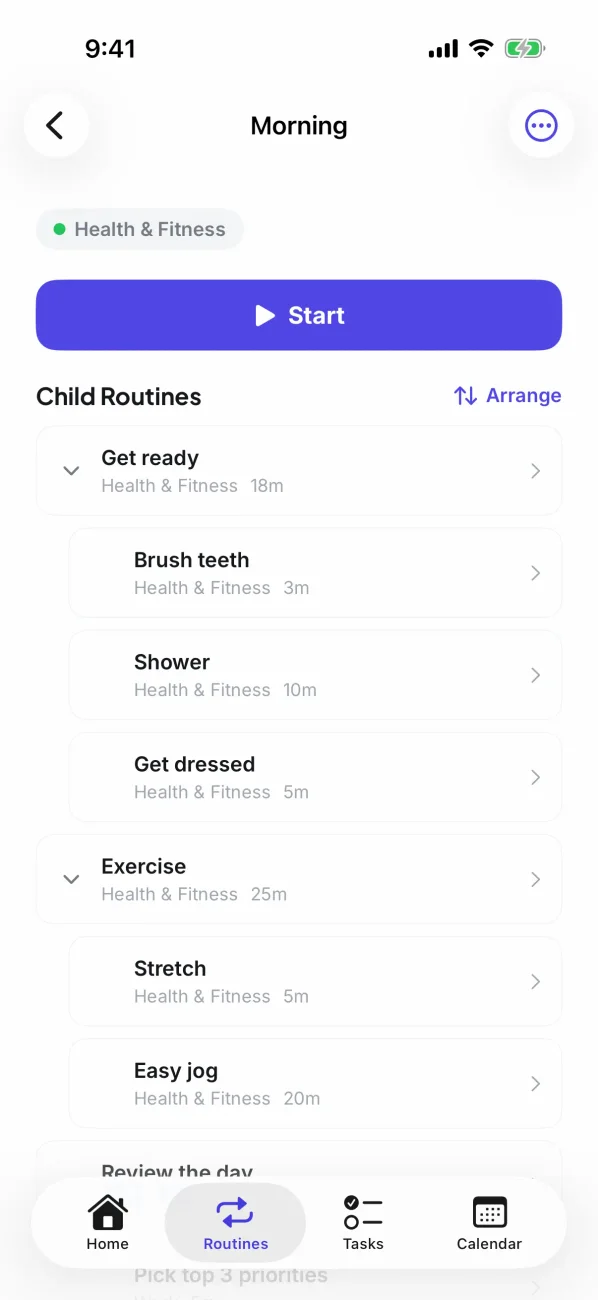
Split a big routine into smaller ones, up to five levels deep. "Morning" can hold "Get ready" and "Exercise", and those can hold their own steps. Share a routine under more than one parent, and edit it once. Set repeat days and a start time, and give each step the time you expect it to take.
RUN THEM WITHOUT DISTRACTION
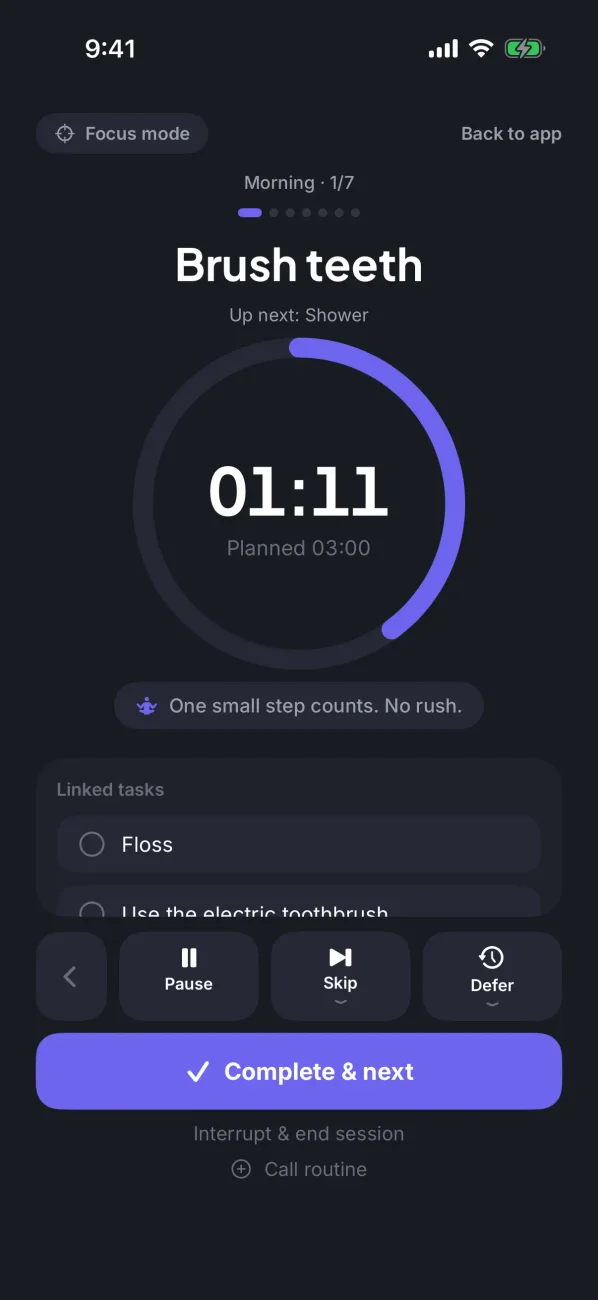
Start a routine and TASKILL takes over the screen. While a routine is running, the app keeps you on the current step instead of letting you wander off into other screens. Move forward, skip a step, set one aside for later, or call a different routine when something comes up. If you leave for another app, the session pauses and the time away is recorded honestly. Pick the routines that need to be exempt, such as planning or reviewing, and allow in-app actions only for them.
FINISH, DON'T FAIL
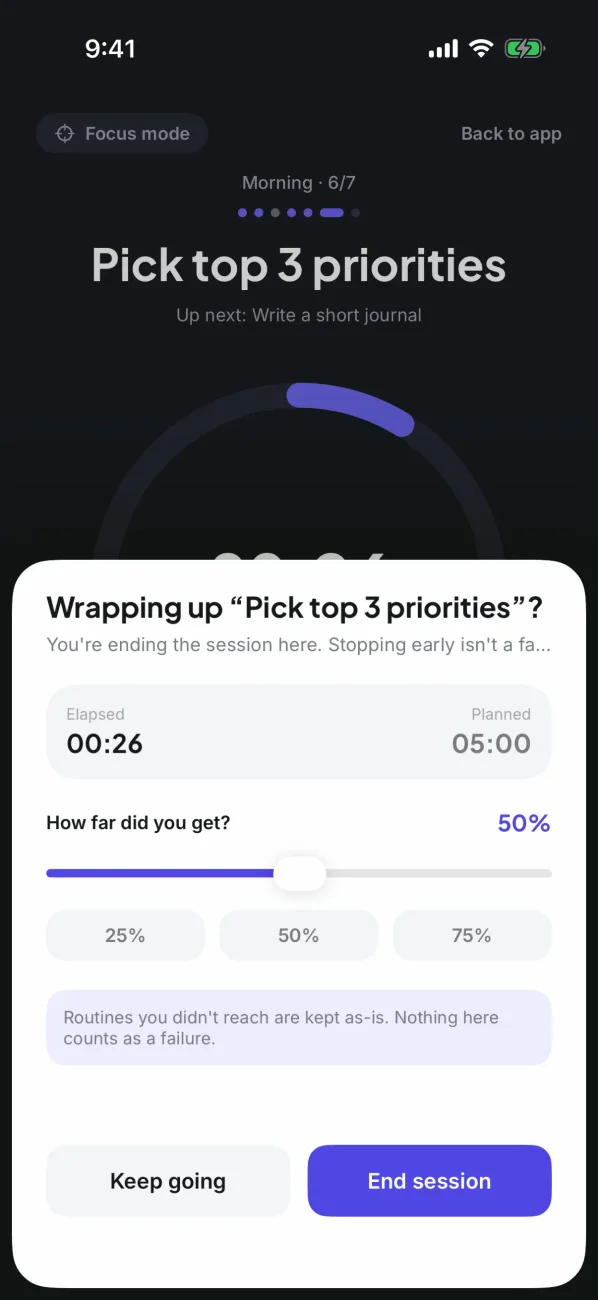
Running over time does not end your session. You decide whether you finished, skipped, or stopped partway, and how far you got. TASKILL never calls that a failure. TASKILL counts only quitting as failure, so adjusting your plan is always better than giving up.
TASKS THAT FEEL GOOD TO CLEAR
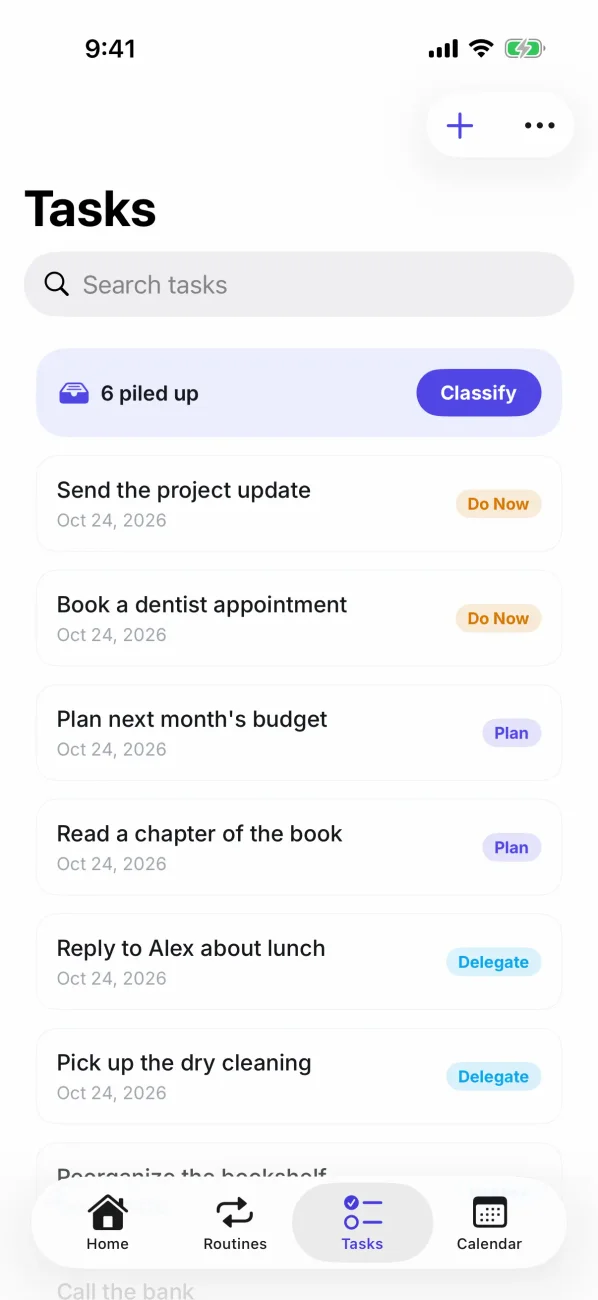
Keep one-off and repeating tasks, link them to routines, and sort them by urgency and importance. Clearing a task is the reward, so it should feel good to do.
SEE WHERE YOUR TIME GOES
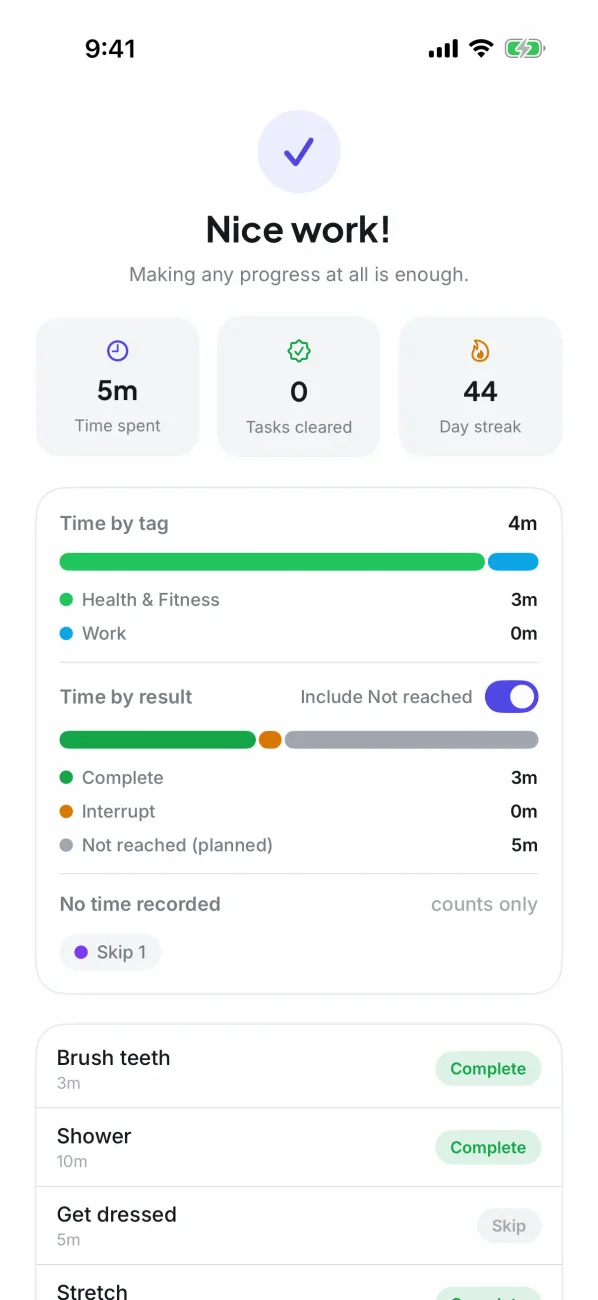
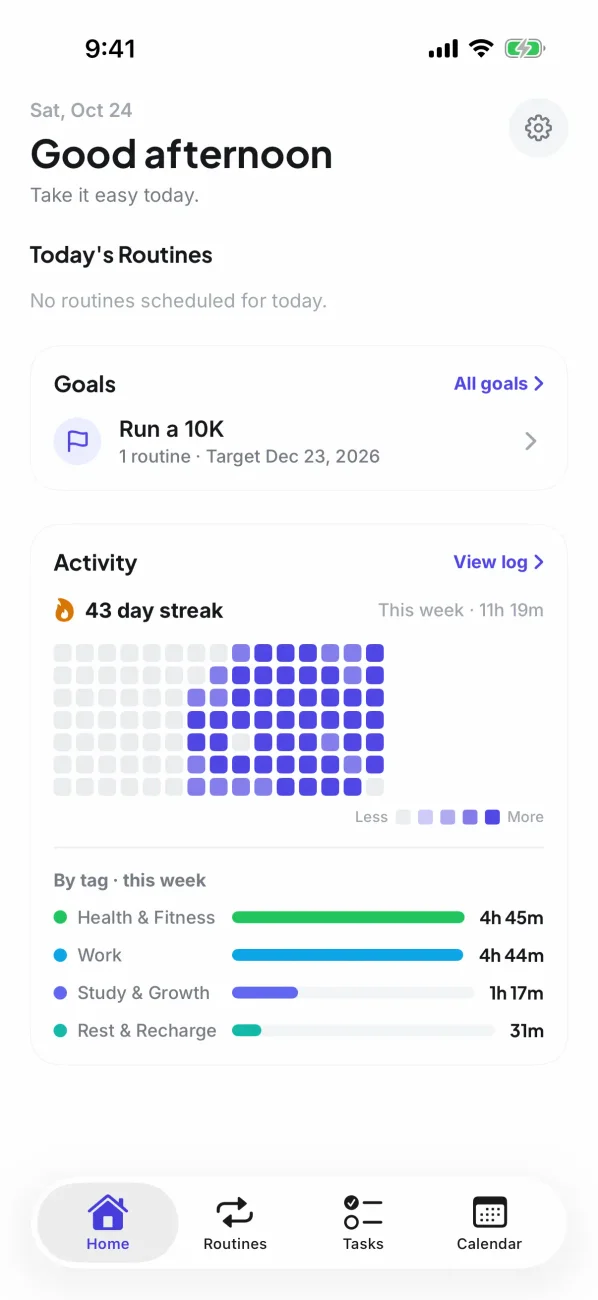
A weekly view shows how much time went to each kind of activity, such as Health & Fitness, Study & Growth, or Work. A heatmap and streak count the days you showed up. A calendar holds your appointments so you can see in advance when a day is too full, and trim your routines before it falls apart.
STAY ON TRACK
Optional notifications tell you when it is time to start, when the planned time is up, and when a paused session is waiting for you. A Live Activity on the Lock Screen and Dynamic Island, and Home Screen and Lock Screen widgets, show the routine in progress.
YOUR DATA STAYS WITH YOU
There is no account and no sign-in. Your routines, tasks, and history are stored on your device. Export a backup file whenever you like and import it later.
ABOUT ADS
TASKILL is free and shows ads. You can choose whether to allow ad personalization, and you can turn off usage analytics in Settings at any time.
TASKILL is available in English.
What’s new
Version 1.1 · Nov 23, 2026
- Japanese language support (screens, voice guidance, notifications, and widgets)
- Sort your task list: switch the sort order, select multiple tasks, or drag to reorder by hand
- Scroll vertically in the calendar's month view
- Refreshed Activity Log cards, and details now open without freezing
- Saving a new routine now takes you straight to the arrange screen
- The run screen now fits on smaller iPhones
- Bug fixes
App privacy
What Arakawa Hironori declares on the App Store about how this app handles data.
-
Data used to track you
May be used to track you across apps and websites owned by other companies.
- Identifiers
-
Data linked to you
May be collected and linked to your identity.
- Location
- Identifiers
- Usage data
- Diagnostics
-
Data not linked to you
May be collected but is not linked to your identity.
- Diagnostics
Privacy practices may vary, for example with the features you use or your age.
Information
- Seller
- Arakawa Hironori
- Category
- Productivity
- Version
- 1.1
- Updated
- Nov 23, 2026
- Released
- Nov 2, 2026
- Size
- 13.8 MB
- Requires
- iOS 26.0 or later
- Age rating
- 12+
- Price
- Free
- Languages
- English, Japanese
- Copyright
- © 2026 Hironori Arakawa
You might also like
-
 VoglTranslate and record, your AI
-
 Enpass Password ManagerGenerate & Autofill Passwords
-
 Aqua Voice: AI DictationSpeech to Text Keyboard
-
 Simple ToDo List & TasksProductivity
-
 Things 3Organize your life
-
 Raindrop.ioAll in One Bookmark Manager
-
 ClearSpace: Reduce Screen TimeMake your phone less addicting
-
 Bitwarden Password ManagerSecure your digital life
-
 Genspark AI WorkspaceAutopilot Your Busywork