
TaskPocket: To-Do List Planner
Daily Task Manager & Checklist
Designed for iPhone
In-app purchases
- Age rating4+
- CategoryProductivity
- DeveloperBOHDAN STEFANIUK
- LanguagesEnglish
- Size66.2 MB
Links to the official App Store page
Download.org hosts no file of TaskPocket: To-Do List Planner. The button opens its official App Store page, published by BOHDAN STEFANIUK. Listing last checked on Nov 10, 2026.
Screenshots


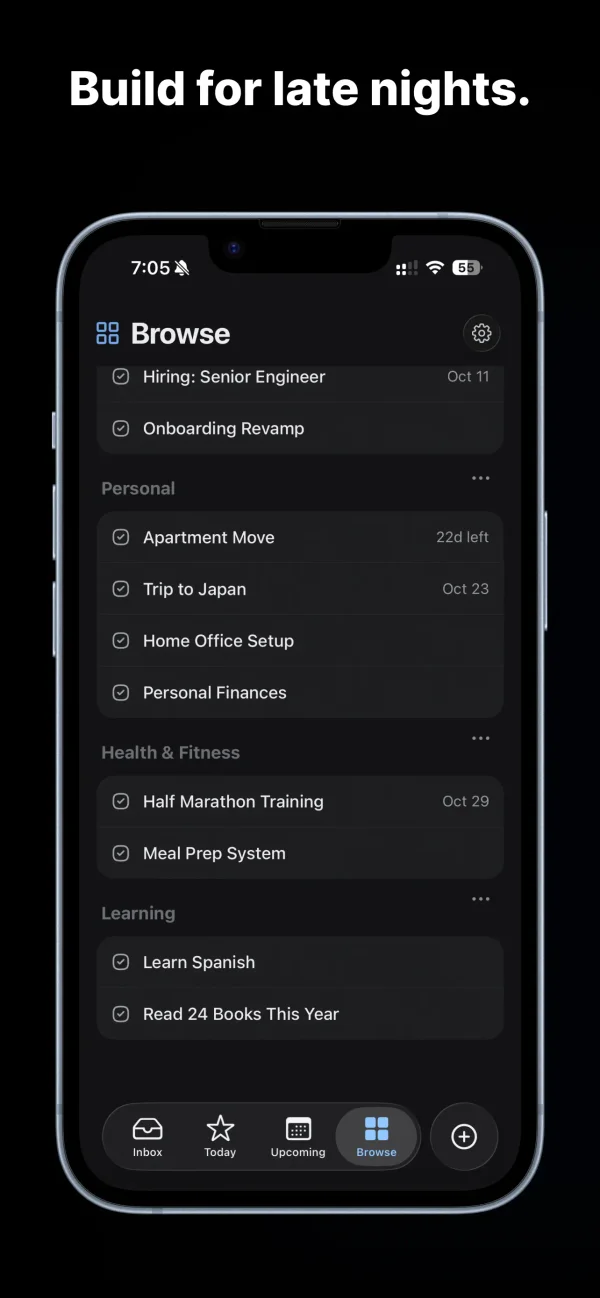
About
Your brain is a terrible to-do list.
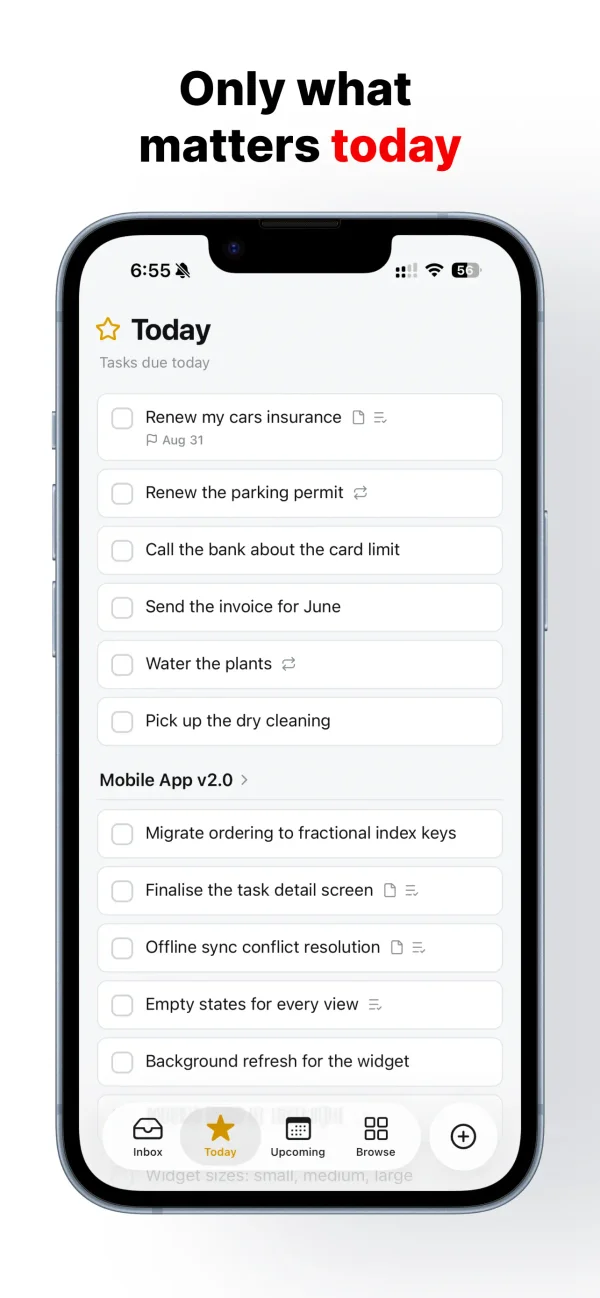
TaskPocket gets everything out of your head in about three seconds and then shows you only what matters today. It works in any browser, on any computer, and on your iPhone — offline, on a plane, anywhere.
TWO DATES, NOT ONE
Most apps make you pick one date and hope. TaskPocket keeps the day you plan to work on something separate from the day it is actually due. Overdue lists stop piling up, because "when do I start this" and "when is this due" were never the same question.
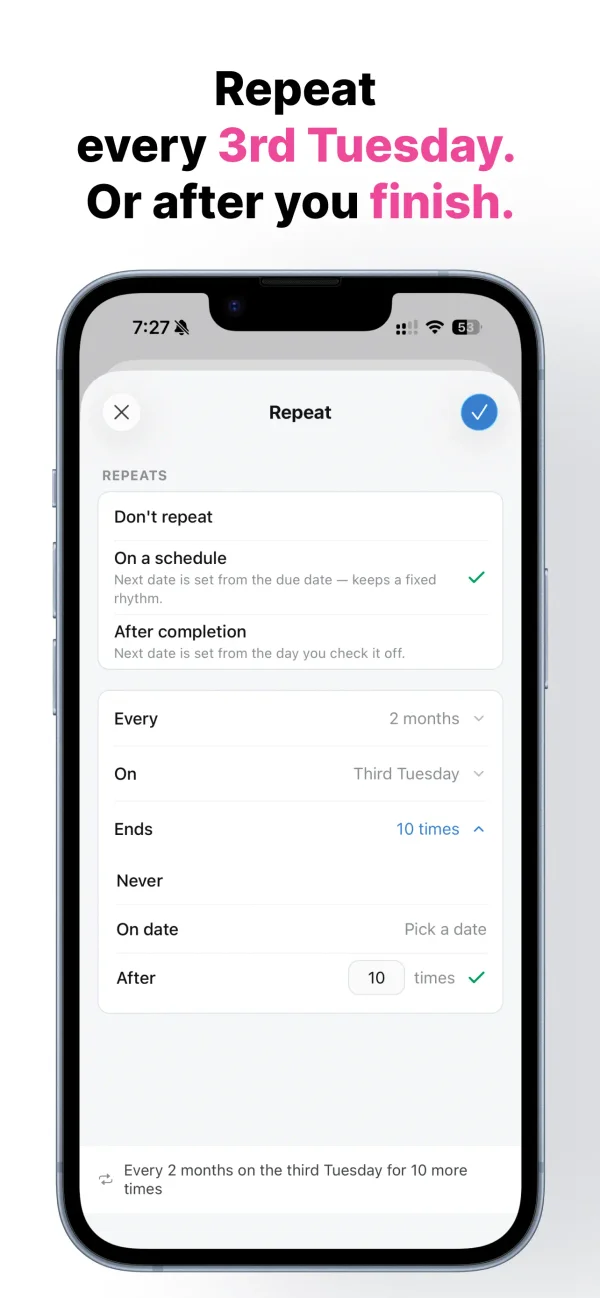
THE DEEPEST RECURRING TASKS IN A CALM APP
• Daily, weekly, monthly, quarterly or yearly, at any interval
• Multi-day weekly rules — "Mon, Wed, Fri"
• "3rd Tuesday", "last Friday", "first business day", "the 15th"
• Repeat on a schedule, or a set time after you actually finish
• Stop after a date, or after a set number of times
• Skip an occurrence without completing it
• Uncheck to genuinely undo — dates, counts and checklists all roll back
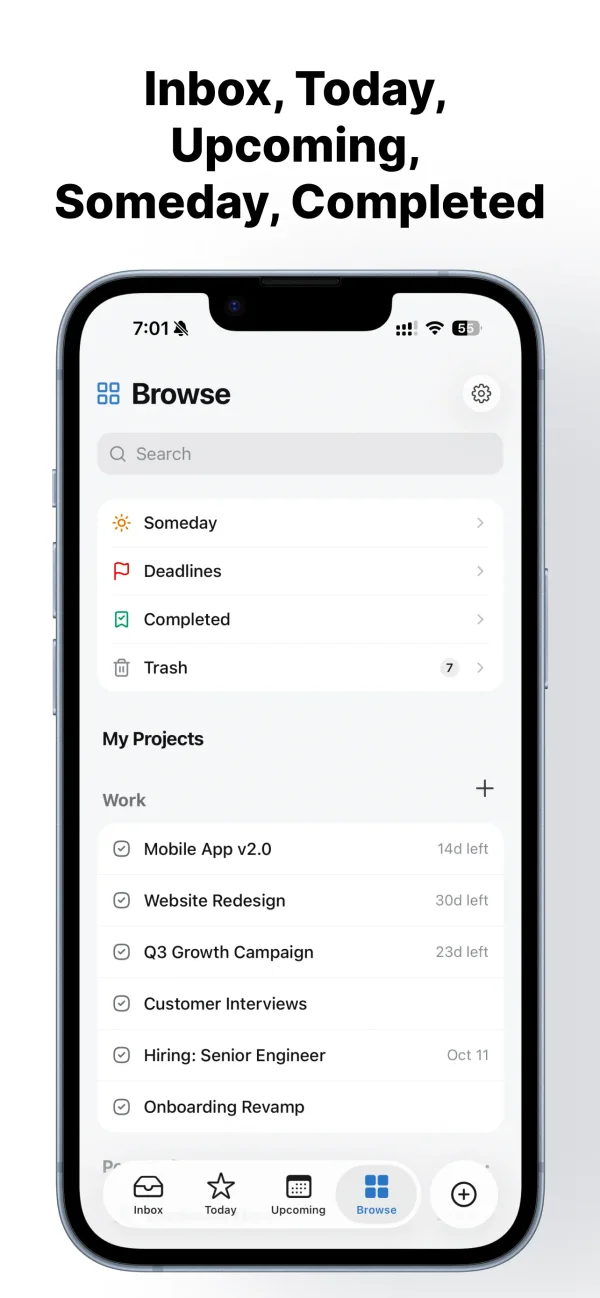
FIVE VIEWS. THE WHOLE SYSTEM.
Inbox — everything captured but not yet filed
Today — due today or earlier, nothing else
Upcoming — the days ahead; drag a task onto a day to move it
Someday — the maybe-later pile, out of your way
Completed — everything you finished, grouped by day
ORGANISE WITHOUT BUILDING A SYSTEM
Projects have an end ("Launch v2"), with their own sections, deadline and progress ring. Areas are ongoing ("Work", "Home") and group your projects. A project can be completed — or cancelled, which is not the same as deleted, and keeps the history.
CAPTURE IN THREE SECONDS
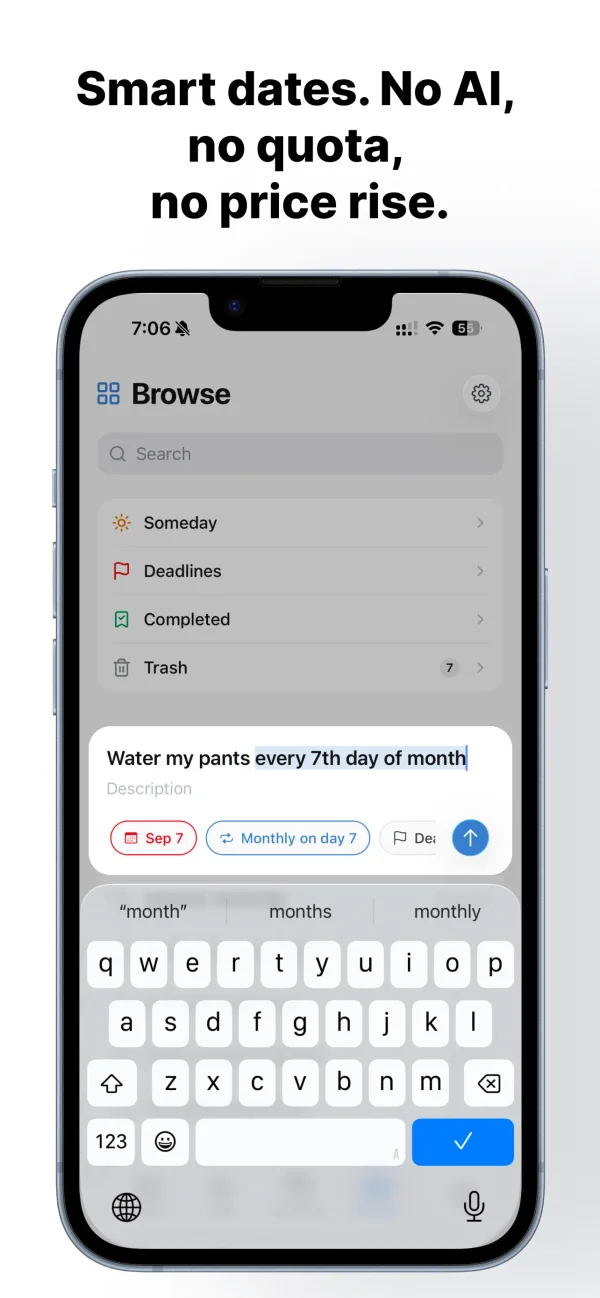
• Type "Call the dentist tomorrow at 9" and the date lifts out of the title
• Type "Water the plants every 2 weeks" and the repeat rule is set
• Share a link or a note from any app straight into TaskPocket
• Quick-add from anywhere, with rich notes and a checklist
SMART, NOT "AI"
Date and repeat detection is deterministic. The same words give the same result, every single time. No model, no quota, no monthly limit, no price rise to cover somebody else's compute bill. If you left another task app because it added AI you never asked for, this one won't.
THE SAME LIST EVERYWHERE
One account, your iPhone and any browser on any computer. A browser extension saves the page you're reading as a task. Your data stays yours: export everything as JSON in one click, and delete your account from Settings whenever you want, permanently.
DELIBERATELY SMALL
Most task apps keep adding features until managing your tasks becomes its own task. TaskPocket stays small on purpose. No assignments, no comments, no shared workspaces, no feed.
FREE, AND PRO
Free gets you unlimited tasks, the full recurrence engine, checklists, search, natural-language capture, sync and export, plus four projects and two areas.
Pro unlocks unlimited projects and areas, deadline dates, the Deadlines view, and your complete finished history. Available monthly or yearly, with a free trial on the yearly plan, or as a single one-time purchase. Cancel any time.
ONE HONEST NOTE
TaskPocket does not have reminders or push notifications yet. It is a calm place to decide and review, not something that nags you. If notifications are essential to how you work, this is not your app — yet.
Built by one person who wanted a task manager that was calm, deep where it counts, and not locked to a single platform.
Privacy Policy: https://taskpocket.io/privacy/
Terms and Conditions: https://taskpocket.io/terms/
What’s new
Version 1.4.0 · Oct 19, 2026
New feature - priorities! Now you can set one of four different priorities for your tasks and group them on Today's page!
App privacy
What BOHDAN STEFANIUK declares on the App Store about how this app handles data.
-
Data linked to you
May be collected and linked to your identity.
- Purchases
- Contact info
- User content
- Identifiers
- Usage data
- Diagnostics
-
Data not linked to you
May be collected but is not linked to your identity.
- Diagnostics
Privacy practices may vary, for example with the features you use or your age.
Information
- Seller
- BOHDAN STEFANIUK
- Category
- Productivity
- Version
- 1.4.0
- Updated
- Oct 19, 2026
- Released
- Sep 8, 2026
- Size
- 66.2 MB
- Requires
- iOS 17.0 or later
- Age rating
- 4+
- In-app purchases
- Yes
- Languages
- English
- Copyright
- © Bohdan Stefaniuk
You might also like
-
 Alcove: Tasks & NotesTo Do List, Planner, Reminders
-
 Beyond Notes: Markdown EditorPlain text writing that lasts
-
 Wrennote: Private Voice NotesDictation, read aloud & scan
-
 seizetheday - Routine & HabitRoutine timer & time tracker
-
 inkhour: Screen Time & FocusBlock Apps, Read, Stay Calm.
-
 Unblur: Habit & Goal TrackerManifest your vision board
-
 Do It Today: Daily AI PlannerSimple To-Do List & Agenda
-
 Zettelkasten: Notes GraphBacklinks & Knowledge Base
-
 visualOS: Infinite CanvasOffline canvas. Real files.
-
 Planote - Daily Planner TasksSchedule Organizer, To-do list