
Tasks Wizard
Gantt Charts & Team Planner
Designed for iPhone, iPad, Mac, iPod touch
Free · In-app purchases
- Age rating4+
- CategoryProductivity
- DeveloperOXiGENATOR LLC
- LanguagesEnglish+ 10 more
- Size10.0 MB
Links to the official App Store page
Download.org hosts no file of Tasks Wizard. The button opens its official App Store page, published by OXiGENATOR LLC. Listing last checked on Nov 13, 2026.
Screenshots
About
Tasks Wizard turns any project – a kitchen remodel, a product launch, a wedding or a client job – into a clear plan your whole team can follow. Break the work down, schedule it on a real Gantt chart, assign people and see at a glance what’s on track and what needs attention. On iPhone, iPad and Mac.
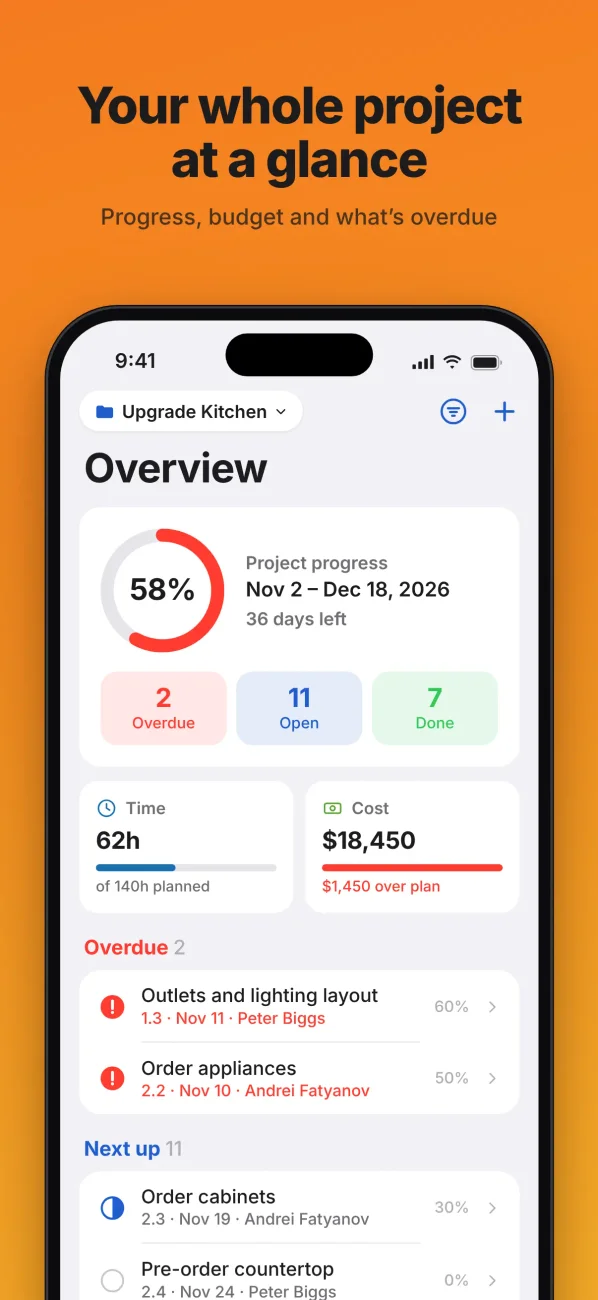
SEE YOUR PROJECT AT A GLANCE
• Overview shows progress, days left, what’s overdue and what’s next
• Track planned vs. actual time, cost and materials – overruns are flagged automatically
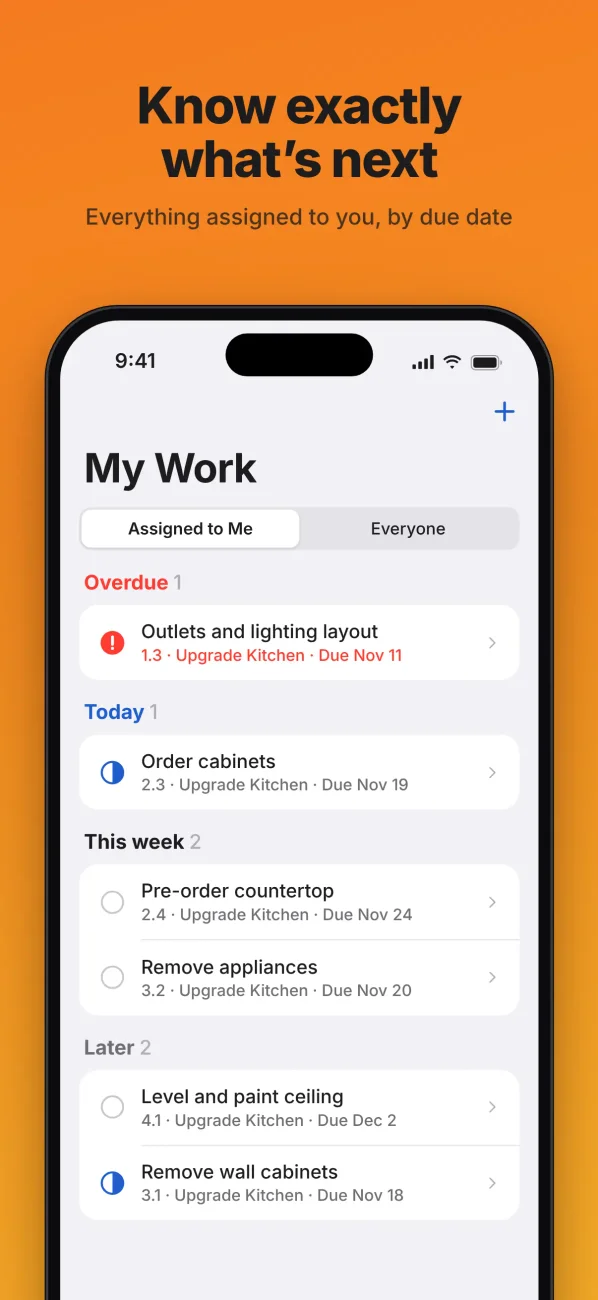
• My Work lists everything assigned to you, sorted by due date
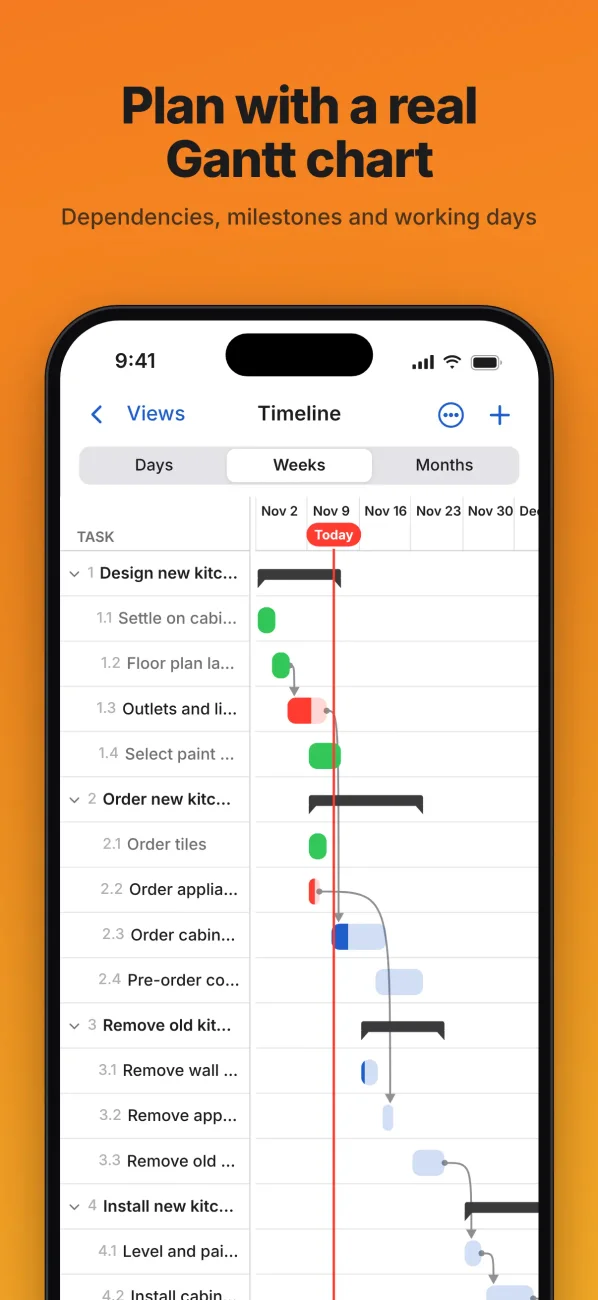
PLAN WITH A REAL GANTT CHART
• Timeline with phases, subtasks, milestones and dependencies
• Drag bars to reschedule and resize – dependent tasks follow
• Zoom between days, weeks and months
• Work Days: define your working week and holidays; schedules skip days off automatically
ORGANIZE WORK YOUR WAY
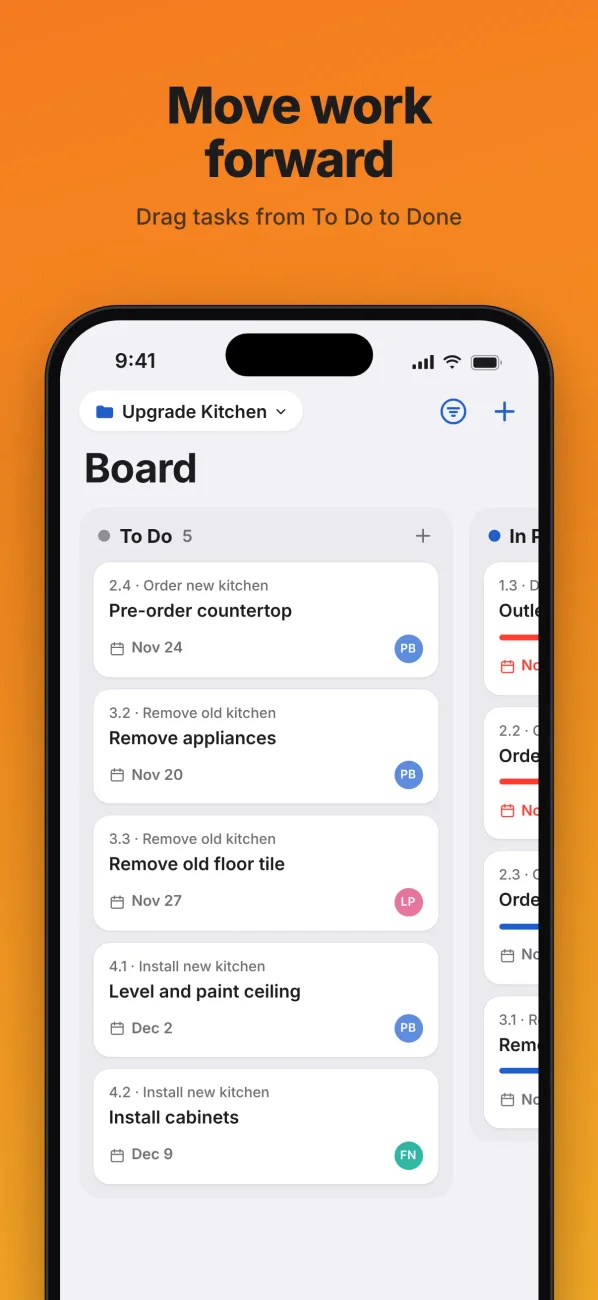
• Board: move tasks from To Do to In Progress to Done
• Calendar: every task on a month view, days off included
• Outline: your work breakdown as an expandable tree – drag to reorganize, numbering updates itself
• Task List: search, filter by priority or person, sort by date, progress or priority
LEAD YOUR TEAM
• Workload: a week board of who does what – spot overloaded days and fix them with drag and drop
• Team members with photos – add them straight from Contacts
• Share individual tasks with people outside your team through iCloud; they update progress from their own device
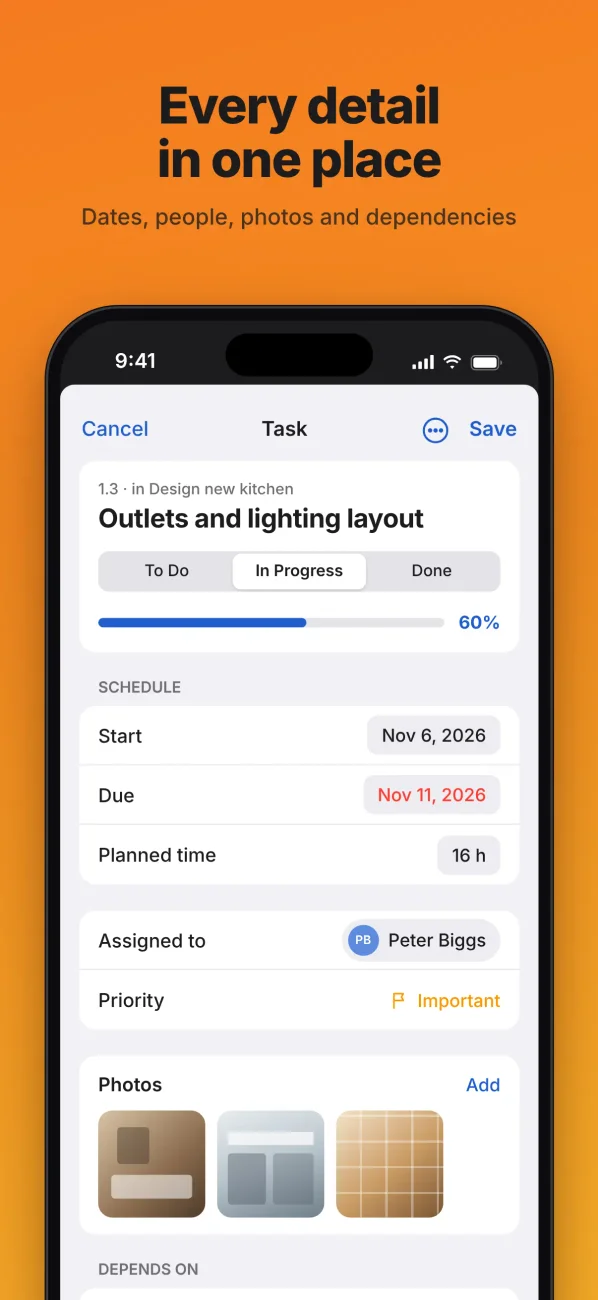
EVERY DETAIL IN ONE PLACE
• Dates, priority, assignee, progress, notes and history for every task
• Attach photos and mark them up
• Dependencies with finish-to-start and other constraints
ALWAYS IN SYNC
• iCloud sync keeps your projects up to date on all your devices
• Works offline – changes sync as soon as you’re back online
• Backup and restore your projects
SHARE YOUR PLANS
• E-mail a polished project status report or the full task list
• Export a project file to share with other Tasks Wizard users
• Print your Gantt chart or save it as PDF
MADE FOR EVERY DEVICE
• Designed for iPhone, iPad and Mac, with a sidebar, keyboard shortcuts and Quick Open on iPad and Mac
• Home Screen widget with your upcoming tasks
• Available in English, German, French, Spanish, Italian, Portuguese, Russian, Japanese, Korean and Chinese (Simplified and Traditional)
START FREE
Tasks Wizard is free to download and try. A subscription unlocks unlimited projects and tasks, with a free trial for new subscribers.
Subscriptions renew automatically unless cancelled at least 24 hours before the end of the current period. Payment is charged to your Apple Account at confirmation of purchase. You can manage or cancel your subscription in your Apple Account settings.
Terms of Use: https://www.apple.com/legal/internet-services/itunes/dev/stdeula/
Privacy Policy: https://oxigenator.com/privacy
What’s new
Version 3.0.2 · Nov 11, 2026
New photo viewer and markup: zoom and share photos, and mark them up with pen, marker and eraser in eight colors, with undo and redo. Works with finger, Apple Pencil, trackpad and mouse.
Sharper photos: photos are now saved at higher quality.
More reliable offline sync: changes made without a connection now upload automatically as soon as you’re back online, in the right order.
Redesigned iCloud Sync screen: see at a glance what’s waiting to sync, with task names and times, and sync with one tap.
Tidier Outline and Task List: dates, assignees and icons now line up neatly on iPad and Mac.
Fixes: turning on iCloud sync for a new project no longer crashes, plus stability improvements.
App privacy
What OXiGENATOR LLC declares on the App Store about how this app handles data.
-
Data not linked to you
May be collected but is not linked to your identity.
- Identifiers
- Usage data
- Diagnostics
Privacy practices may vary, for example with the features you use or your age.
Information
- Seller
- OXiGENATOR LLC
- Category
- Productivity
- Version
- 3.0.2
- Updated
- Nov 11, 2026
- Released
- Feb 19, 2016
- Size
- 10.0 MB
- Requires
- iOS 15.6 or later
- Age rating
- 4+
- Price
- Free
- In-app purchases
- Yes
- Languages
- English, French, German, Italian, Japanese, Korean, Portuguese, Russian, Simplified Chinese, Spanish, Traditional Chinese
- Copyright
- © 2015, 2026 OXiGENATOR LLC
You might also like
-
 Deadliner – Time ManagementVisual countdown & Gantt chart
-
 OmniPlan 4Powerful project management
-
 Ganttly: Gantt Chart PlannerProject Schedules & Timelines
-
 Project Planner - Gantt appTasks, Gantt Charts & Planning
-
 CostX - Work & Cost EstimateWBS for Project & Business
-
 TeamGanttProject management
-
 Life's a GanttVisual Day Planner
-
 WinGo Plan: projects & goalsVisual motivating task tracker
-
 KANNA - Project ManagementIncreased onsite productivity
-
 Project Plan 365MS Project for iOS