
- Age rating4+
- CategoryUtilities
- DeveloperChristof Müller
- LanguagesEnglish
- Size21.7 MB
Links to the official App Store page
Download.org hosts no file of TasmoShelf. The button opens its official App Store page, published by Christof Müller. Listing last checked on Nov 12, 2026.
Screenshots

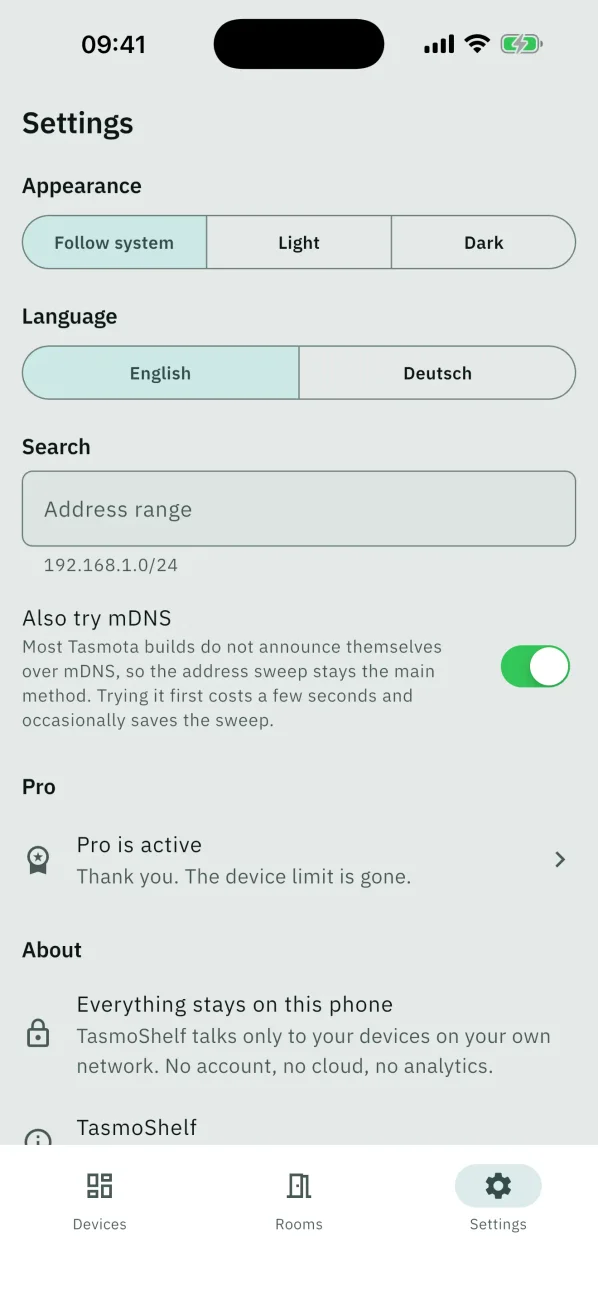
About
TasmoShelf controls your Tasmota devices over your own Wi-Fi. No account, no cloud, no MQTT broker, no Home Assistant — the app talks HTTP directly to each device, and nothing about you or your home leaves the phone.
FINDS YOUR DEVICES
Most Tasmota builds don't announce themselves on the network, so TasmoShelf searches by address. It sweeps your subnet twice: once quickly, then again over everything that stayed silent, because a device in power-saving mode answers a ping instantly but takes seconds to accept a connection. Devices on another subnet or VLAN? Set the range yourself, or add any device by IP. Password-protected devices are found too — unlock them in place, the password stays in your keychain.
REAL CONTROLS, NOT A WEB PAGE IN A FRAME
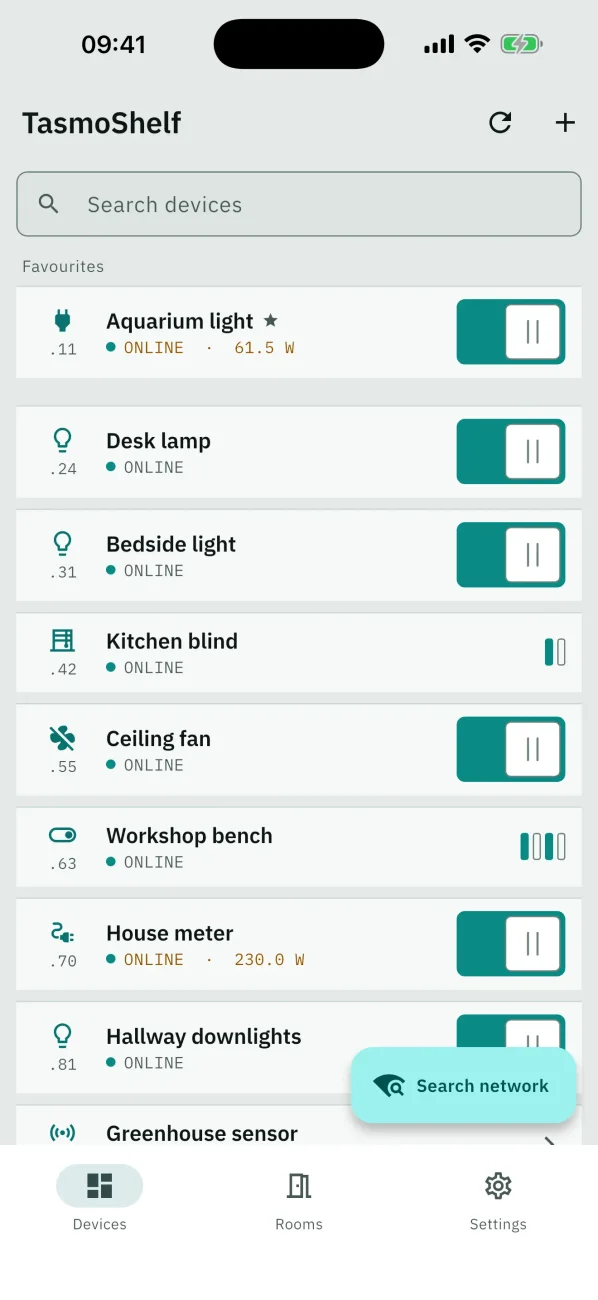
Every Tasmota device describes itself when asked, and TasmoShelf draws the matching control:
• Relays: one switch per output, labelled with your own names
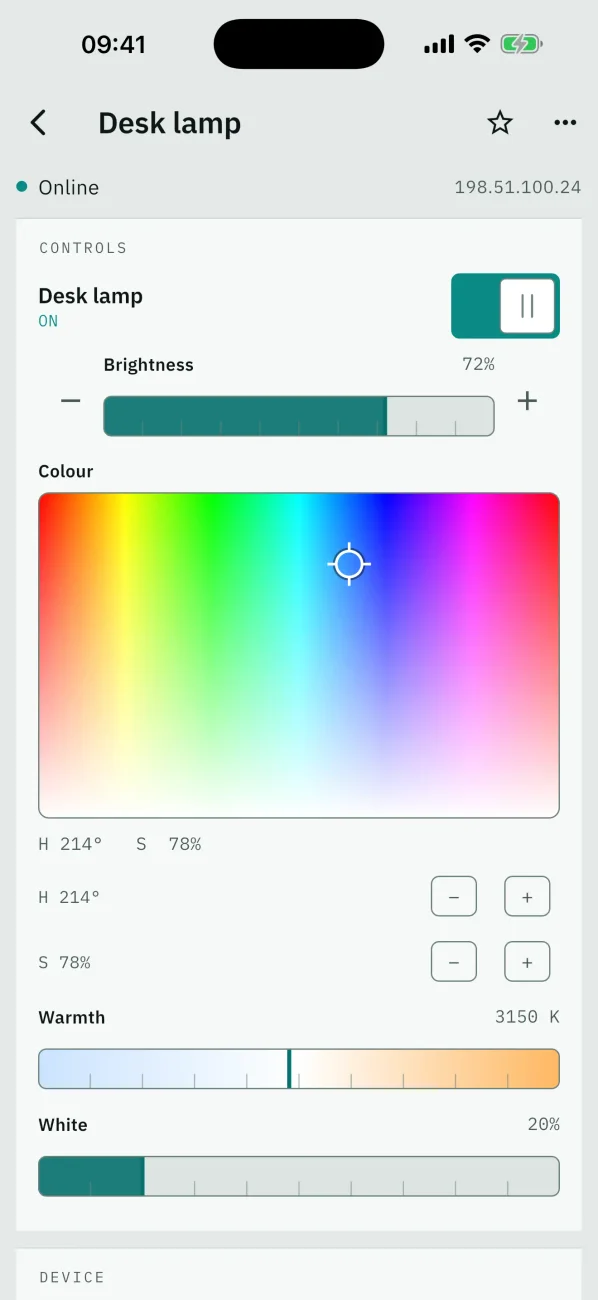
• Dimmable lights: brightness slider plus precise steps
• Colour bulbs: hue and saturation with live preview
• Tunable whites: warm-to-cool in kelvin
• RGBCCT: colour, colour temperature and the separate white channel
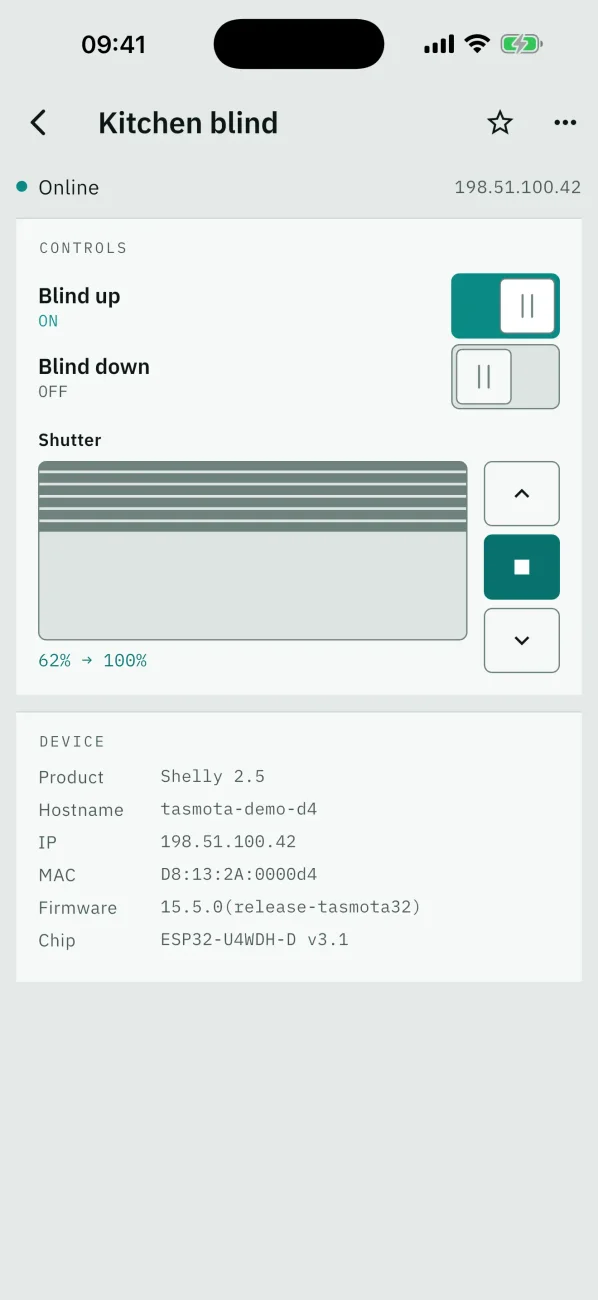
• Shutters: open, stop, close and a live position slider
• Fans: the fixed steps the hardware actually has
• Energy plugs: live watts in the list, today/yesterday/total, voltage, current, an hour of history, counter resets
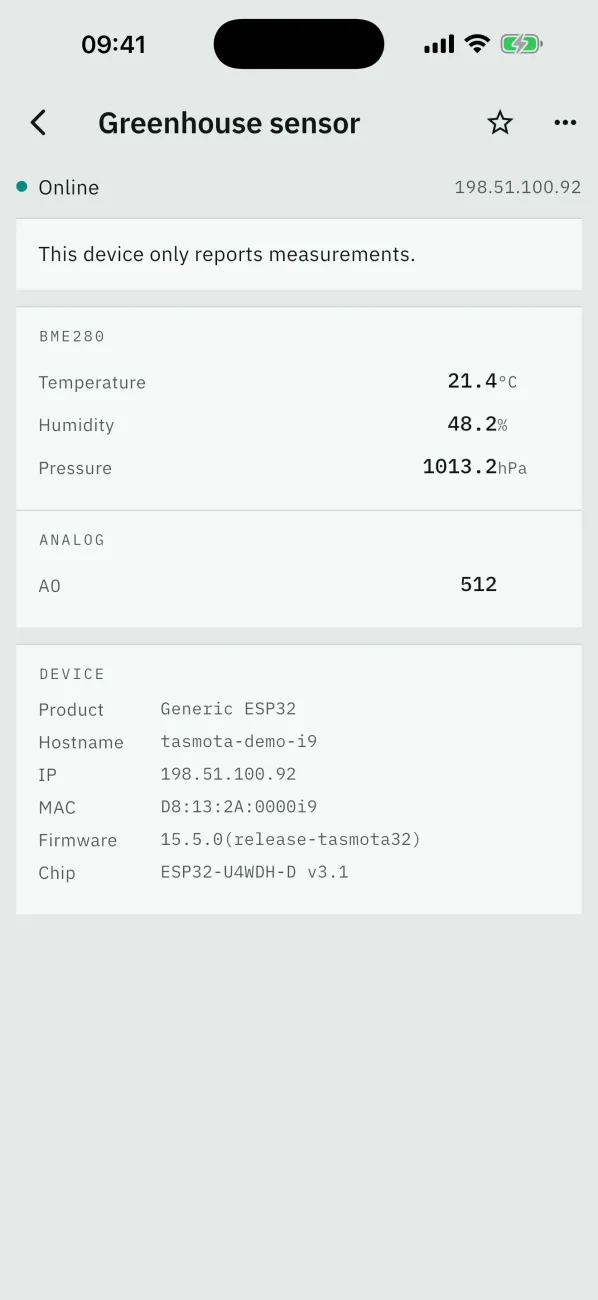
• Sensors: every reading the device publishes, in the device's own units
APPLE HOME AND SIRI
Newer Tasmota firmware speaks Matter, and Apple Home understands Matter directly. TasmoShelf reads chip and firmware of every device and tells you which ones can join Apple Home right away (ESP32 with Tasmota 13 or newer), which need a Tasmota Matter bridge, and which want a firmware update first. One tap opens pairing and shows the QR code and setup code right in the app. From then on, Siri and your Home scenes switch the device. Apple marks Tasmota as an uncertified accessory once during setup; that is expected for community firmware.
KNOWS WHAT YOU OWN
A copy of the community template catalogue ships inside the app, so TasmoShelf can name about 2,600 products without asking the internet anything. Hardware nobody has catalogued still works — controls come from what the device reports, not from a list.
HONEST ABOUT PRIVACY
There is no server of ours. The app opens connections to exactly one kind of address: the devices on your own network. Your purchase is checked on the phone, offline. You never have to be online to keep the app working.
FREE FOR THREE DEVICES
The free version is not cut down: every control, the energy view and the whole catalogue are included. If you have more than three devices, a single 9.99 € purchase removes the limit forever. Nothing recurring, and nothing advertised.
TasmoShelf is not affiliated with the Tasmota project. Device catalogue data comes from the community template repository (EPL-2.0).
What’s new
Version 0.3.2 · Sep 11, 2026
A command now checks which device answers before it switches anything: with two networks handing out the same address range, a tap could reach someone else's hardware. And a device's address can be pasted straight from the browser's address bar.
App privacy
What Christof Müller declares on the App Store about how this app handles data.
-
Data not collected
The developer does not collect any data from this app.
Privacy practices may vary, for example with the features you use or your age.
Information
- Seller
- Christof Müller
- Category
- Utilities
- Version
- 0.3.2
- Updated
- Sep 11, 2026
- Released
- Sep 9, 2026
- Size
- 21.7 MB
- Requires
- iOS 15.0 or later
- Age rating
- 4+
- Languages
- English
- Copyright
- © 2026 Christof Müller
You might also like
-
 Switchworks – Tasmota & MQTTLocal smart home, no cloud
-
 Bluecherry MobileLinux based video surveillance
-
 BalkonizerUtilities
-
 Upkeep: Home & Car MaintenanceOil, MOT, boiler · no sub
-
 NearVoxNo internet, no mobile network
-
 sHomeCentralAccess devices easily/directly
-
 Serial CollectorBarCode|QRCode|OCR|TextManual
-
 OnlyRemoteRemote Control for OnlySwitch
-
 CloudLogOfflineHAM Radio Logbook
-
 Tasmotrol: Tasmota & ShellyLocal smart home, no cloud