
- Age rating4+
- CategoryProductivity
- DeveloperSamuel Attwood
- LanguagesEnglish
- Size4.8 MB
Links to the official App Store page
Download.org hosts no file of TeachMate. The button opens its official App Store page, published by Samuel Attwood. Listing last checked on Nov 12, 2026.
Screenshots


About
Tired of juggling schedules, tracking assignments, and managing attendance across different apps and notebooks?
TeachMate brings your entire teaching day into one dashboard, designed to save you time and keep you focused on what matters most: your students.
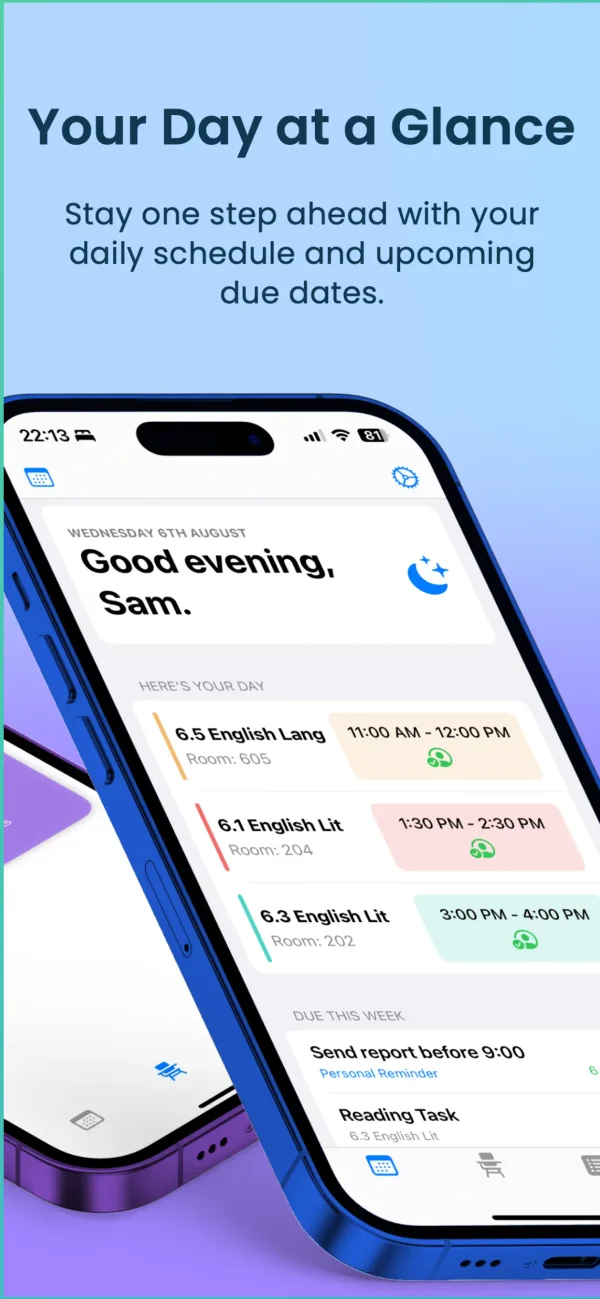
Your Day at a Glance
- See all of your classes for the day, neatly sorted by time from morning to afternoon.
- Take attendance and view Lesson Plans within seconds for upcoming classes.
Streamline your administrative duties with powerful, integrated tools:
- Attendance Tracking: A clear icon next to each class shows you if attendance has been taken, turning from an alert to a checkmark when complete. Simply tap to take or view attendance records.
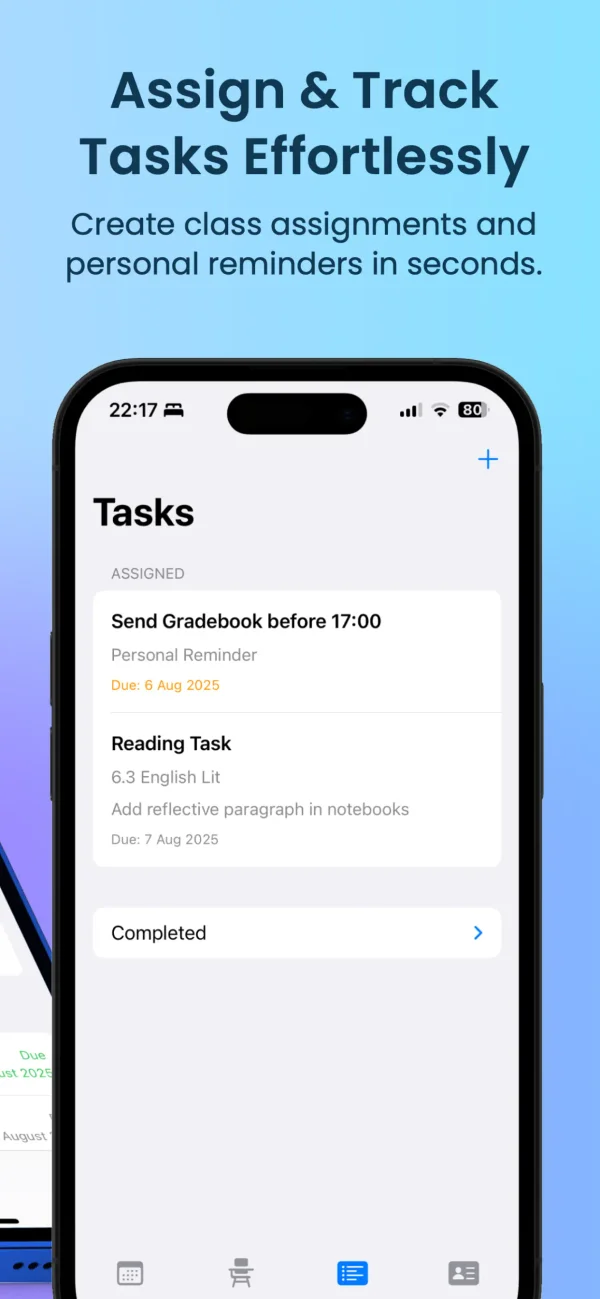
- Smart Task Creation: Add homework assignments or personal reminders with just a few taps.
- Assign with Ease: Assign a single homework task to multiple classes at once, saving you from repetitive data entry.
- Share in seconds: Almost all data entered can be shared out in a few taps.
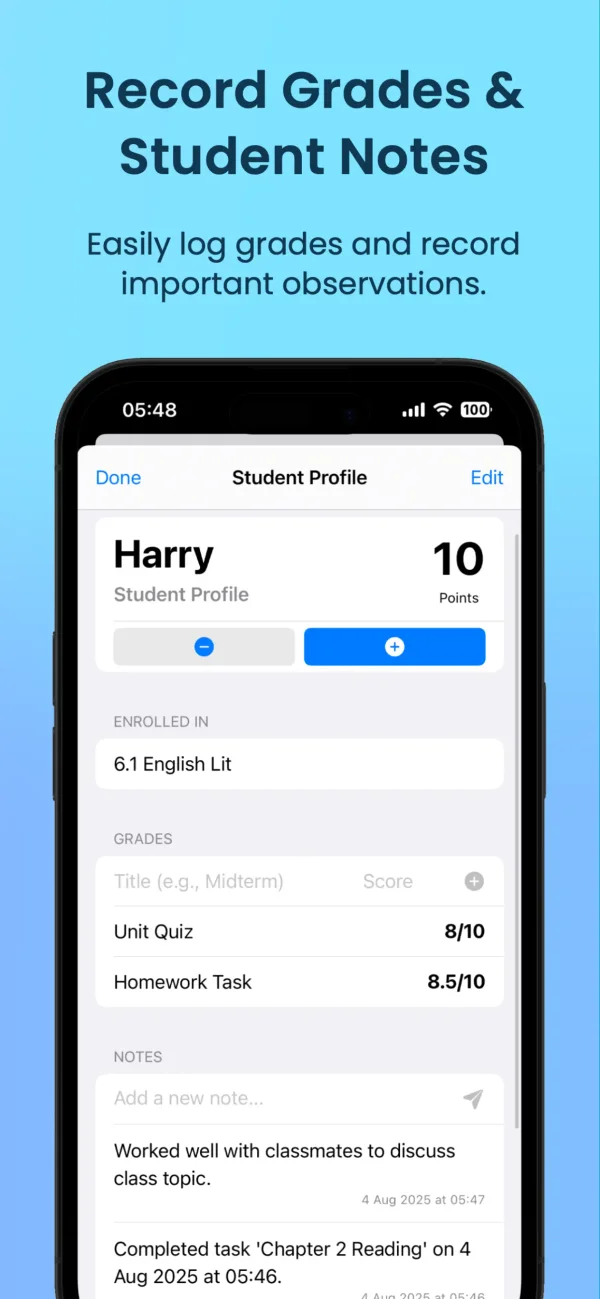
Comprehensive Student Profiles
- Go beyond the gradebook with a complete profile for every student. Track student progress holistically by adding grades, awarding points for participation, and keeping private comments and notes. This integrated system gives you a clearer picture of each student’s journey in your classroom.
Stay on Top of Deadlines
- See a list of tasks or personal reminders due in the coming week, ensuring you and your students never miss a deadline. You can even add photo attachments to tasks for extra clarity.
- Go beyond just creating tasks. Mark assignments as complete and track which students have handed in their work. If a student misses a deadline, an automatic comment is added to their profile, keeping your records effortlessly up-to-date.
Boost engagement and manage your classroom with purpose using the built-in Class Toolkit.
- Create custom seating charts with a simple drag-and-drop interface.
- Instantly generate a random student group generator for collaborative activities.
- Use the random student selector to ensure fair and balanced participation.
Plan Your Week Ahead
- Switch from a daily to a weekly view to see your entire schedule at a glance. See which days are packed and which are lighter to help you plan your lessons and activities more effectively.
- Lesson Plan with ease with the built in lesson plan function. Share with colleagues or school administrators instantly.
Designed exclusively for teachers, by teachers!
App privacy
What Samuel Attwood declares on the App Store about how this app handles data.
-
Data not collected
The developer does not collect any data from this app.
Privacy practices may vary, for example with the features you use or your age.
Information
- Seller
- Samuel Attwood
- Category
- Productivity
- Version
- 1.0
- Updated
- Aug 11, 2025
- Released
- Aug 11, 2025
- Size
- 4.8 MB
- Requires
- iOS 17.6 or later
- Age rating
- 4+
- Price
- $1.99
- Languages
- English
- Copyright
- © 2025 Samuel Attwood
You might also like
-
 Scanner App: PDF & DocsPDF Editor, Sign & Convert
-
 Readberry: Text to SpeechPDF Voice Aloud, Scan Docs
-
 Sense: AI Family OrganizerShared Calendar, Chores, Meals
-
 Photo to PDF - JPEG ConverterPhotos, Image, Convert to PDF
-
 SlideAI: AI Presentation MakerAI Slides & PPT Deck Generator
-
 My Measures PRO + AR MeasureStore & Share Measurements
-
 TeachAI: AI Teaching AssistantBoost Teaching Efficiency
-
 ChurchSuite Check-InProductivity
-
 Paraphrase: Reword & RewriteAI Humanizer, Grammar Fixer
-
 InTouch MattersYour Legal Case Portal