TeCluster for Tesla
Digital cluster & navigation
Designed for iPhone, iPad
Free · In-app purchases
- Age rating4+
- CategoryNavigation
- DeveloperJoung Hoon Lee
- LanguagesEnglish+ 6 more
- Size65.2 MB
Links to the official App Store page
Download.org hosts no file of TeCluster for Tesla. The button opens its official App Store page, published by Joung Hoon Lee. Listing last checked on Nov 25, 2026.
Screenshots

About
Set a destination in your Tesla. Your favorite nav app opens on your iPhone. Automatically.
Google Maps · Waze · Apple Maps
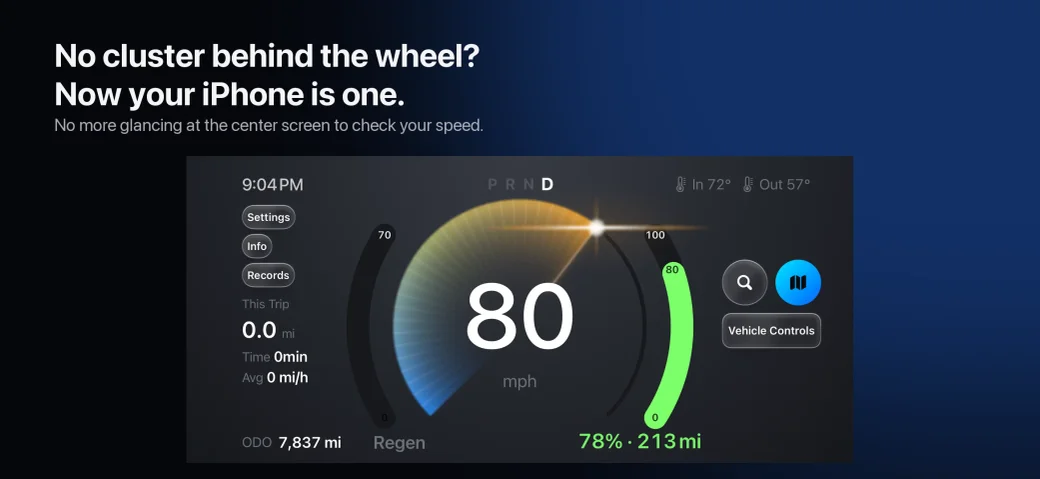
Model 3 and Y have no cluster. Now your iPhone is one.
No more glancing at the center screen to check your speed. Speed, gear, power and regen, battery, range, tire pressures — streamed straight from the car over Bluetooth, several times a second. No server in the middle to slow it down.
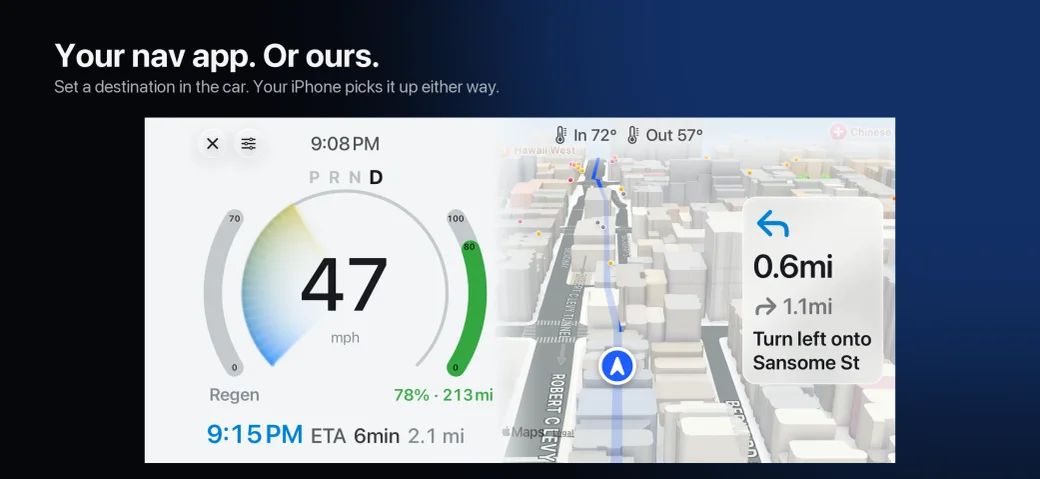
Your nav app. Or ours.
- Built-in navigation: Map and gauges on one screen. Miss a turn? It reroutes in seconds.
- The app you already use: Waze, Google Maps or Apple Maps opens full screen with your destination already entered. Tap the Lock Screen card to jump back to the cluster.
Find it on your iPhone. It's waiting in the car.
The destination goes straight to your Tesla's navigation — one tap on the car's screen and you're on your way. If the car is asleep, it shows up the moment the car wakes up.
No warranty worries. Nothing an update can brick.
Works where your signal doesn't.
Cloud apps ask Tesla's servers. We ask the car.
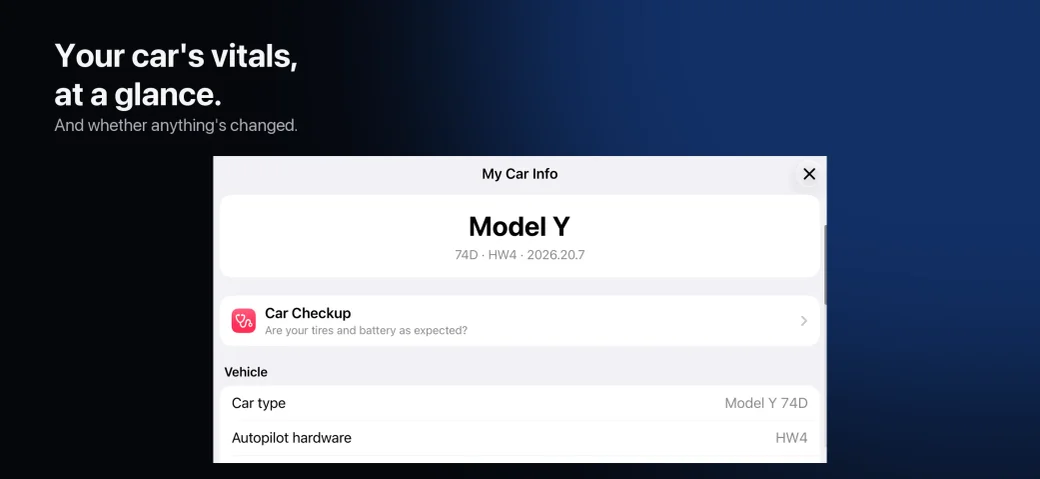
Your car's vitals, at a glance.
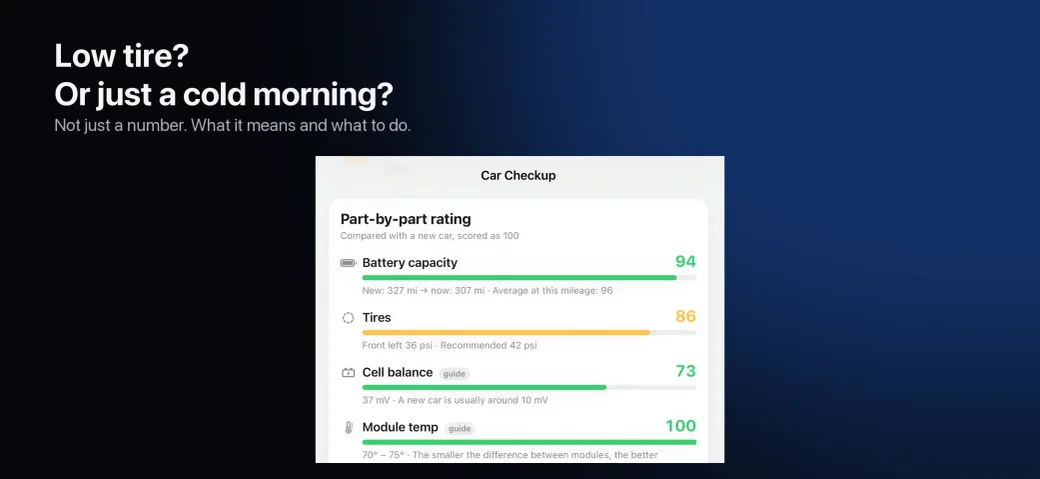
Car Checkup checks each tire against your car's own recommended pressure and keeps an eye on battery health and software updates. When something looks different from usual, it tells you what to do.
No need to open the Tesla app. One tap on the cluster.
Doors, frunk, trunk, charge port, windows, Sentry, Dog Mode. Connected plan. Works near the car, over Bluetooth. Car Wash Mode, mirror folding and seat adjustment aren't possible — Tesla doesn't offer commands for them.
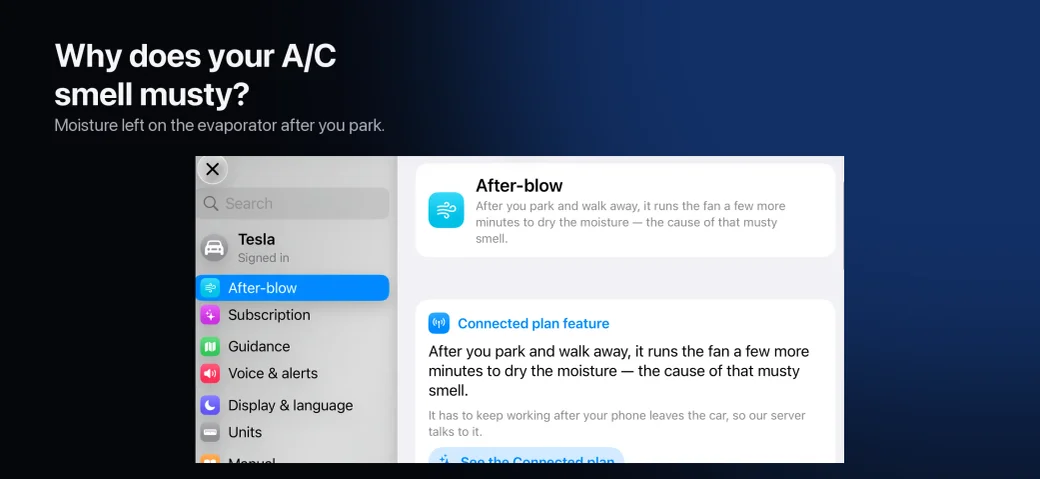
Why does your A/C smell musty?
Running the A/C leaves the evaporator wet. Park, and that moisture just sits there, which is how you get mold and that mildew smell. Once you walk away, After-blow runs the fan for 1, 3 or 5 minutes to dry it out. No more switching off the A/C a few minutes before you arrive.
Speed cameras? You'll get a heads-up.
About 49,000 cameras in 10 countries.
Try Connected free for 7 days
Choose the free trial in TeCluster and sign in to Tesla. Your seven days start when the car sends its first signal. No payment details are required. The subscription screen opens when the trial ends.
Choose a monthly or yearly subscription to keep using TeCluster. Manage it under iOS Settings → your name → Subscriptions.
- Instrument cluster — speed, gear, power, battery, range, tires
- Turn-by-turn on your iPhone, or in the nav app you already use
- Speed camera alerts
- My Car Info, night mode, charging screen
- Unlimited destination sync — car to phone and phone to car
- Car Checkup — tires, battery health, software updates
- Vehicle Controls — lock, doors, frunk, trunk, charge port, windows, Sentry, Dog Mode
- After-blow — dries out the A/C after you park
- Turn signals on the cluster
Prices vary by country. Cancel anytime in iOS Settings.
What you'll need.
- An iPhone on iOS 17 or later (iPhone XS or newer).
- Register your 17-character VIN to subscribe. To use the Connected vehicle features, sign in to Tesla and register the virtual key.
- A Bluetooth key, paired once in the car with your key card when you connect. Needs car software 2024.38 or later. Works with every Model 3 and Model Y, plus Model S and Model X (2021 and newer).
- Location access for navigation: “While Using the App” with Precise Location on.
- One thing the app can't do: start or cancel the car's navigation. Tesla only allows that on the car's screen.
Tesla, Model 3, Model Y, Model S and Model X are trademarks of Tesla, Inc. Other app names and icons are trademarks of their respective owners. TeCluster is an independent app and is not affiliated with or endorsed by them.
Terms of Use (EULA): https://www.apple.com/legal/internet-services/itunes/dev/stdeula/
Privacy Policy: https://tecluster.org/privacy.html
What’s new
Version 1.1.16 · Nov 24, 2026
Choose the free trial in TeCluster and sign in to Tesla. Your seven days start when the car sends its first signal. No payment details are required. The subscription screen opens when the trial ends.
Choose a monthly or yearly subscription to keep using TeCluster. Manage it under iOS Settings → your name → Subscriptions.
App privacy
What Joung Hoon Lee declares on the App Store about how this app handles data.
-
Data used to track you
May be used to track you across apps and websites owned by other companies.
- Purchases
- Identifiers
- Usage data
-
Data linked to you
May be collected and linked to your identity.
- Identifiers
-
Data not linked to you
May be collected but is not linked to your identity.
- Purchases
- Location
- Usage data
- Diagnostics
- Other data
Privacy practices may vary, for example with the features you use or your age.
Information
- Seller
- Joung Hoon Lee
- Category
- Navigation
- Version
- 1.1.16
- Updated
- Nov 24, 2026
- Released
- Sep 9, 2026
- Size
- 65.2 MB
- Requires
- iOS 17.0 or later
- Age rating
- 4+
- Price
- Free
- In-app purchases
- Yes
- Languages
- English, French, German, Japanese, Korean, Simplified Chinese, Spanish
- Copyright
- © CGFlow
You might also like
-
 DriveCluster for TeslaEV speedometer & range
-
 테파일럿(TePilot)Navigation
-
 Tespit Vehicle DashboardYour Custom Cockpit
-
 Dashla: Wireless DashboardYour phone. EV dashboard.
-
 Grizzl-E ConnectTravel
-
 JOLT Electric Vehicle ChargingJOLT Charge Pty Limited
-
 ChargeHub EV Charge Point MapPublic Station Route Finder
-
 A Better Routeplanner (ABRP)Better planning for your EV
-
 FLO EV ChargingEV Charging Made Easy
-
 407 ETRThe app that keeps you moving.