
- Age rating4+
- CategoryNavigation
- DeveloperDaily Prompt
- LanguagesEnglish+ 12 more
- Size82.0 MB
Links to the official App Store page
Download.org hosts no file of DriveCluster for Tesla. The button opens its official App Store page, published by Daily Prompt. Listing last checked on Nov 25, 2026.
Screenshots
About
DriveCluster receives Tesla driving and charging data over Bluetooth Low Energy (BLE) for display on iPhone and iPad.
The vehicle's built-in BLE connection supplies the standard readings without an accessory. Vehicle software, location and vehicle model determine which readings and guidance are supported.
When another app is open
Use the Picture in Picture (PiP) window to check speed while using another app. Live Activities display speed, gear, battery charge and range on the Lock Screen and Dynamic Island. During charging, they show power, the charge limit and the expected completion time.
Vehicle readings
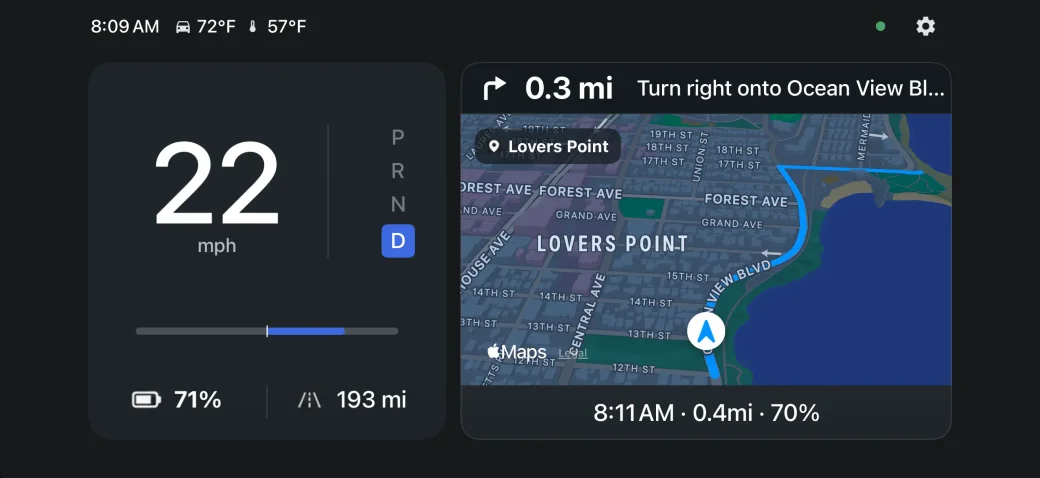
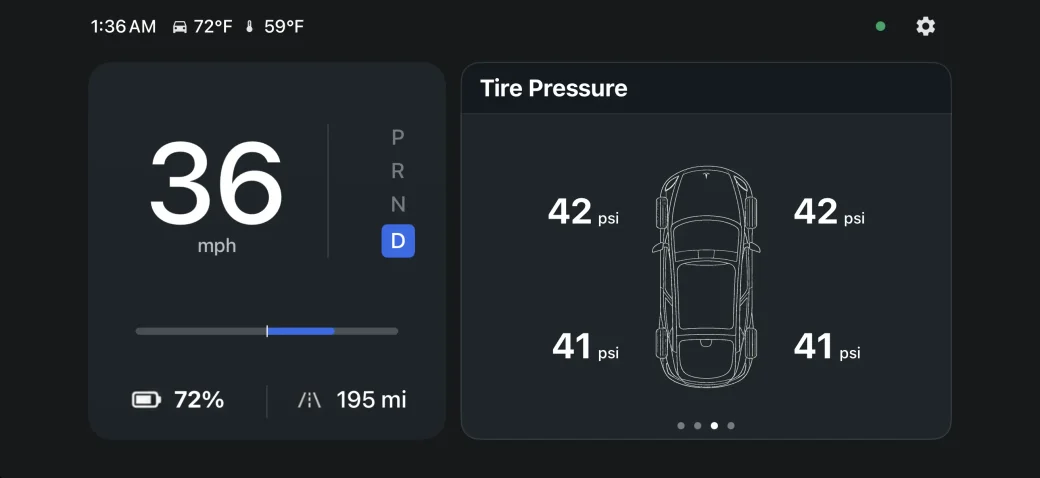
The dashboard combines destination guidance with live speed, PRND, battery charge and range. Check the pressure and warning level for each tire, outside temperature and connection status. Charging readings include power, the charge limit and the expected completion time.
Display settings
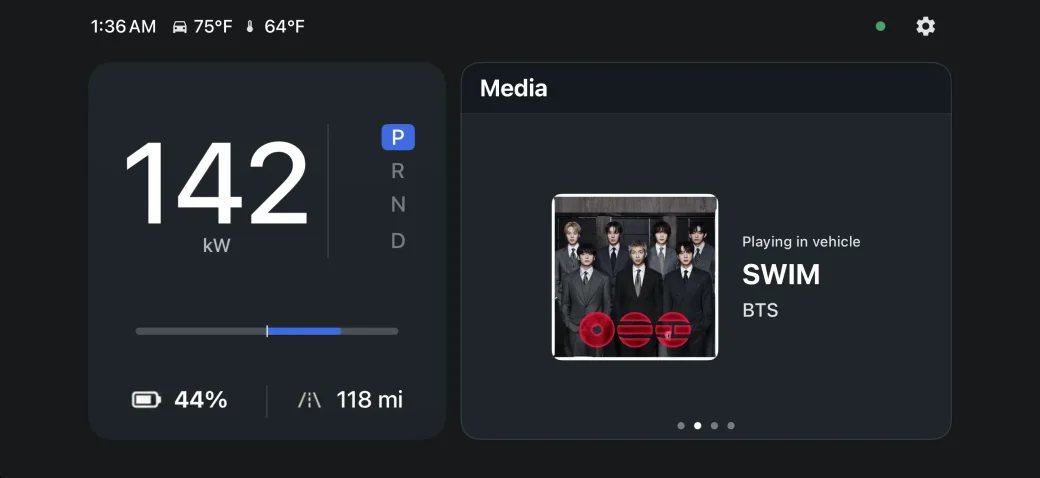
Select route or vehicle information in one panel and a map or media in the other. Panels are arranged left and right in landscape, and above and below in portrait. Media shows the track title, artist and album artwork. Set speed to km/h or mph, temperature to °C or °F, and tire pressure to psi or bar.
Destination guidance
Outside South Korea, DriveCluster calculates an Apple Maps route from the destination set in your Tesla, with turn instructions and voice guidance. Trip details include the distance and time left, expected arrival time and predicted battery charge at the destination.
Additional readings through TITA
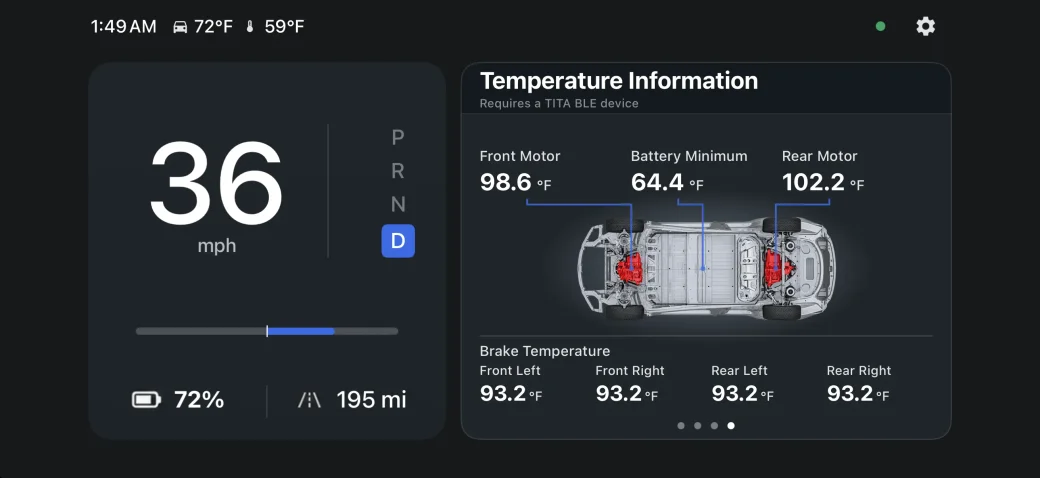
An optional compatible TITA BLE device supplies battery, motor and brake temperatures, driver-assistance status, steering-wheel attention warnings, turn signals, blind-spot warnings and traffic-light information. These readings supplement the Tesla BLE connection. Tire pressure can also be read directly through Tesla BLE. Tire pressures and temperature readings are grouped in the vehicle panel. Additional readings depend on what both the vehicle and the connected TITA device support and transmit.
Stored connection details
The VIN and vehicle app key are saved locally in Keychain and are not uploaded to external servers.
App provider
Daily Prompt develops and provides DriveCluster independently. Neither Tesla nor its affiliated companies has an official partnership or connection with this app.
Privacy: https://daily-prompt.com/privacy
Terms: https://www.apple.com/legal/internet-services/itunes/dev/stdeula
What’s new
Version 3.7.0 · Nov 25, 2026
- Press and hold the dashboard speedometer to switch between a digital gauge and a classic round gauge with a needle.
- Fixed an issue that displayed an unusually high brake temperature when TITA brake temperature data was unavailable.
App privacy
What Daily Prompt declares on the App Store about how this app handles data.
-
Data not linked to you
May be collected but is not linked to your identity.
- Identifiers
- Usage data
- Diagnostics
Privacy practices may vary, for example with the features you use or your age.
Information
- Seller
- Daily Prompt
- Category
- Navigation
- Version
- 3.7.0
- Updated
- Nov 25, 2026
- Released
- Apr 22, 2026
- Size
- 82.0 MB
- Requires
- iOS 17.0 or later
- Age rating
- 4+
- Price
- Free
- Languages
- English, Dutch, French, German, Italian, Japanese, Korean, Norwegian Bokmål, Portuguese, Simplified Chinese, Spanish, Swedish + 1 more
- Copyright
- © 2026 Inhong Kim
You might also like
-
 Dashla: Wireless DashboardYour phone. EV dashboard.
-
 테파일럿(TePilot)Navigation
-
 FluxMate – EV DashboardBattery, charging & trips
-
 elecveryConnect EV, Personalize Charge
-
 TeCluster for TeslaDigital cluster & navigation
-
 Tespit Vehicle DashboardYour Custom Cockpit
-
 에버온 전기차 충전서비스 - 충전기 검색, 결제Navigation
-
 MOAGAUGE for TeslaYour Smart Driving Dashboard
-
 슈차맵Navigation
-
 EV Infra - 전기차 생활의 시작Navigation