
TeFont
Handwriting Font & Design Tool
Designed for iPhone, iPad, iPod touch
Free · In-app purchases
- Age rating4+
- CategoryUtilities
- DeveloperMasahiro Tanaka
- LanguagesEnglish+ 4 more
- Size6.8 MB
Links to the official App Store page
Download.org hosts no file of TeFont. The button opens its official App Store page, published by Masahiro Tanaka. Listing last checked on Nov 20, 2026.
Screenshots

About
Complete on iPhone / iPad. Your personal Handwriting Font Creator & Design Tool.
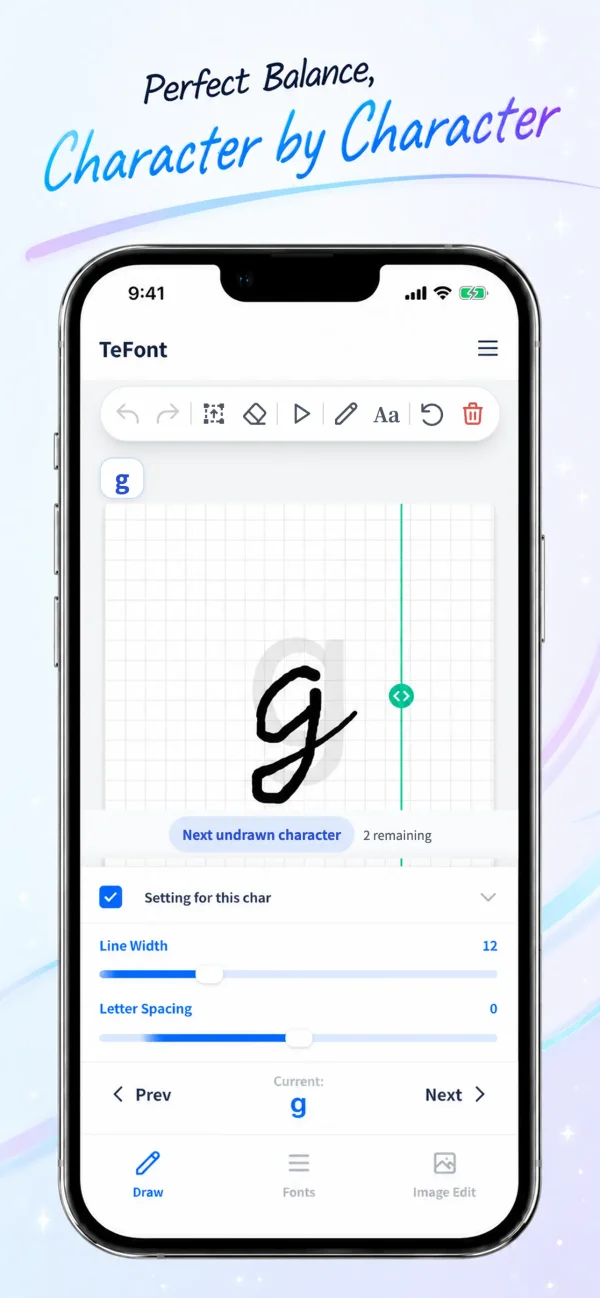
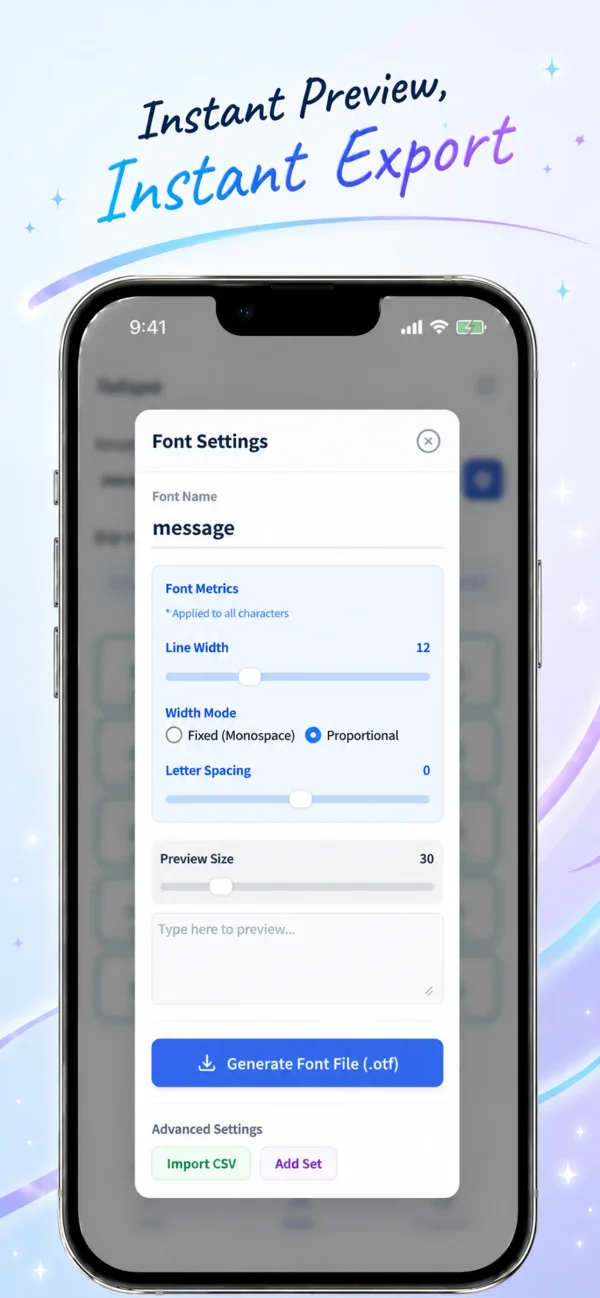
No paper, scanner, or PC software needed. Just write in the app to create your own original OpenType font file (.otf). Now featuring photo editing and animation creation tools—express yourself fully with just one app.
[Features of TeFont]
■ All-in-One Mobile Studio
Write, adjust, and export—everything happens on your iPhone or iPad. Use your created fonts instantly within the app for design work, or export them to your PC for use in Word, Illustrator, and more.
■ Design Directly in the App
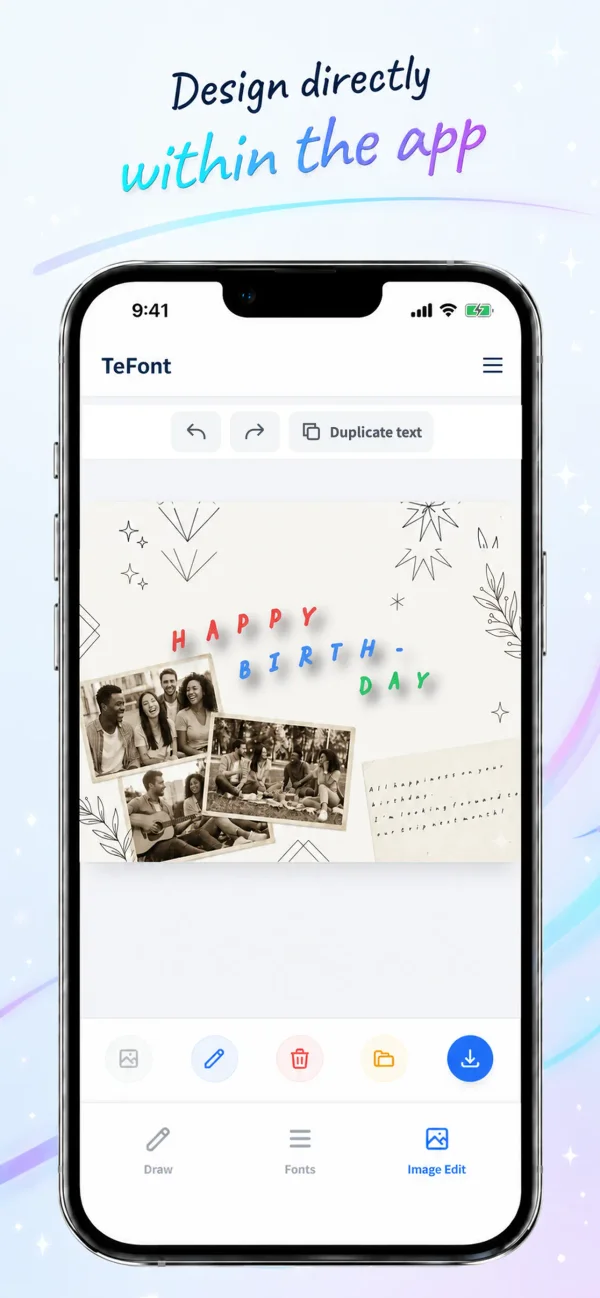
Use your fonts to edit photos instantly. Google Fonts are also supported. Add handwritten messages to your memories and share them on social media without leaving the app. Perfect for creating greeting cards and digital notes.
■ Bring Text to Life with Animation
Export your handwriting strokes as an Animation GIF. Perfect for video materials or SNS stickers. Convey the warmth of handwriting through motion—something static images can't do.
■ Create Only What You Need
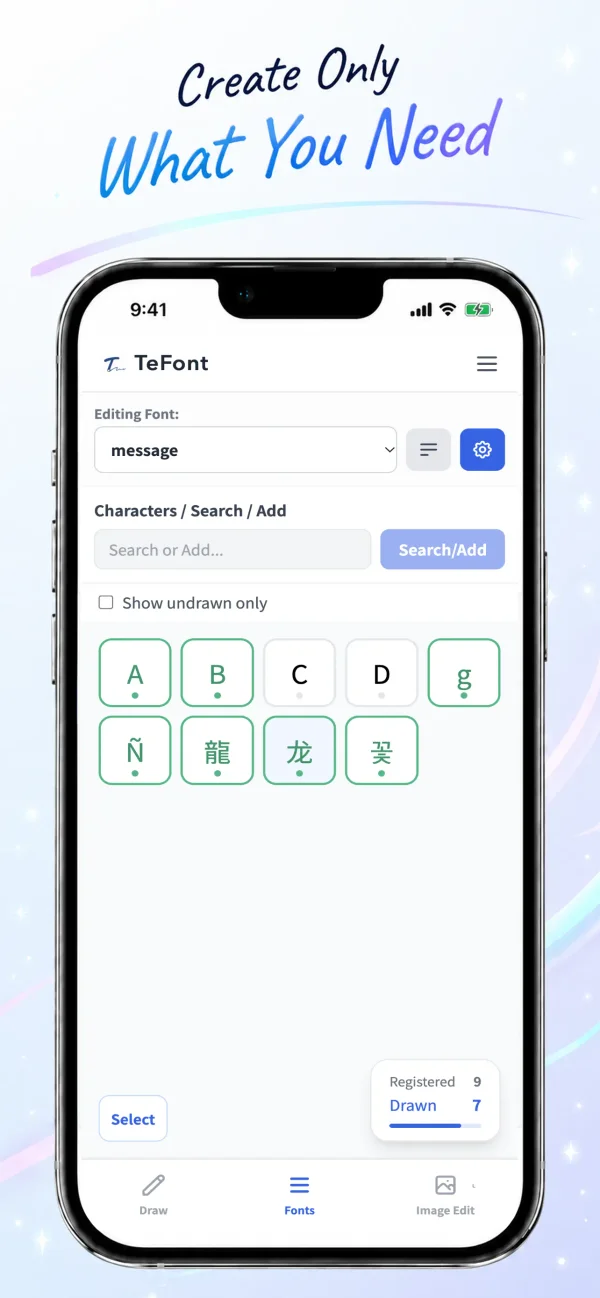
No need to fill out thousands of character slots. Create a font with just the characters you need for a logo or a specific message. With support for multiple project saves, you can manage separate font sets for logos, diaries, and more.
■ Digital Expressiveness
Supports Apple Pencil pressure sensitivity. Even on iPhone or with finger input, the "Velocity Sensitivity" feature mimics stroke weight based on drawing speed, allowing anyone to create expressive, fountain-pen-like text.
[Key Functions]
- Generate OpenType fonts (.otf)
- Photo text editor (Typography on images)
- Generate Handwriting Animation GIFs
- Save and manage multiple font projects
- Pressure sensitivity / Velocity-based stroke adjustment
- Fine-tune weight and kerning (Individual character adjustment supported)
- Traceable sample guides (Perfect for preserving a child's handwriting)
- Multilingual support (English, Japanese, Chinese, Spanish, Korean)
[Price]
- Free Preview Mode
- Try creating handwritten fonts and editing images using your fonts for free.
- Exporting and saving created fonts or edited images requires unlocking full features.
- Unlock Full Features
- Secure one-time purchase (no additional charges or monthly fees)
Start expressing yourself with "TeFont" today.
---
App Introduction Site
https://tefont.pages.dev/
What’s new
Version 4.0 · Nov 15, 2026
- Added a jump to the next undrawn character with a remaining count.
- Filter the character list to show only undrawn characters.
- Replay a character’s strokes directly on the drawing screen.
- Added a stroke eraser with a preview before deletion.
- Added undo, redo and text duplication to the image editor.
- Move, resize and rotate a whole handwritten character without changing line width, with undo and redo support.
App privacy
What Masahiro Tanaka declares on the App Store about how this app handles data.
-
Data not collected
The developer does not collect any data from this app.
Privacy practices may vary, for example with the features you use or your age.
Information
- Seller
- Masahiro Tanaka
- Category
- Utilities
- Version
- 4.0
- Updated
- Nov 15, 2026
- Released
- Feb 2, 2026
- Size
- 6.8 MB
- Requires
- iOS 15.0 or later
- Age rating
- 4+
- Price
- Free
- In-app purchases
- Yes
- Languages
- English, Japanese, Korean, Simplified Chinese, Spanish
- Copyright
- © 2026 Masahiro Tanaka
You might also like
-
 Simple CopySave AI prompts & Snippets
-
 Timeline Maker: iTimelinesEvents, Projects & History
-
 Crios: Network Scanner & MapWi-Fi analyzer, IP & port scan
-
 Full Page ShotEntire Webpage Captures
-
 DiceyDice Dice SandboxRoll some dice!
-
 Navo: Private Vault & CleanupProtect Photos, Clear Space
-
 Photo Privacy ToolUtilities
-
 Teddy's NannyPhone & Watch Monitor
-
 Super Flashlight - LED & Light8 Light Modes, Strobe & SOS
-
 LinkNest: Save & Manage LinksSave, Organize & Search Links