TeFont
Handwriting Font & Design Tool
Projetado para iPhone, iPad, iPod touch
Grátis · Compras no app
- Classificação etária4+
- CategoriaUtilidades
- DesenvolvedorMasahiro Tanaka
- IdiomasInglêse mais 4
- Tamanho6,0 MB
Leva à página oficial na App Store
O Download.org não hospeda nenhum arquivo de TeFont. O botão abre a página do app na App Store, onde Masahiro Tanaka o publica. Página verificada pela última vez em 25/11/2026.
Capturas de tela



Sobre
O desenvolvedor não forneceu este texto no seu idioma.
Your handwriting, your font.
Just write on your iPhone or iPad to create an original OpenType font (.otf). No scanner or desktop software needed. Add your font to photos, or turn your strokes into animated videos. Everything happens in this one app.
[Features of TeFont]
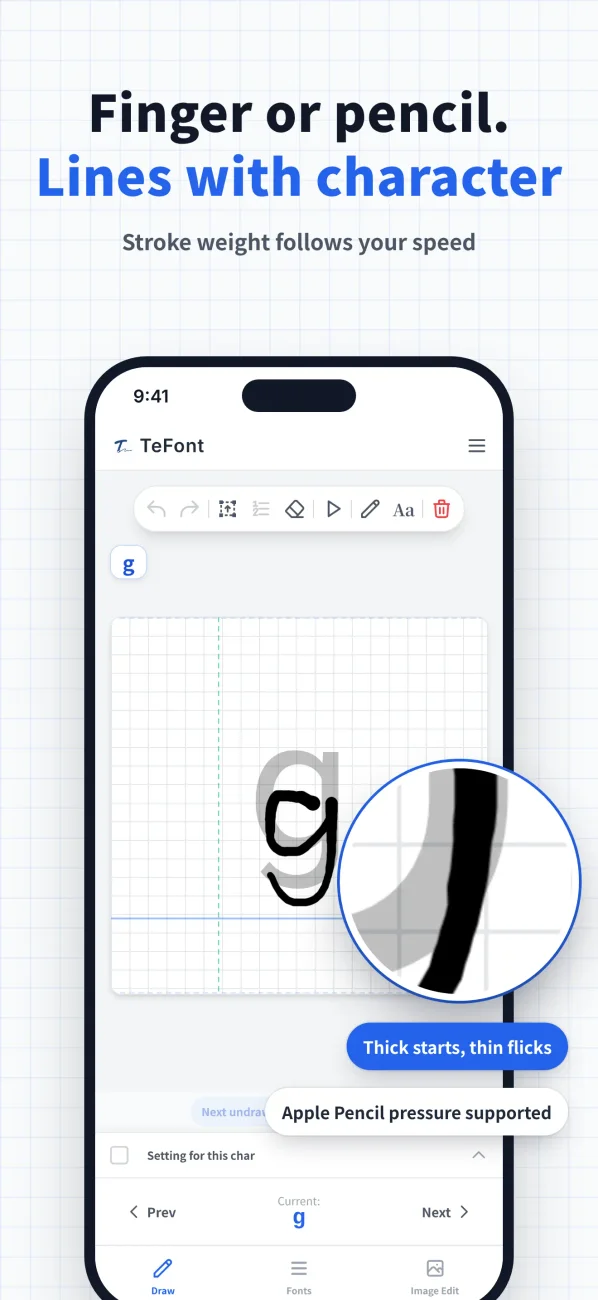
■ Finger or pencil. Lines with character
Supports Apple Pencil pressure. Even with a finger or on iPhone, Velocity Sensitivity varies the stroke weight with your writing speed, giving your letters the expressive feel of a fountain pen. You can also show a faint sample font and trace over it.
■ Snap paper writing, then trace it
Photograph a letter written on paper, crop it, and use it as a guide on the canvas. Adjust its position, size, angle and opacity, then simply trace over it. It is a great way to keep the handwriting of a child who is too young to write on a screen, a family member's writing, or the writing in an old letter as a font.
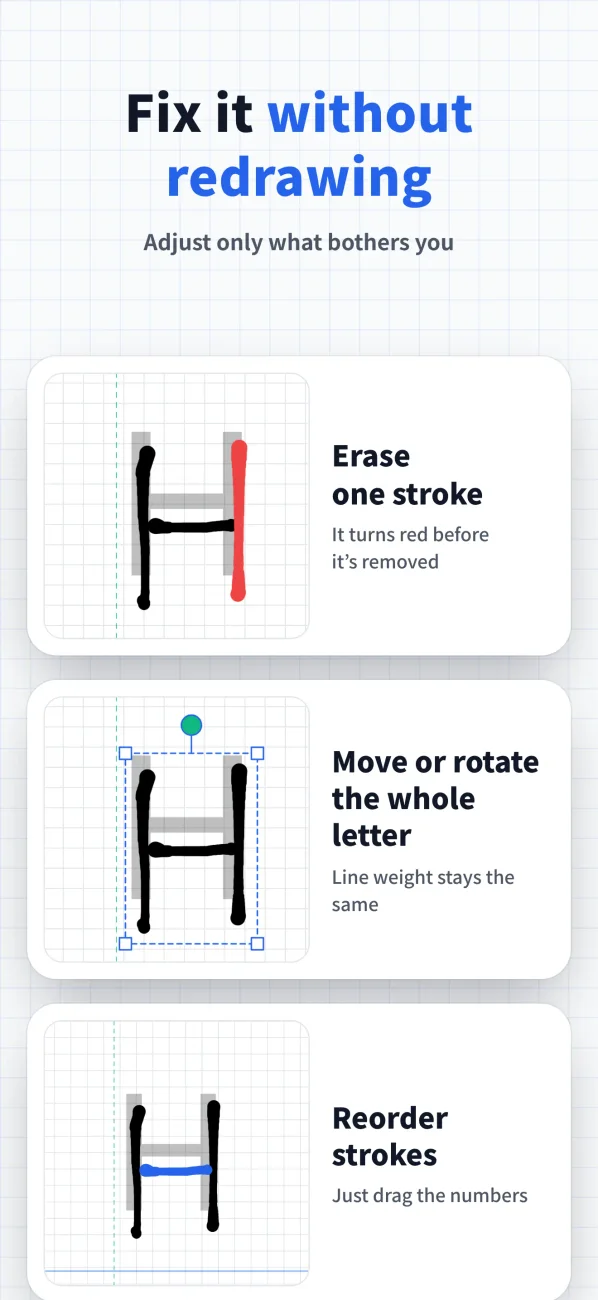
■ Fix it without redrawing
The stroke eraser highlights a stroke in red before removing it, so you can redo just one stroke. Move, resize and rotate a whole character while keeping its line weight and pressure. You can reorder strokes afterwards, and the new order is used in stroke replay and animations. Weight and spacing can be adjusted per character, and every action supports undo and redo.
■ Create only what you need
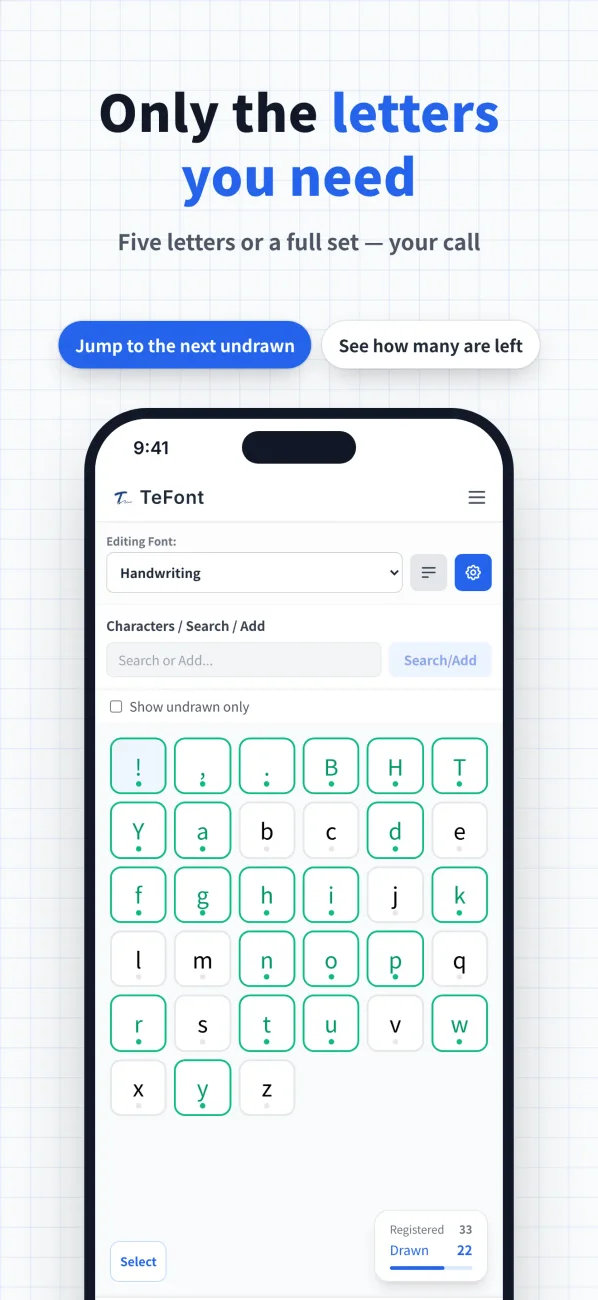
No need to fill thousands of slots. Make a font from just the five letters of a name, or only the letters for a logo. For a full font, character sets from basic Latin to extended Latin are ready. Jump to the next undrawn character and see how many are left, and grow your font little by little.
■ Type to test, export right away
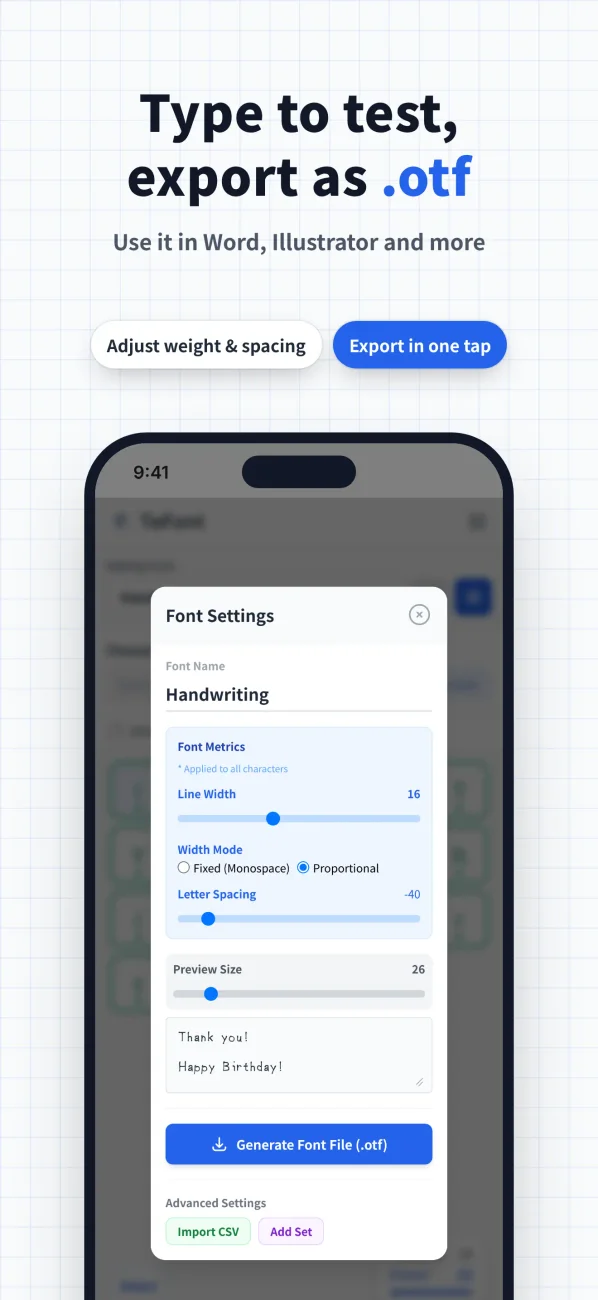
Type with your font on the spot to check the balance. When you are happy, export an OpenType font (.otf) in one tap and use it in Word, Illustrator and other apps on Mac or Windows.
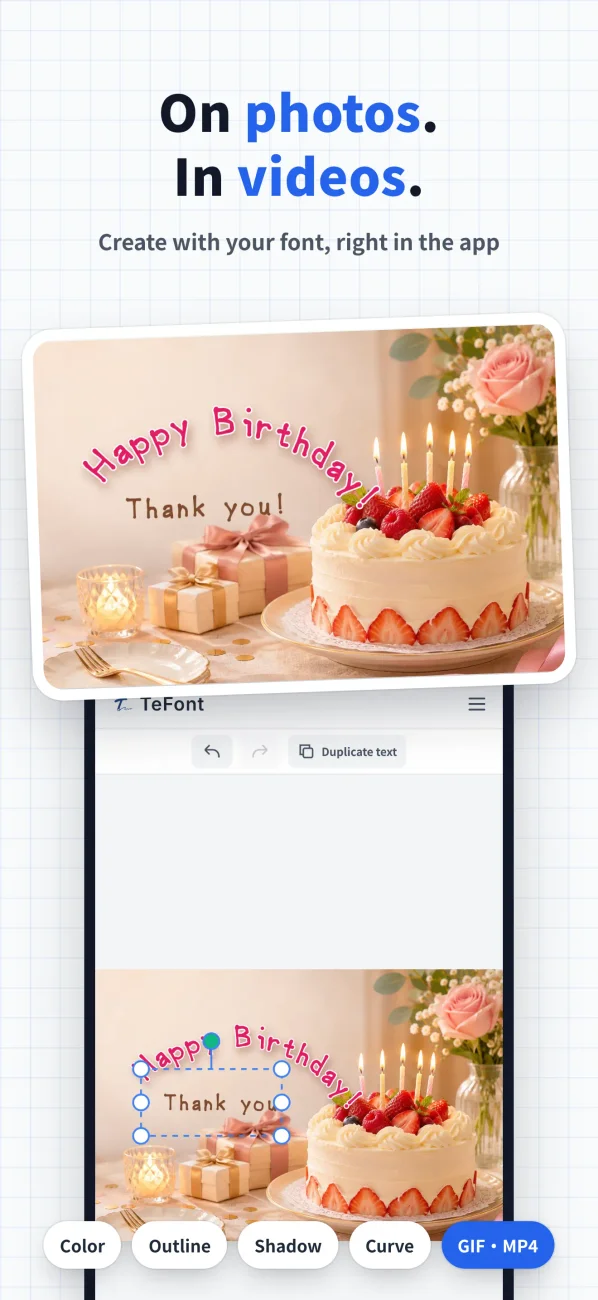
■ On photos. In videos.
Add text to photos with your font right in the app, and finish it with outlines, shadows and curves. Google Fonts and font files (OTF / TTF) imported from the share menu can be used too.
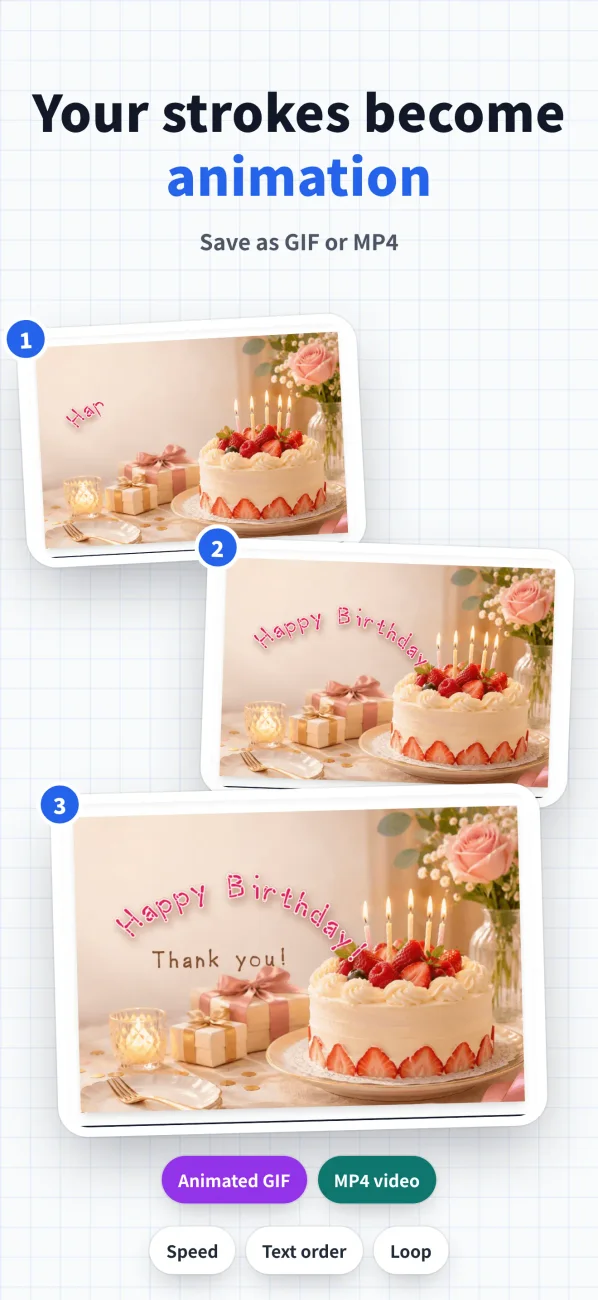
You can also save your stroke order as an animated GIF or MP4 video. Use your writing-in-motion in social posts, video projects and animated message cards. Playback speed and text order are adjustable.
[Key Functions]
- Create and export OpenType fonts (.otf)
- Pressure sensitivity / velocity-based stroke adjustment
- Trace a photo of handwriting on paper
- Stroke eraser, whole-character move / resize / rotate, undo and redo
- Stroke replay and stroke reordering
- Per-character weight and spacing, monospaced or proportional width
- Sample font guides (adjustable opacity and position)
- Jump to undrawn characters, undrawn-only filter, bulk registration from a character list (CSV)
- Save and manage multiple font sets
- Photo text editor (outline, shadow, curve, duplicate text, undo and redo)
- Save stroke animations as GIF / MP4
- Back up and restore all data
- Most features work offline (using Google Fonts requires a connection)
- Your handwriting data and fonts are never sent to external servers
- English, Japanese, Chinese (Simplified), Spanish and Korean
[Price]
- Free Preview Mode
- Try creating handwritten fonts and editing images with your fonts for free.
- Exporting and saving fonts, edited images and videos requires unlocking full features.
- Unlock Full Features
- One-time purchase (no monthly fees, no additional charges, no ads)
Turn your handwriting, and the handwriting of the people you love, into a font with TeFont.
---
App Introduction Site
https://tefont.pages.dev/
Novidades
Versão 4.1 · 23/11/2026
- Photograph a character written on paper, crop it, and use it as a tracing guide. Handy for keeping a child's handwriting.
- Adjust the photo's position, size, angle and opacity while previewing the result.
- Tap the photo mark at the top left of the canvas to switch between the photo guide and the sample font.
- In the MP4 preview, tap the video to show playback controls.
- You can now reorder strokes. Resetting drawing data has moved to the trash button.
Privacidade do app
O que Masahiro Tanaka declara na App Store sobre como este app lida com os dados.
-
Dados não coletados
O desenvolvedor não coleta nenhum dado deste app.
As práticas de privacidade podem variar, por exemplo, com base nos recursos que você usa ou na sua idade.
Informações
- Vendedor
- Masahiro Tanaka
- Categoria
- Utilidades
- Versão
- 4.1
- Atualizado
- 23/11/2026
- Lançamento
- 02/02/2026
- Tamanho
- 6,0 MB
- Requer
- iOS 15.0 ou posterior
- Classificação etária
- 4+
- Preço
- Grátis
- Compras no app
- Sim
- Idiomas
- Inglês, Japonês, Coreano, Chinês simplificado, Espanhol
- Copyright
- © 2026 Masahiro Tanaka
Você também pode gostar
-
 Simple CopyUtilidades
-
 Linha do tempo: iTimelinesCronologia e eventos
-
 Crios: Scanner de IP e RedeAnalisador Wi-Fi, portas e LAN
-
 Full Page ShotUtilidades
-
 DiceyDice Dice SandboxUtilidades
-
 Navo: Cofre de Fotos e LimpezaProteja fotos e limpe espaço
-
 Photo Privacy ToolUtilidades
-
 Teddy's NannyUtilidades
-
 Super Flashlight - Lanterna8 modos, estrobo e SOS
-
 LinkNest: Save & Manage LinksUtilidades