Teleprompter: AI Script Writer
Voice Scrolling and Captions
Designed for iPhone, iPad
Free · In-app purchases
- Age rating4+
- CategoryProductivity
- DeveloperPitter Lopes
- LanguagesEnglish+ 2 more
- Size47.7 MB
Links to the official App Store page
Download.org hosts no file of Teleprompter: AI Script Writer. The button opens its official App Store page, published by Pitter Lopes. Listing last checked on Nov 28, 2026.
Screenshots
About
A teleprompter that follows your voice, no watermark: your first 3 recordings are free. When you want help, an AI team writes your script and edits your take.
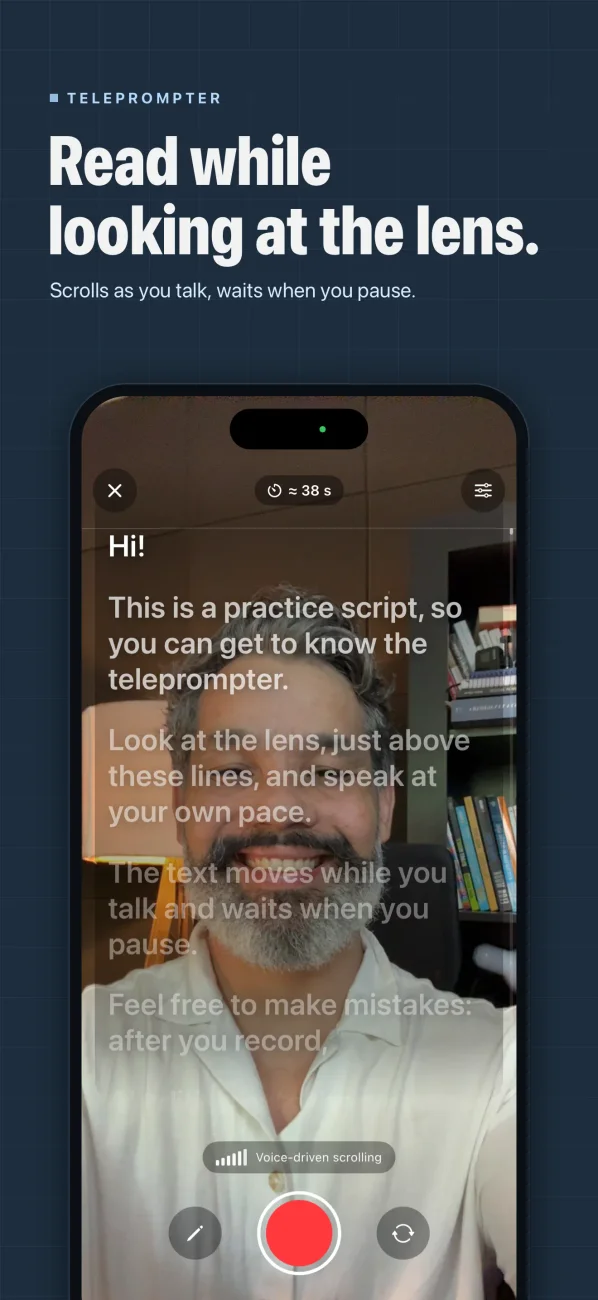
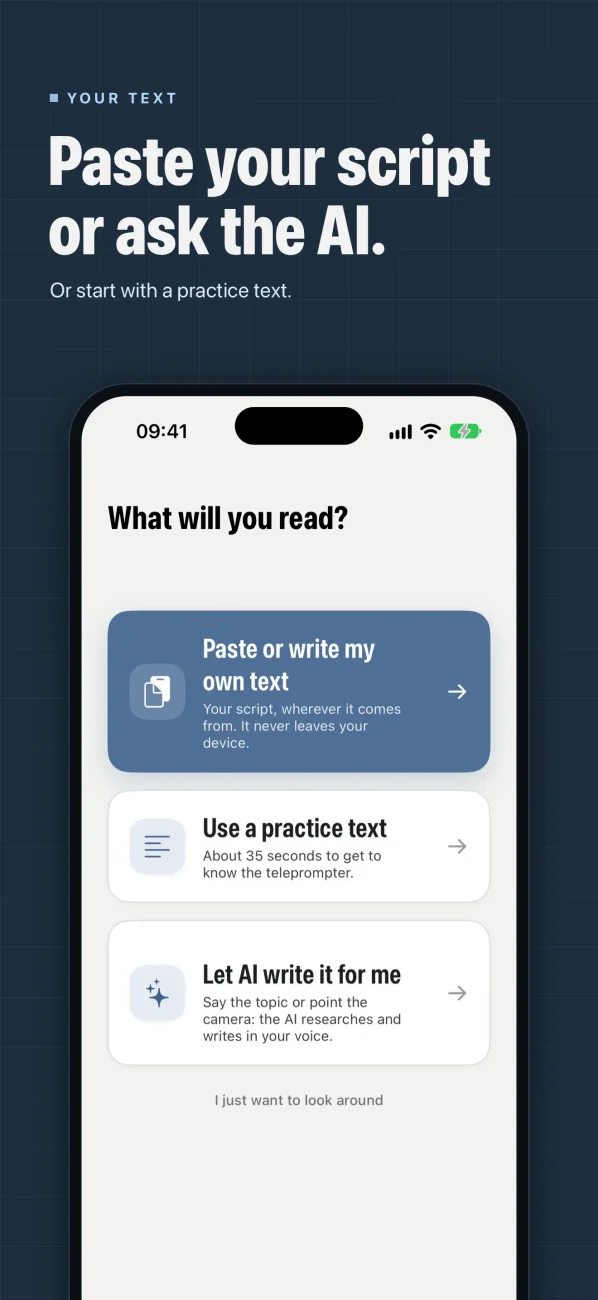
Paste or type your text and record looking at the lens. The text moves while you talk and waits when you pause. Retake as often as you like: every video comes out clean.
3 FREE RECORDINGS, THEN PRO
• Scrolls while you talk and waits when you pause. You look at the lens, not at a page.
• Paste a script from anywhere, or type your own. Headings, scene notes and stage directions are taken out of what you read, and you can undo it.
• Studio-style reading: lines fade at the edges, and you see how much reading time is left.
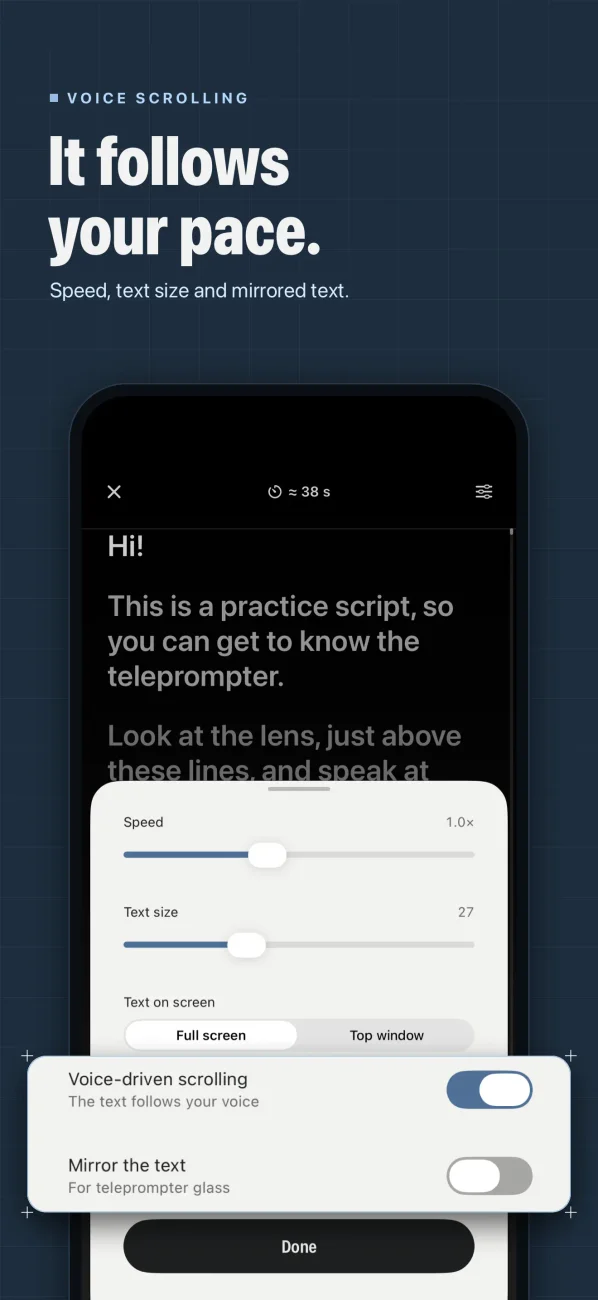
• Speed and text size mid-take, front or back camera, portrait or landscape, and mirrored text for teleprompter rigs.
• No account, no watermark, and it works offline.
AFTER YOU RECORD: SHARE OR EDIT
• Save to Photos, share it, upload it to your Google Drive in the background, or send it to your editor with the script and the captions.
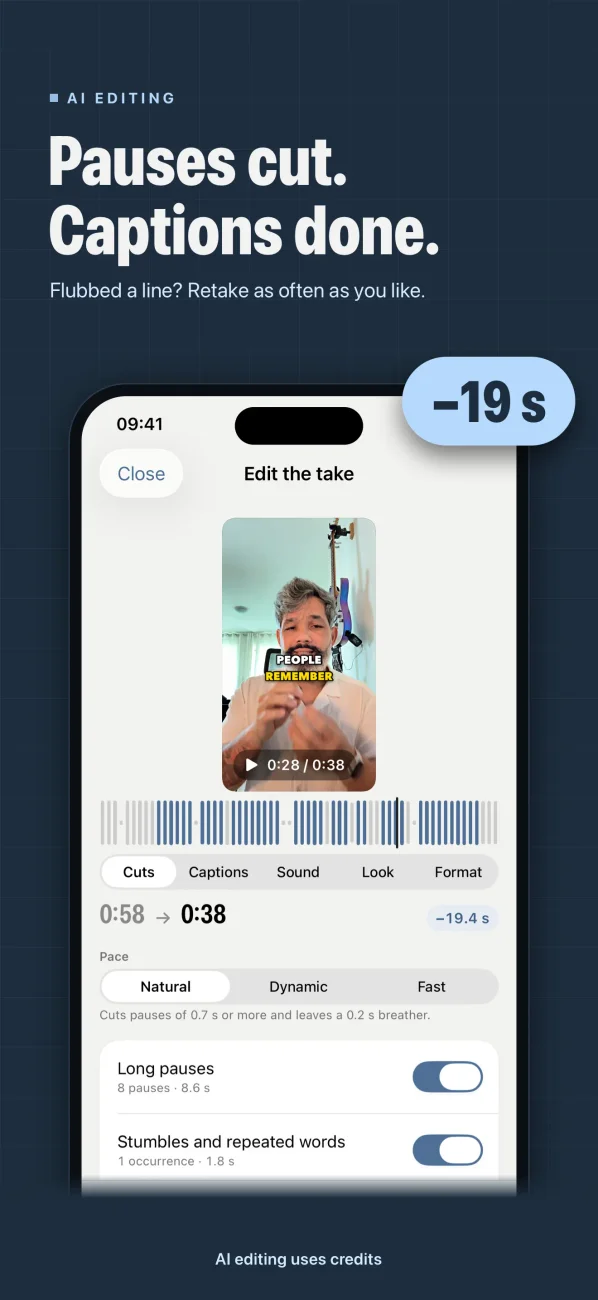
• AI editing cuts long pauses, stumbles, "um"s, restarts and repeated lines. You review the cuts and keep what you want. Your first AI edit is free.
• Captions burned into the video in 3 styles: pinch to resize, drag them anywhere, pick the color, fix any word.
• Studio sound, color looks, a subtle zoom on each cut and skin smoothing.
• Export in 9:16, 3:4, 1:1 or 16:9, framed with your fingers. Change the edit anytime, or go back to the original take.
NO SCRIPT? THE AI WRITES IT
• Type a topic in one sentence, snap a photo of what inspired you (a book page, a post, a note), or bring a video that did well in your niche.
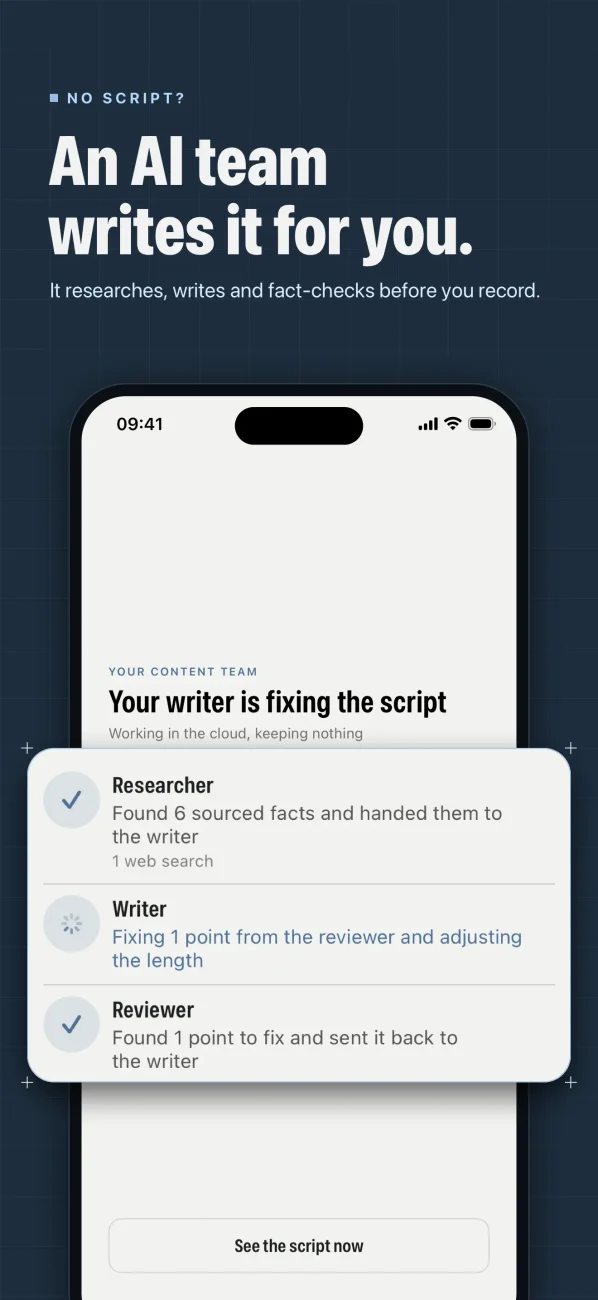
• The researcher searches the web and brings back facts with sources. The writer works in your tone, for your audience and your profession, in 60, 90 or 120 seconds. The reviewer checks the script against the research before it reaches you.
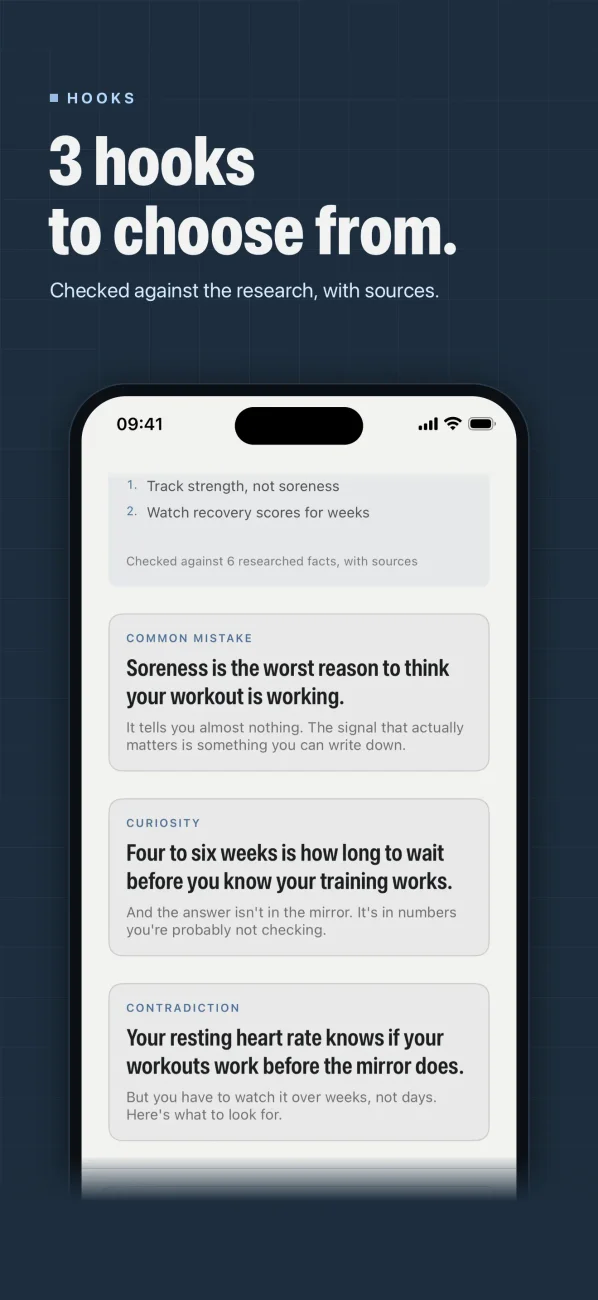
• Pick from 3 hooks, written after the script so they come from the content.
NOT SURE WHAT TO POST?
• Your week: video ideas for your specialty and your audience, every week.
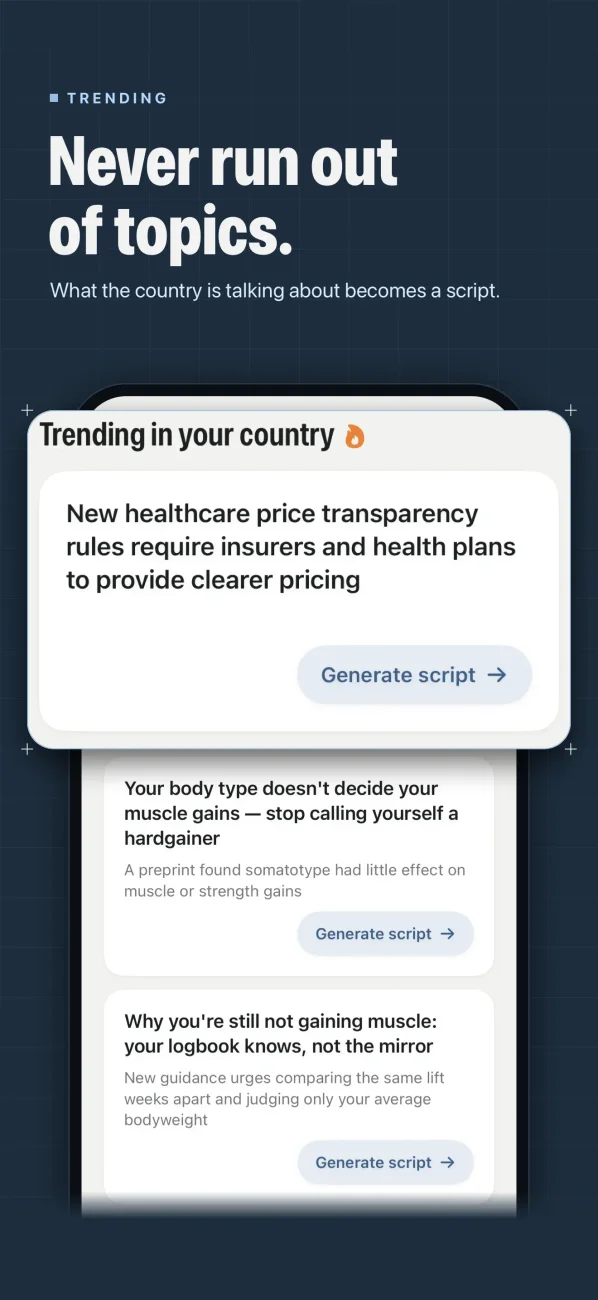
• Trending: when a story takes over the news, it lands in your topics the same day, and leaves when it cools off. Available in the US and Brazil; elsewhere, with a plan or credit pack.
• With a plan or credit pack, fresh topics from your field arrive every week, each tied to a recent fact with its source.
FOR PROFESSIONALS WHOSE NAME IS ON EVERY VIDEO
• Write down the rules you follow, like "never promise results", and every AI script is checked against them.
• Health, law, tax and money topics get a stricter check and an extra search on what applies today.
CREDITS
Your first 3 recordings and your first AI edit are free. Then:
• Teleprompter Pro, monthly or yearly: unlimited recordings, 30 AI edits a month and the Studio tools (two cameras, new background and reactions).
• One AI script for $1.99, or a monthly plan with 15, 30 or 60 credits, everything in Pro included. One credit is one new script or one AI rewrite. Editing the text yourself, browsing topics and exporting are free.
Subscriptions renew automatically until cancelled in your iPhone Settings, at least 24 hours before the end of the period. Monthly credits don't roll over.
PRIVACY
No account, no email, no name. The text you paste stays on your iPhone. Nothing goes to the AI before you allow it, and the app shows exactly what is sent. Your video and audio are edited on your iPhone: only the text of what you said and your script go to the AI, when you tap Edit with AI. We don't keep your scripts or videos.
Scriptroom needs an internet connection to write and to edit with AI; the teleprompter works offline.
Terms of Use (EULA): https://www.apple.com/legal/internet-services/itunes/dev/stdeula/
Privacy Policy: https://scriptroom.online/privacy-policy
What’s new
Version 1.7.26 · Nov 27, 2026
The screen you see while your video is being prepared is calmer now: the video sits higher on the screen, the percentage is smaller, and nothing shifts around while it renders. The video inside the frame still moves along with the render. This applies to exporting an edit and to the Studio tools.
Teleprompter on another screen: the “This iPhone’s link has changed” notice now only shows up when a device is waiting for the iPhone, and it goes away once you tap it or start reading. If you’re not using another device, you won’t see it anymore.
In case you missed the previous update:
Refer and earn: friends who install the app through your invite are now recognized the first time they open it, before they start using it, and the invite message tells them to tap the link again after installing. If a friend installed and the invite didn't go in, ask them to tap your link one more time. And if the invite link gets pasted where the text goes, the app knows it's the invite.
The app's reminders now say which video is your next one, and on the day you reach a milestone it shows at the top of Home. Subscribers get a Founding member number and a video message from the person who makes the app, in Profile › Subscription.
After your first video, Home asks when you’ll record the second one: tomorrow or in 3 days. The app reminds you that day, at the time you recorded your first, and the reminder won’t go off if you record before then.
App privacy
What Pitter Lopes declares on the App Store about how this app handles data.
-
Data used to track you
May be used to track you across apps and websites owned by other companies.
- Purchases
- Identifiers
- Usage data
-
Data linked to you
May be collected and linked to your identity.
- Purchases
- Identifiers
-
Data not linked to you
May be collected but is not linked to your identity.
- Purchases
- User content
- Usage data
- Other data
Privacy practices may vary, for example with the features you use or your age.
Information
- Seller
- Pitter Lopes
- Category
- Productivity
- Version
- 1.7.26
- Updated
- Nov 27, 2026
- Released
- Sep 29, 2026
- Size
- 47.7 MB
- Requires
- iOS 26.0 or later
- Age rating
- 4+
- Price
- Free
- In-app purchases
- Yes
- Languages
- English, Portuguese, Spanish
- Copyright
- © Pitter Lopes
You might also like
-
 Video Teleprompter: RecordRead Scripts While Recording
-
 Teleprompter • Video RecorderScript & Speech Prompter
-
 VoicePrompter: TeleprompterBest video teleprompter app
-
 CueCard TeleprompterFloating Scripts & Cue Cards
-
 Teleprompter - VILOTeleprompter for Video
-
 OnTake Teleprompter & CaptionsScript Reader & Auto Subtitles
-
 DoppusProductivity
-
 Promotional Poster: FlyerSupermarket Deals & Offers
-
 Teleprompter App Record VideosVideo Captions, Auto Subtitles
-
 Inner AIPowered by GPT-5 and top AIs