
Teleprompter-Segment Auto-Edit
Re-record only what changed
Designed for iPhone, iPod touch
Free · In-app purchases
- Age rating4+
- CategoryPhoto & Video
- DeveloperAppBoon
- LanguagesEnglish+ 1 more
- Size124.1 MB
Links to the official App Store page
Download.org hosts no file of Teleprompter-Segment Auto-Edit. The button opens its official App Store page, published by AppBoon. Listing last checked on Nov 14, 2026.
Screenshots
About
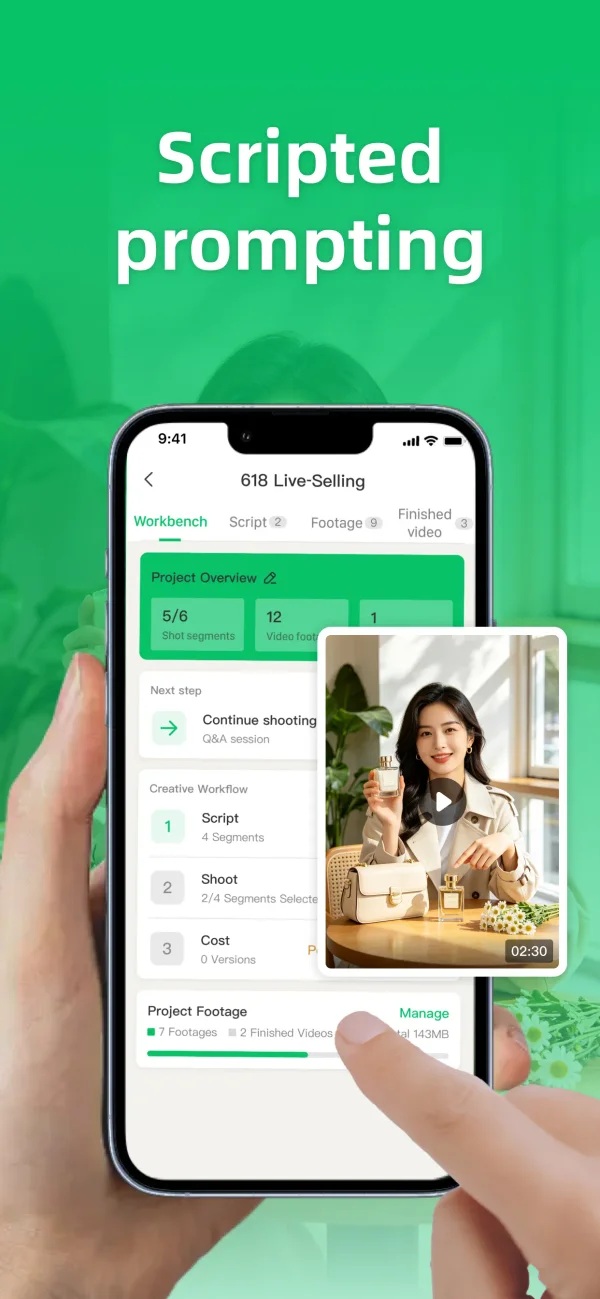
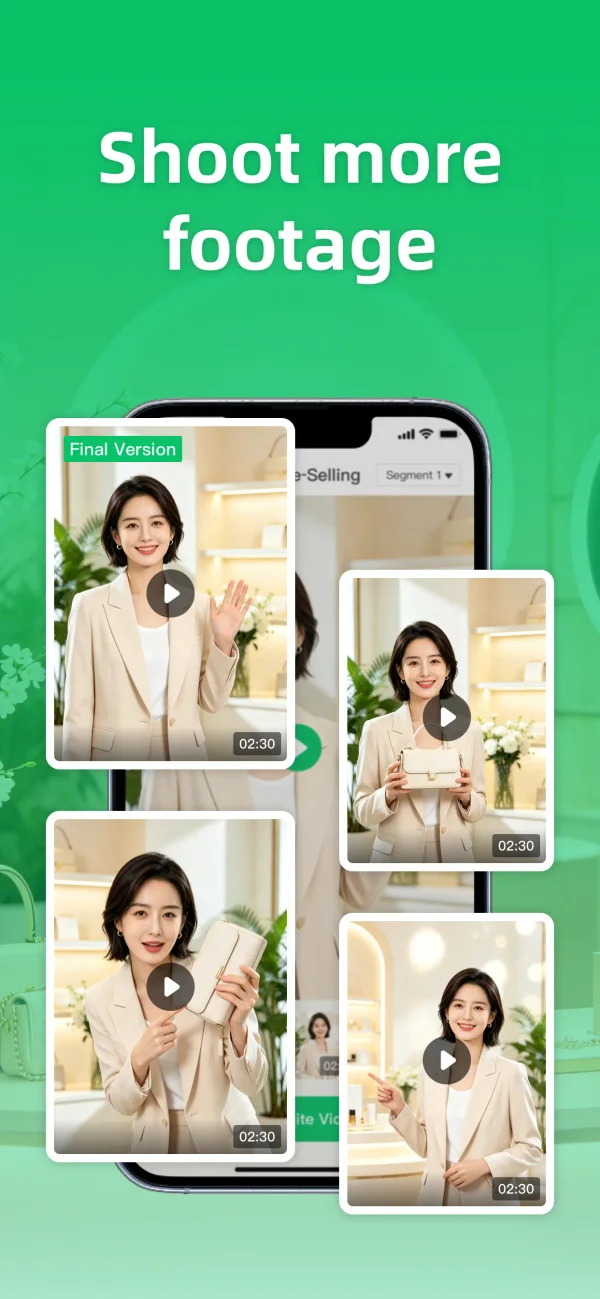
A segmented teleprompter and shooting tool built for content creators, livestream sellers, and instructors. It splits your script into segments, saves each line together with the video you record for it, and automatically stitches everything into a complete video. If you flub a line, re-record only that segment. If you edit the script, re-shoot only the segments that changed. There's no need to start over from the top.
Core Features
Segmented Shooting: Re-record Only the Segment You Missed
Split your script into segments and record them one by one. Each segment is saved separately and automatically stitched into the final video. If one segment doesn't go well, re-record just that one and keep the rest of the footage as is. You can also add shooting notes to each segment, which appear above the lines in the teleprompter.
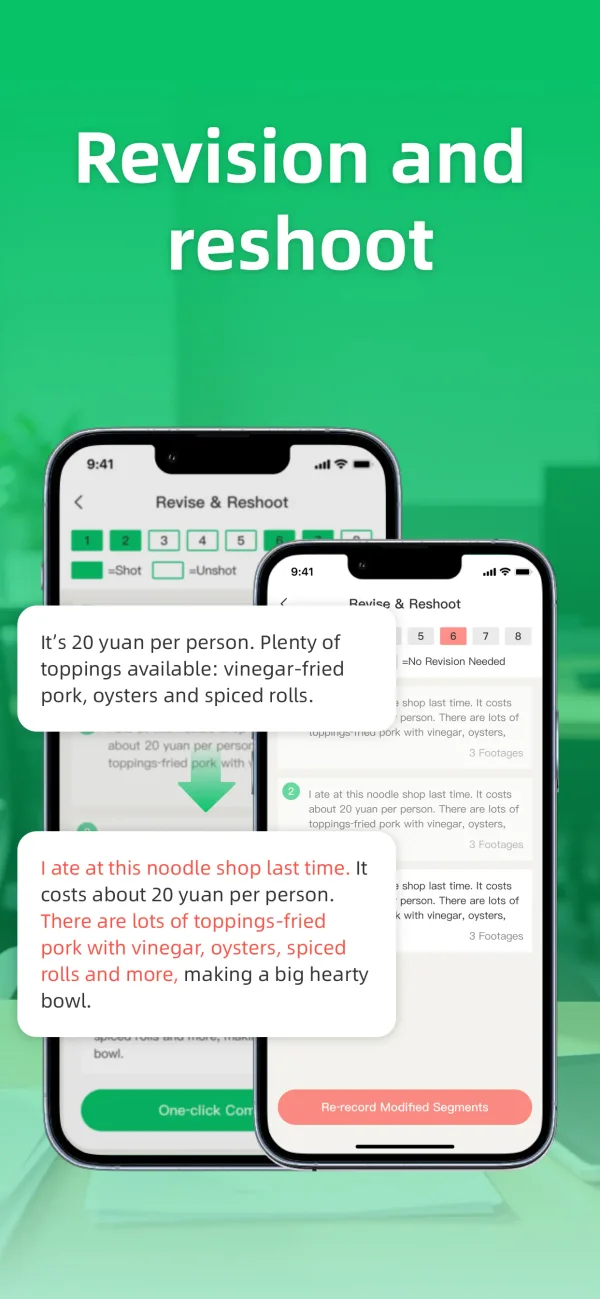
Script Revisions: Re-shoot Only What Changed
You don't need to re-shoot everything after a script change. Paste in the revised script and compare old and new versions in one tap. Changed segments are automatically marked red and unchanged ones gray. Re-record only the red segments, and the rest of the video is reused directly.
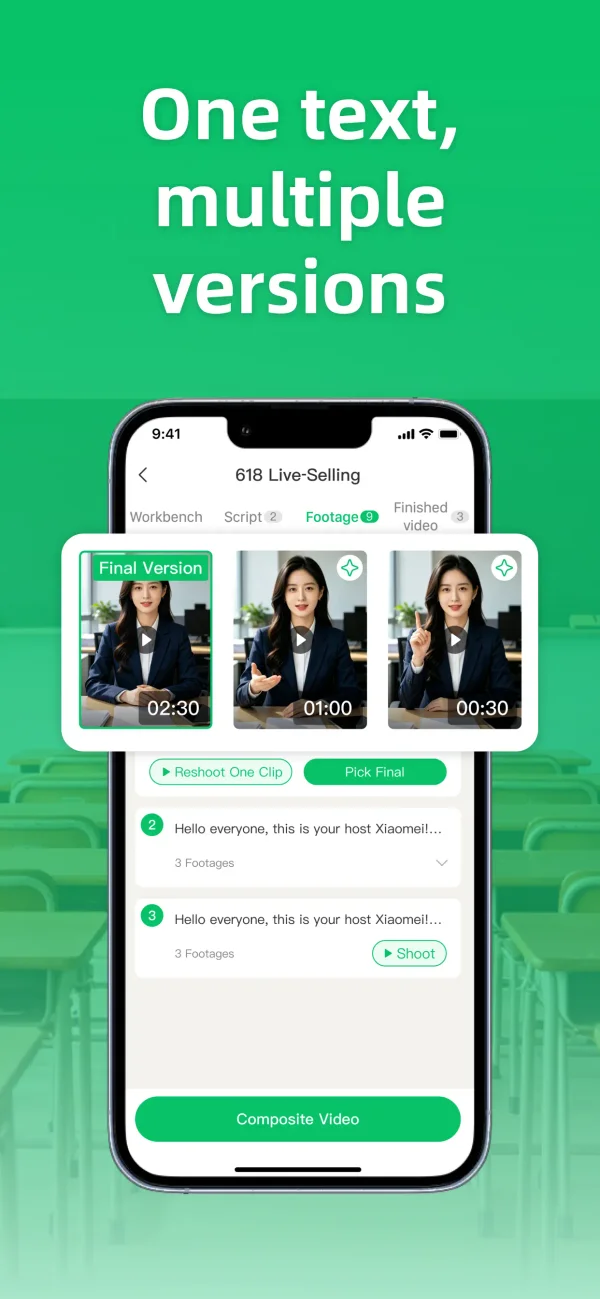
One Script, Multiple Versions: Many Final Videos from One Shoot
Record multiple takes of the same segment and switch to the one you like best at any time. Tick different combinations of segments and see the final running time in real time. The same footage can be assembled into a full version, a 60-second version, and a 30-second version to suit different platforms.
Floating Teleprompter: Fully Customizable Settings
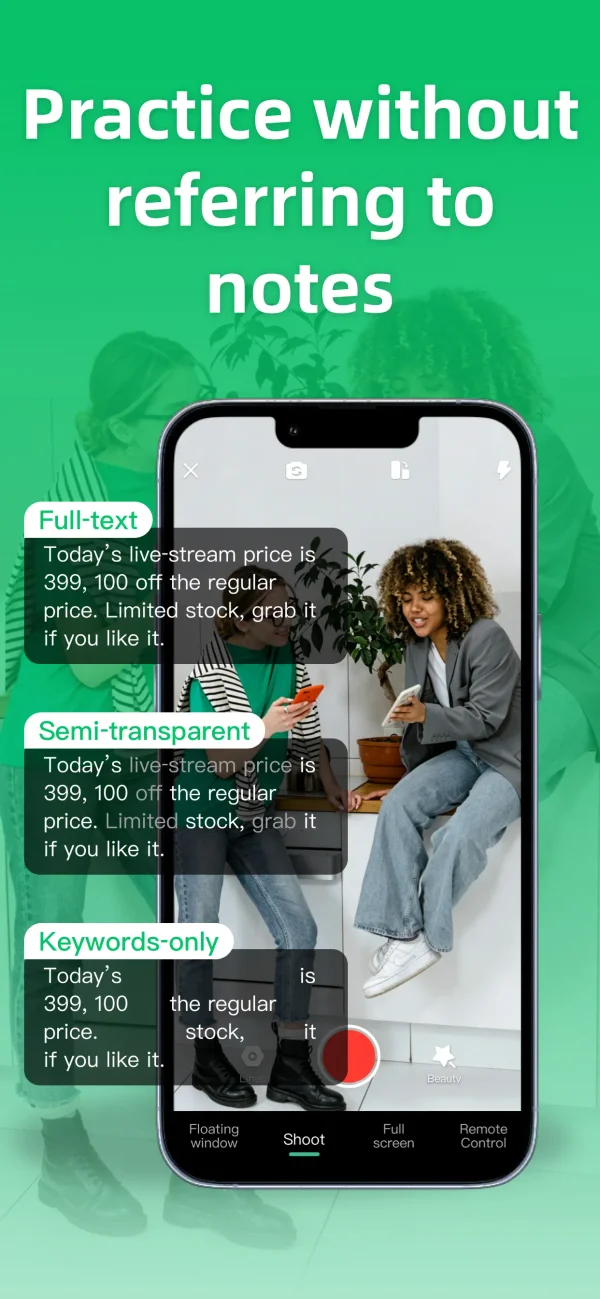
A global floating teleprompter window can sit on top of your camera or livestream app, so you can read your lines while you shoot. AI Follow-Along scrolls at your actual speaking pace, and the scroll speed, font size, and background opacity are all adjustable. Off-Script Practice gradually reduces the prompt text from the full script down to keywords only.
Who It's For
- Short-video creators, talking-head vloggers, and vlog makers
- Livestream sellers, entertainment streamers, and knowledge-sharing streamers
- Online course teachers, corporate trainers, and public speakers
- Any content creator who needs to read a script to the camera
VIP subscription instructions:
1. Subscription cycle:
1 week (continuous weekly product)
January (continuous monthly subscription products)
1 year (continuous annual product)
2. Subscription price:
RMB 18 per week
RMB 28 per month
RMB 128 per year
3. 24 hours before the expiration of the VIP privilege, the iTunes account will be automatically deducted and the renewal fee will be determined.
4. Cancel the automatic renewal: If you need to cancel the automatic renewal, please manually turn off the automatic renewal function in the iTunes/Apple ID setting management 24 hours before the expiration. If the subscription is not closed at least 24 hours before expiration, the subscription will be automatically renewed.
5. If a free trial period is provided, any unused part will be confiscated when the user purchases a subscription to the publication (if applicable)
6. Privacy Policy:
https://exercise.appboon.net/agreement_en/InscriptorPrivacyPolicy.html
7. Terms of Use:
https://exercise.appboon.net/agreement_en/InscriptorUserAgreement.html
What’s new
Version 2.1.17 · Oct 19, 2026
This update focuses on data synchronization and shooting experience optimization:
1. Added cloud storage and data synchronization for easy saving and syncing of data across different devices.
2. Fixed the issue of automatically exiting after landscape shooting, causing videos to fail to save.
3. Optimized some interactive experiences and improved program stability.
App privacy
What AppBoon declares on the App Store about how this app handles data.
-
Data used to track you
May be used to track you across apps and websites owned by other companies.
- Identifiers
- Usage data
- Diagnostics
-
Data linked to you
May be collected and linked to your identity.
- Identifiers
- Usage data
- Diagnostics
-
Data not linked to you
May be collected but is not linked to your identity.
- Usage data
- Other data
Privacy practices may vary, for example with the features you use or your age.
Information
- Seller
- Yi Cha Technology Co., Ltd.
- Category
- Photo & Video
- Version
- 2.1.17
- Updated
- Oct 19, 2026
- Released
- Dec 11, 2023
- Size
- 124.1 MB
- Requires
- iOS 15 or later
- Age rating
- 4+
- Price
- Free
- In-app purchases
- Yes
- Languages
- English, Simplified Chinese
- Copyright
- © 2026 YiCha Technology Co.,Ltd.
You might also like
-
 Float Prompter-Video assistantAutocue Video Prompter
-
 Teleprompter⁺Smart Video Prompter Prompt
-
 提词器-可翻页可悬浮Photo & Video
-
 Teleprompter-Record ScriptRead script while recording
-
 说得AI提词器相机-编拍演剪全能的口播视频创作和直播提词神器Photo & Video
-
 Teleprompter: Prompt Smart ProTeleprompter Video Recording
-
 Teleprompter-float above appsTeleprompter for all creator
-
 Teleprompter™Teleprompter for video
-
 TelepromptrVideo Scripts & Mirror Text
-
 Teleprompter with VideoRead & Record Video