
Teleprompter Studio: Video
Autocue Script Reader & Mirror
Designed for iPhone, iPad, Mac
In-app purchases
- Age rating4+
- CategoryPhoto & Video
- DeveloperIbrahim Metehan Ariman
- LanguagesEnglish+ 44 more
- Size82.1 MB
Links to the official App Store page
Download.org hosts no file of Teleprompter Studio: Video. The button opens its official App Store page, published by Ibrahim Metehan Ariman. Listing last checked on Nov 23, 2026.
Screenshots


About
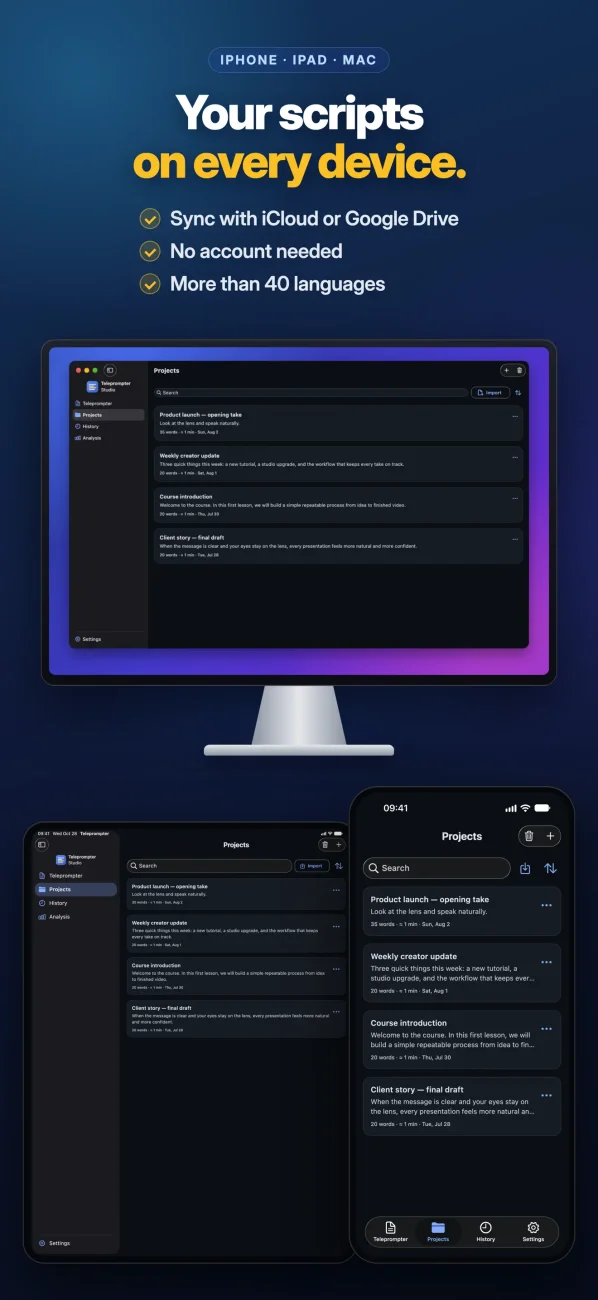
Talk to the camera without memorizing your script. Teleprompter Studio scrolls your words over the front camera view while you record, so you don't have to glance away at notes. It works on iPhone, iPad and Mac, and you don't need an account.
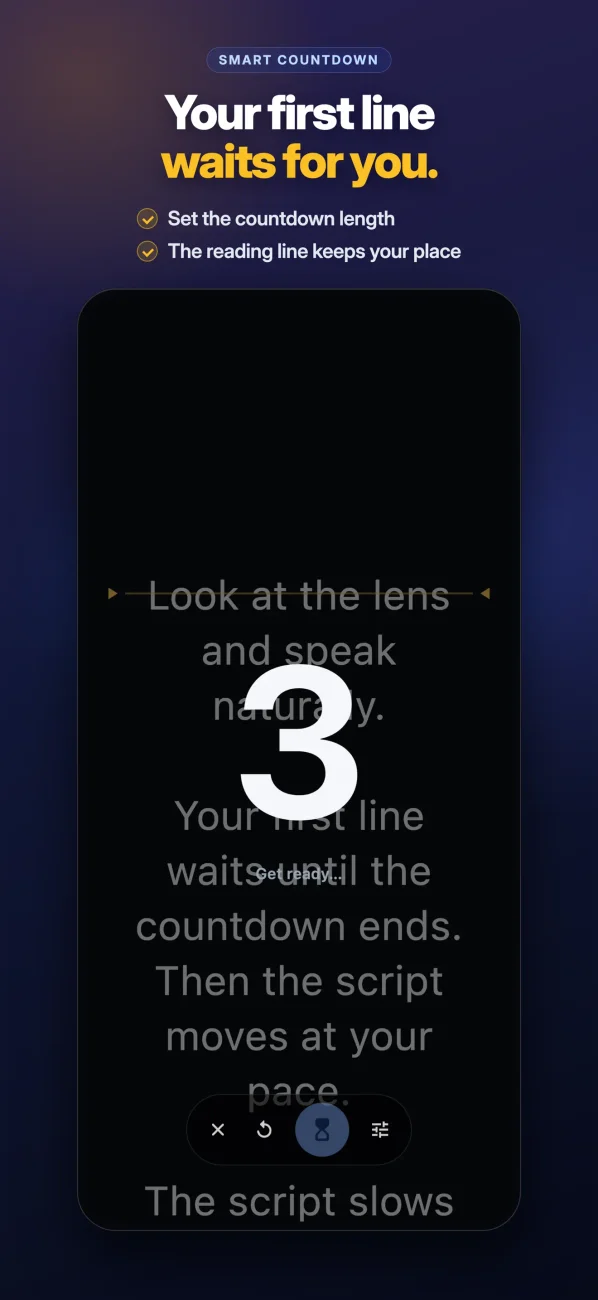
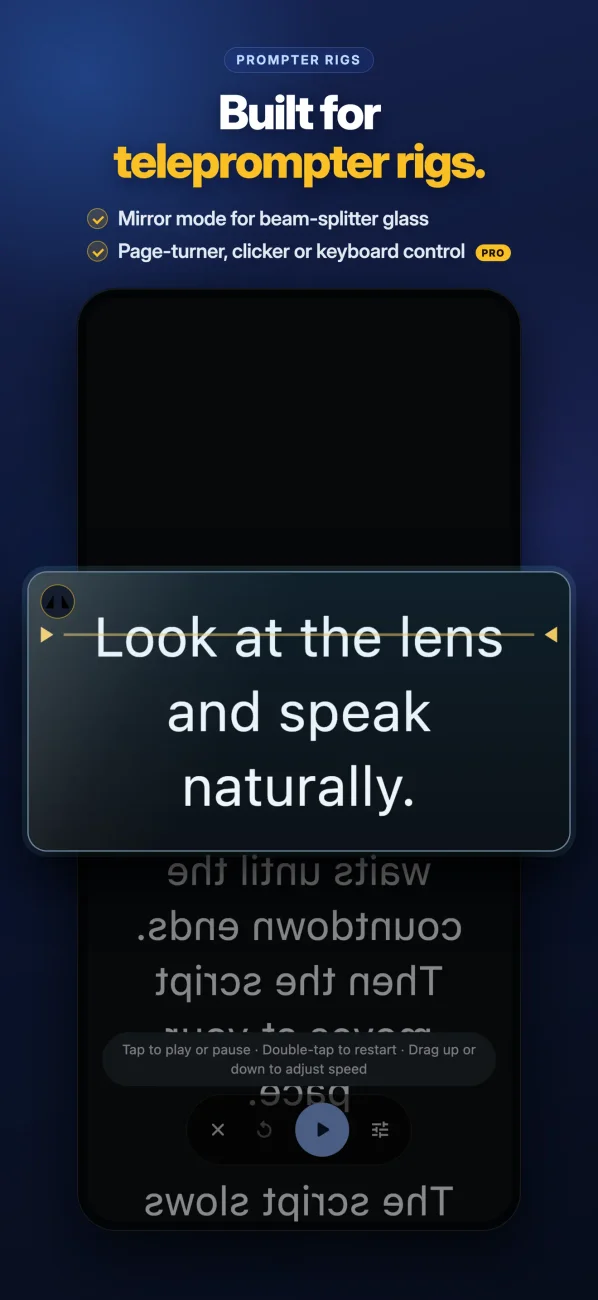
If you film with another phone or a separate camera, use Prompter only mode. The camera stays off and the screen turns into a plain script reader on a dark background. In both modes you press play, a big countdown gives you time to get into position, and the first line waits on the reading line until the countdown ends. You can set how long it runs.
FREE
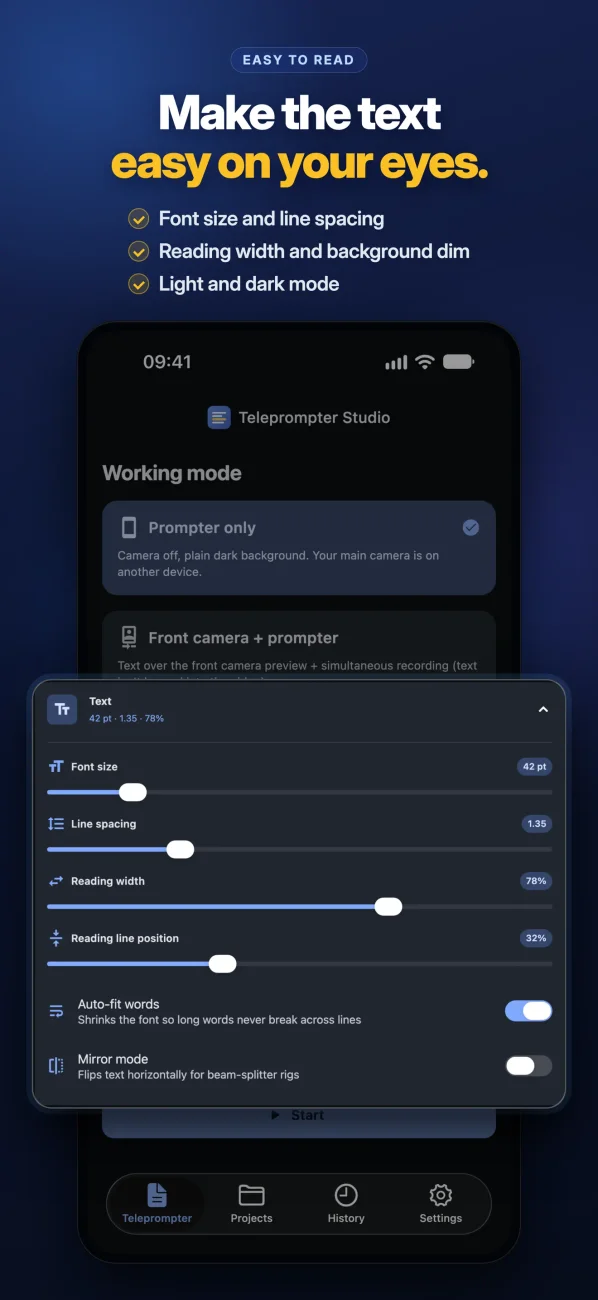
• Adjust the scroll speed, font size, line spacing, reading width and background dim.
• For beam-splitter teleprompter and autocue rigs, mirror mode flips the text and leaves your recording alone.
• Record at the highest quality your device supports, with focus and exposure lock and, where available, stabilization.
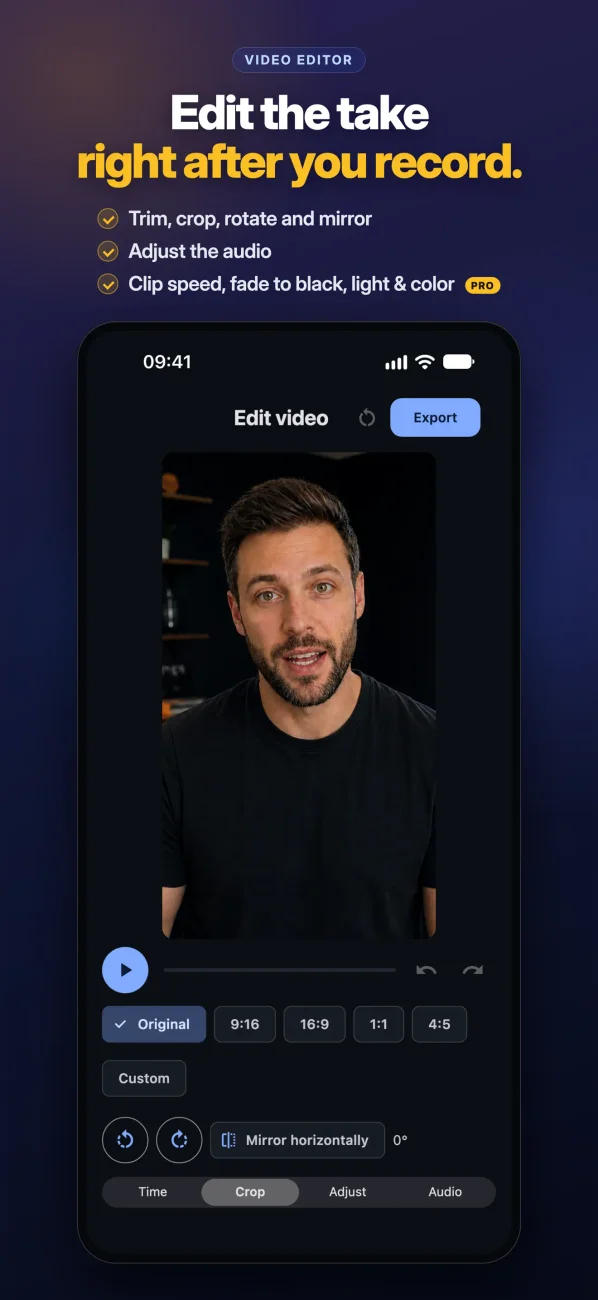
• Trim, crop, rotate and mirror your takes in the built-in editor, and adjust their audio.
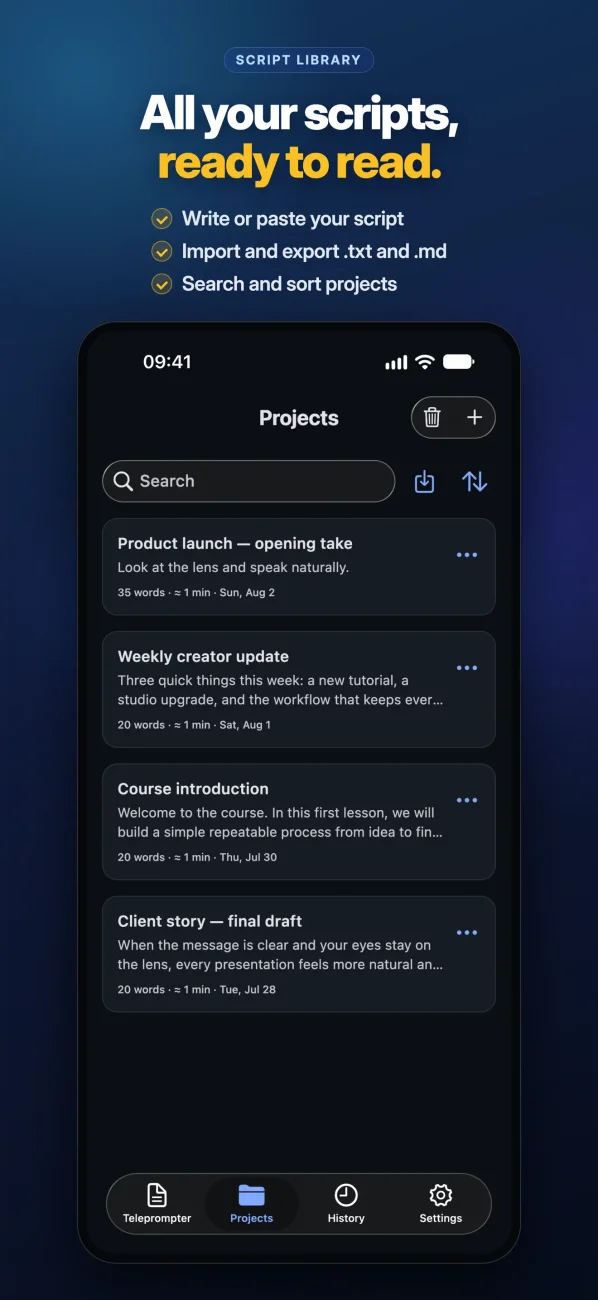
• Keep up to 3 script projects. Paste in a video script, or import and export it as plain text or Markdown.
• Sync projects, reading settings, and recording and rehearsal history through iCloud or Google Drive. Video files don't sync; each one stays on the device that recorded it.
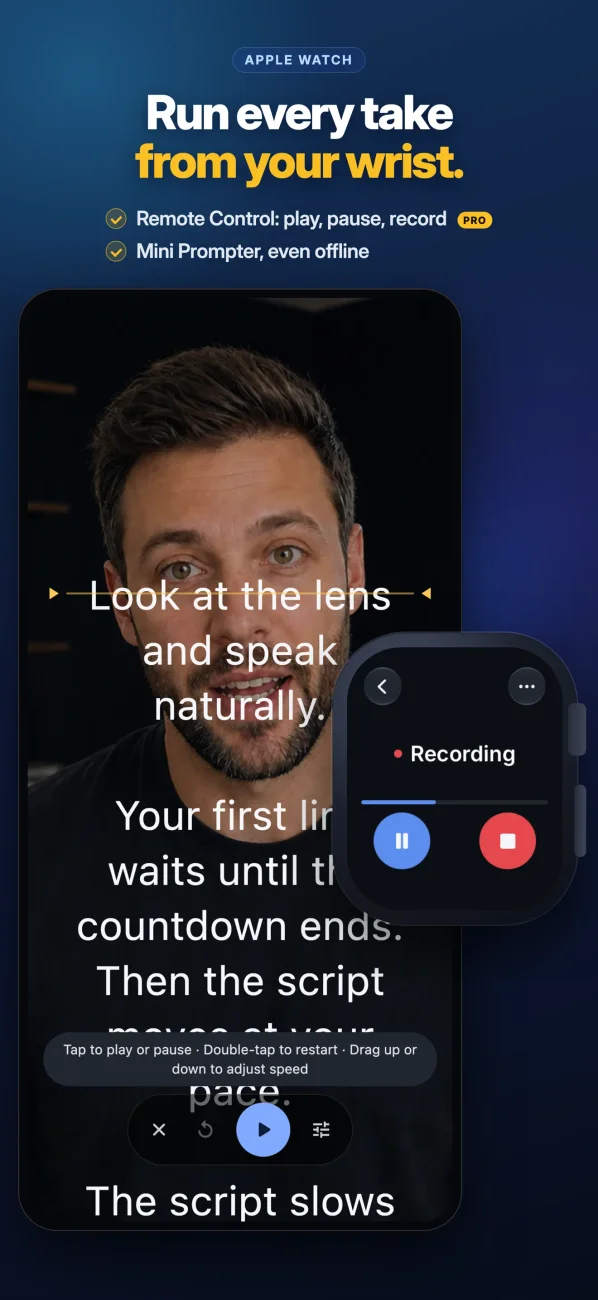
• Send a script to your Apple Watch with "Use on watch" and read it in Mini Prompter, even offline. You can play, pause, restart and change the speed on the watch.
PRO
Everything in Free, plus:
• Remote Control on Apple Watch: open the project on your iPhone, then run playback and recording from your wrist and change the speed and reading settings there.
• A Bluetooth page-turner, clicker or keyboard works as a teleprompter remote, so you can control playback and speed without touching the screen.
• Unlimited script projects.
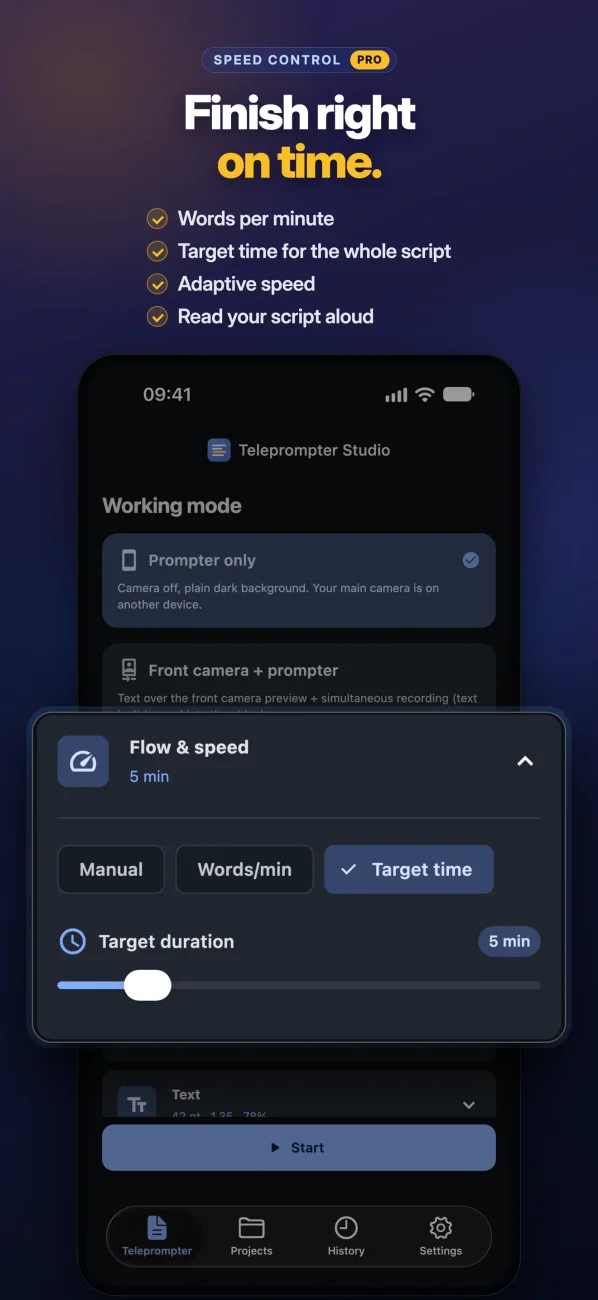
• Set the speed in words per minute, or pick a target time for the whole script. Adaptive speed slows down on longer lines and speeds up on shorter ones.
• Text-to-speech reads your script aloud while the scroll keeps pace.
• More editing tools: clip speed, fade to black, light and color.
• Full history and analytics: your pace and progress for every session, and how long you spoke and stayed silent.
• Wider speed and font-size ranges, extra fonts and accent colors.
Pro is a monthly or yearly subscription, or a one-time lifetime purchase. Subscriptions renew automatically unless you cancel at least 24 hours before the end of the current period. You can manage or cancel them any time in your App Store account settings.
Teleprompter Studio is available in more than 40 languages.
Terms of Use: https://teleprompterstudio.metehanariman.com/terms/
Privacy Policy: https://teleprompterstudio.metehanariman.com/privacy/
What’s new
Version 2.0.0 · Nov 15, 2026
New in 2.0.0:
• Apple Watch app: read scripts offline with Mini Prompter, or control playback and recording on your iPhone with Remote Control (Pro)
• Sync projects, reading settings and your recording history through iCloud or Google Drive; each video stays on the device that recorded it
• Edit recordings on iPhone and iPad: trim, crop, rotate, mirror, and adjust audio; speed, fade to black, and light and color tools with Pro
• Session results show how long you spoke and how long you were silent (Pro). The app measures it from your recording, or in Prompter only mode it listens to the microphone without recording anything
• Teleprompter Pro now comes as a monthly or yearly subscription, or as a one-time lifetime purchase
• A new Liquid Glass design on iPhone, iPad and Mac, and a menu bar with keyboard shortcuts on iPad and Mac
• Light and dark mode for everyone, a searchable language picker, and recording formats matched to your device
App privacy
What Ibrahim Metehan Ariman declares on the App Store about how this app handles data.
-
Data not linked to you
May be collected but is not linked to your identity.
- Purchases
- Identifiers
Privacy practices may vary, for example with the features you use or your age.
Information
- Seller
- Ibrahim Metehan Ariman
- Category
- Photo & Video
- Version
- 2.0.0
- Updated
- Nov 15, 2026
- Released
- Jul 24, 2026
- Size
- 82.1 MB
- Requires
- iOS 17.0 or later
- Age rating
- 4+
- In-app purchases
- Yes
- Languages
- English, Arabic, Bengali, Cambodian, Catalan, Croatian, Czech, Danish, Dutch, Finnish, French, German + 33 more
- Copyright
- © 2026 Metehan Ariman
You might also like
-
 Teleprompter: Script to VideoPrompter, captions & remote
-
 Teleprompter for Video: VoiceAutomatic Script Record & Read
-
 ScripaTeleprompter video recorder
-
 Teleprompter: Voice & ScrollScript Reader & Mirror Text
-
 Teleprompter: Script for VideoScript Reader & Voice Prompter
-
 Teleprompter 1Teleprompter for Video
-
 PromptSmart MaxSmart Video Teleprompter
-
 Teleprompter Pro for CreatorsRead Scripts While Recording
-
 Teleprompter - AI Voice FollowFloating Prompter for Video
-
 Teleprompter for video: StudioScripts & Camera Recording