
Tenoa: Your Visual Library
Search your saved screenshots
Designed for iPhone, iPad
- Age rating4+
- CategoryProductivity
- DeveloperKofi Kumi
- LanguagesEnglish
- Size27.8 MB
Links to the official App Store page
Download.org hosts no file of Tenoa: Your Visual Library. The button opens its official App Store page, published by Kofi Kumi. Listing last checked on Nov 13, 2026.
Screenshots


About
Tenoa is a local-first visual library. You save the things worth keeping: pages, images, videos, notes. They become plain files in a library you own, on your own devices.
WHAT YOU DO WITH IT
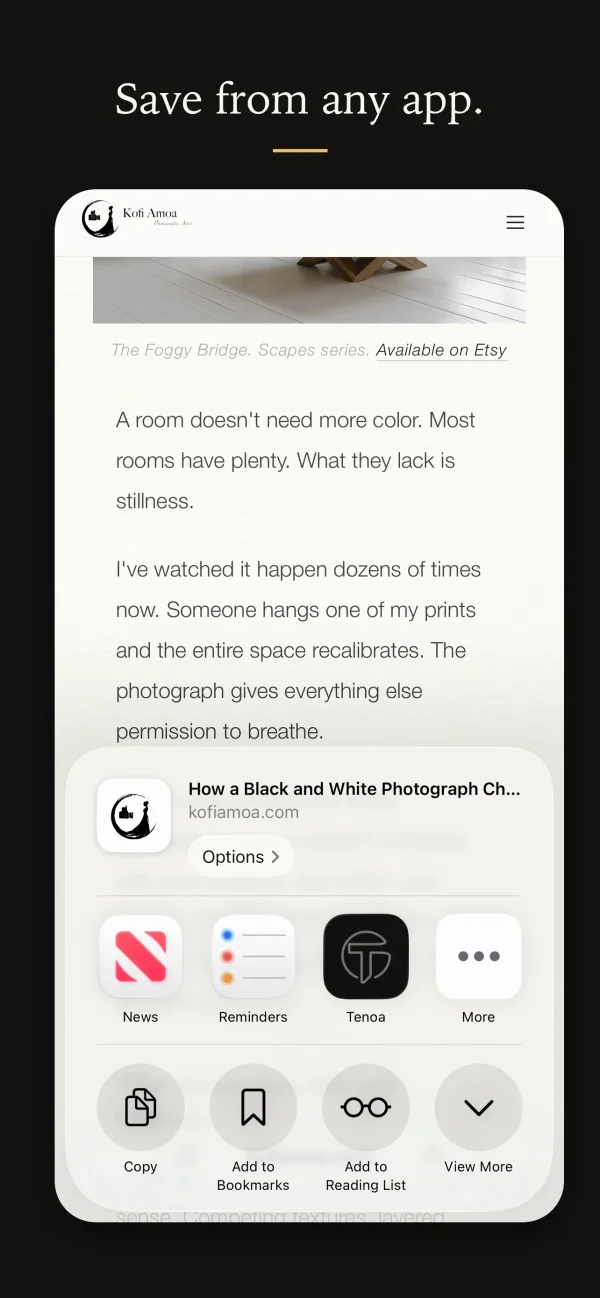
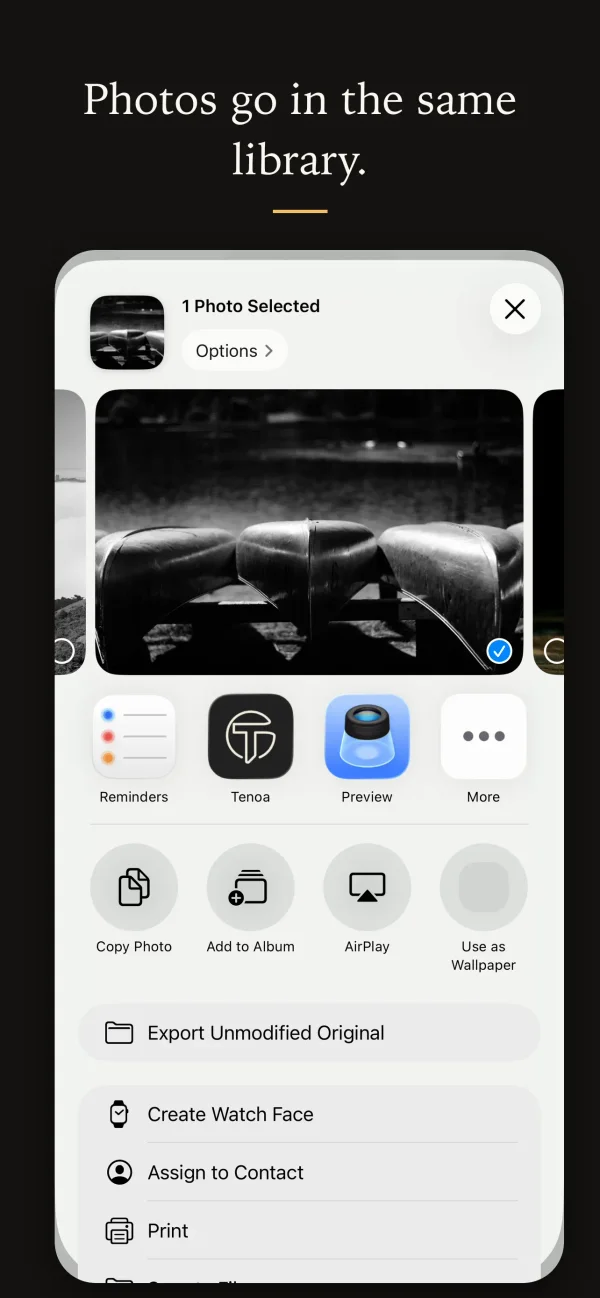
- Save from anywhere. Share to Tenoa from Safari, Instagram, or any app with a share sheet.
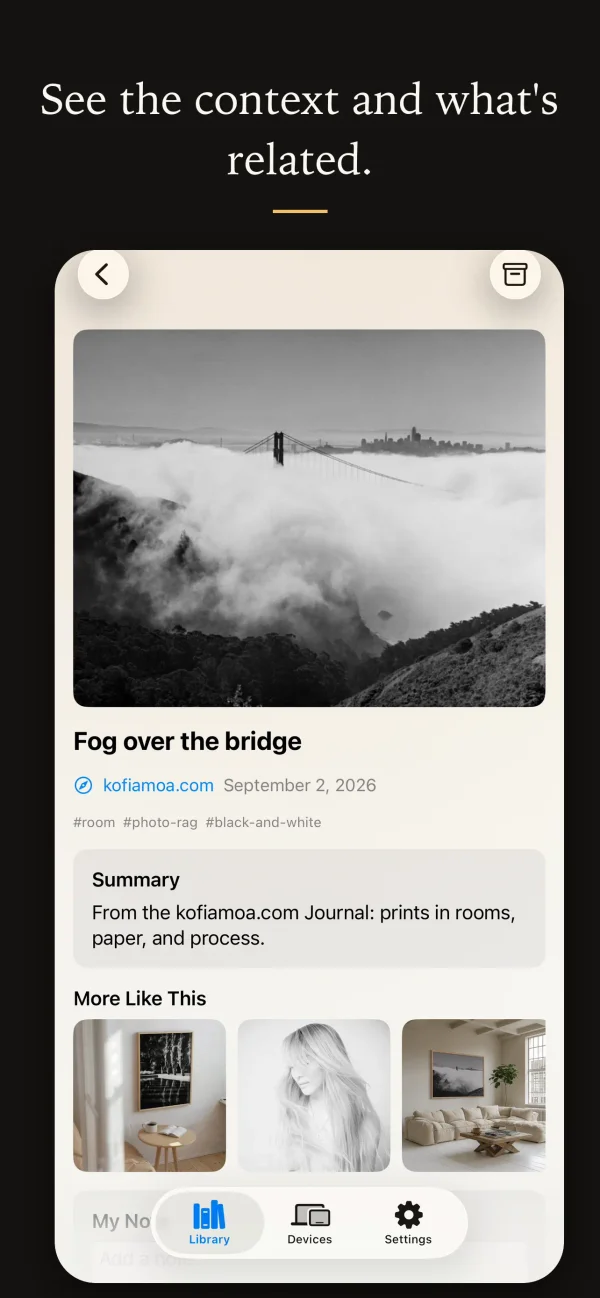
- Browse it visually. Your library is a grid of the things you saved.
- Find things again. Search across everything you have saved.
- Open it anywhere. Your items are plain files. You can read them, back them up, and move them without Tenoa.
NO ACCOUNT
There is nothing to sign up for. You never give Tenoa an email address. Open the app and start saving.
YOUR LIBRARY STAYS YOURS
Tenoa has no accounts or tracking. It hosts no library, and items live on your devices. If you pair Tenoa on this device with the Tenoa desktop app, your library syncs between them peer to peer with end-to-end encryption; Tenoa-operated rendezvous servers only help your devices find each other and never see readable content.
WORKS WITH YOUR COMPUTER
The desktop app adds browser capture and runs AI summaries and tags on your computer. An optional cloud AI is off by default and uses only your own provider key. Searching by meaning also lives on the desktop. Pair once and everything you save on your phone appears on your desktop, and the other way around. The iPhone and iPad app also works on its own: save, browse, and search without any other device.
WHAT IT COSTS
This app is free. No subscription, no in-app purchases.
A sample library is included so you can look around before you save anything of your own.
Questions: hello@tenoa.app
What’s new
Version 1.2.3 · Nov 4, 2026
- Saving from the share sheet shows "Saving to Tenoa…", then a banner with the picture, title, and "Saved to Tenoa". It clears after about three seconds, or swipe it up.
- When the desktop will fetch the full post, the banner says so in place of the title and stays a little longer. Failed saves show an exclamation mark and "Couldn't save" for about eight seconds.
- Saving an Instagram post with several pictures from the share sheet saves every picture, not just the first.
- A large library takes less time to appear when Tenoa opens, and a newly shared item shows up in the library sooner.
- Lines starting with # inside code blocks no longer show as headings in the note reader. Headings ending with extra # marks show without them.
- Search finds titles whether accented letters use one character or two, and treats capital and lowercase letters alike in more languages, so "istanbul" finds "İstanbul".
- More Like This no longer counts a tag that appears twice in a note as two matches.
- The three example cards Kintsugi, Bauhaus, and Camera obscura now credit Wikipedia and picture authors, and show their CC BY-SA 4.0 licence with links.
- A note with a header written in an older format can be restored from Trash again, and stays gone after Delete Forever.
- A note whose file name ends in capital .MD now appears in the library. A folder named Assets is skipped the same way every time.
- Saving a note on iPad with empty text after it changed on another device no longer adds an empty conflict section.
- Note titles with an emoji of several parts, or a soft hyphen, get the same file name on iPhone, iPad, Mac, and Windows. Existing notes are not renamed.
- Move to Trash closes the card right away and takes it out of the library. Tenoa finishes moving the files after.
App privacy
What Kofi Kumi declares on the App Store about how this app handles data.
-
Data not collected
The developer does not collect any data from this app.
Privacy practices may vary, for example with the features you use or your age.
Information
- Seller
- Kofi Kumi
- Category
- Productivity
- Version
- 1.2.3
- Updated
- Nov 4, 2026
- Released
- Sep 6, 2026
- Size
- 27.8 MB
- Requires
- iOS 17.0 or later
- Age rating
- 4+
- Languages
- English
- Copyright
- © 2026 Kofi Kumi
You might also like
-
 Voiq AIVoice-to-Life Organizer
-
 PerindexYour private personal library
-
 Nudge MonsterNever forget a birthday again
-
 Avatar.gift – Private AIFree AI assistant, your avatar
-
 Horae — Daily Time TrackingTrack where your time goes
-
 Jot - AI quick notes-takingFast Dictation & AI Recorder
-
 Listen Later: Text to PodcastArticles & PDFs into Podcasts
-
 Scrappy — Digitial ScrapbookFor ideas, research and fun
-
 Annotate: Screenshot MarkupBlur, Arrows, Crop & Draw Fast
-
 Clary: Your Second BrainYour AI Executive Assistant