
- Age rating12+
- CategoryProductivity
- DeveloperDenys Popov
- LanguagesEnglish
- Size47.3 MB
Links to the official App Store page
Download.org hosts no file of Things Tended: Task Reminder. The button opens its official App Store page, published by Denys Popov. Listing last checked on Nov 15, 2026.
Screenshots


About
Things Tended is a simple task planner and reminder app that helps you take care of everything that matters — on time.
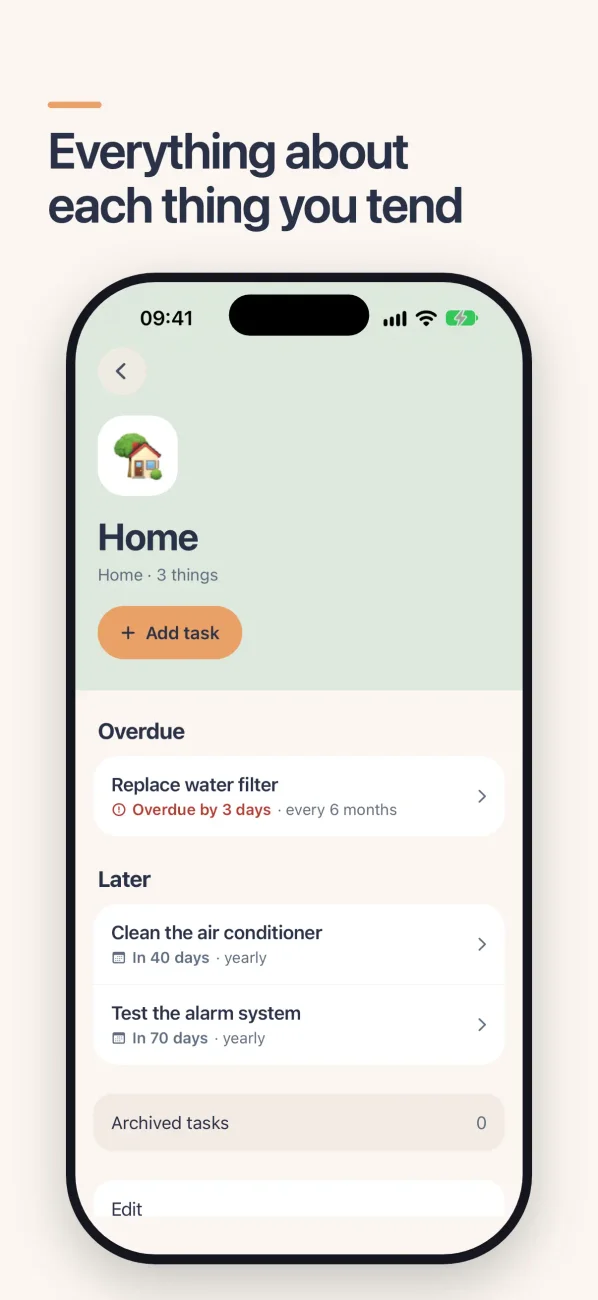
Add anything that needs regular attention: your car, home, health, documents, pets, appliances, electronics, plants, or something completely custom.
Create tasks for each item, such as changing your engine oil, vaccinating your pet, visiting the dentist, replacing a water filter, renewing insurance, or updating your passport.
KEY FEATURES
• View all your tasks in a monthly calendar.
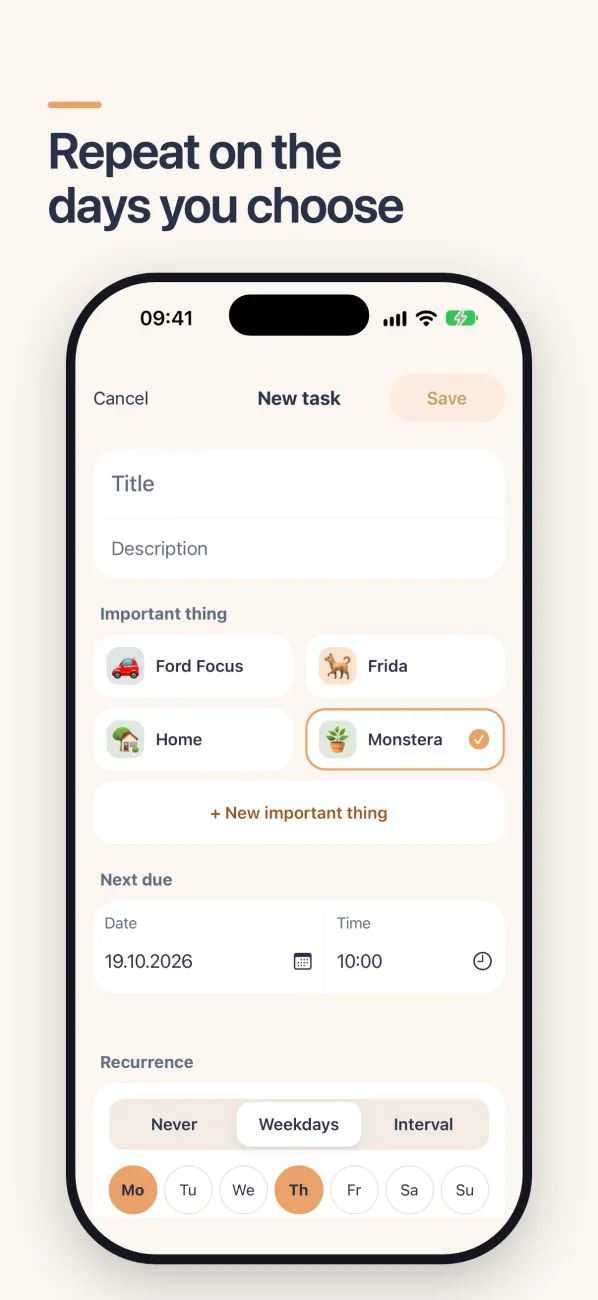
• Create one-time and recurring tasks.
• Repeat tasks every few days, weeks, months, or years.
• Schedule tasks for specific weekdays, such as Monday, Wednesday, and Friday.
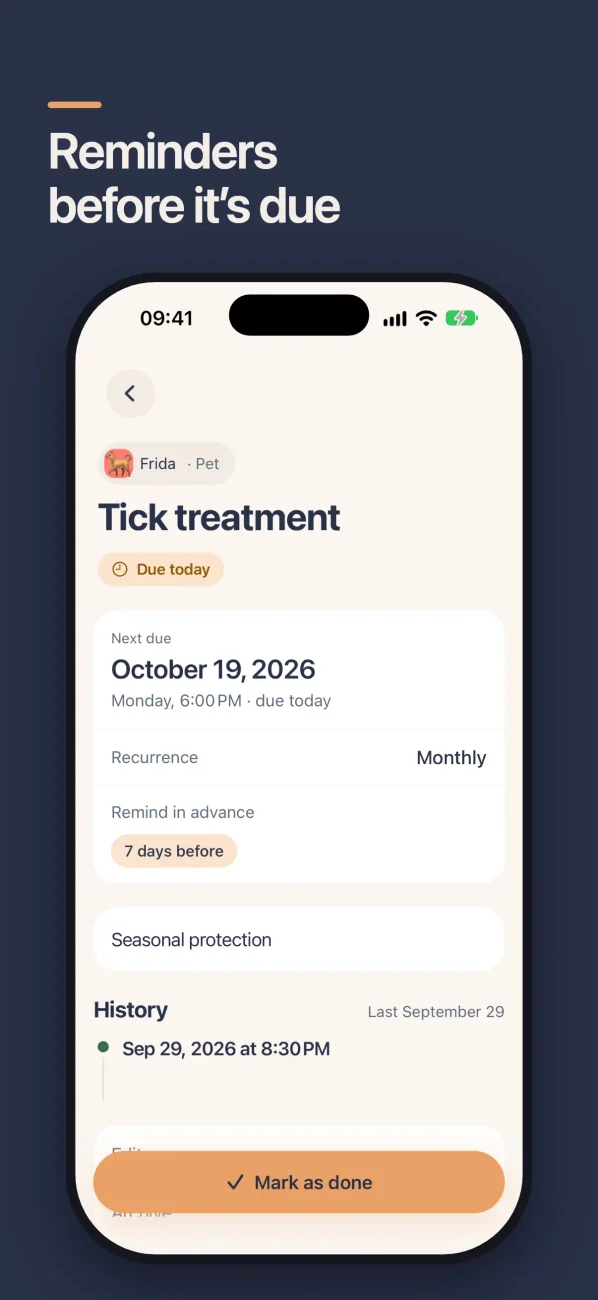
• Choose a due date and time and receive reminders in advance.
• Quickly see what is overdue, coming soon, or scheduled for later.
• View upcoming tasks in a Home Screen widget.
• Mark tasks as complete and keep a maintenance history.
• Automatically calculate the next date for recurring tasks.
• Keep working offline — your changes sync with your account when you reconnect.
With Things Tended, you don’t have to keep every important date in your head. Everything you need to take care of stays organized in one place.
What’s new
Version 1.1.4 · Oct 29, 2026
What's new in 1.1.4
NEW
• A new + button in the middle of the bottom bar: pick an important thing and add a task to it, or create a new important thing. Adding from Calendar works the same way, so you can now add subscriptions there too.
• Choose how each subscription renews: automatically, or manually for things you pay yourself, like a gym. A manual subscription waits for you to tap "Mark as paid" and shows as overdue if you miss the date.
• Cancel a subscription without deleting it. Reminders and charges stop, and it moves to a "Cancelled" list that shows how much you spent on it in total. You can resume it any time, and you won't be charged for the months it was off.
• Swipe an item left in your Important list to delete it. You'll still be asked to confirm.
CHANGED
• Settings moved to the gear button in the top-right corner of Home.
• Reminders now play their own soft chime, so you can tell them apart from other notifications.
FIXED
• Switches in the subscription form now line up with their labels.
App privacy
What Denys Popov declares on the App Store about how this app handles data.
-
Data linked to you
May be collected and linked to your identity.
- Contact info
- Other data
Privacy practices may vary, for example with the features you use or your age.
Information
- Seller
- Denys Popov
- Category
- Productivity
- Version
- 1.1.4
- Updated
- Oct 29, 2026
- Released
- Oct 18, 2026
- Size
- 47.3 MB
- Requires
- iOS 16.4 or later
- Age rating
- 12+
- Price
- Free
- Languages
- English
- Copyright
- © 2026 Denys Popov
You might also like
-
 Vohnyk: Family OrganizerShared lists, calendar & docs
-
 Hilka ClipFast Text Snippets
-
 PlanRemindAll in one planner and tracker
-
 Planiro: Habit & Task PlannerTasks, meals, workouts
-
 DOTHING - Tasks & FocusLess managing. More doing.
-
 Lumday: Birthday TrackerReminders & Countdown
-
 Dayveo: Day Planner & To-DoTasks, Habit Tracker & Focus
-
 Markdown Reader & Editor - MDMermaid Diagrams, PDF Export
-
 AI Keyboard: Reply & RewriteFix Grammar, Translate, Chat
-
 GENERATORProductivity