- Age rating4+
- CategoryPhoto & Video
- DeveloperBen Friedman
- LanguagesEnglish
- Size54.9 MB
Links to the official App Store page
Download.org hosts no file of Thirds Camera. The button opens its official App Store page, published by Ben Friedman. Listing last checked on Nov 23, 2026.
Screenshots
About
Thirds Camera coaches your framing while you shoot, then finishes the photo in a film-style editor. It's free, with no account, no ads and no tracking. Everything runs on your iPhone.
FINDS THE SHOT
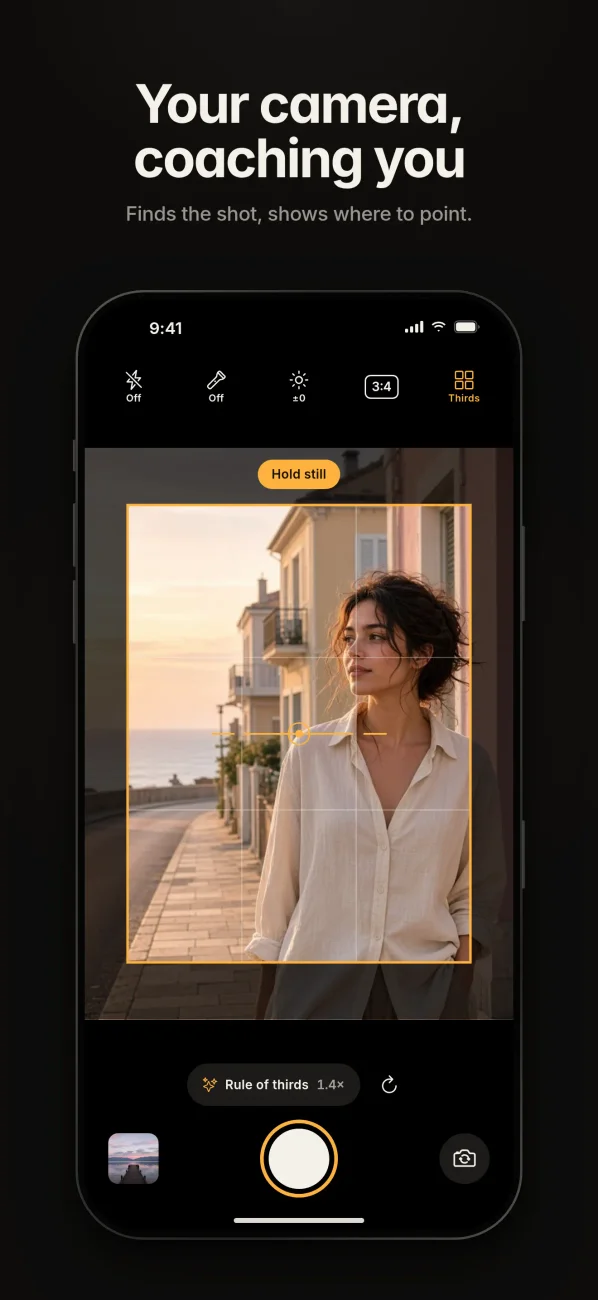
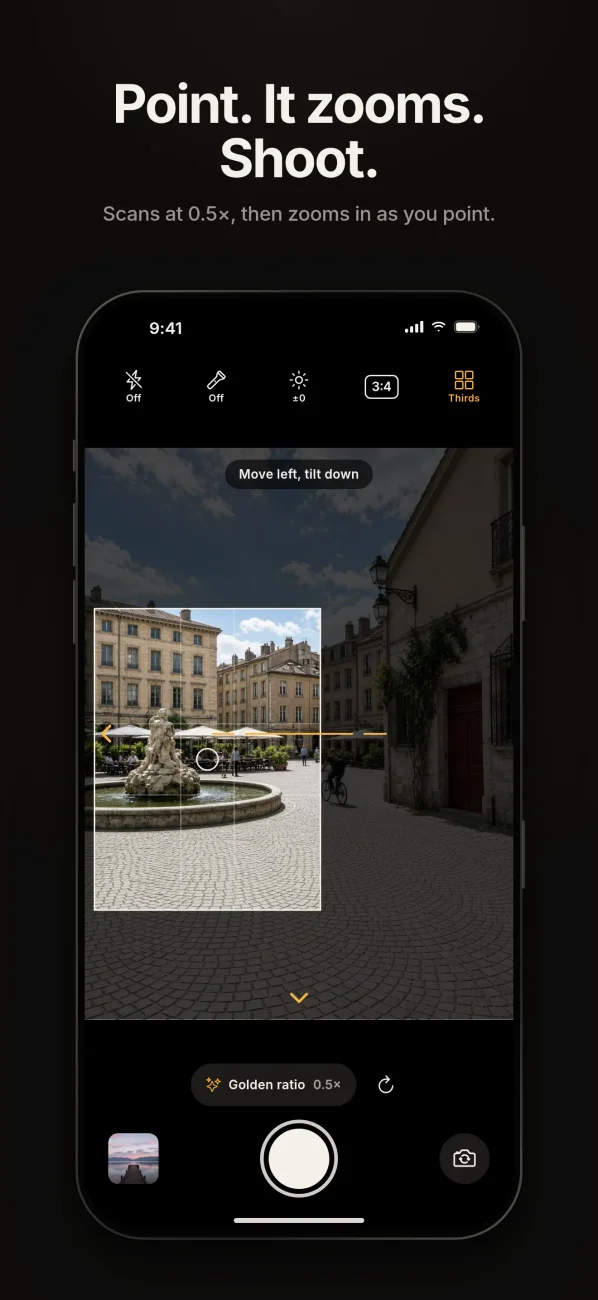
Tap Auto frame. The camera steps out to 0.5x, reads the scene on your phone and places a guide frame on the strongest composition, using the rule of thirds, the golden ratio, symmetry, leading lines and headroom.
SHOWS WHERE TO POINT
Arrows and short hints like "Move left, tilt up" lead you to the frame. As you aim, Thirds zooms between 1x and 5x for you, and the shutter ring lights up amber when you're lined up. Then just press the shutter.
A LEVEL THAT READS THE SCENE
The smart level only asks you to straighten when there's a clear horizon or strong vertical lines. A deliberate tilt over diagonals is left alone.
DRAW YOUR OWN FRAME
Drag a box on the viewfinder and Thirds aims for it and crops the photo to match. Shoot in 3:4, 4:5, 1:1 or 9:16 with thirds, golden-section or center guides.
FILM LOOKS, PICKED FOR YOU
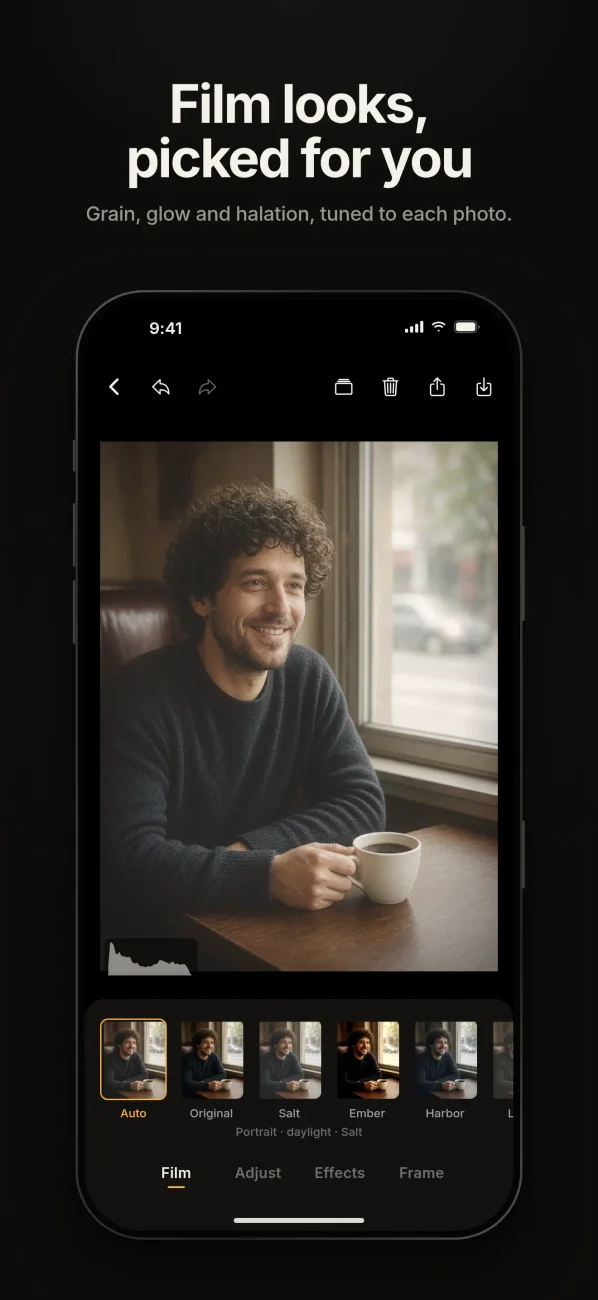
Auto edit reads each photo on your phone and picks a film look and settings to suit it. Or choose from eight presets: Plain, Salt, Ember, Harbor, Linen, Grove, Dusk and Ash. Fine-tune exposure, contrast, highlights, shadows, warmth, tint, saturation and fade.
FILM EFFECTS
Grain, motion, light leak, scratches, halation, dust, glow, fringe and vignette.
FRAMES
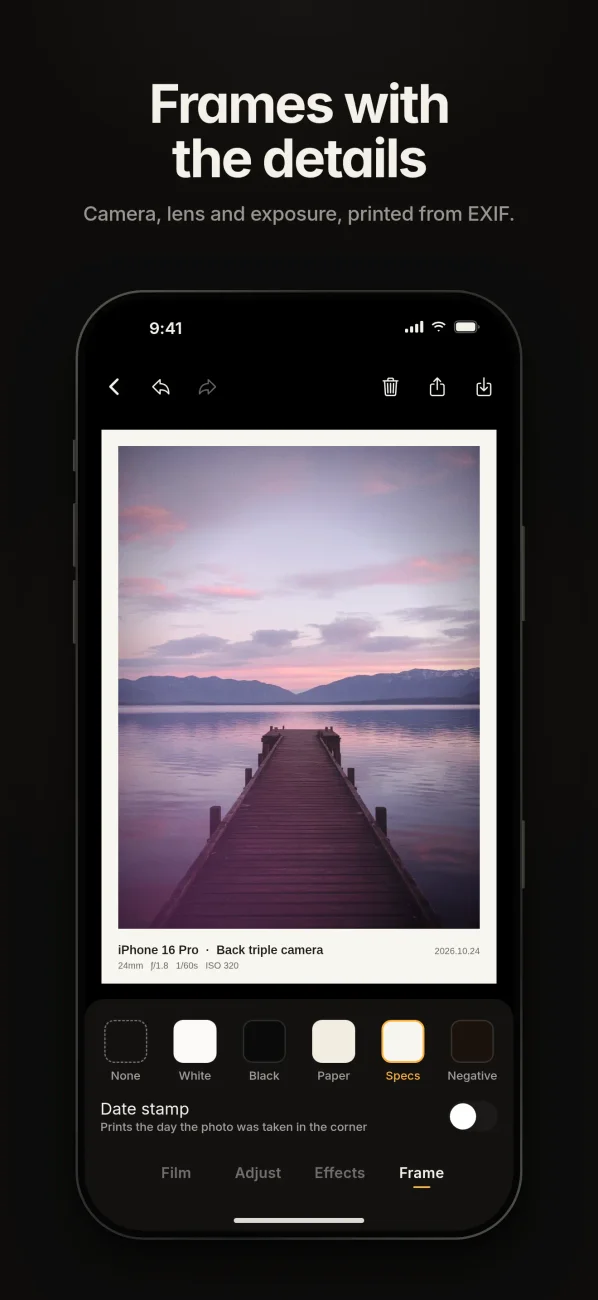
Specs prints your camera, lens, focal length, aperture, shutter speed, ISO and date under the photo. Negative puts your shot on a film strip with sprocket holes and frame numbers. There are also white, black and paper borders and an optional date stamp.
WHAT I SAW VS WHAT I TOOK
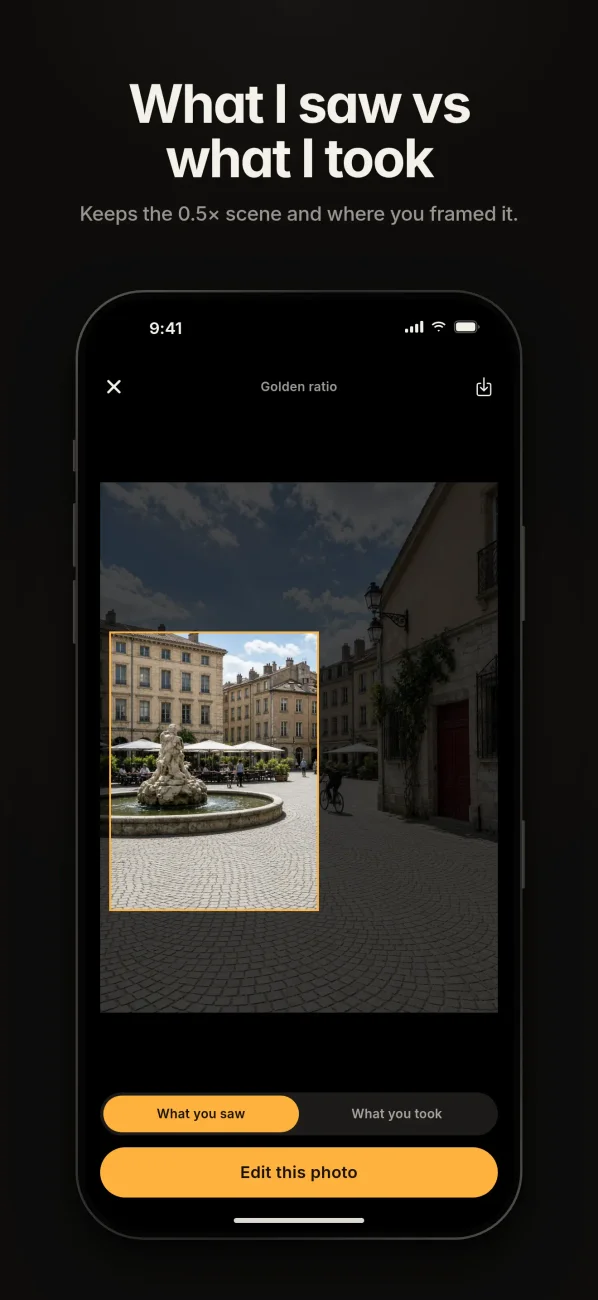
Save the wide 0.5x scan and your framed shot as one photo, side by side or stacked, or save each on its own.
AND MORE
• Undo and redo, a live histogram, and touch and hold to see the original
• Full-resolution export
• Share sizes: original, 4:5, 1:1 and 9:16
• Reopen and re-edit any photo from the library
• Exposure, flash and torch controls
PRIVATE BY DESIGN
No account, no analytics, no network code. Your photos stay on your phone unless you save or share them.
What’s new
Version 1.2.2 · Nov 10, 2026
Fixes a crash on launch for iPhones running iOS 16 and 17.
App privacy
What Ben Friedman declares on the App Store about how this app handles data.
-
Data not collected
The developer does not collect any data from this app.
Privacy practices may vary, for example with the features you use or your age.
Information
- Seller
- Ben Friedman
- Category
- Photo & Video
- Version
- 1.2.2
- Updated
- Nov 10, 2026
- Released
- Nov 6, 2026
- Size
- 54.9 MB
- Requires
- iOS 16.4 or later
- Age rating
- 4+
- Price
- Free
- Languages
- English
- Copyright
- © 2026 Ben Friedman
You might also like
-
 SV Super TimestampPhoto & Video
-
 SCENE:Cinematic Film Recipe Editor
-
 MIKEY 7SRetro Photo Filters & RAW Cam
-
 FilmRoll - Retro Film Camera24 Shots. Develop. Relive.
-
 Kihya Camera: K-Style FiltersKorean Tones. No Ads. Fast.
-
 RollEvent - Disposable CameraDisposable camera
-
 LongotLongot image display system
-
 E-Log - Log Camera & LUTsCinematic video made easy
-
 Revive - enhance, retakeRestore, Retake & Animate
-
 Log Cam: RAW 4K Video CameraManual Focus, ProRes, Pro LUTs