- Độ tuổi4+
- Danh mụcẢnh & Video
- Nhà phát triểnBen Friedman
- Ngôn ngữTiếng Anh
- Kích thước54,9 MB
Liên kết đến trang App Store chính thức
Download.org không lưu trữ tệp nào của Thirds Camera. Nút này mở trang ứng dụng trên App Store, nơi Ben Friedman phát hành ứng dụng. Trang được kiểm tra lần cuối: 23/11/2026.
Ảnh chụp màn hình
Giới thiệu
Nhà phát triển chưa cung cấp nội dung này bằng ngôn ngữ của bạn.
Thirds Camera coaches your framing while you shoot, then finishes the photo in a film-style editor. It's free, with no account, no ads and no tracking. Everything runs on your iPhone.
FINDS THE SHOT
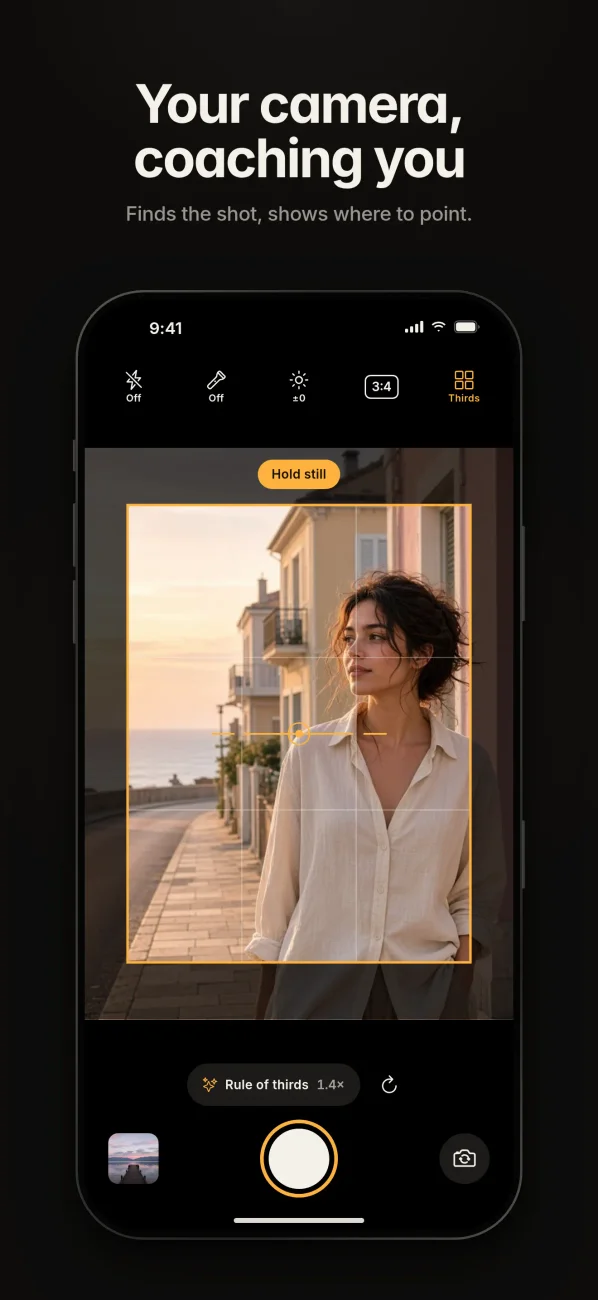
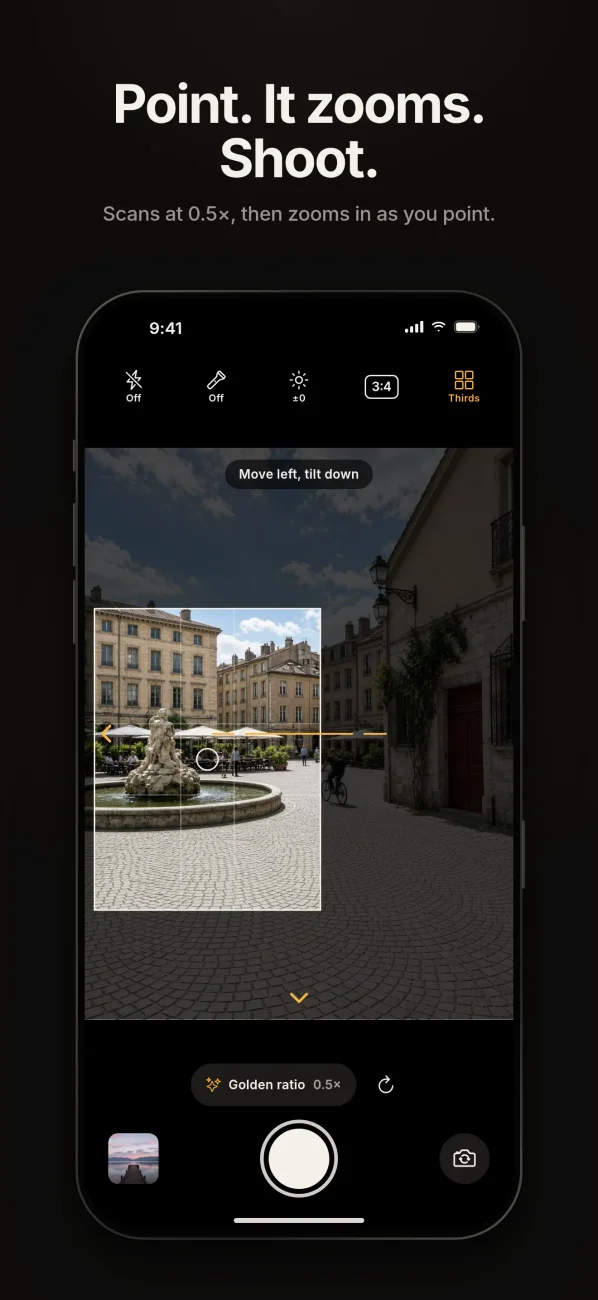
Tap Auto frame. The camera steps out to 0.5x, reads the scene on your phone and places a guide frame on the strongest composition, using the rule of thirds, the golden ratio, symmetry, leading lines and headroom.
SHOWS WHERE TO POINT
Arrows and short hints like "Move left, tilt up" lead you to the frame. As you aim, Thirds zooms between 1x and 5x for you, and the shutter ring lights up amber when you're lined up. Then just press the shutter.
A LEVEL THAT READS THE SCENE
The smart level only asks you to straighten when there's a clear horizon or strong vertical lines. A deliberate tilt over diagonals is left alone.
DRAW YOUR OWN FRAME
Drag a box on the viewfinder and Thirds aims for it and crops the photo to match. Shoot in 3:4, 4:5, 1:1 or 9:16 with thirds, golden-section or center guides.
FILM LOOKS, PICKED FOR YOU
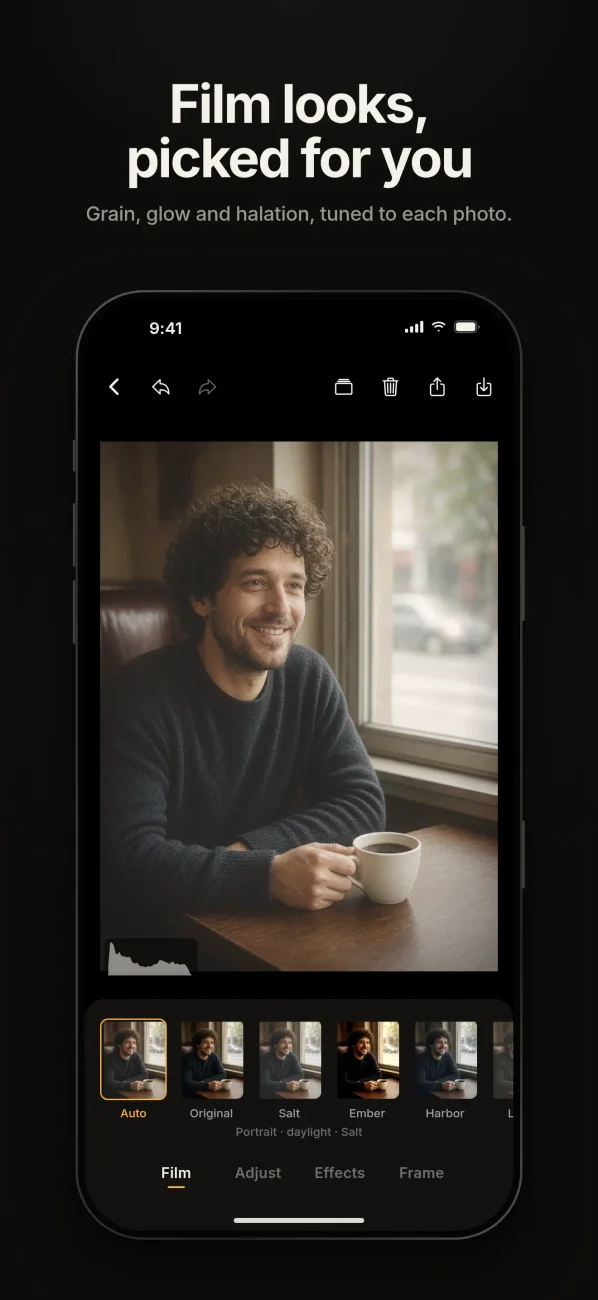
Auto edit reads each photo on your phone and picks a film look and settings to suit it. Or choose from eight presets: Plain, Salt, Ember, Harbor, Linen, Grove, Dusk and Ash. Fine-tune exposure, contrast, highlights, shadows, warmth, tint, saturation and fade.
FILM EFFECTS
Grain, motion, light leak, scratches, halation, dust, glow, fringe and vignette.
FRAMES
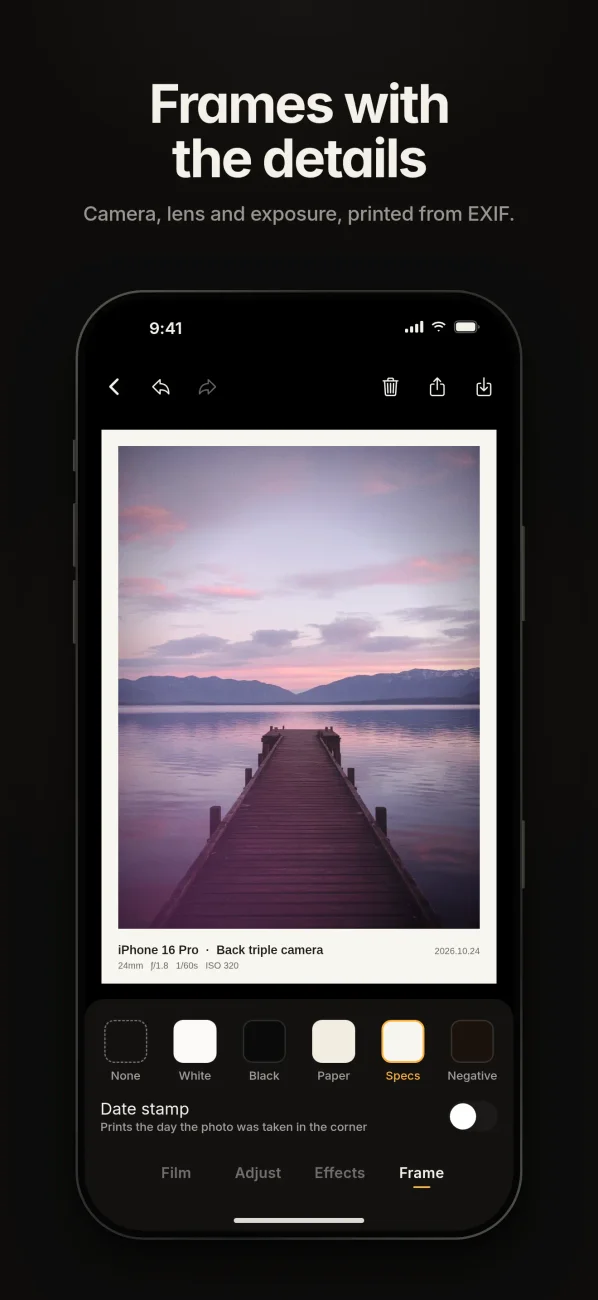
Specs prints your camera, lens, focal length, aperture, shutter speed, ISO and date under the photo. Negative puts your shot on a film strip with sprocket holes and frame numbers. There are also white, black and paper borders and an optional date stamp.
WHAT I SAW VS WHAT I TOOK
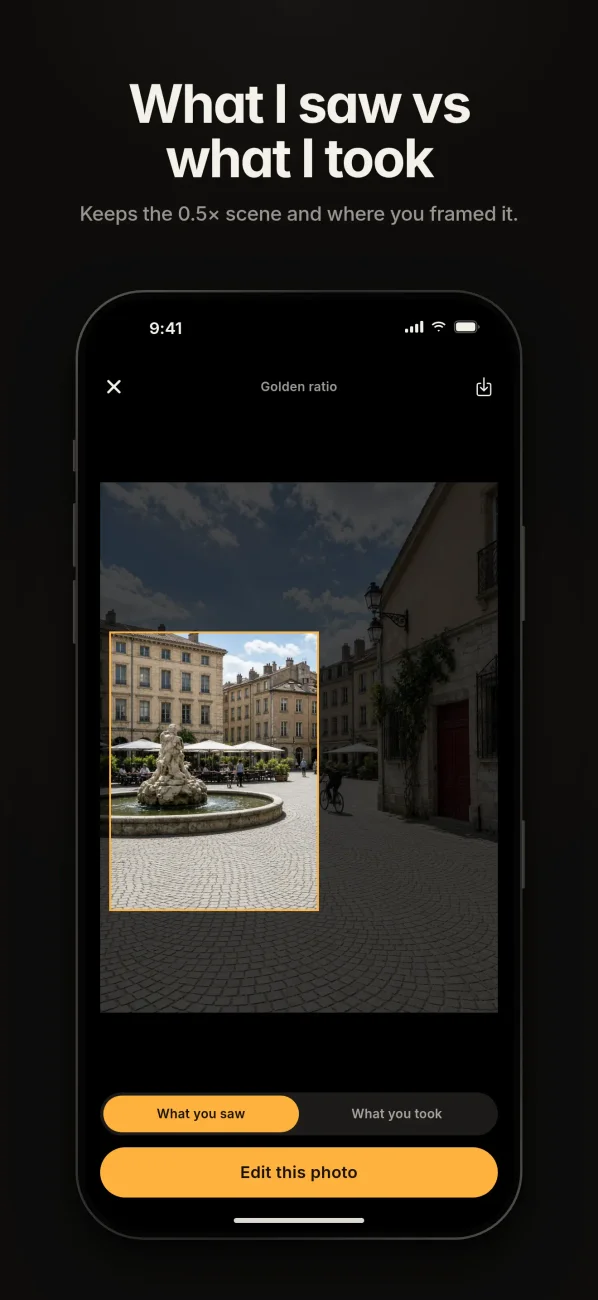
Save the wide 0.5x scan and your framed shot as one photo, side by side or stacked, or save each on its own.
AND MORE
• Undo and redo, a live histogram, and touch and hold to see the original
• Full-resolution export
• Share sizes: original, 4:5, 1:1 and 9:16
• Reopen and re-edit any photo from the library
• Exposure, flash and torch controls
PRIVATE BY DESIGN
No account, no analytics, no network code. Your photos stay on your phone unless you save or share them.
Có gì mới
Phiên bản 1.2.2 · 10/11/2026
Fixes a crash on launch for iPhones running iOS 16 and 17.
Quyền riêng tư của ứng dụng
Những gì Ben Friedman khai báo trên App Store về cách ứng dụng này xử lý dữ liệu.
-
Dữ liệu không được thu thập
Nhà phát triển không thu thập bất kỳ dữ liệu nào từ ứng dụng này.
Phương thức đảm bảo quyền riêng tư có thể khác nhau, chẳng hạn như tuỳ theo các tính năng bạn sử dụng hoặc độ tuổi của bạn.
Thông tin
- Người bán
- Ben Friedman
- Danh mục
- Ảnh & Video
- Phiên bản
- 1.2.2
- Cập nhật
- 10/11/2026
- Phát hành
- 06/11/2026
- Kích thước
- 54,9 MB
- Yêu cầu
- iOS 16.4 trở lên
- Độ tuổi
- 4+
- Giá
- Miễn phí
- Ngôn ngữ
- Tiếng Anh
- Bản quyền
- © 2026 Ben Friedman
Có thể bạn cũng thích
-
 SV Super TimestampẢnh & Video
-
 SCENE:Ảnh & Video
-
 MIKEY 7SẢnh & Video
-
 FilmRoll - Máy ảnh phim retro24 ảnh. Rửa phim. Sống lại.
-
 Kihya Camera: Bộ lọc Hàn QuốcKhông quảng cáo, mở là chụp
-
 RollEvent - Disposable CameraẢnh & Video
-
 LongotẢnh & Video
-
 E-Log - Log Camera & LUTsẢnh & Video
-
 Revive - Restore Old PhotosColorize & Enhance with AI
-
 Log Cam: RAW 4K Video CameraẢnh & Video