Thoughtstream: Private Notes
Capture, find, grow your ideas
Designed for iPhone, iPad
- Age rating4+
- CategoryProductivity
- DeveloperGetravs Technologies Private Limited
- LanguagesEnglish
- Size7.2 MB
Links to the official App Store page
Download.org hosts no file of Thoughtstream: Private Notes. The button opens its official App Store page, published by Getravs Technologies Private Limited. Listing last checked on Nov 6, 2026.
Screenshots
About
Give your thoughts somewhere to grow.
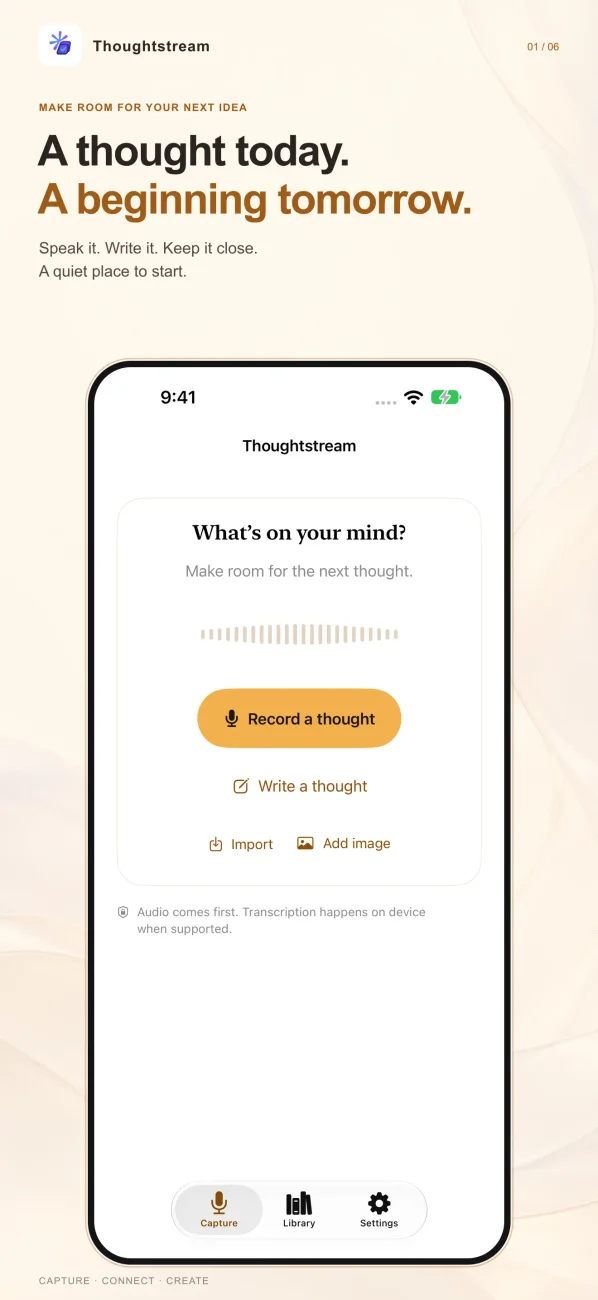
Thoughtstream is a private notebook for ideas you want to capture, review, connect and develop. Speak, write, import audio or text/Markdown, or attach an image. No title or category is required.
CAPTURE AND REVIEW
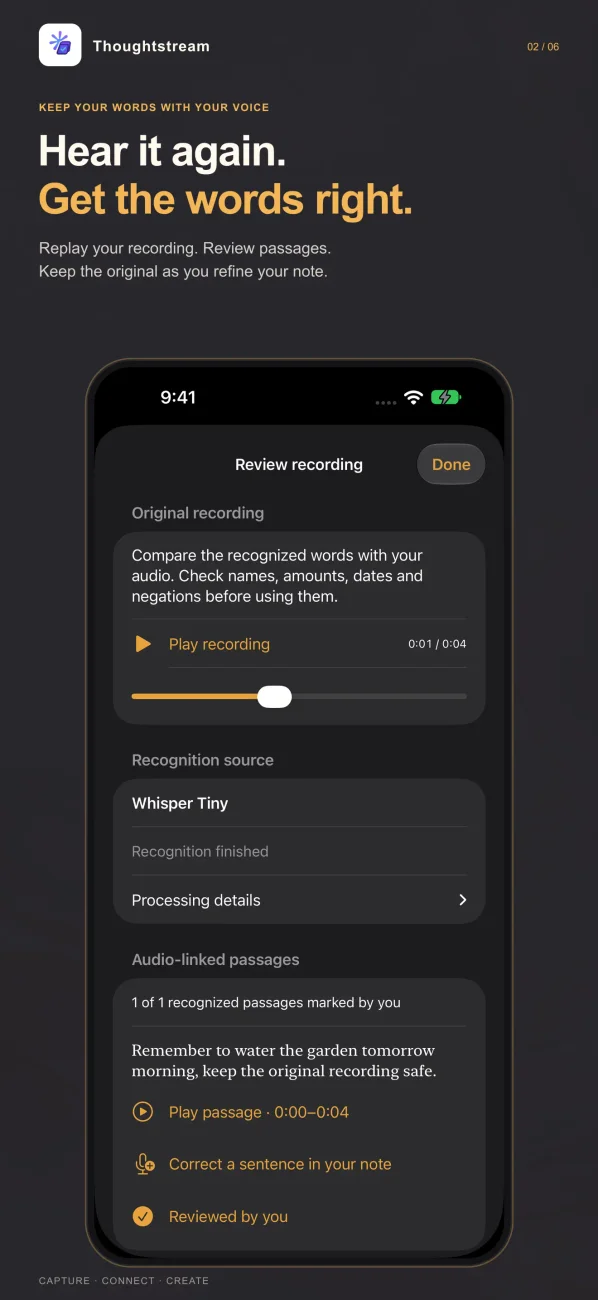
See recognized words during recording and after saving. Supported devices use modern Apple live transcription; others try on-device dictation when available. Finish partial text from saved audio. Original and latest recognized words stay separate from edited writing, and recordings remain available when recognition fails.
Open Review recording to compare words with audio. Play matched passages and mark words you have checked; missing or mismatched timing uses whole-recording playback. Processing details show the recorded engine, language, source and available revision. Older unknown history stays unknown. Review marks are not accuracy scores. Check names, amounts and decisions.
CORRECT WITH CONTROL
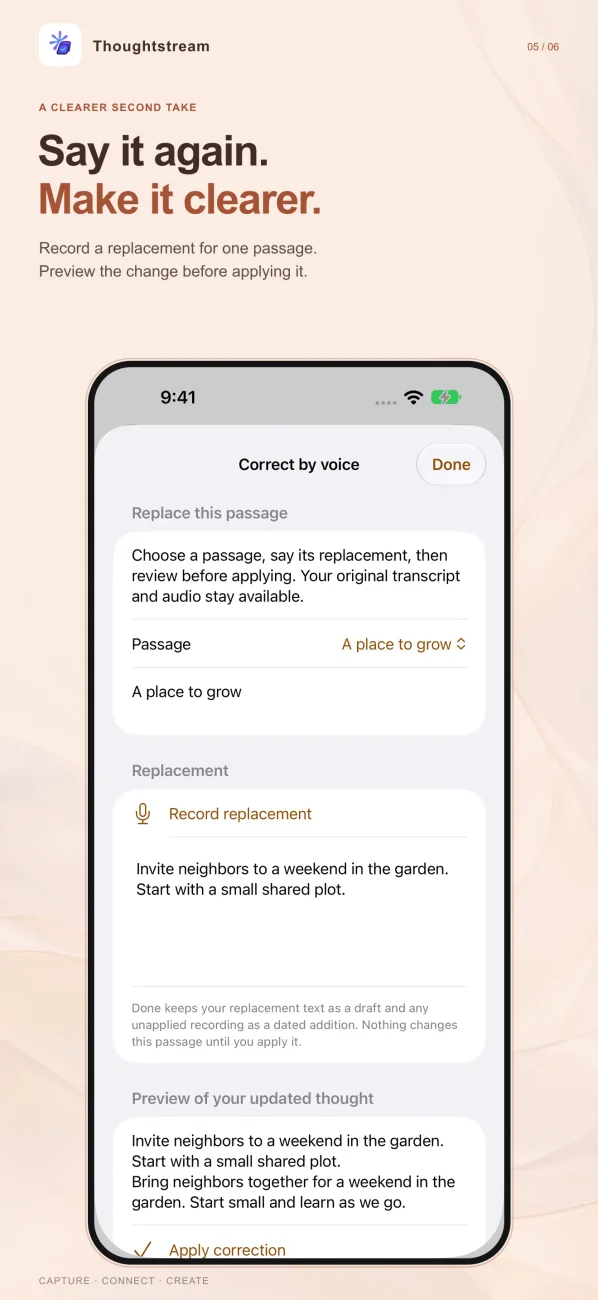
Select a sentence and record or type its replacement. Listen, preview, then Apply. Before/after history and replacement audio stay available; Undo while the correction remains current. Resume unfinished replacement text as a local draft. Unapplied recordings can be kept as dated additions. Re-transcribing additions preserves edited writing.
ORGANIZE YOUR WORDS
Points previews numbered or bulleted lists from clear spoken cues such as First, Second, Third. Unclear sequences stay unformatted. For Goal, Plan or Script, place exact passages under headings; unassigned words remain in Notes. Preview and save a separate organized version with its source. No goals or lines are invented. Formatting does not fix misheard words. No AI download required.
OPTIONAL OFFLINE SPEECH
Choose US, UK or India English for System recognition. Modern Apple recognition needs supported hardware and installed assets. Or download the compact English pack for saved/imported and replacement recordings: about 79 MB plus preparation space. Live capture stays Apple. Personal vocabulary helps Apple recognition. Accuracy varies; this is recognition, not language translation.
FIND, RETURN AND CONNECT
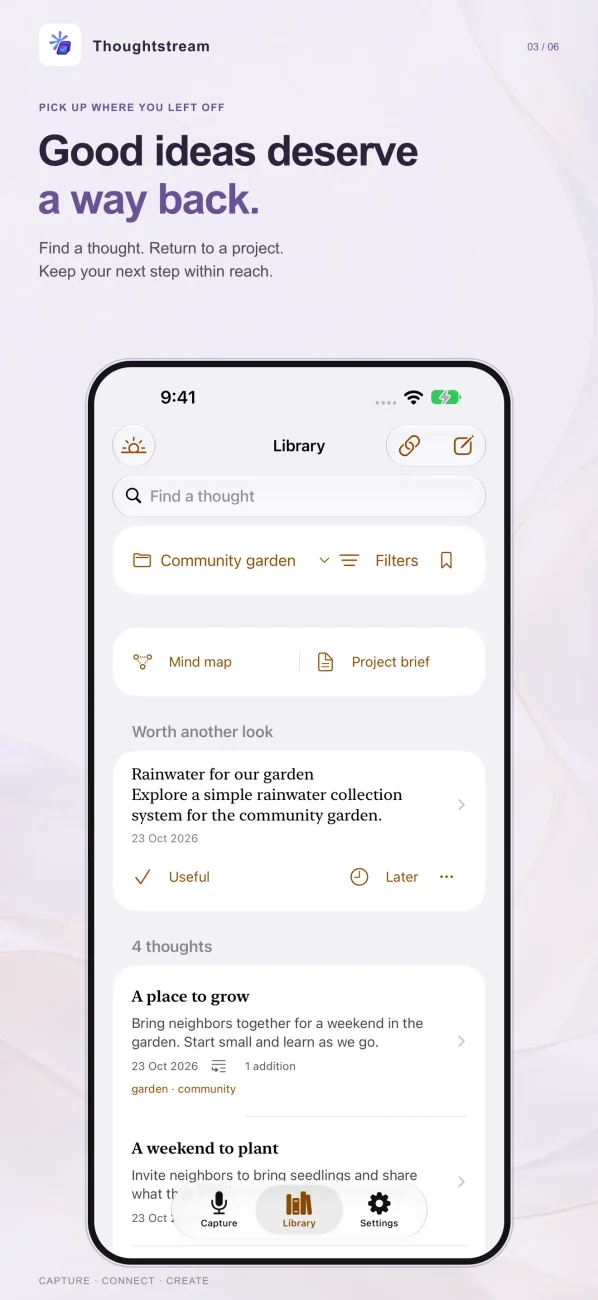
Search words, word beginnings, additions, collections and recognized image text. Optional meaning search uses supported Apple on-device embeddings. Save searches with filters. Continue recent projects with their visible collection, filters and search; forget history at any time.
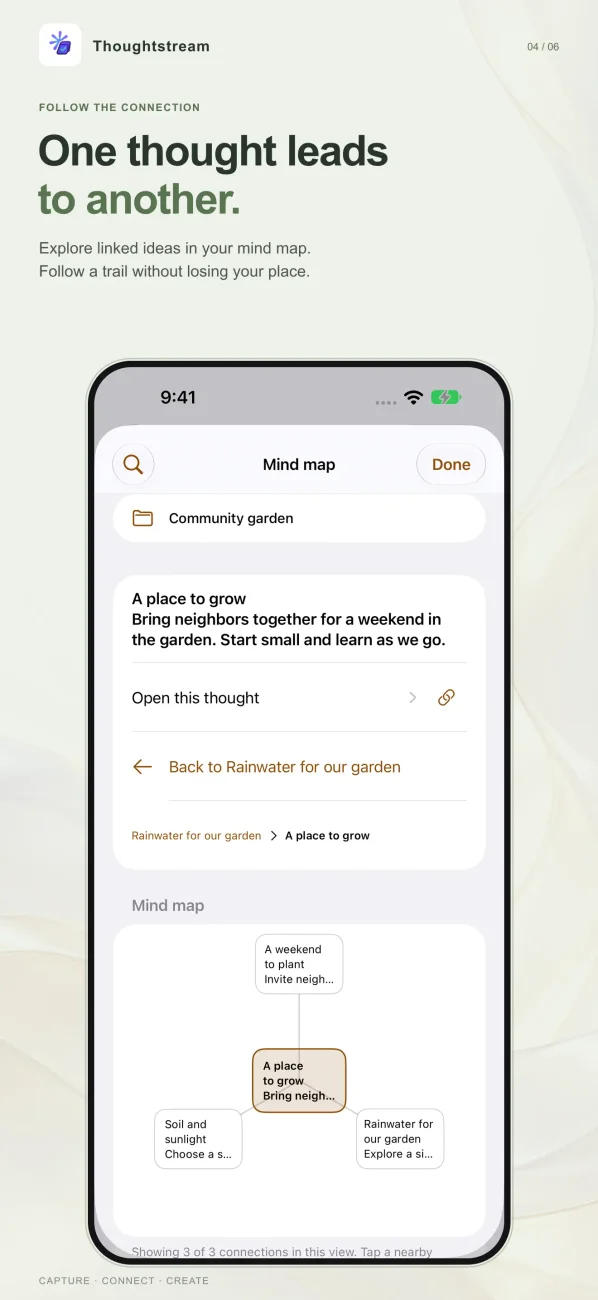
Explore accepted links in a focused Mind map or complete list. Named trails support Back, earlier steps and optional resume. Links outside the selected view remain available. Collections, favorites, tags, Archive and restorable Trash are optional.
SOURCE-LINKED BRIEFS
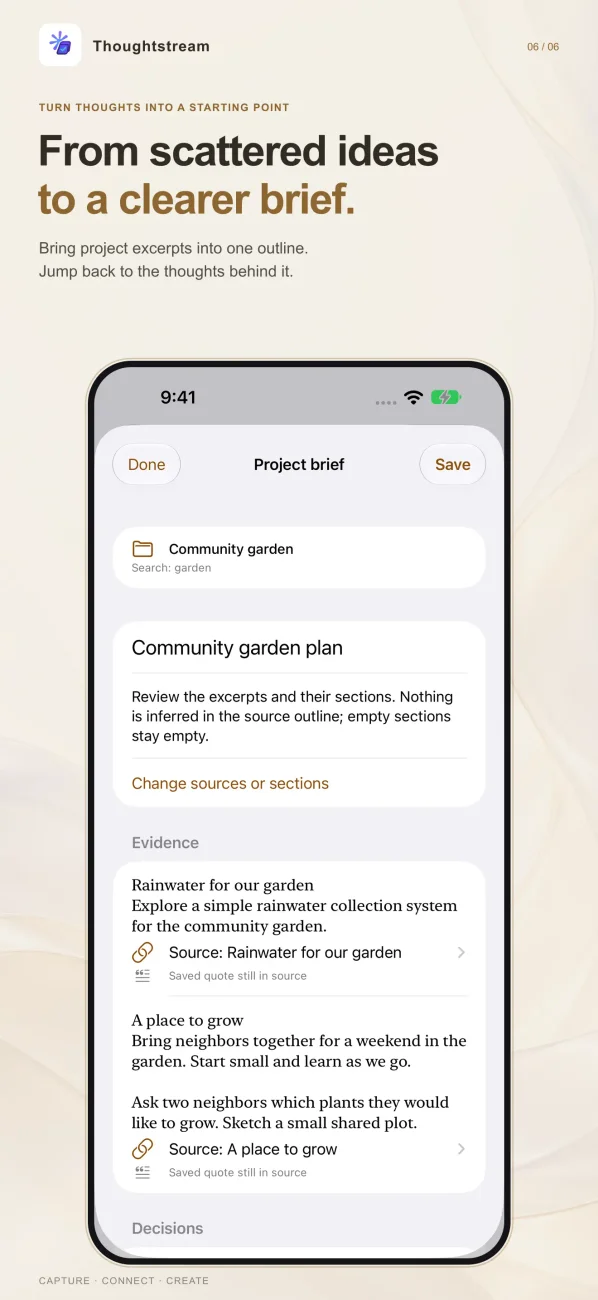
Choose up to eight thoughts and exact excerpts for Evidence, Decisions, Open questions or Next steps. Preview and save in the selected collection. Check next steps; originals show briefs citing them. Source status distinguishes present quotes, removed passages, archived sources, Trash and missing originals. Saved quotes survive source deletion. Excerpts are limited to 1,200 characters per source. Eligible Apple Intelligence devices can suggest sections from exact quotes; review before saving.
LISTEN AND KEEP
Read aloud with installed Apple voices, speed and passage controls. Add dated writing or recordings. Protect access with Face ID, Touch ID or passcode. Export Markdown/PDF or complete media backups. Local automatic backups stay on this device; export elsewhere for device-loss protection. Exports are readable, not encrypted archives.
No account, subscription, tracking, app cloud sync or developer transcription server. Optional downloads contact their host; audio and writing are processed locally. Device backups and chosen destinations follow your settings.
Previously Ideationplay. Existing records, original details and valid relationships are retained.
What’s new
Version 1.8 · Oct 25, 2026
- Review recognized passages alongside the original recording and mark words you have checked.
- See recorded recognition engine, language, source and available model revisions without guessing older history.
- Return to recent projects with one tap, including their visible collection, filters and search.
- Improve optional speech downloads over costly Wi-Fi connections, with bounded retries for temporary connection failures and retained completed files.
- Preserve original words, recording metadata and review marks in complete backups.
- Keep reversible corrections, organized versions, named map trails and source-linked project briefs.
App privacy
What Getravs Technologies Private Limited declares on the App Store about how this app handles data.
-
Data not collected
The developer does not collect any data from this app.
Privacy practices may vary, for example with the features you use or your age.
Information
- Seller
- Getravs Technologies Private Limited
- Category
- Productivity
- Version
- 1.8
- Updated
- Oct 25, 2026
- Released
- Oct 17, 2026
- Size
- 7.2 MB
- Requires
- iOS 17.0 or later
- Age rating
- 4+
- Languages
- English
- Copyright
- © 2026 RAVS. All rights reserved.
You might also like
-
 Brain Training: Ideation AICreativity, Critical Thinking
-
 VoiCat - AI Voice to TextTurn Voice Into Insights
-
 Pocketify – Save & Read LaterBookmarks, highlights, RSS
-
 Willow Dictation & AI KeyboardVoice typing for work & chat
-
 PomoFocus · Daily PlannerTo-Do List & Visual Calendar
-
 Cloud AI: Chat & Design AgentsCreate Image, Video, PPT, Code
-
 Google AI Edge EloquentUnlimited, no cost dictation
-
 Auto Redial - Phone Call RetryBusy Line Dialer - Fast Repeat
-
 PDF Export: Editor & ConverterTools, Scan, Compress & Merge