
Thunderstorm Simulator
Rain and lightning effects
Designed for iPhone, iPad, iPod touch
$1.99
- Age rating12+
- CategoryEntertainment
- DeveloperScott Dodson
- LanguagesEnglish
- Size72.1 MB
Links to the official App Store page
Download.org hosts no file of Thunderstorm Simulator. The button opens its official App Store page, published by Scott Dodson. Listing last checked on Nov 17, 2026.
Screenshots
About
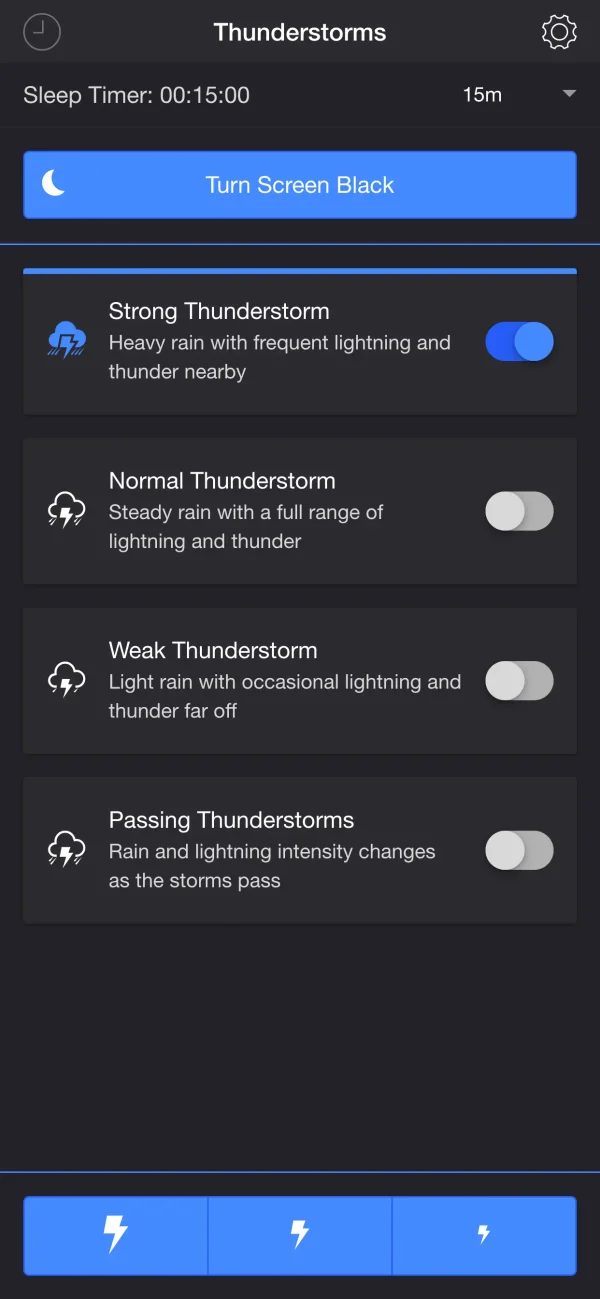
Summon a thunderstorm on your mobile device. Relax and fall fast asleep to the sounds of rain and thunder. The screen or camera flashes when lightning strikes.*
*Defaults to screen for lightning light effects if camera flash is not available.
THUNDERSTORMS
• Strong Thunderstorm — Heavy rain with frequent lightning and thunder nearby
• Normal Thunderstorm — Steady rain with a full range of lightning and thunder
• Weak Thunderstorm — Light rain with occasional lightning and thunder far off
• Passing Thunderstorms — Rain and lightning intensity changes as the storms pass
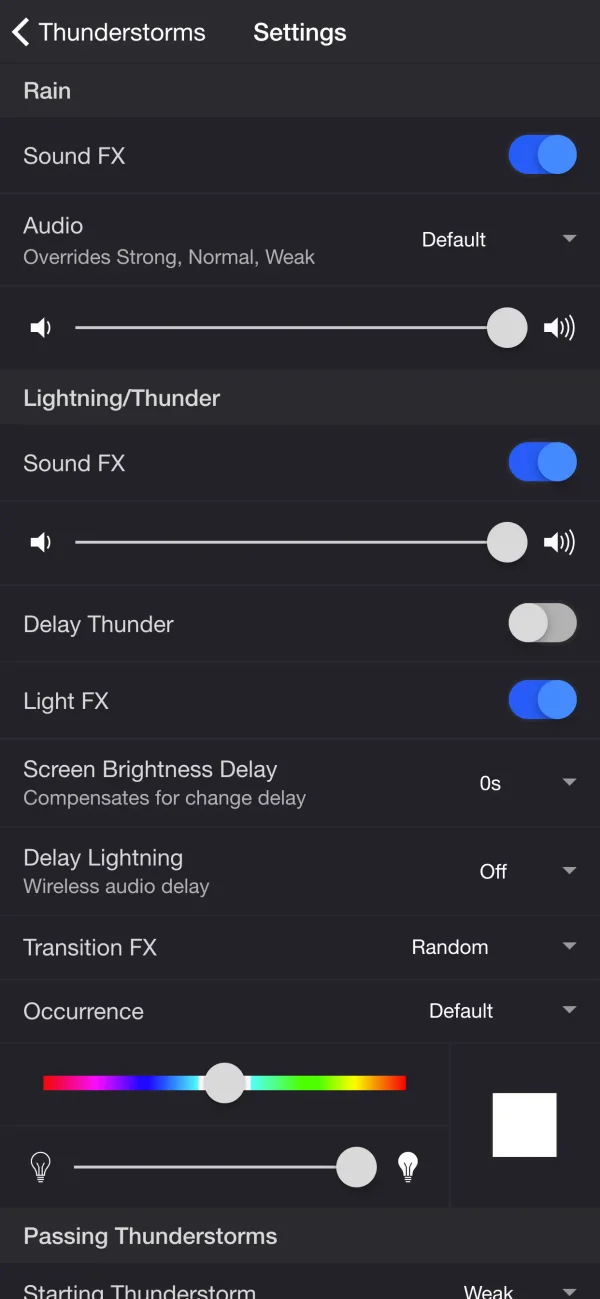
SETTINGS
Rain
• Toggle rain sound effects
• Change rain audio: Default, Heavy, Steady, Light, On Tin Roof
• Change rain volume
Lightning/Thunder
• Toggle thunder sound effects
• Change thunder volume
• Change delay lightning (Wireless audio delay offset)
• Toggle delay thunder
• Toggle lightning light effects
• Change lightning output: Camera Flash, Screen
• Change lightning transition effects
• Change lightning/thunder occurrence: Default, Occasional, Normal, Frequent
• Change color and max brightness of lightning light effects (Screen only)
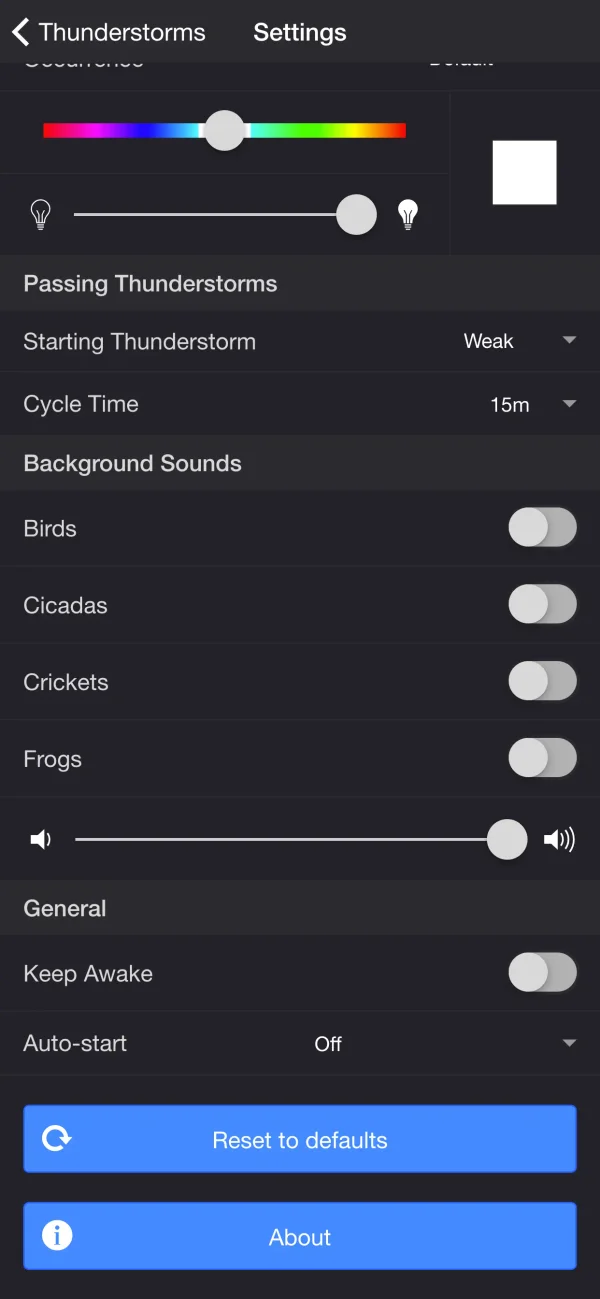
Passing Thunderstorms
• Change starting storm for Passing Thunderstorms: Weak, Normal, Strong
• Change cycle time for Passing Thunderstorms: 15m, 30m, 60m
Background Sounds
• Toggle background sounds: Birds, Cicadas, Crickets, Frogs
• Change background sounds volume
General
• Keep Awake to prevent your device from going to sleep so lightning effects remain visible
• Select a mode to automatically start when the app opens
• Choose a time to automatically stop the selected mode
• Choose a time to automatically restart the selected mode when the sleep timer ends, enabling a recurring cycle
ADDITIONAL FEATURES
• Sleep Timer — Set a timer with a gradual audio fade-out.
• Turn Screen Black — Adds a black overlay and sets the device to minimum brightness. Use the Screen Brightness Delay setting to compensate for brightness ramp-up on some devices. Set to 0.25–1 second if lightning effects do not reach peak brightness when thunder is loudest.
• Lightning on Demand — Start a storm and use the lightning buttons at the bottom of the screen for manual control.
• Bluetooth Support — Connect to Bluetooth speakers. Adjust the Delay Lightning setting to offset wireless audio delay.
Please contact me at support@thunderstorm.scottdodson.dev if you experience any issues. I'd love to hear your thoughts and appreciate you taking the time to rate and review the app. I want to continue to improve Thunderstorm Simulator and create a great experience for you and future users. Thank you! —Scott
Ad-supported version: https://apps.apple.com/us/app/thunderstorm-simulator-w-ads/id1482707561
What’s new
Version 3.6.6 · Oct 7, 2026
Need help? Email support@thunderstorm.scottdodson.dev
- fixed compatibility issue
App privacy
What Scott Dodson declares on the App Store about how this app handles data.
-
Data not collected
The developer does not collect any data from this app.
Privacy practices may vary, for example with the features you use or your age.
Information
- Seller
- Scott Dodson
- Category
- Entertainment
- Version
- 3.6.6
- Updated
- Oct 7, 2026
- Released
- Feb 1, 2017
- Size
- 72.1 MB
- Requires
- iOS 15.0.0 or later
- Age rating
- 12+
- Price
- $1.99
- Languages
- English
- Copyright
- © Scott Dodson
You might also like
-
 Engine Sounds & RevsEngine and rev sound effects!
-
 Thunderstorm simulationCreate lightning and rain!
-
 BannerEntertainment
-
 Space UIProcedural Sci-Fi Interfaces
-
 happe: crowdsourced happeningsBuild your hometown go-to app
-
 iKoi - Zen Koi Pond ASMRRelax and relieve stress.
-
 Natural Sounds.Entertainment
-
 Stormy AmbienceEntertainment
-
 BlupikExperience Entertainment
-
 Survivor Pool OptimizerEntertainment