Ticknow: Tasks & Live Activity
Calendars & tasks in one app
Designed for iPhone, iPad
Free
- Age rating4+
- CategoryProductivity
- DeveloperPeter Feranc
- LanguagesEnglish+ 31 more
- Size6.7 MB
Links to the official App Store page
Download.org hosts no file of Ticknow: Tasks & Live Activity. The button opens its official App Store page, published by Peter Feranc. Listing last checked on Nov 15, 2026.
Screenshots
About
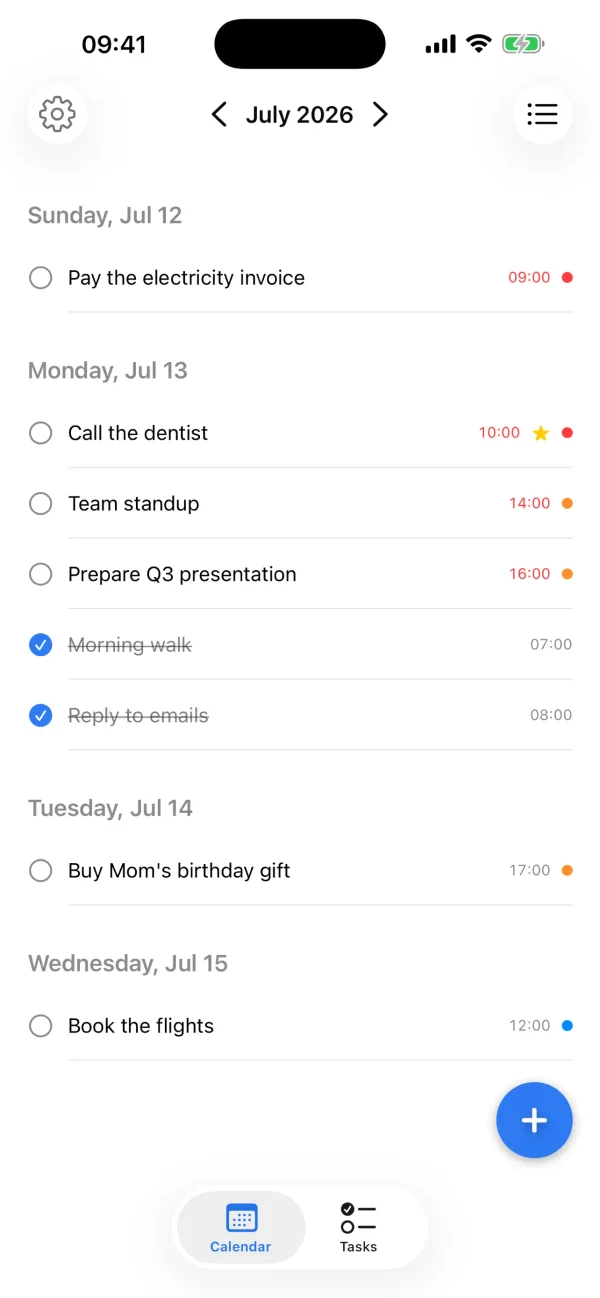
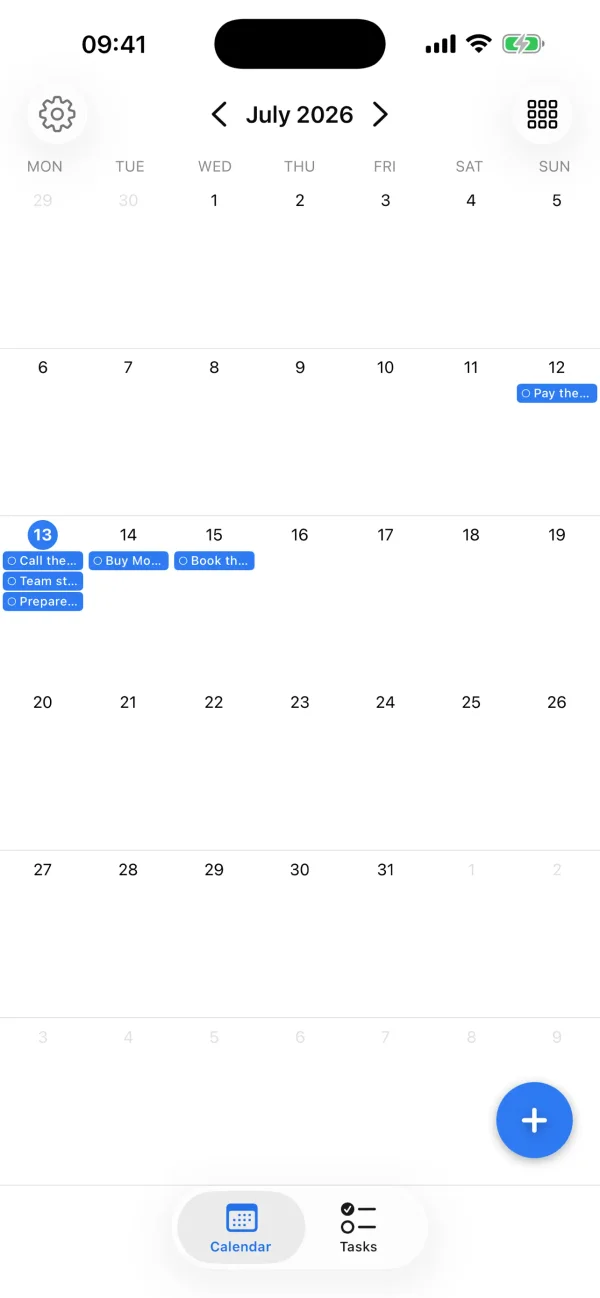
Ticknow brings the calendars you already have on your iPhone — Apple, iCloud, Google and more — together with a proper task manager. Plan your month, tick things off, and pin what matters right to your Lock Screen. Everything stays on your device and syncs privately through your own iCloud.
NEVER FORGET A THING
• Pin any task or event as a Live Activity — it lives on your Lock Screen and in the Dynamic Island with a live countdown, so the next important thing is always right in front of you.
• Turn it on with a single tap when you add a task, or let a chosen calendar start one automatically.
ONE UNIFIED CALENDAR
• See every calendar already set up on your iPhone — Apple, iCloud, Google, Exchange — with no separate login.
• Create, edit and delete events; they sync straight back to those calendars.
• Turn individual calendars on or off to show exactly what you care about.
• Month view with colour-coded chips, or a clean agenda list.
A REAL TASK MANAGER
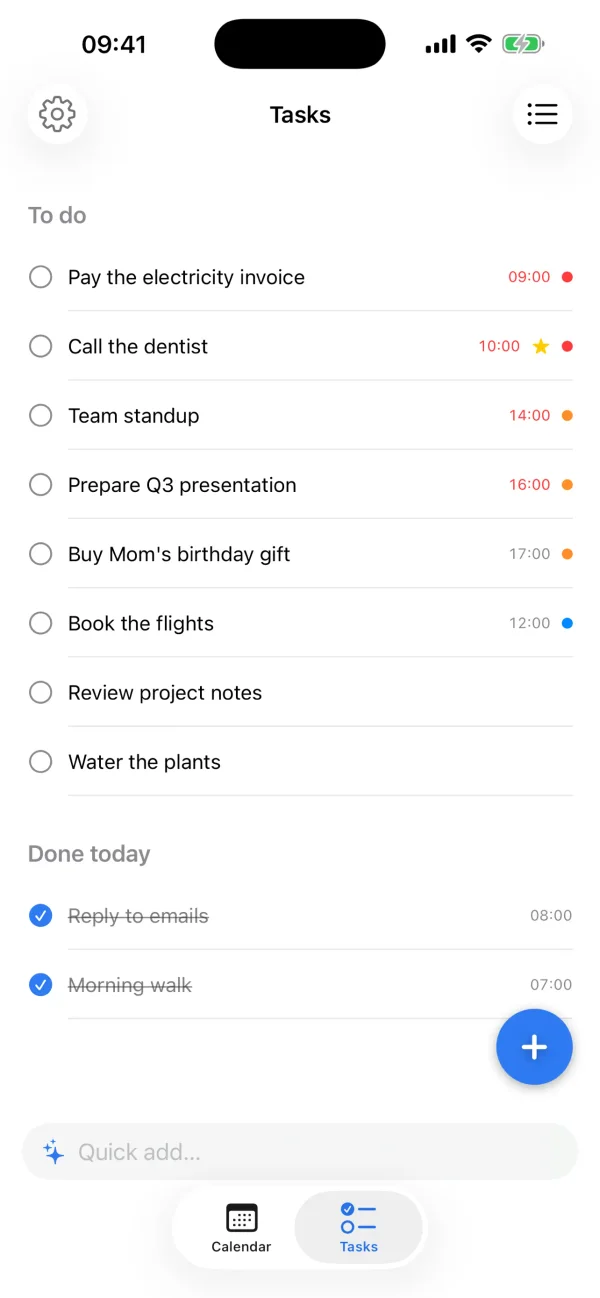
• Tasks with due dates, priorities, subtasks, tags and projects.
• Swipe to complete — or bring a task back.
• View as a list, by due date, or grouped by project.
• Multiple reminders per task: at the time, or minutes, hours or a day before.
HOME & LOCK SCREEN
• Transparent “liquid glass” Home Screen widgets with today’s and overdue tasks.
• Compact Lock Screen widgets — your tasks by priority.
SMART AUTOMATION
• Auto-create a task from every event in a chosen calendar.
• Choose how many days before the event — and at what time — it appears, and whether it becomes a Live Activity.
• Pick a default calendar for new events.
PRIVATE BY DESIGN
• No account with us, no ads, no tracking, no third-party SDKs.
• Your tasks live on your device and in your own private iCloud — nowhere else.
• Your calendars stay in your existing accounts; Ticknow only reads and writes them on your behalf.
Speaks 32 languages, follows light/dark mode, and is built for iPhone on iOS 26.
App privacy
What Peter Feranc declares on the App Store about how this app handles data.
-
Data not collected
The developer does not collect any data from this app.
Privacy practices may vary, for example with the features you use or your age.
Information
- Seller
- Peter Feranc
- Category
- Productivity
- Version
- 1.0
- Updated
- Jul 22, 2026
- Released
- Jul 22, 2026
- Size
- 6.7 MB
- Requires
- iOS 26.0 or later
- Age rating
- 4+
- Price
- Free
- Languages
- English, Arabic, Catalan, Croatian, Czech, Danish, Dutch, Finnish, French, German, Greek, Hebrew + 20 more
- Copyright
- © 2026 Peter Feranc
You might also like
-
 No Phone Home: SNS Auto-BlockScreen Time Only at Home
-
 Glance: Lock Screen HubSee your day without unlocking
-
 PlanPal: Daily PlannerTasks, Habits & Health Goals
-
 Clair AppYour Tasks, Cards & Notes
-
 Pencil ScreenshotQuick Snip, Markup and Share
-
 Simple Task - Daily PlannerRecurring Tasks & Reminders
-
 DayBox: Time Blocking PlannerDaily Schedule & Focus Timer
-
 Dayblok Daily Schedule PlannerVisual Time Blocking & Tasks
-
 Routine Tracker: ADHD PlannerStructured Daily To Do List
-
 SUMMTUBE: YouTube SummaryAI Notes & Key Takeaways