- Age rating4+
- CategoryProductivity
- DeveloperSteve Tilgenkamp
- LanguagesEnglish+ 2 more
- Size99.5 MB
Links to the official App Store page
Download.org hosts no file of Tictaf. The button opens its official App Store page, published by Steve Tilgenkamp. Listing last checked on Nov 10, 2026.
Screenshots
About
YOUR HOURS, YOUR PROJECTS, YOUR WORKDAY AT A GLANCE
Time tracking, projects, job sites, schedules and leave: keep everything you need for your workday in your pocket.
Designed for small and medium-sized businesses in Belgium and their teams, Tictaf makes recording working time simple. Clearly recorded hours, an accessible history and a structured correction process help your business manage its working time recording obligations.
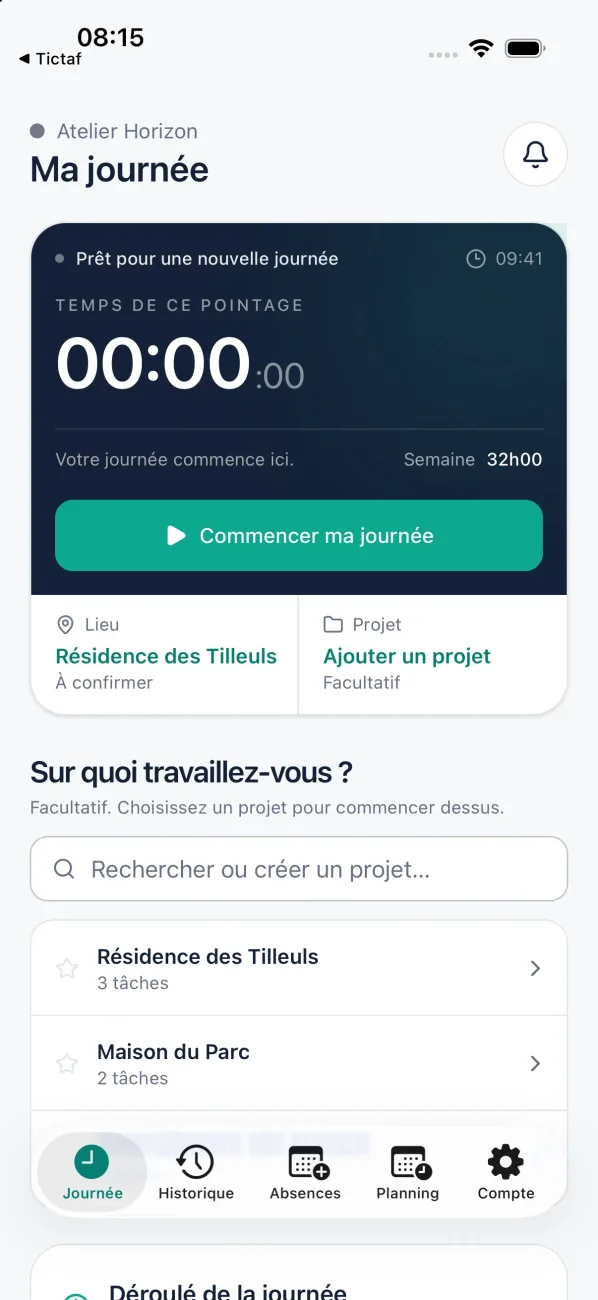
CLOCK IN AND OUT IN SECONDS
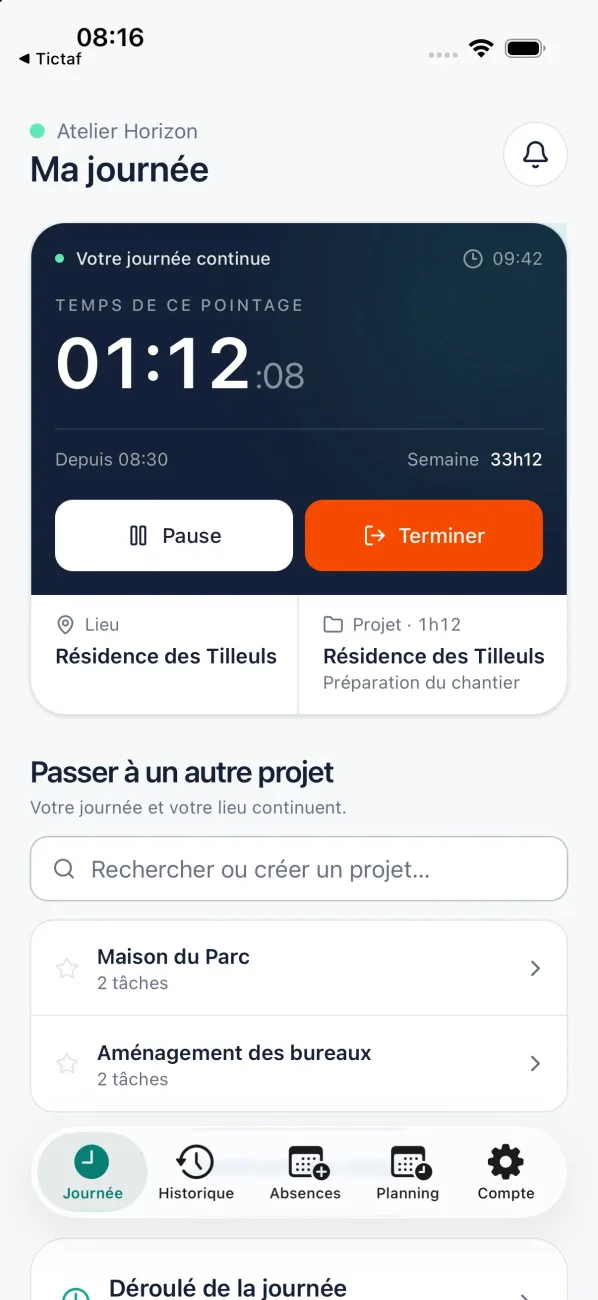
• Start and finish your workday from your iPhone.
• Record your breaks with a tap.
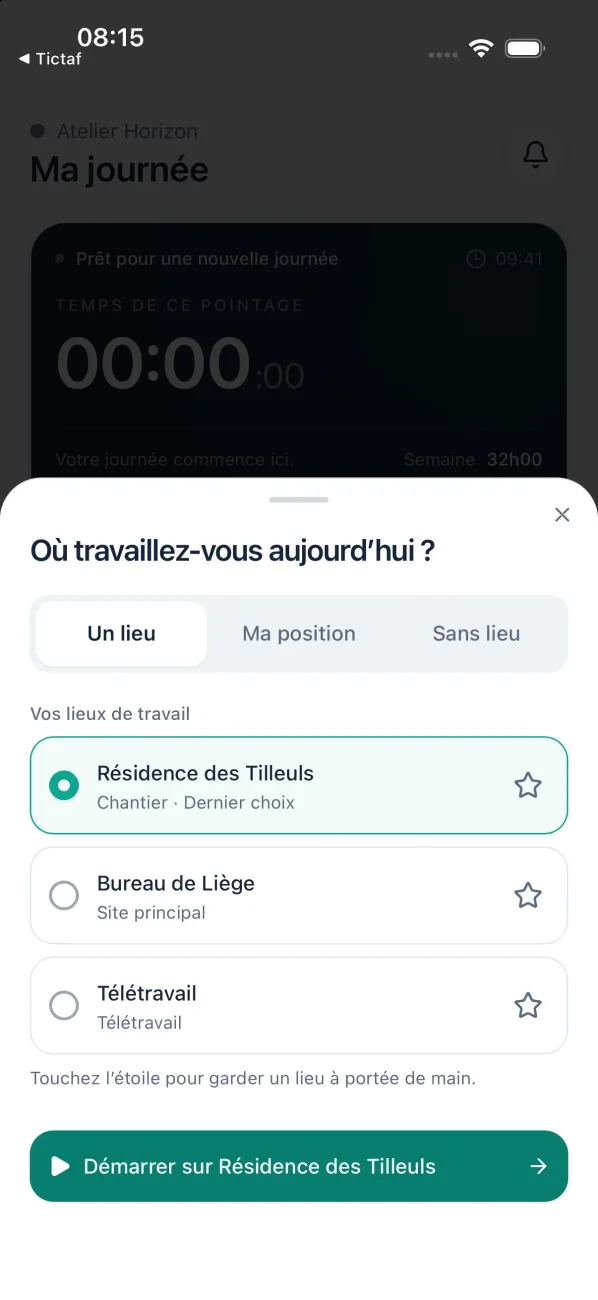
• Select your workplace or job site.
• Scan the location’s QR code when required.
• Confirm your presence on site using GPS, when this option is enabled.
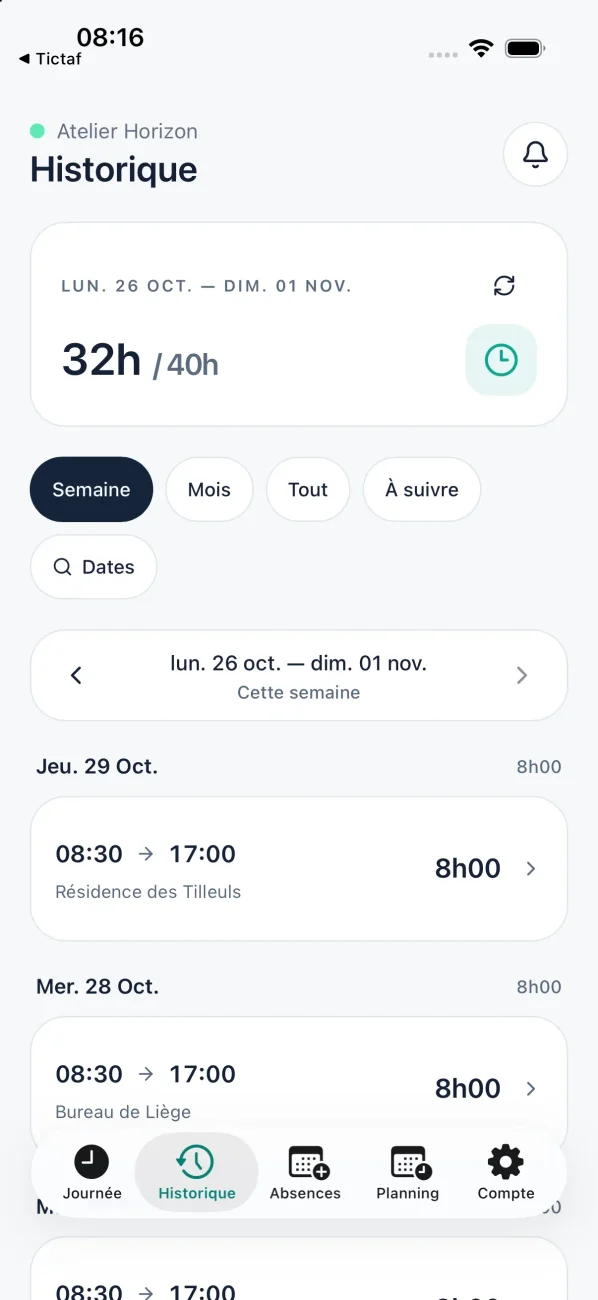
• Keep track of your hours worked each day and week.
KEEP TRACK OF PROJECTS AND ACTIVITIES
Assign your working time to the projects and tasks you work on. Review your activities throughout the day to see how your hours are distributed.
YOUR JOB SITES WITHIN EASY REACH
Find your workplaces, search for a job site and quickly access your favourites. When GPS verification is enabled, check your distance from the location before clocking in.
SEE HOW YOUR WORKDAY UNFOLDS
The timeline brings your work periods, activities and breaks together in chronological order. Identify the key moments of your day and switch from an overview to the details of your working hours.
CHECK YOUR SCHEDULE
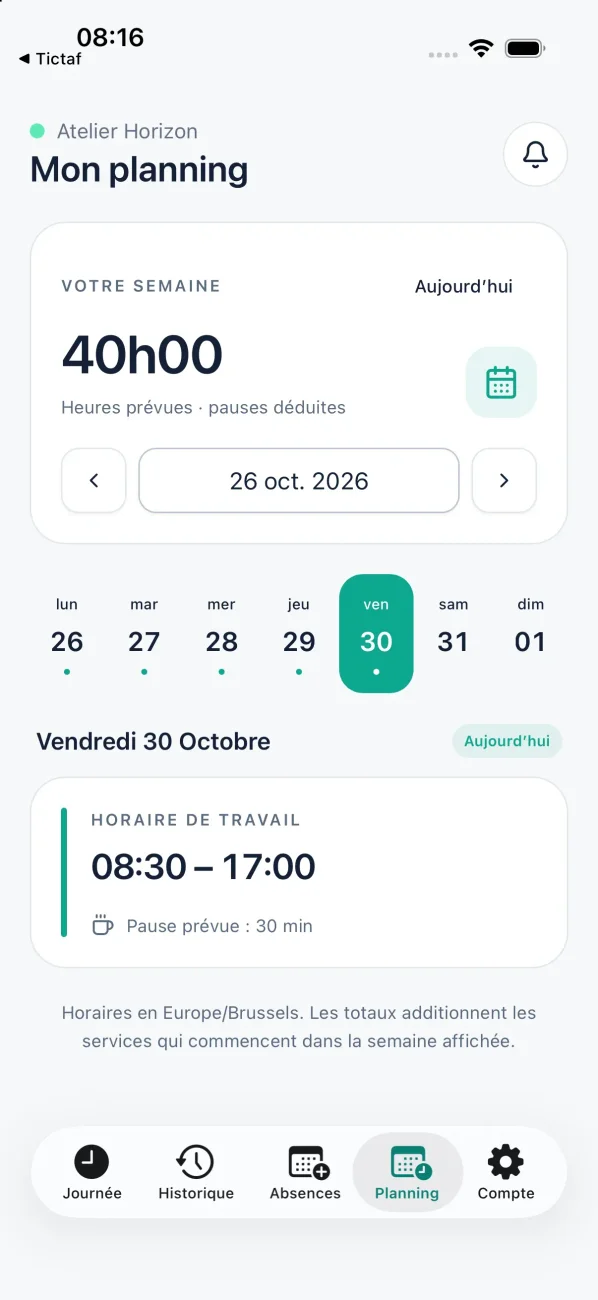
View the working hours published by your employer and prepare for your upcoming workdays. Your schedule, time entries and absences are all in one place.
KEEP A CLEAR HISTORY
Review your time entries, start and finish times, durations and associated locations. Forgot to clock in or spotted a mistake? Submit a correction request from your history and track its progress.
REQUEST LEAVE WITH EASE
Select your dates, specify the reason for your absence and add a comment. View your requests and their status: pending, approved or declined.
STAY INFORMED
Receive notifications about your schedule, time entries and leave requests. Adjust your notification preferences and use the app in your language.
YOUR ACCESS TO TICTAF
The app is intended for employees of businesses that use the Tictaf platform. You need an account linked to your company. Contact your employer to obtain access.
What’s new
Version 1.4.43 · Nov 3, 2026
Improvements to projects and tasks:
• Smoother navigation and easier task creation, editing and descriptions.
• A clear play button to start working on a project without a task.
• Stopping the timer ends tracking for the project and task while keeping your workday open.
• History is grouped by calendar day, including time entries that cross midnight.
• More stable buttons, forms and keyboard transitions.
App privacy
What Steve Tilgenkamp declares on the App Store about how this app handles data.
-
Data linked to you
May be collected and linked to your identity.
- Location
- Contact info
Privacy practices may vary, for example with the features you use or your age.
Information
- Seller
- Steve Tilgenkamp
- Category
- Productivity
- Version
- 1.4.43
- Updated
- Nov 3, 2026
- Released
- Sep 21, 2026
- Size
- 99.5 MB
- Requires
- iOS 18.2 or later
- Age rating
- 4+
- Languages
- English, French, Spanish
- Copyright
- © 2026 Tictaf
You might also like
-
 Driveely – Car Expense TrackerMulti-vehicle, Advanced static
-
 TeasioProductivity
-
 Ivy: Plan. Do. Reflect.Daily commitment and reminders
-
 Timing – Calendar & PlannerMindful Organizer & To Do List
-
 VertuozaWorksite Monitoring & Report
-
 My Manpower BelgiumProductivity
-
 Esabora.Business.MobileProductivity
-
 Tracking Time PROTask-based Time Tracker
-
 Auto Expense.Fuel Economy,MPG & Mileage Log
-
 Leexi - AI NotetakerVoice Recorder, Ai Note-Taking