
- Age rating12+
- CategoryProductivity
- Developerraza Kizilbash
- LanguagesEnglish
- Size15.0 MB
Links to the official App Store page
Download.org hosts no file of Tim AI. The button opens its official App Store page, published by raza Kizilbash. Listing last checked on Nov 13, 2026.
Screenshots


About
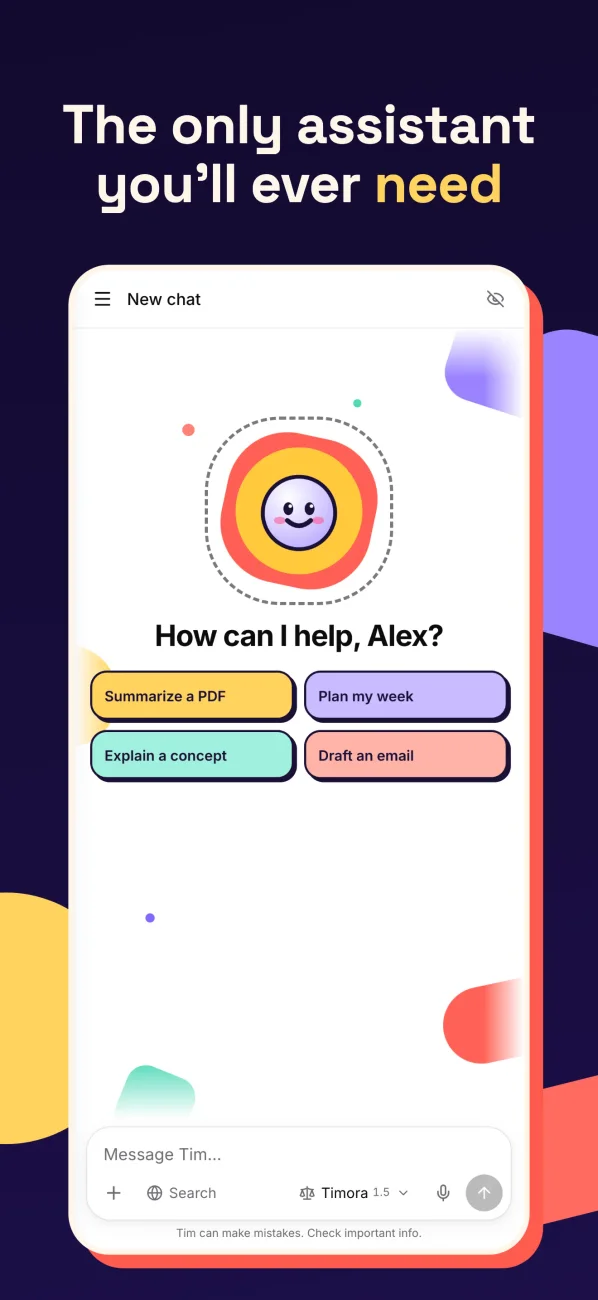
Tim AI is your personal assistant for everyday life. Plan your day, keep track of tasks and deadlines, get clear answers, and let Tim remember what matters to you.
WHAT TIM CAN DO
• Chat about anything: questions, ideas, writing, planning and learning.
• Talk to Tim: tap the sound-wave button, hold the mic and ask out loud. Tim answers out loud, and the conversation stays in your chat.
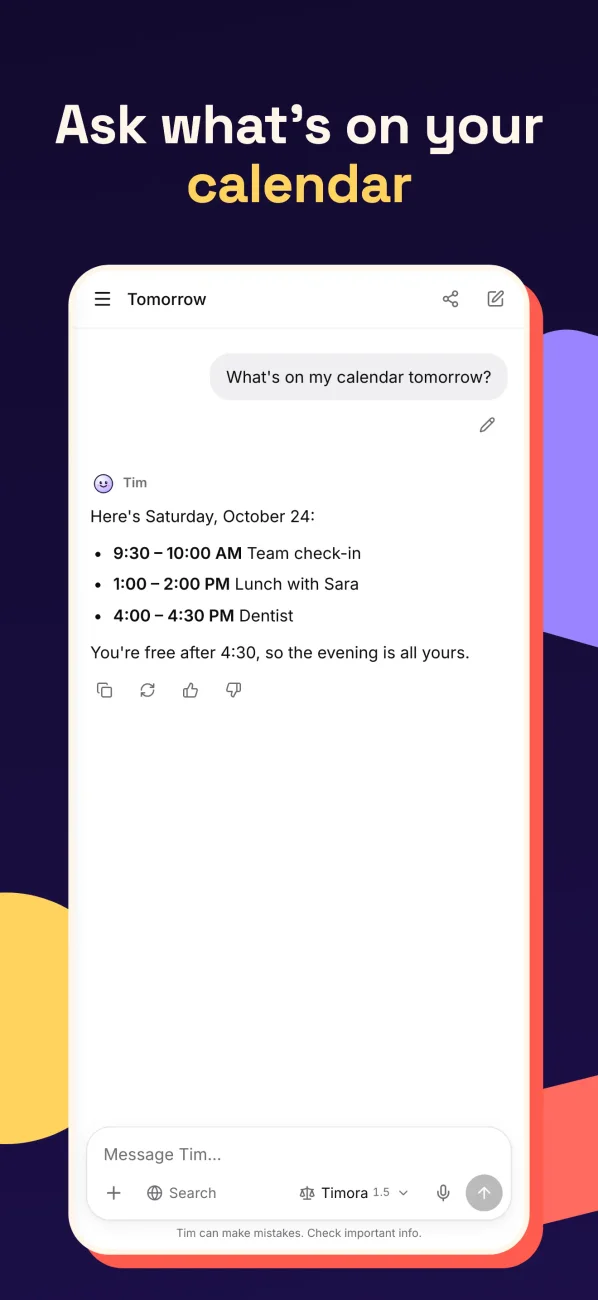
• Ask with Siri: "Hey Siri, ask Tim AI what's on my calendar", or "Hey Siri, ask Tim AI" and then your question.
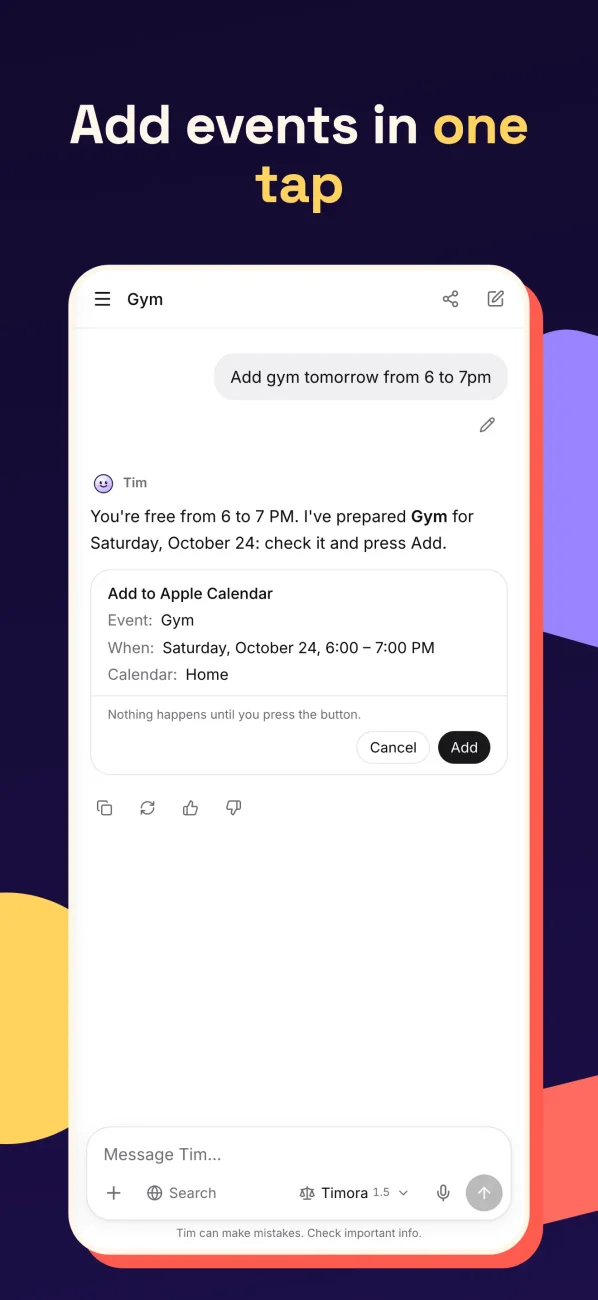
• Google Calendar and Google Contacts: ask what's on, add events (with Undo) and look up numbers.
• Reminders that ring: "Remind me at 4pm to call Mom". Mark them done or snooze them from the notification.
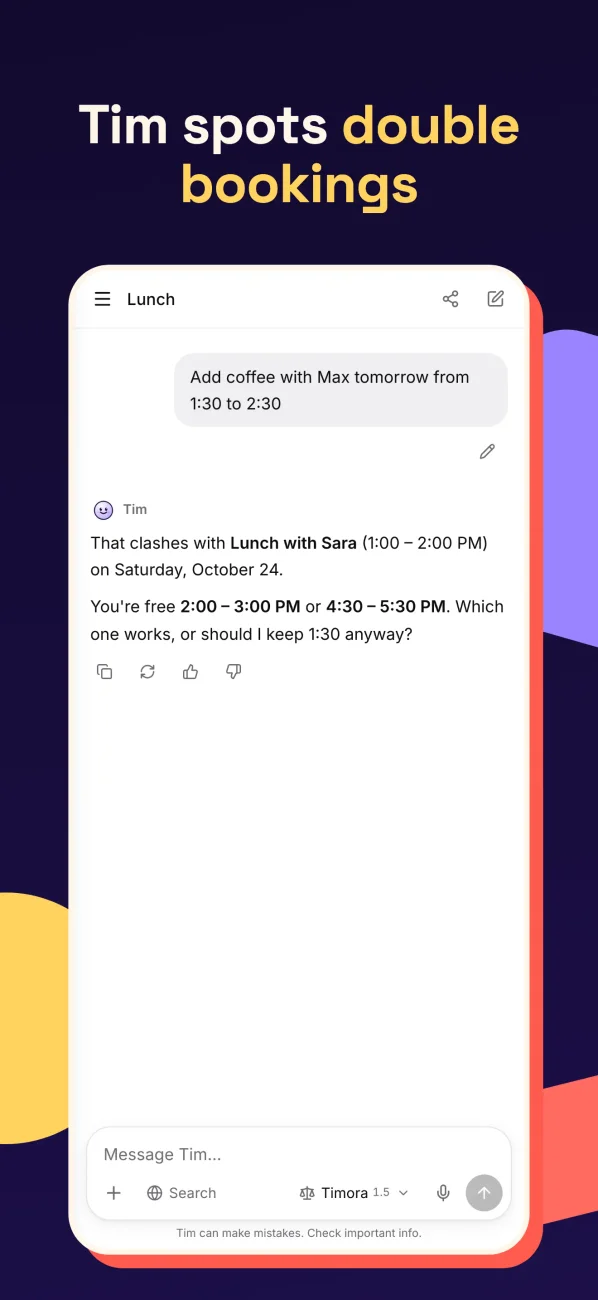
• Apple Calendar and Reminders: ask what's on your schedule, add events and reminders, and Tim checks for clashes first. You choose whether Tim asks first or adds right away, with Undo and Edit for 10 minutes.
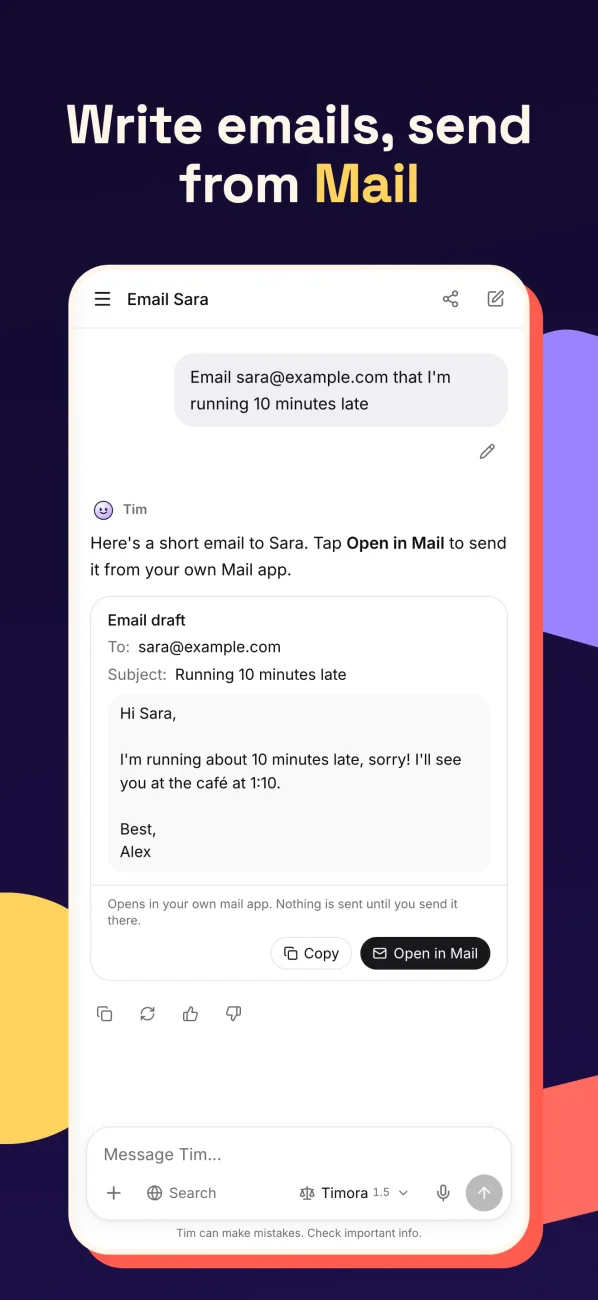
• Open in Mail: Tim writes the email, and you send it from your own Mail app.
• Share to Tim AI from any app: links, text, photos, PDFs and voice recordings. Tim asks what you'd like: a summary, saving it to your Library, or something else.
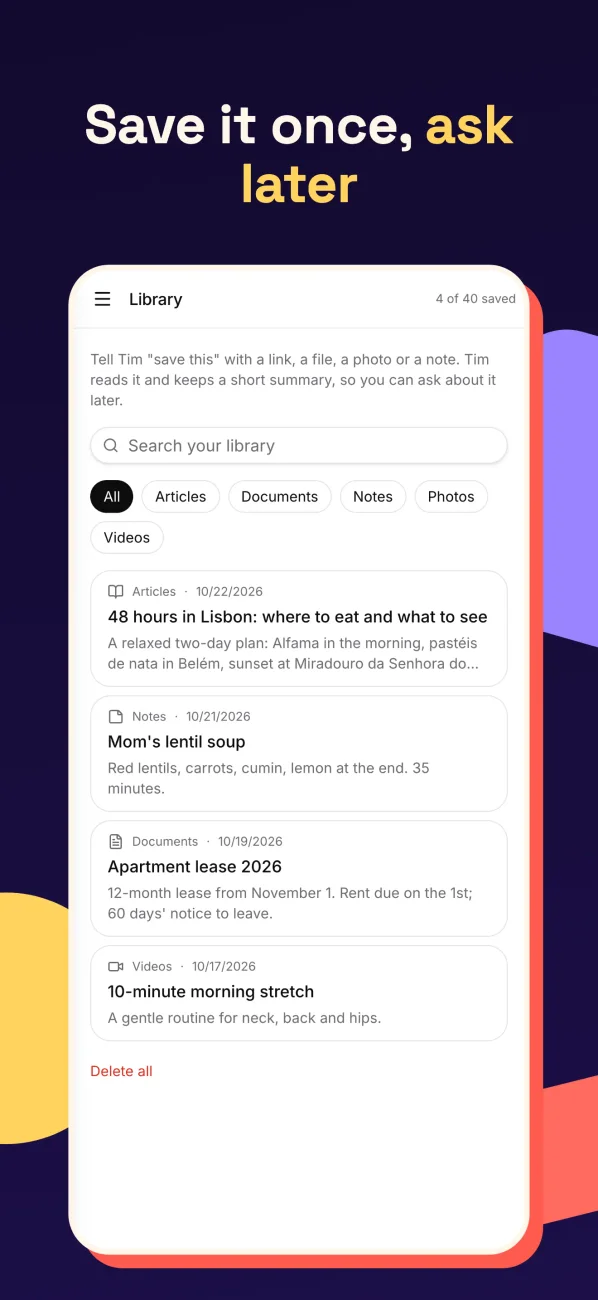
• Library: save links, notes, photos, PDFs and voice memos, then ask Tim about them later. Tim reads each item once and keeps a short summary.
• Scheduled tasks (Plus and Premium): "Every morning at 7, give me my day and the weather." Tim does it on schedule and sends you the result with a notification. Scheduled tasks never take actions on their own.
• Recordings: Apple's speech recognition turns audio into text (on your device when your language allows it), then Tim summarizes it.
• My Reminders with priorities and times: choose when you're notified (on time, minutes before or a day before). They also appear in a "Tim AI" list in Apple Reminders, and completing one in either app completes both.
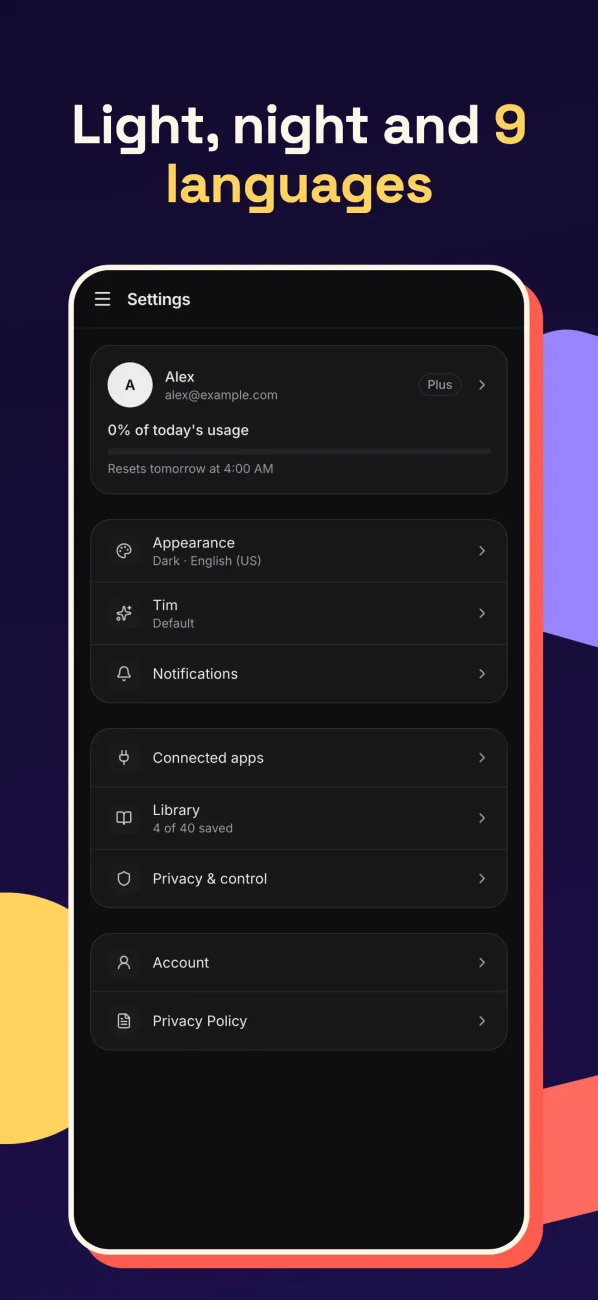
• Memory: Tim can remember helpful facts you share. View or delete them anytime in Settings.
• Incognito chats: nothing is remembered or saved.
• Projects: group chats with their own instructions and personality.
• Speak instead of typing.
• Web search for up-to-date answers, and Deep Research for in-depth reports (Premium).
• 9 languages for the app and Tim's replies: English, Spanish, French, German, Arabic, Urdu, Hindi, and Chinese (Simplified and Traditional).
• Also on the web and Mac at tim-ai.app, with your chats in sync.
THINKING MODES
• Timo: quick and light.
• Timora: balanced, Tim picks the best fit.
• Timperia: the most powerful, for the hardest questions.
PLANS
• Free: basic daily usage, Timo and a limited Timora, and a Library of 10 items.
• Plus: more than 3× the daily usage of Free, all thinking modes, Timora at full power and Timperia unlocked, a Library of 40 items and 3 scheduled tasks.
• Premium: more than 6× the daily usage of Free (2× Plus), everything in Plus, Deep Research, an unlimited Library and 10 scheduled tasks.
Subscriptions renew automatically unless cancelled at least 24 hours before the end of the current period. Manage or cancel anytime in your Apple ID settings.
PRIVACY
Tim's replies are written by AI models from Anthropic. Before your first message, Tim AI explains what is shared, and nothing is sent without your OK. Calendar and reminder access is optional, used only when you ask, and never stored by us. You decide in Settings → Privacy & control whether Tim asks first or adds right away, and you can pause everything at once.
Privacy Policy: https://tim-ai.app/privacy
Terms of Use: https://tim-ai.app/terms
Support: https://tim-ai.app/support
What’s new
Version 1.36 · Oct 26, 2026
• Fixes a crash when you talk while Tim is speaking.
• Bug fixes and improvements.
App privacy
What raza Kizilbash declares on the App Store about how this app handles data.
-
Data linked to you
May be collected and linked to your identity.
- Purchases
- Location
- Contact info
- User content
- Identifiers
- Usage data
-
Data not linked to you
May be collected but is not linked to your identity.
- Usage data
- Diagnostics
Privacy practices may vary, for example with the features you use or your age.
Information
- Seller
- raza Kizilbash
- Category
- Productivity
- Version
- 1.36
- Updated
- Oct 26, 2026
- Released
- Jul 16, 2026
- Size
- 15.0 MB
- Requires
- iOS 18.0 or later
- Age rating
- 12+
- In-app purchases
- Yes
- Languages
- English
- Copyright
- © 2026 Raza Kizilbash
You might also like
-
 Insight Pill: Learn in SecondsDiscover & learn everyday.
-
 AI Carousel MakerAI powered Carousels
-
 TTS Reader : AI Text to SpeechRead Aloud PDF, EPUB & DOCs
-
 AFFiNE: Notes, Whiteboard AIDocs, Tasks, Markdown & AI
-
 Ask Ai (Free) - Snap & SolveiAsk - Ask AI, Scan & Solve
-
 Authenticator App: 2FA・MFA・OTPProductivity
-
 Lovable: Build Apps With AIBuild Websites & Tools Fast
-
 Manus - AI Agent & AutomationWeb Dev, Slides, Research
-
 XLSX Sheets: Edit SpreadsheetCreate, Share XLS Office Files
-
 FSaver - Video, Story, ReelsSave and Repost Videos