
Timber: Custom Interval Timer
HIIT, Focus & Routine Builder
Designed for iPhone, iPad
Free · In-app purchases
- Age rating4+
- CategoryHealth & Fitness
- DeveloperSREEHARI P C
- LanguagesEnglish
- Size20.8 MB
Links to the official App Store page
Download.org hosts no file of Timber: Custom Interval Timer. The button opens its official App Store page, published by SREEHARI P C. Listing last checked on Nov 18, 2026.
Screenshots



About
Timber is a customizable interval timer and routine builder. Whether you're crushing a HIIT workout, sinking into a deep focus session, or perfecting your morning schedule, Timber lets you build your routine, your way.
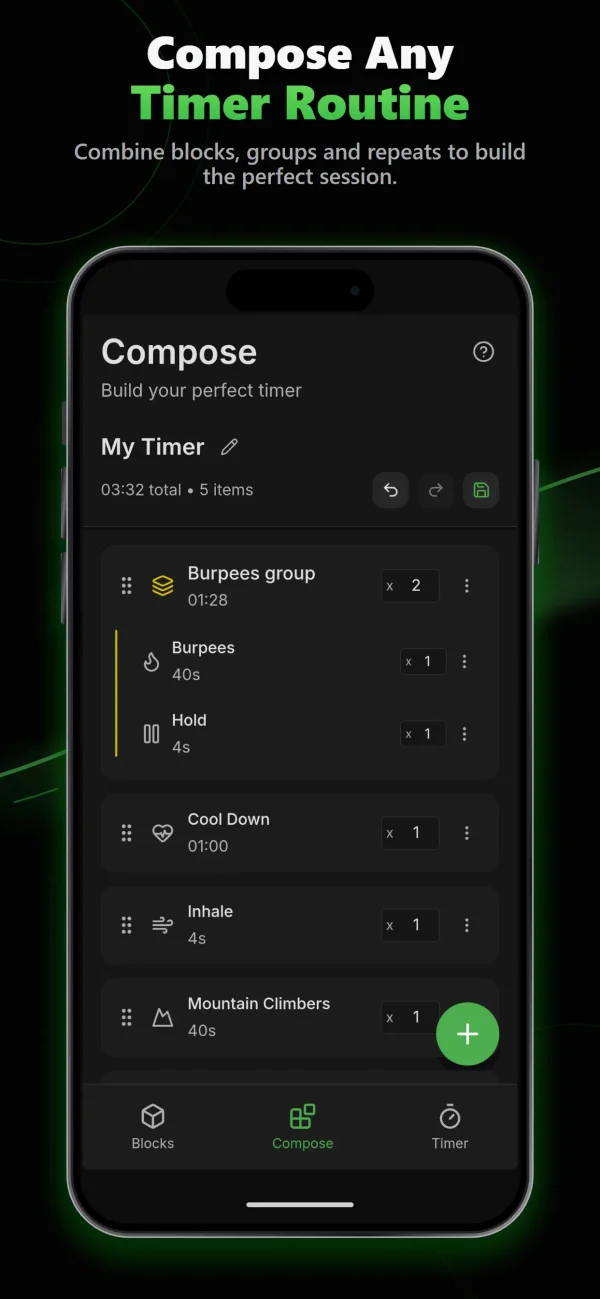
Create simple countdowns or advanced multi-step routines with reusable blocks, groups, repeats, nested timers, media cues, and background playback.
Stop switching between separate apps for HIIT, Tabata, Pomodoro, meditation, stretching, coaching, and cooking. Timber lets you build the exact routine you need.
BUILD ONCE, REUSE ANYWHERE
Create simple or highly advanced timers using our flexible block-based system.
• Create reusable timer blocks
• Group blocks into circuits, sets, and rounds
• Repeat blocks, groups, or full timers
• Nest timers inside other timers
• Merge blocks into groups or split them apart
• Edit linked blocks once to update them everywhere, or unlink for a custom version
• Duplicate timers and blocks for easy modification
GUIDE EVERY STEP WITH RICH MEDIA CUES
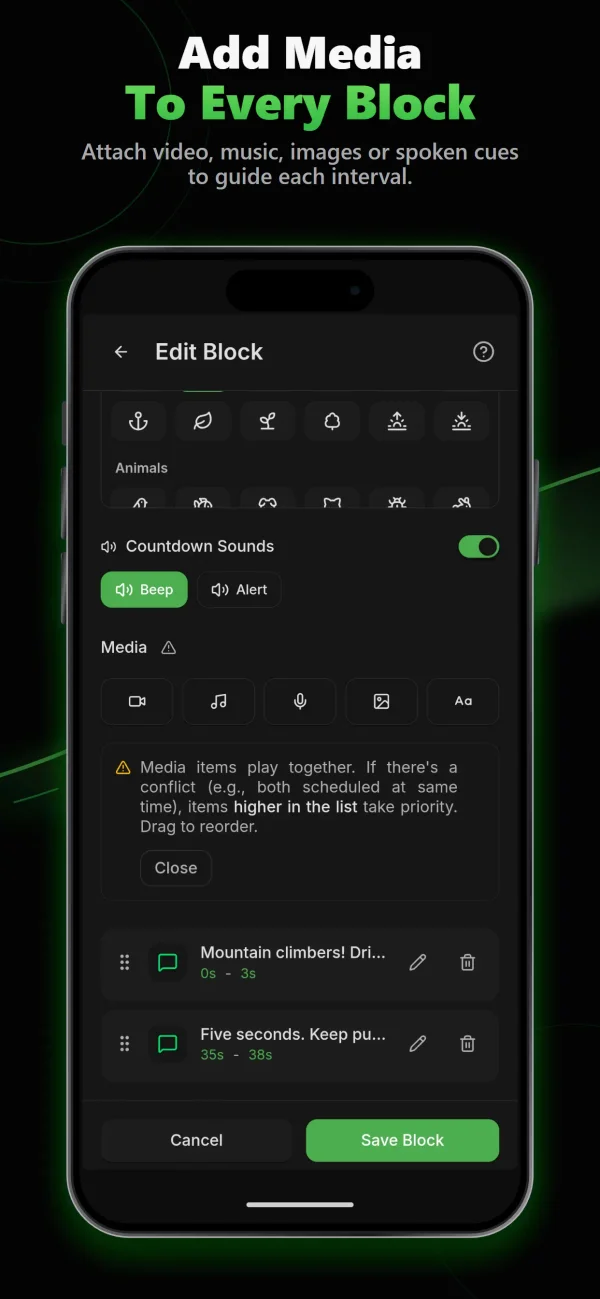
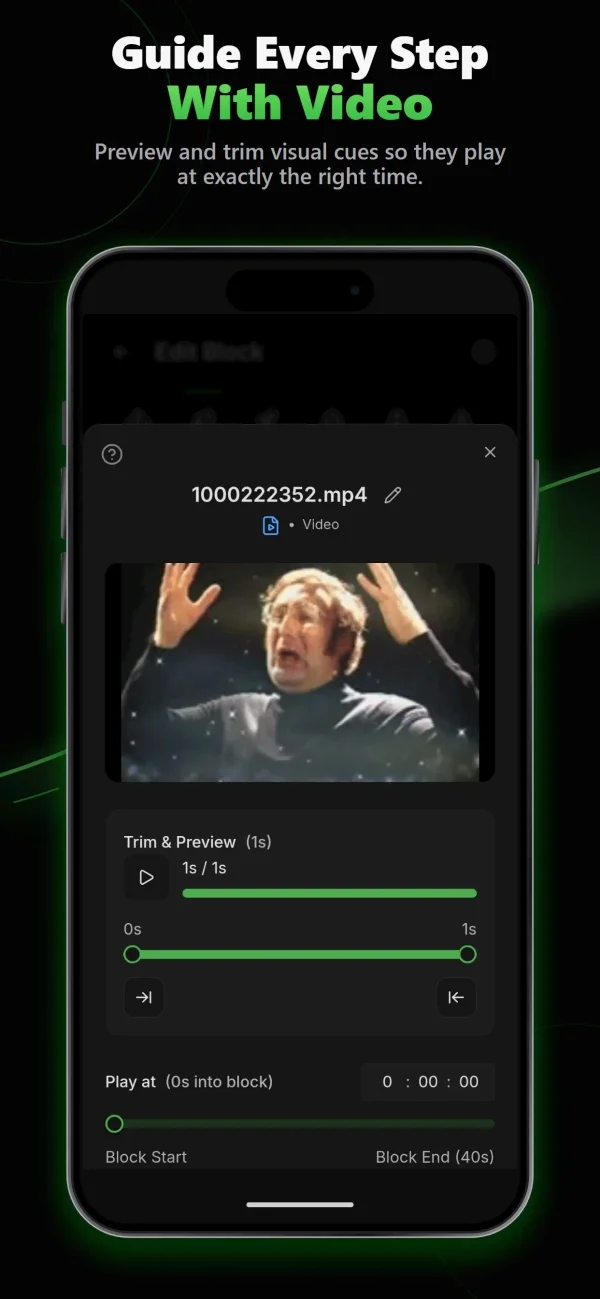
Don't just watch the clock. Attach rich media to any timer step so you know exactly what to do and when to do it:
• Add YouTube, Vimeo, and Dailymotion video demos
• Attach local video, audio, image, recording, and text prompts
• Use text-to-speech voice cues for hands-free guidance
• Add music, countdown sounds, and instructions to individual timer steps
• Keep cues running with native background playback
ONE TIMER FOR EVERY ACTIVITY
• Workouts & Training: HIIT, Tabata, EMOM, boxing rounds, circuit training, stretching, and mobility. Add exercise demo videos right into your rest and work intervals.
• Focus & Productivity: Pomodoro, deep work, studying, reading, and work sprints
• Mindfulness: yoga, breathwork, meditation, and guided practice
• Daily life: morning routines, cooking steps, speaking practice, and coaching plans
TRACK YOUR PROGRESS
See how consistently you’re completing your routines.
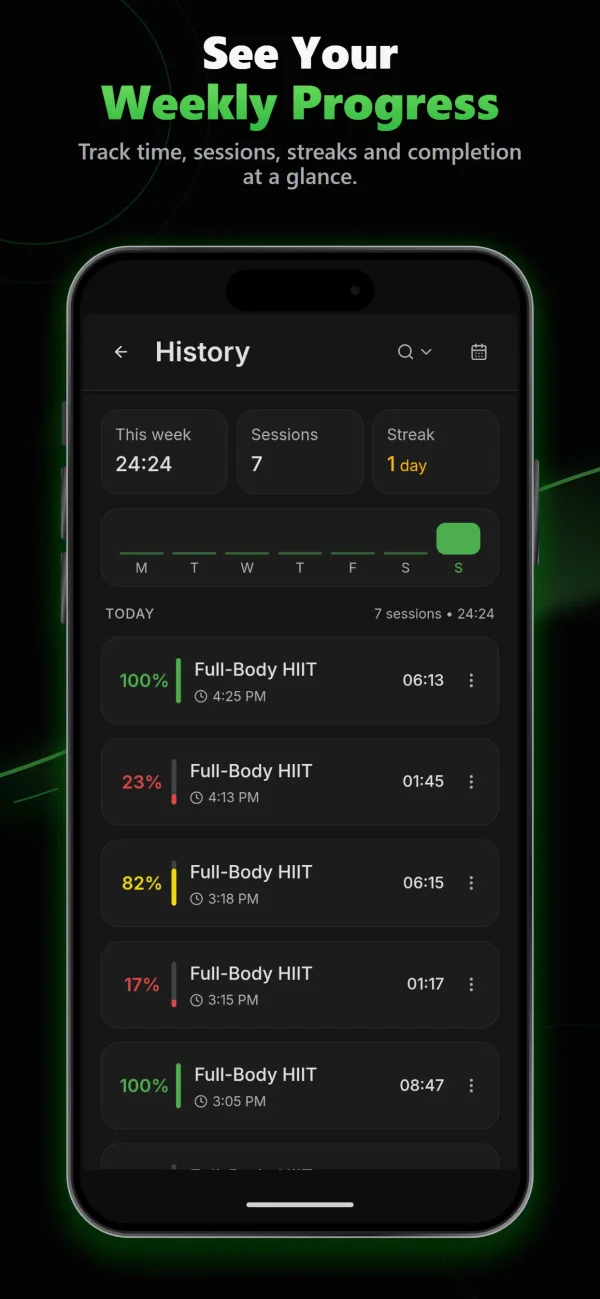
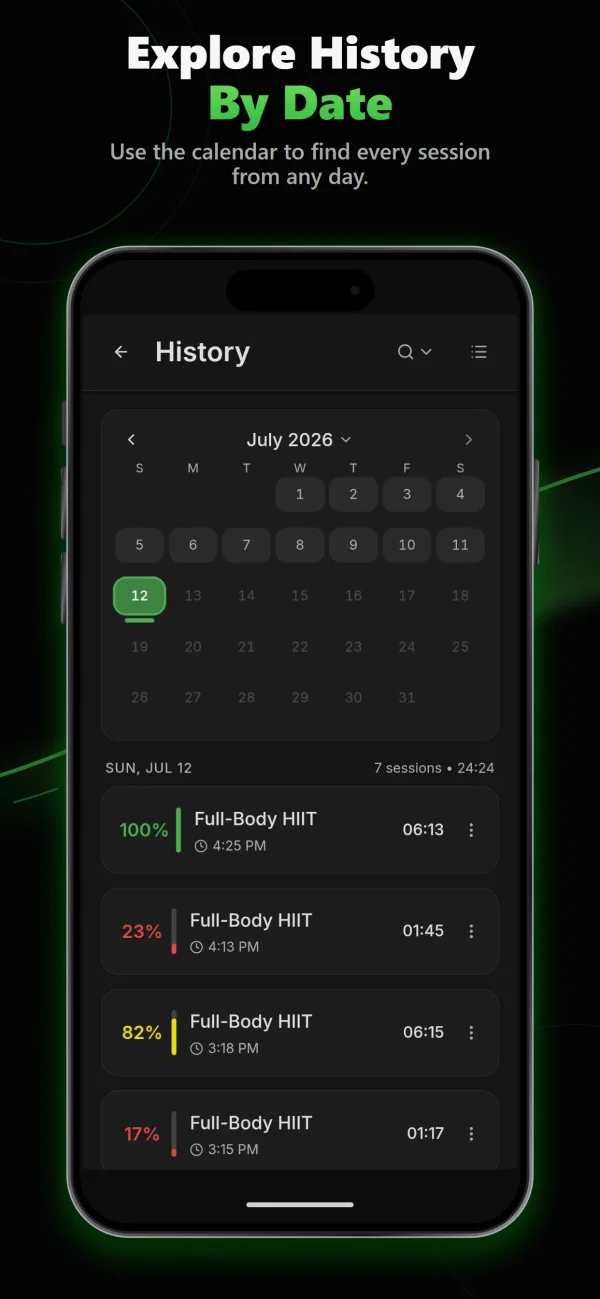
• View weekly timer time, completed sessions, and streaks
• Explore seven-day activity bars and a monthly heatmap
• See per-timer stats including times run, total time, and average completion
• Review completed, skipped, and unplayed sections of each session
SHARE AND IMPORT COMPLETE TIMERS
• Share lightweight timers with a QR code
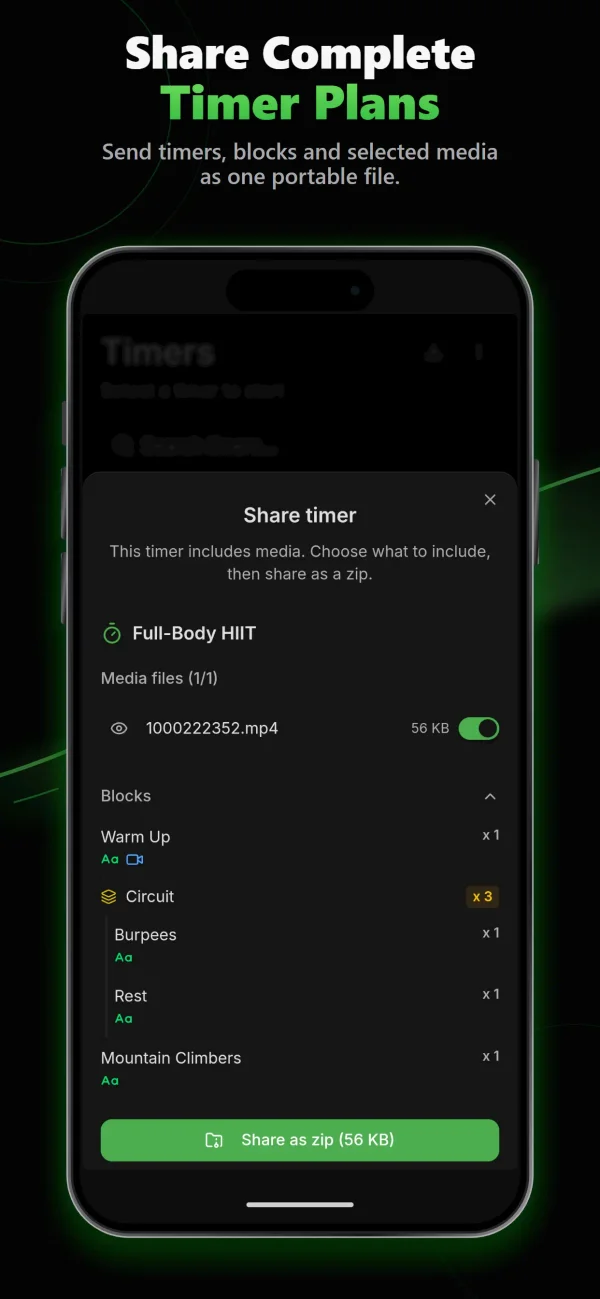
• Share media-rich timers as a Timber zip file
• Choose which media files to include before sharing
• Preview media before exporting or importing
• Scan QR codes from another phone or from a saved image
• Review, rename, and confirm shared timers before adding them
• Imported timers stay clearly marked so you know where they came from
RELIABLE BACKGROUND PLAYBACK
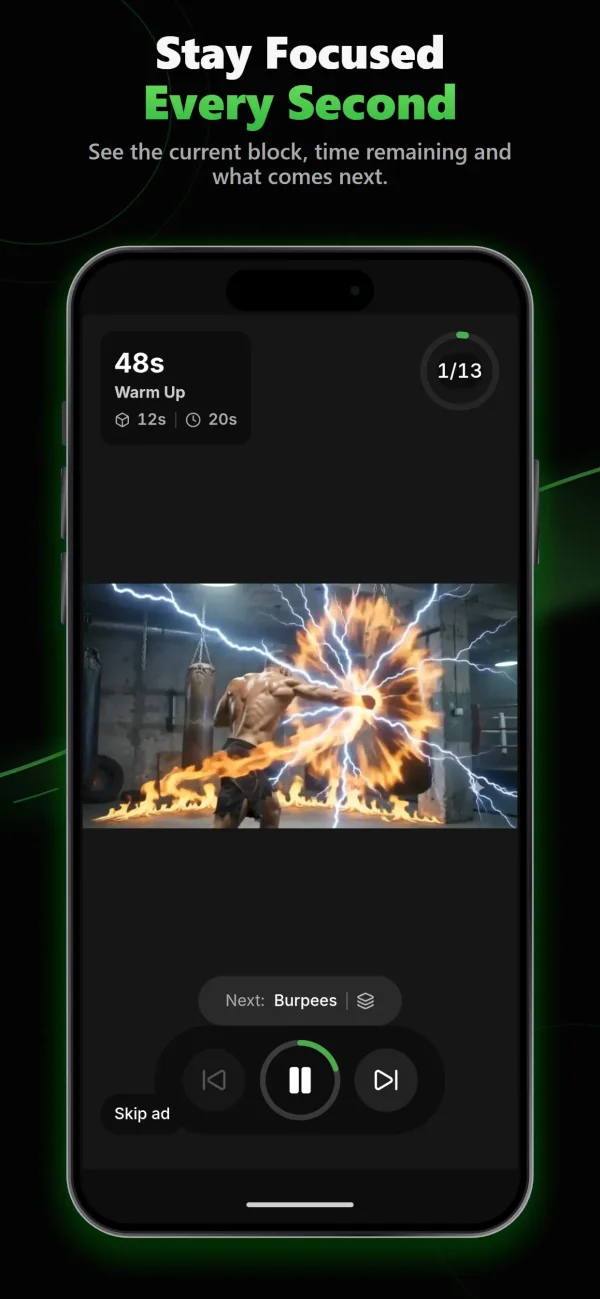
Run timers with a focused, distraction-free display or continue while using other apps. Timber keeps your countdown, audio cues, TTS prompts, and notifications moving in the background.
• Use a focused full-screen playback view
• Follow and control timers with Live Activities on the Lock Screen and Dynamic Island
• Keep timers and supported media cues running in the background
FULL BACKUP & RESTORE
Keep a portable copy of your Timber data.
• Back up timers, blocks, history, media, and your theme preference
• Export everything as a .timber.zip file
• Preview a backup before restoring it
• Choose individual timers to restore
• Restore nested timers and their required media automatically
PRIVATE & OFFLINE-FIRST
Your data belongs to you. Timers, blocks, history, and local media are stored on your device. You decide when to export, share, back up, or restore them. No account required, no forced logins
WHY CHOOSE TIMBER?
• Replaces basic countdown timers, stopwatches, and routine apps
• Reusable blocks make advanced timers faster to build
• Rich media cues help you know exactly what to do next
• QR and zip sharing make it easy to move routines between devices
• Flexible enough for simple tasks and complex schedules
Create once. Reuse anywhere with Timber.
Terms of Use (EULA): https://www.apple.com/legal/internet-services/itunes/dev/stdeula/
What’s new
Version 1.12.2 · Oct 22, 2026
• Hear what’s next — Timber can announce “Next up,” followed by the upcoming block’s name.
• Personalize blocks with an emoji, a colored icon, or your own photo (Pro).
• See block icons while your timer is running.
• Customize the playback screen with block details, elapsed time, progress, and more — or choose from the Full, Focus, or Minimal presets.
• Bug fixes and other improvements.
Thanks for using Timber!
App privacy
What SREEHARI P C declares on the App Store about how this app handles data.
-
Data used to track you
May be used to track you across apps and websites owned by other companies.
- Location
- Identifiers
- Usage data
- Diagnostics
-
Data linked to you
May be collected and linked to your identity.
- Identifiers
- Usage data
- Diagnostics
-
Data not linked to you
May be collected but is not linked to your identity.
- Purchases
- Location
Privacy practices may vary, for example with the features you use or your age.
Information
- Seller
- SREEHARI P C
- Category
- Health & Fitness
- Version
- 1.12.2
- Updated
- Oct 22, 2026
- Released
- Aug 27, 2026
- Size
- 20.8 MB
- Requires
- iOS 16.2 or later
- Age rating
- 4+
- Price
- Free
- In-app purchases
- Yes
- Languages
- English
- Copyright
- © 2026 Sreehari P C
You might also like
-
 Kala Yoga TimerHealth & Fitness
-
 Rondo: Custom Interval TimerSimple Workout & Cycle Timer
-
 Mokurai: Zazen TimerSimple Zen Meditation timer
-
 Meditation Timer StillnessBells, Timer, Session Log
-
 MoveKitBuild workouts with timers
-
 100 Mile CoachAI Coach for Every Distance
-
 Thymer: Custom Interval TimersCreate Your Own Custom Timers
-
 MyWorkouts+Health & Fitness
-
 Ding - Meditation TimerJust set a time and sit
-
 MoretoeShare Workouts