Time Card: Work Hours Tracker
Timesheet & Pay Calculator
Designed for iPhone, iPad
Free · In-app purchases
- Age rating12+
- CategoryBusiness
- DeveloperCharnpreet Singh
- LanguagesEnglish+ 2 more
- Size33.0 MB
Links to the official App Store page
Download.org hosts no file of Time Card: Work Hours Tracker. The button opens its official App Store page, published by Charnpreet Singh. Listing last checked on Nov 15, 2026.
Screenshots

About
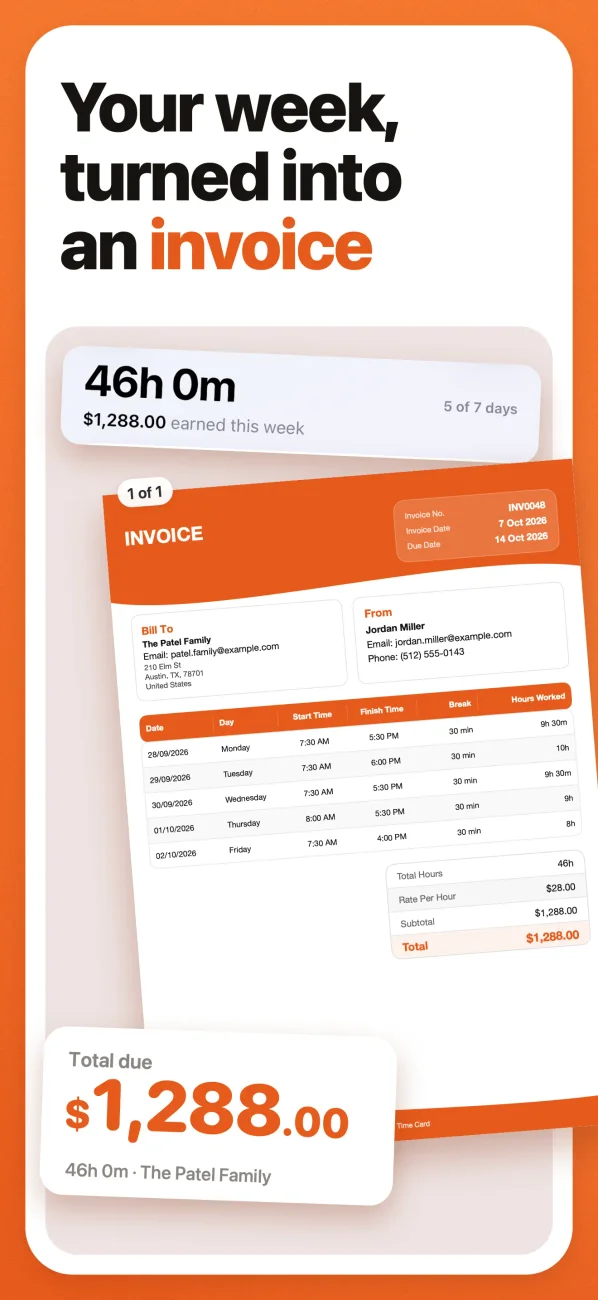
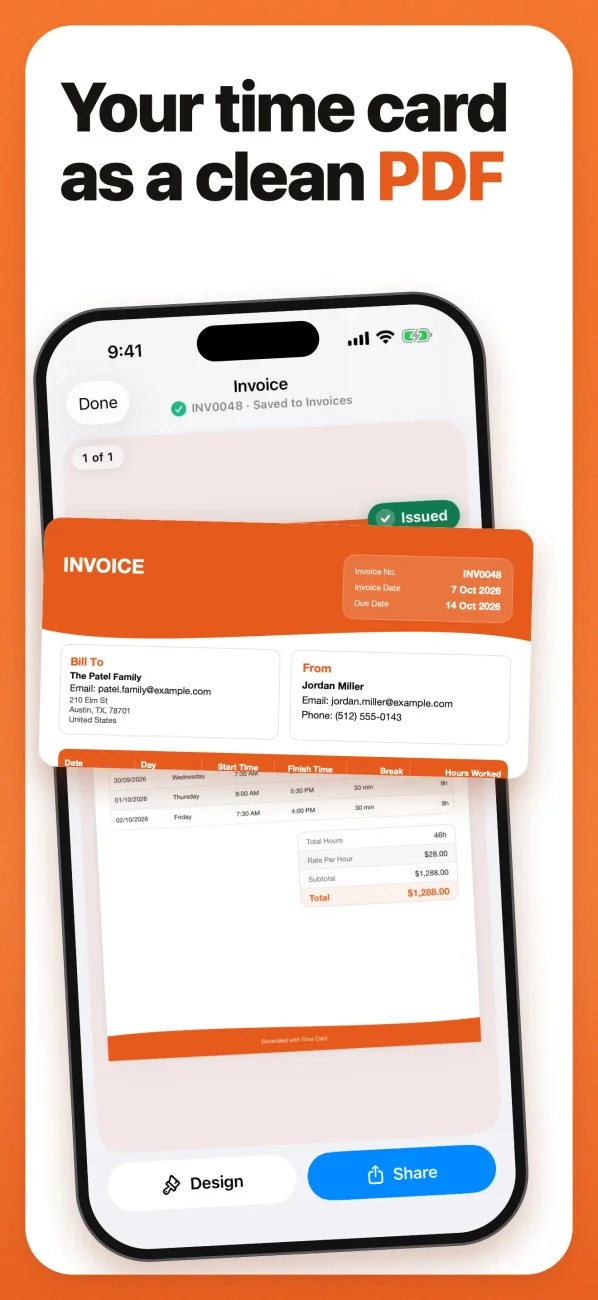
Time Card is an hours tracker and timesheet app that turns your week into a PDF invoice — for cleaners, tutors, nannies and freelancers who bill by the hour. Log start, finish and break times, see your weekly hours and estimated pay, and send your client an invoice built from the hours you actually worked. Time Card was previously called Timesheet Pro.
WHO IT'S FOR
• Cleaners working for several households: give each one its own client, rate and invoice.
• Tutors: log every lesson and send parents one invoice for the week.
• Nannies whose hours change every week, late finishes and overnight shifts included.
• Freelancers who bill by the hour and want the invoice to match the timesheet.
HOW IT WORKS
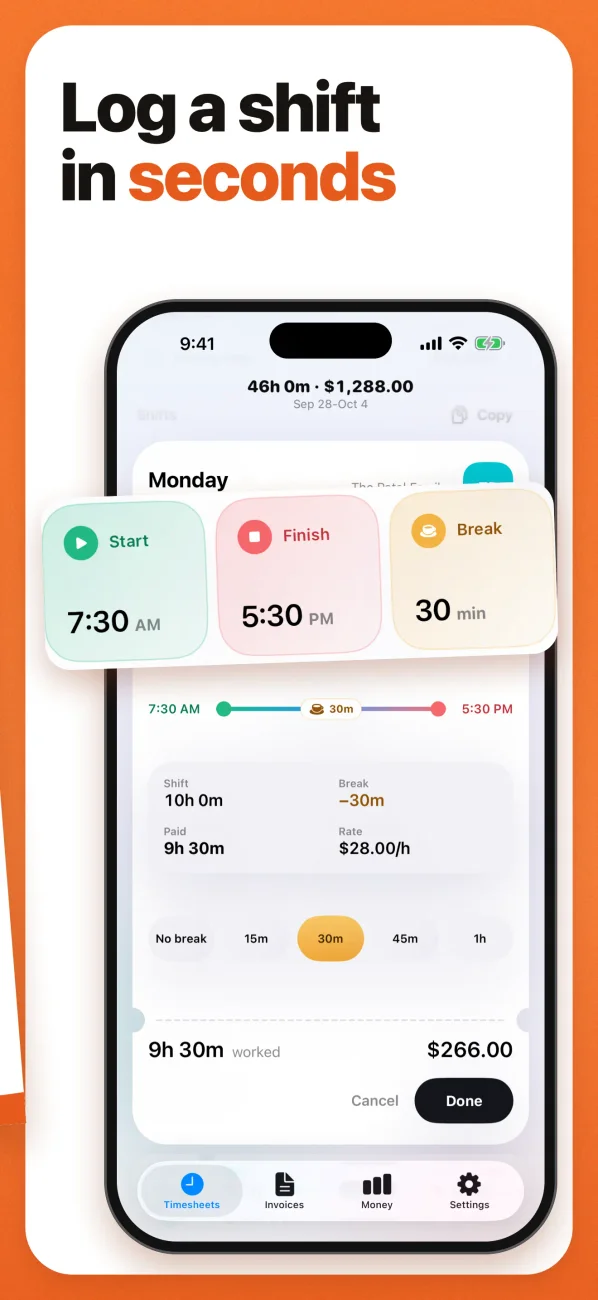
1. Log the day. Tap a day, set Start, Finish and Break on the wheels, then tap Done. Your usual shift is already filled in, and a break is one tap.
2. See the week. Each day shows its paid hours after the break, and the week adds up your hours and estimated pay at your rate.
3. Send the invoice. Turn the week into a PDF invoice with your business and client details, and share it straight from your iPhone.
WHAT YOU GET
• Clients and rates: save each client's details, hourly rate and currency once, so next week's timesheet is ready.
• Invoices that match your hours: the PDF is built from the week you logged. Add sales tax, VAT or GST if you charge it.
• Regular schedules made quick: copy a day to other days or repeat last week, with Undo.
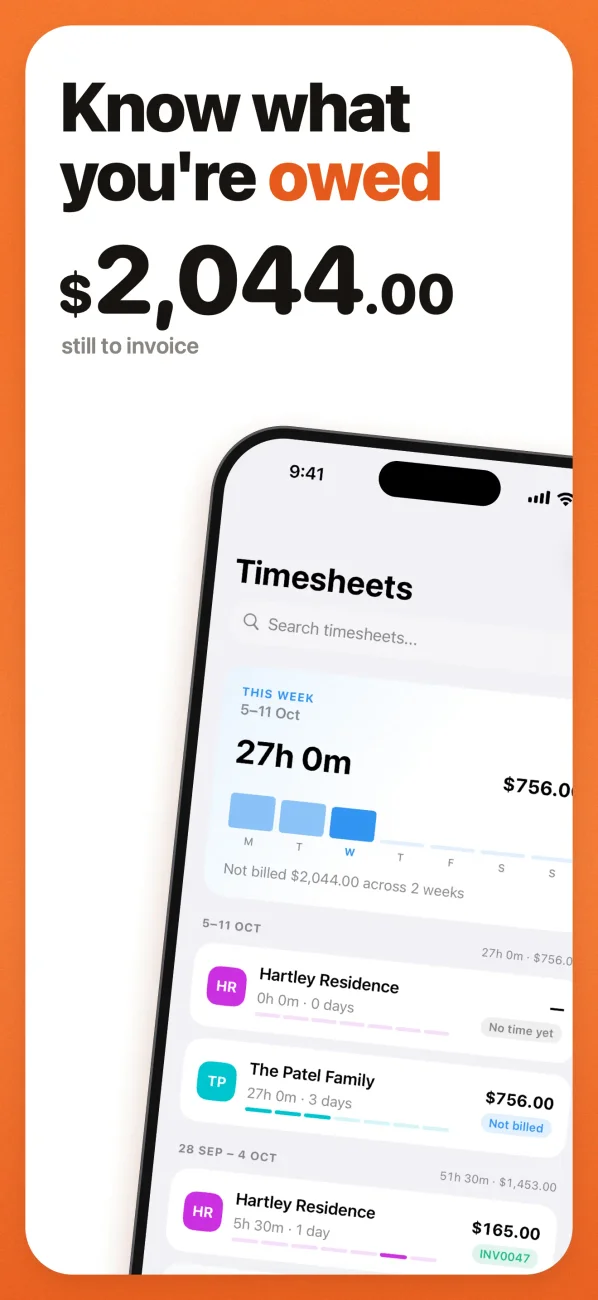
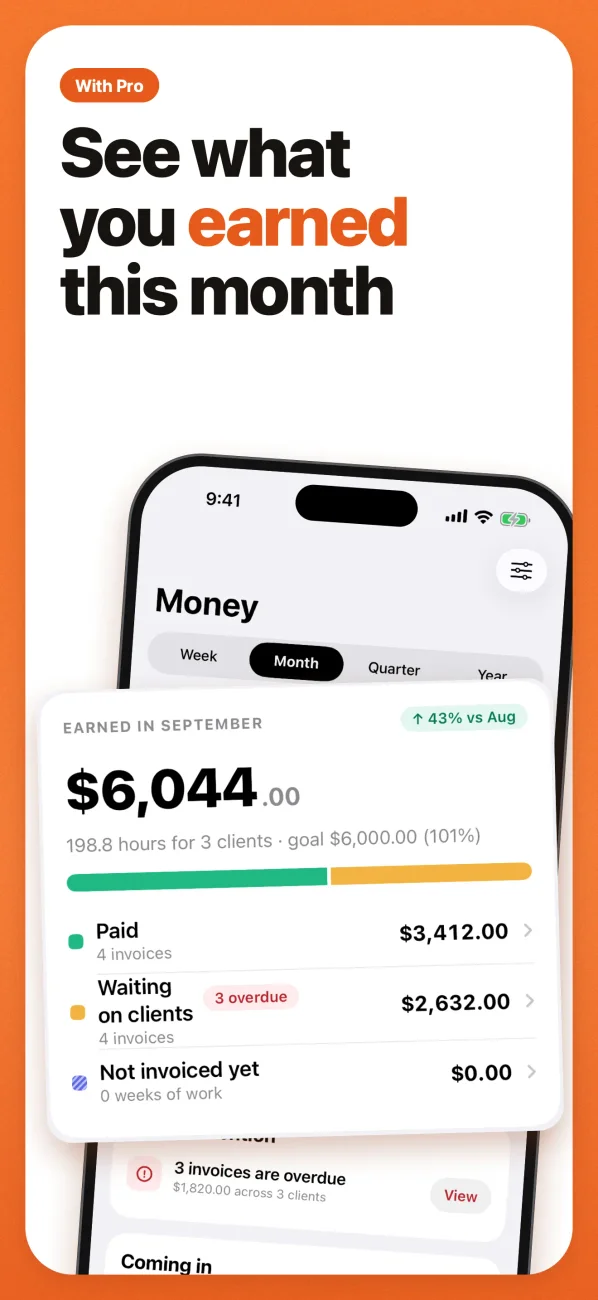
• The Money tab: earnings from logged work, work still to invoice and unpaid invoice balances, so you know what you're owed.
• Reminders, so you don't forget to log a day.
• iPhone and iPad, in English, Spanish and German, with 36 currencies including US dollars.
QUESTIONS PEOPLE ASK
Who is Time Card for?
People paid by the hour whose hours change from week to week, such as cleaners, tutors, nannies and freelancers. It isn't payroll or team scheduling software.
Can I track hours for more than one client?
Yes. Two active clients are free. Pro adds unlimited clients, each with its own rate and currency.
Does it handle unpaid breaks and overnight shifts?
Yes. Breaks come off your paid hours, and a shift that runs past midnight is counted correctly, even on the night the clocks change.
Can I send my client an invoice?
Yes. Turn any week into a PDF invoice and share it. Pro adds more invoice designs and lets you record payments to see what's still owed.
Does it work in my country?
Choose from 36 currencies and add the tax you charge on your invoices. The app is in English, Spanish and German.
Is it free?
Time logging, weekly totals, two active clients and standard PDF invoices are free. Pro is optional.
Does it work out my tax or take-home pay?
No. It shows gross pay from your hours and rates. Pro adds a tax set-aside estimate as a guide.
OPTIONAL PRO
Pro adds unlimited clients, payment recording, timesheet approvals, extra invoice designs and customization, withholding lines, tax set-aside estimates, financial history, client and currency breakdowns, income goals, trends and CSV export.
Choose from the Pro plans available in the app: monthly or yearly subscriptions, or a one-time lifetime purchase. Subscriptions renew automatically unless cancelled through your App Store account. Prices and any eligible trial are shown before purchase.
Hours and earnings depend on the entries and rates you provide. Payments are recorded manually; the app does not collect them. Tax figures are estimates, not tax filing or payroll.
Terms of Use: https://www.apple.com/legal/internet-services/itunes/dev/stdeula/
Privacy Policy: https://azjgroup.com.au/apps/time-card/privacy/
What’s new
Version 2.2.2 · Oct 21, 2026
Fixes and improvements:
• Long invoices now continue onto extra pages, so invoices that cover several weeks no longer fail to create.
• Fixed a crash that could happen after deleting a week.
• Other small stability fixes.
App privacy
What Charnpreet Singh declares on the App Store about how this app handles data.
-
Data not linked to you
May be collected but is not linked to your identity.
- Purchases
- Identifiers
- Usage data
- Diagnostics
Privacy practices may vary, for example with the features you use or your age.
Information
- Seller
- Charnpreet Singh
- Category
- Business
- Version
- 2.2.2
- Updated
- Oct 21, 2026
- Released
- Aug 14, 2023
- Size
- 33.0 MB
- Requires
- iOS 17.0 or later
- Age rating
- 12+
- Price
- Free
- In-app purchases
- Yes
- Languages
- English, German, Spanish
- Copyright
- © 2026, Charnpreet Singh
You might also like
-
 Timesheet Pro: Hours TrackerTrack & Export Work Hours
-
 Timesheet PlusEnter Time > Sign > Send
-
 Timesheet PDFEnter time,sign & send..simple
-
 Punch time clock - FlexishiftFlex hours tracker and worklog
-
 Timesheet Mobile™Business
-
 Hours & Pay Tracker: atWorkTime Clock & Work Timesheet
-
 Clock In: Shift Hours TrackerTime Clock & Pay Calculator
-
 Time Card Calculator-TimeclockCalculate Paycheck Punch Hours
-
 WorkTime: Hours Tracker LogTrack work time & salary
-
 Time Squared: Hours TrackerClock In, Work Log & Schedule