
- Age rating4+
- CategoryProductivity
- DeveloperOleksandr Synelnyk
- LanguagesEnglish+ 1 more
- Size17.4 MB
Links to the official App Store page
Download.org hosts no file of Time:Grow. The button opens its official App Store page, published by Oleksandr Synelnyk. Listing last checked on Nov 15, 2026.
Screenshots


About
TimeGrow is a smart, minimalist time tracker for macOS and iOS, built for anyone who wants the truth about their day without constantly switching timers by hand.
Key Features:
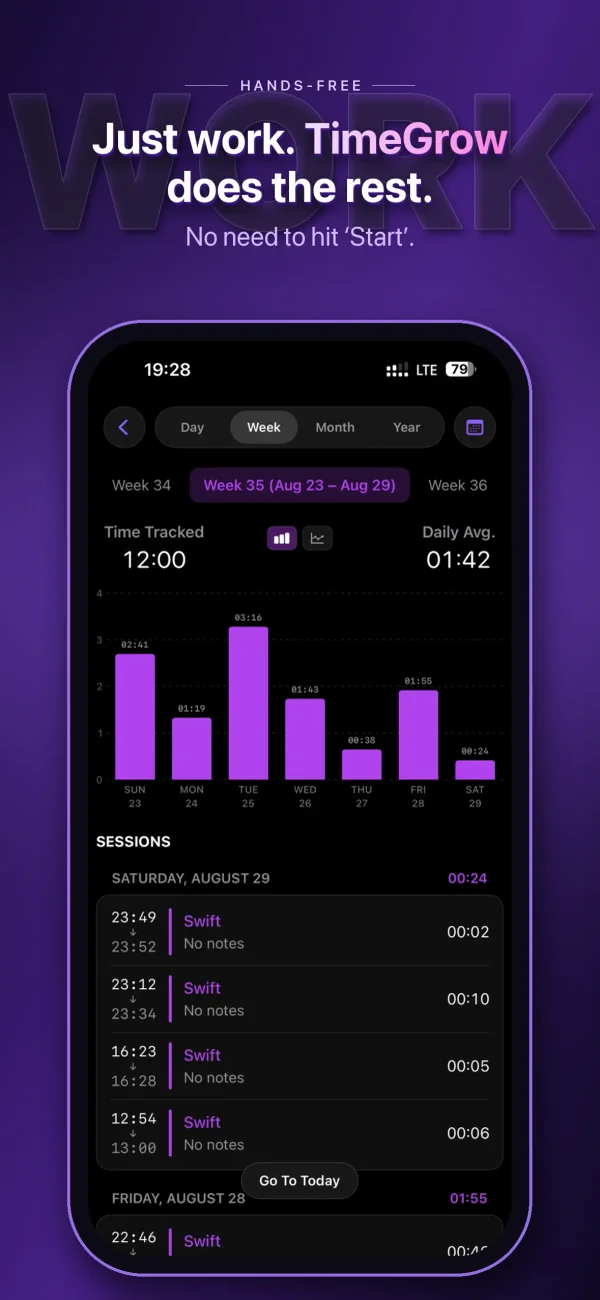
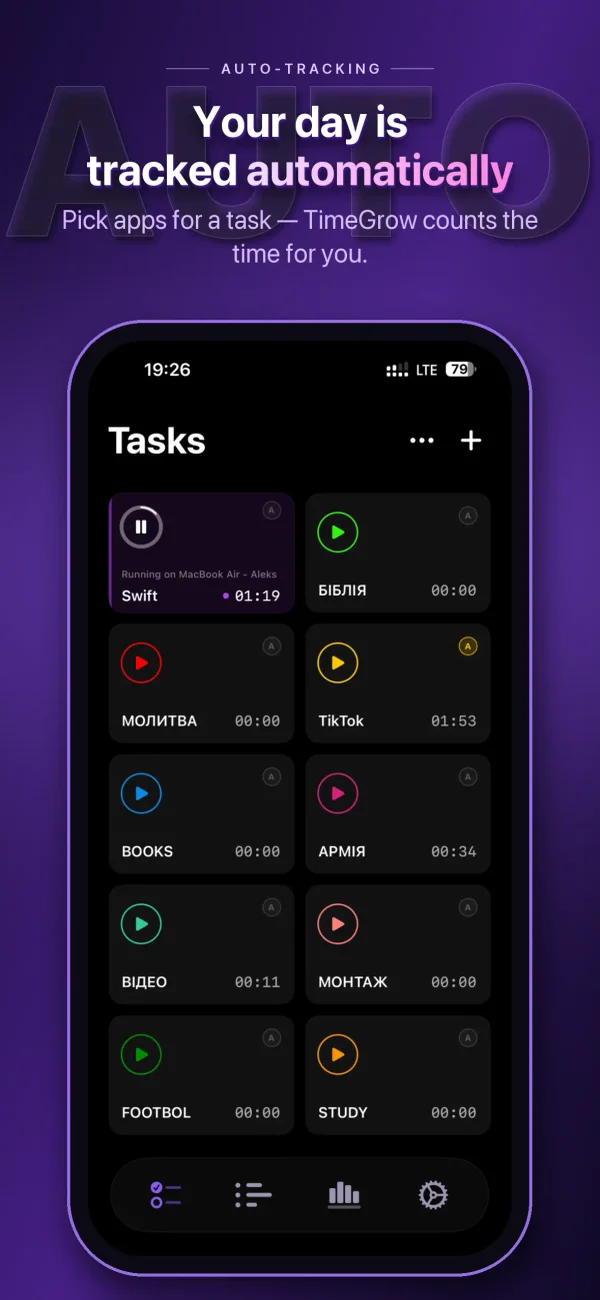
- Automatic Tracking: Link your tasks ("Development," "Reading," "Design") to specific apps or categories. TimeGrow tracks the time automatically whenever you're working in them — no need to hit "Start" every time.
- One-Tap Manual Timers: For work that happens off-screen, start tracking instantly — no complicated setup, projects, or tags required.
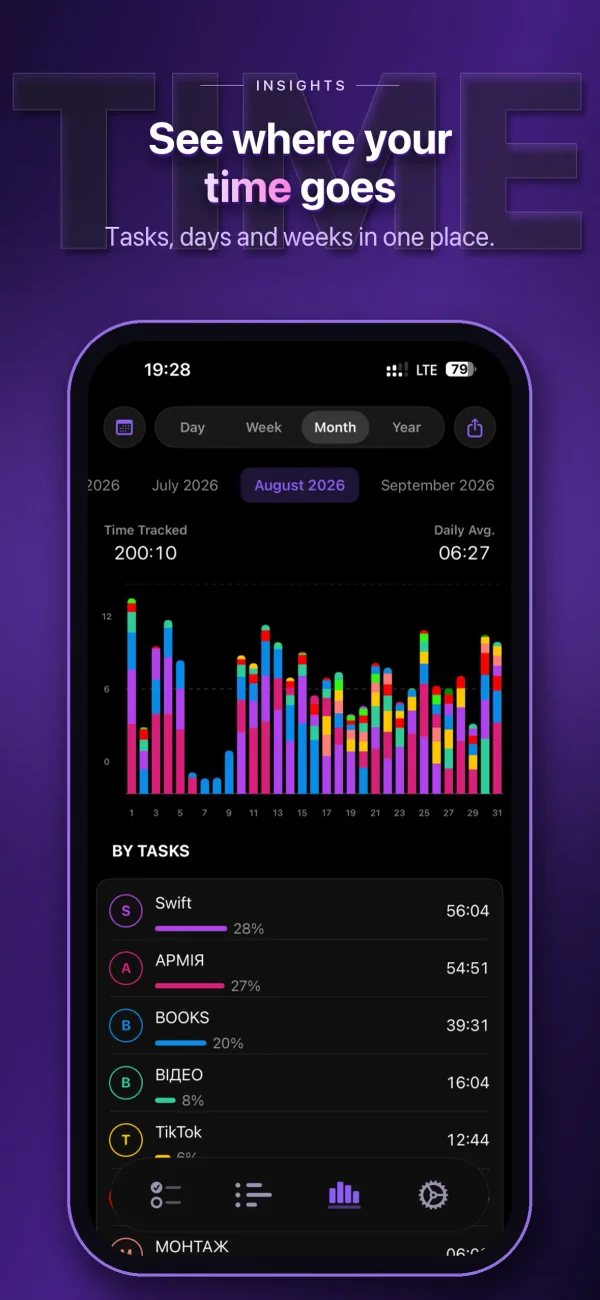
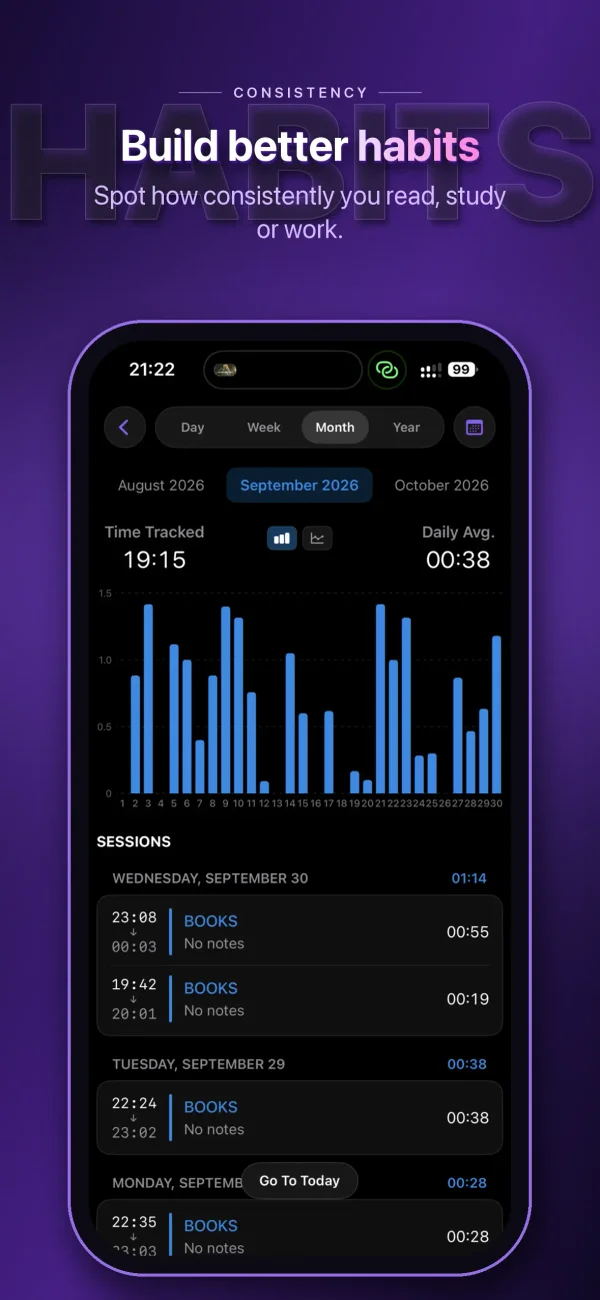
- Clear Timeline View: Review your day, week, month, or year at a glance. Understand your real workload and spot patterns in your habits.
- Sync Across Devices: Start on your Mac, pick up right where you left off on your iPhone. Sign in with Apple to sync your tasks and time entries between your devices; without signing in, your data stays on the device.
- Handy Menu Bar on Mac: Check your tracked time for the day in a single click, without breaking your focus.
- Privacy-Minded Tracking: Automatic tracking on iPhone uses Apple's Screen Time API. TimeGrow records only the confirmed time intervals for each task — no screen content is collected. You can delete your account and all your data at any time from within the app.
Discover where your time actually goes, and take back control of your day with TimeGrow.
Subscription: Creating tasks and tracking time requires a TimeGrow Pro subscription (monthly or yearly; the yearly plan includes a free trial for eligible customers). Auto-tracking, Timeline, Reports and sync across your devices are included with the subscription. Payment is charged to your Apple Account, and the subscription renews automatically unless canceled at least 24 hours before the end of the period. Manage or cancel it in your Apple Account settings.
Terms of Use (EULA): https://www.apple.com/legal/internet-services/itunes/dev/stdeula/
What’s new
Version 1.6 · Nov 14, 2026
• Apple Calendar: automatic sessions are added 10 minutes after they end, so merged sessions no longer leave duplicate events.
• Session details now show who started the session: your iPhone, your Mac, automatically via Screen Time, or manually.
• Auto-tracking recovers better after Screen Time delivers its updates late.
• The Timeline shows sessions at the right hour on days when the clocks change.
• Many stability and reliability fixes.
App privacy
What Oleksandr Synelnyk declares on the App Store about how this app handles data.
-
Data linked to you
May be collected and linked to your identity.
- Contact info
- User content
- Identifiers
-
Data not linked to you
May be collected but is not linked to your identity.
- Identifiers
Privacy practices may vary, for example with the features you use or your age.
Information
- Seller
- Oleksandr Synelnyk
- Category
- Productivity
- Version
- 1.6
- Updated
- Nov 14, 2026
- Released
- Oct 4, 2026
- Size
- 17.4 MB
- Requires
- iOS 17.0 or later
- Age rating
- 4+
- In-app purchases
- Yes
- Languages
- English, Ukrainian
- Copyright
- © 2026 WINNER.ltd
You might also like
-
 DophamineScroll smarter while AI codes
-
 Iskra — Catch the ThoughtADHD friendly voice notes
-
 FocusLock: Habit TrackerDaily Planner & Focus Timer
-
 OneTapProductivity
-
 Goal Timer: Time Track GoalsTime tracker for real goals
-
 Pomodoro Timer - Full FocusProductivity & ADHD Focus
-
 DayJournal: Planner & NotesDigital Calendar & Handwriting
-
 Hour Tracker - MoonsTime tracking, task manager
-
 Looped - Habit TrackerDaily Routine & Goal Planner
-
 Pocus: Limit screen timeReduce procrastination