DayJournal: Planner & Notes
Digital Calendar & Handwriting
Designed for iPhone, iPad
Free · In-app purchases
- Age rating4+
- CategoryProductivity
- DeveloperPathompong Puengrostham
- LanguagesEnglish+ 4 more
- Size12.7 MB
Links to the official App Store page
Download.org hosts no file of DayJournal: Planner & Notes. The button opens its official App Store page, published by Pathompong Puengrostham. Listing last checked on Nov 20, 2026.
Screenshots

About
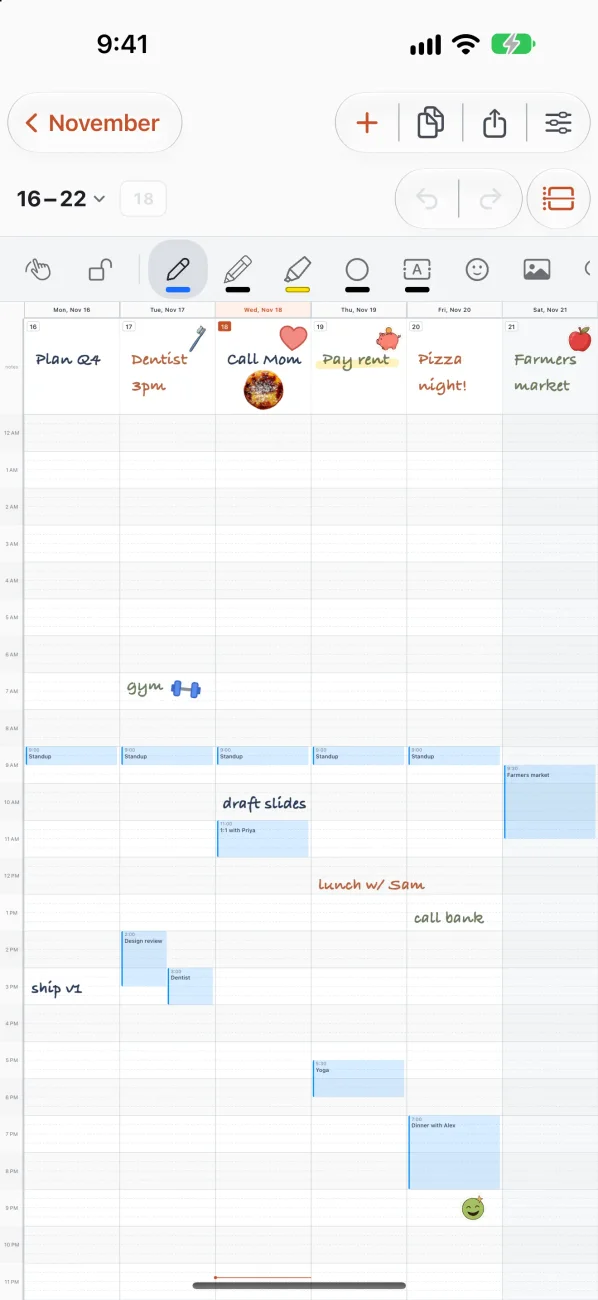
DayJournal is a planner you write in. Pick up Apple Pencil and write directly on the calendar — in the day, the week, the month or the year — and your handwriting belongs to the date you wrote it on, not to a spot on the screen.
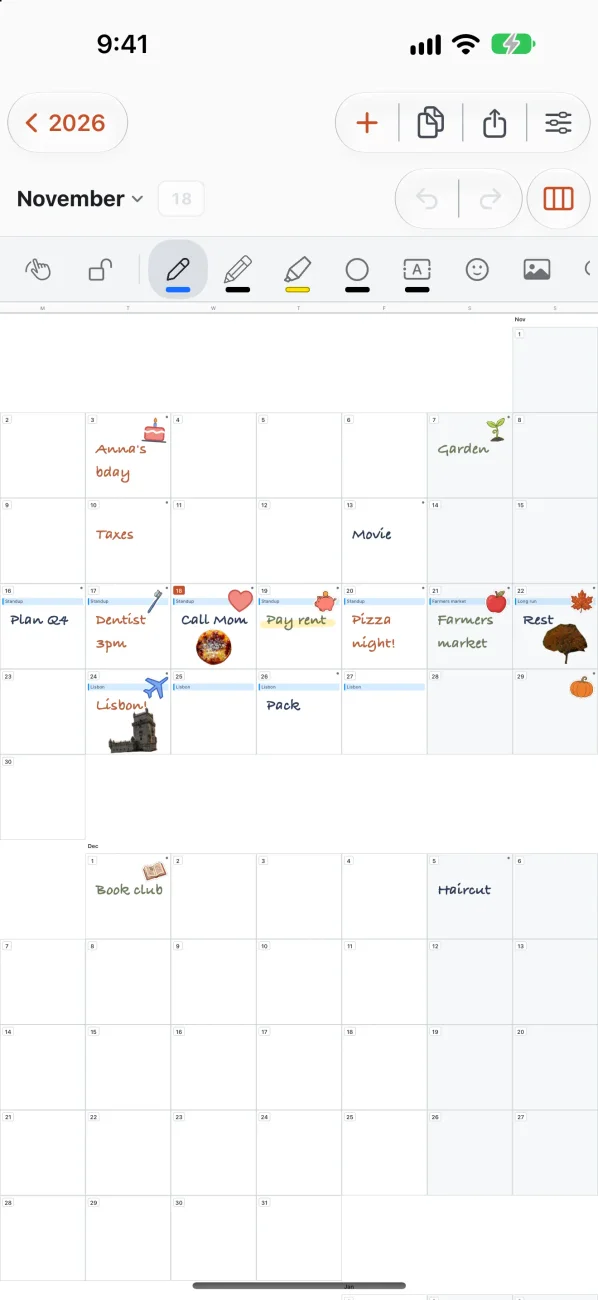
Write a note in a day's box on the month grid and it's there, larger, at the top of that day in the week and in the day view. Zoom in to write, zoom out to see the whole month. Travel across time zones and Monday's note is still on Monday.
A CALENDAR THAT'S ALSO PAPER
• Day, week, month and year views, each laid out like a printed page and zoomed like one — the writing, the dates and the lines grow together
• Scroll straight through the months, weeks and years
• Write across several days and the line runs across them, in every view
PICTURES ON YOUR PAGES
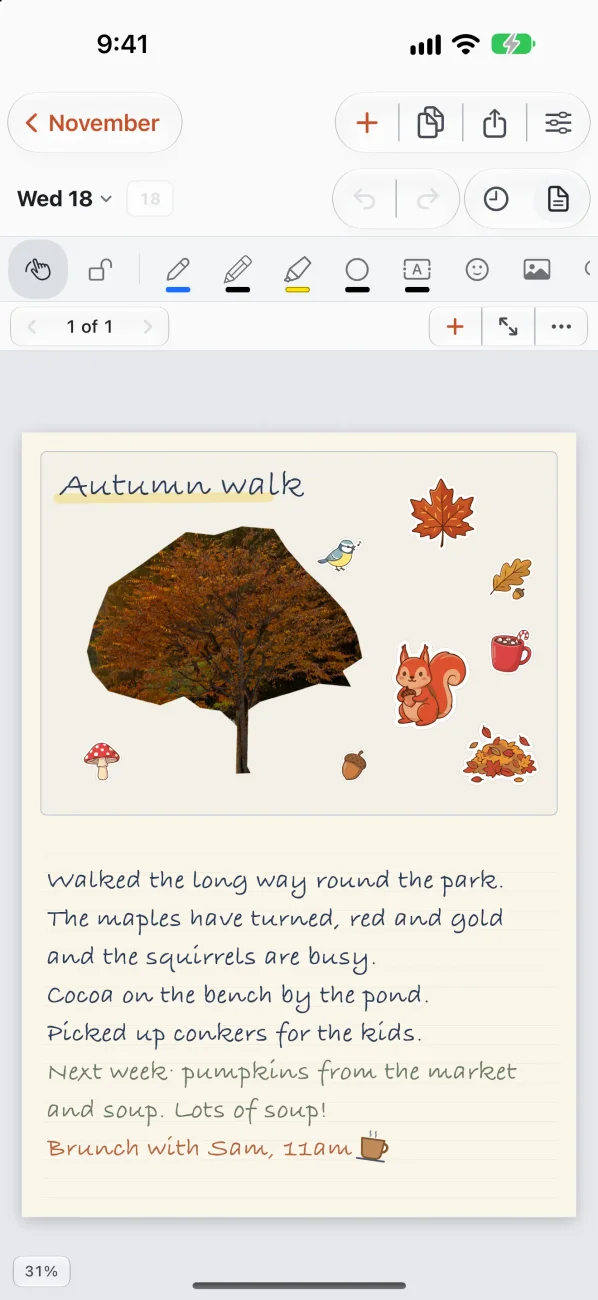
• Your own photos on any page, from your library, the camera or a paste, moved and resized like your handwriting
• Crop them, or cut out any shape by hand on iOS 26 and later
• Location and other details are removed before a picture is saved
YOUR EVENTS, IN SYNC
• Two-way sync with the calendars already on your device — iCloud, Google, Exchange and more
• Events show as blocks on the same page you write on
• Press and drag down the hours to create an event exactly as long as you need, or tap + for timed and all-day events
A SHEET OF PAPER FOR EVERY DAY
• Add full A4 pages to any day — as many as you like
• Blank, ruled or dotted, on white or a soft tint, chosen per page
• Layouts to fill in: Cornell notes, checklists, a habit tracker and more
NOTEBOOKS
• Notebooks for everything that isn't about a date — meeting notes, lists, sketches
• File them in folders and sort by name or last edited
• Browse every page you've written, by month, in the Notes library
ON YOUR HOME SCREEN, AND ON PAPER
• Widgets for this month, today's note and the hour you're in, with DayJournal Plus
• Export a page or a whole notebook as a PDF — to print, save to Files or send — with DayJournal Plus
A PENCIL CASE THAT'S YOURS
• Three pen slots, each set to a pen, a pencil or a highlighter, in any color and width
• A pencil that looks like graphite on paper — press harder to go darker
• Pressure-sensitive ink that follows your hand, with gentle smoothing that keeps your handwriting yours
• Draw a line, arrow, rectangle, ellipse or triangle and it snaps into a clean shape, with an optional fill
• Text boxes for notes you want to type, with bold, italic, lists, alignment and any font on your device
• Stickers: a free pack, and every other pack with DayJournal Plus
MOVE THINGS AROUND
• Lasso any handwriting to move, resize, rotate or recolor it
MADE FOR THE HAND THAT WRITES
• Palm rejection, so resting your hand never scrolls the page
• On iPhone, write with your finger; on iPad, Apple Pencil writes and your finger scrolls
YOURS, AND PRIVATE
• Works completely offline — no account needed
• Your planner lives on your device
• Optional sign-in syncs your handwriting and pictures between your iPhone and iPad
DAYJOURNAL PLUS
• Free: every view and tool, sync, five pictures and up to five notebooks — each day with paper counts as one, the pages inside never do
• DayJournal Plus adds unlimited notebooks and pictures, every color theme and sticker pack, widgets and PDF export
• Pictures sync up to 100 MB, or 1 GB with Plus; if Plus ends, those beyond your most recent 100 MB leave sync after 180 days and stay on your devices
• Monthly or yearly, starting with a 7-day free trial
• Payment is charged to your Apple Account. The subscription renews automatically unless canceled at least 24 hours before the end of the current period, and can be managed or canceled in your App Store account settings
• Terms of Use: https://www.apple.com/legal/internet-services/itunes/dev/stdeula/
• Privacy Policy: https://dayjournal.app/privacy
In English, Spanish, Japanese, Korean and Thai. Requires iOS 18 or later. Apple Pencil is recommended on iPad; on iPhone, everything works with a finger.
What’s new
Version 1.5.1 · Nov 19, 2026
Pictures are here. Put your own photos on any page — from your library, the camera or a paste — crop them, cut out shapes by hand, and move them like your handwriting. Five pictures are free; DayJournal Plus makes them unlimited and syncs up to 1 GB of them between your devices.
App privacy
What Pathompong Puengrostham declares on the App Store about how this app handles data.
-
Data linked to you
May be collected and linked to your identity.
- Purchases
- Contact info
- User content
- Identifiers
Privacy practices may vary, for example with the features you use or your age.
Information
- Seller
- Pathompong Puengrostham
- Category
- Productivity
- Version
- 1.5.1
- Updated
- Nov 19, 2026
- Released
- Oct 1, 2026
- Size
- 12.7 MB
- Requires
- iOS 18.0 or later
- Age rating
- 4+
- Price
- Free
- In-app purchases
- Yes
- Languages
- English, Japanese, Korean, Spanish, Thai
- Copyright
- © 2026 Pathompong Puengrostham
You might also like
-
 Plana - Handwriting PlannerHandwritten planner & calendar
-
 Scribble Calendar & PlannerHandwritten Planner & Journal
-
 Handwriting Journal PlannerCalendar, Journal & Daily Memo
-
 iPlan Today - Pencil PlannerDaily Journal & Habit Tracker
-
 Pencil Planner: PencilTimeWrite, Type & Plan Your Way
-
 Pencil Calendar - PencilCalDraw events with Apple Pencil
-
 Pencil Calendar: CalendarPadHandwritten Planner & Notes
-
 Ultimate Planner AppWhere Paper Meets Digital
-
 Digital Planner for iPad Day+Pencil Planning & Calendar
-
 Notes for iPad - Pencil NotesQuick Note Taking & Notepad