
Time Master + Billing
Designed for iPhone, iPad, iPod touch
$9.99 · In-app purchases
- Age rating4+
- CategoryBusiness
- DeveloperOn-Core Software LLC
- LanguagesEnglish+ 4 more
- Size57.2 MB
Links to the official App Store page
Download.org hosts no file of Time Master + Billing. The button opens its official App Store page, published by On-Core Software LLC. Listing last checked on Nov 25, 2026.
Screenshots

About
The best, most powerful, comprehensive, easy to use time keeping app on the Apple Store is now even better.
Our biggest fans are consultants, attorneys and contractors. Time Master is used by individuals working independently, to attorneys from some of the biggest law firms in the USA. If you need to keep track of time and expenses, you can’t find a better app than Time Master. We at On-Core are IT professionals, so we have firsthand experience with billing and keeping track of time. We know from personal experience what is needed and have made this app so flexible, it works for virtually anyone in any industry in which time needs to be kept.
Features:
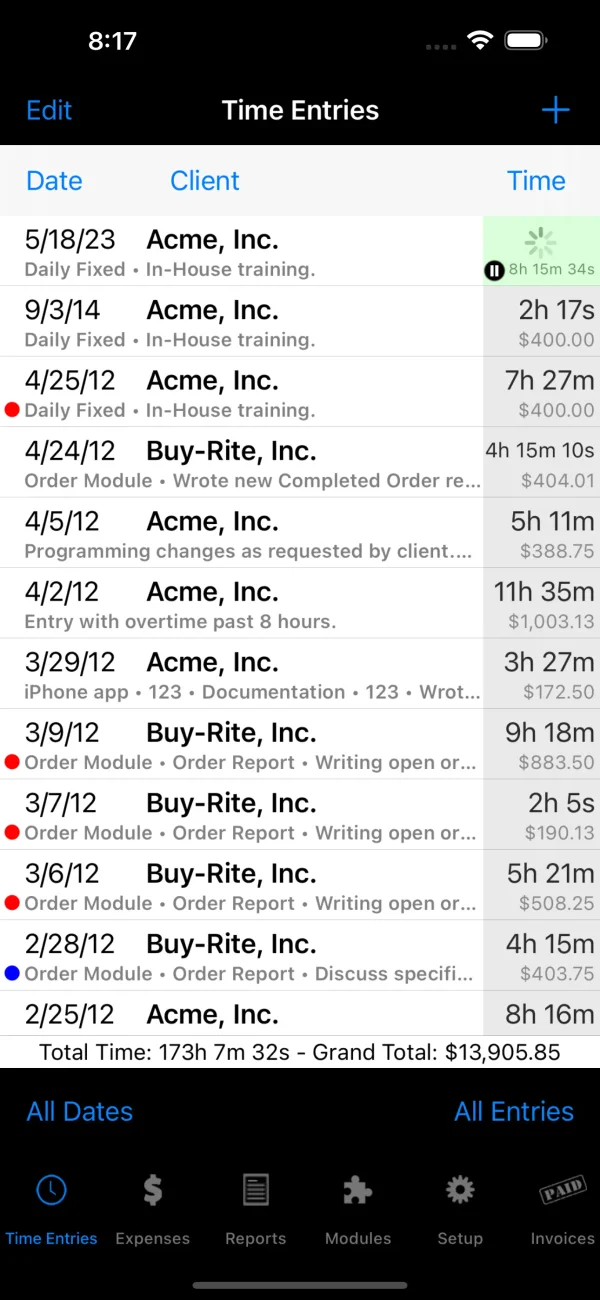
- Track time by start, stop and/or by duration
- Sessions option can track "punch-in & out" for a single time entry
- Single or multiple running timers
- Timers keep running even if you are not running the app
- Time Entries are by Client and can be sub-categorized by Project and Tasks
- Powerful billing rates that can be defined in the following priority: Global, by Client, by Project, by Task or Custom per entry
- Powerful Time Rounding: by hour, minutes and/or seconds
- Multiple Filters to sort and view only what you need to see
- Define the day of the week that your work week starts
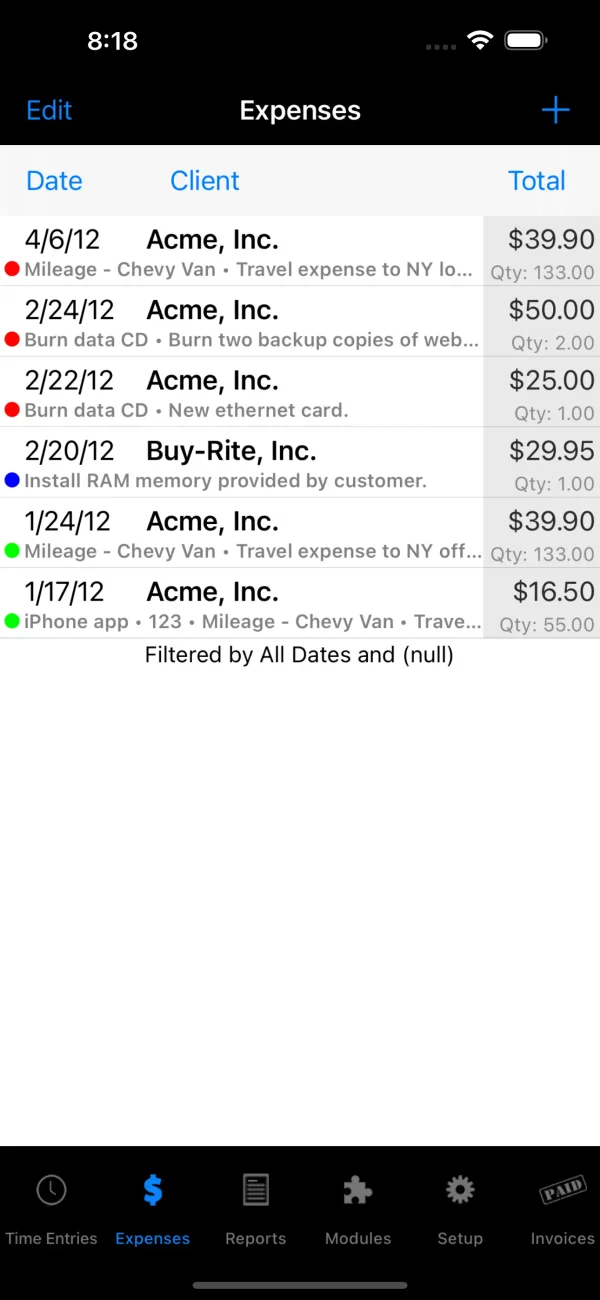
- Track Expenses - from Mileage to Meals to Burning CD's and anything else you want to define
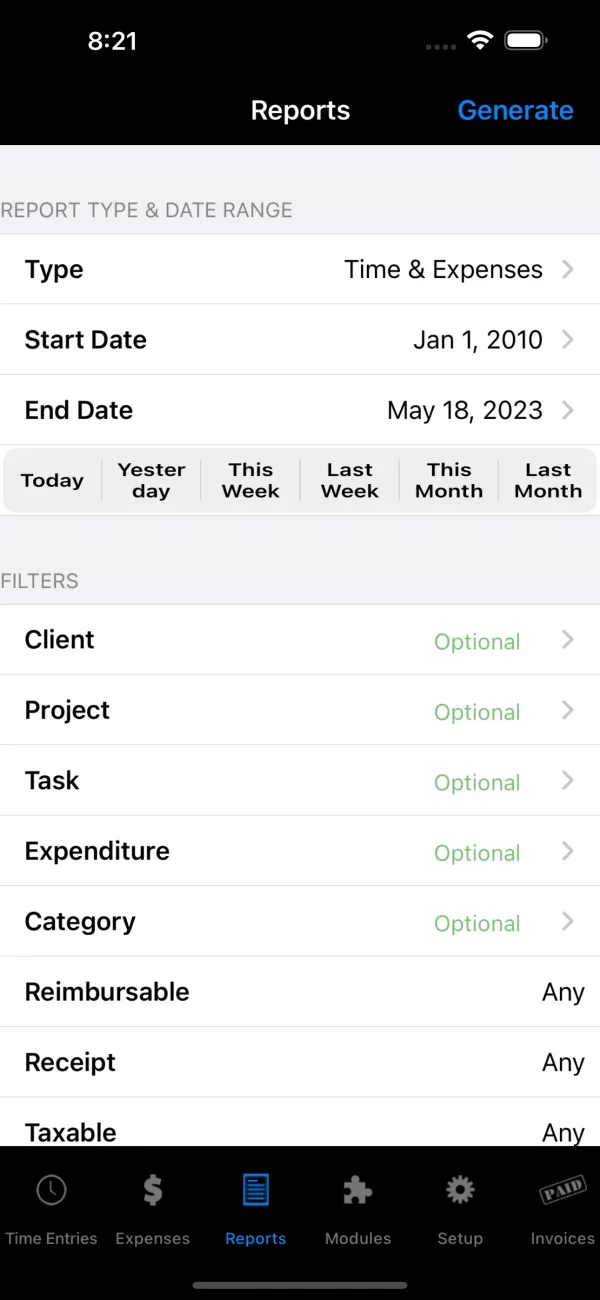
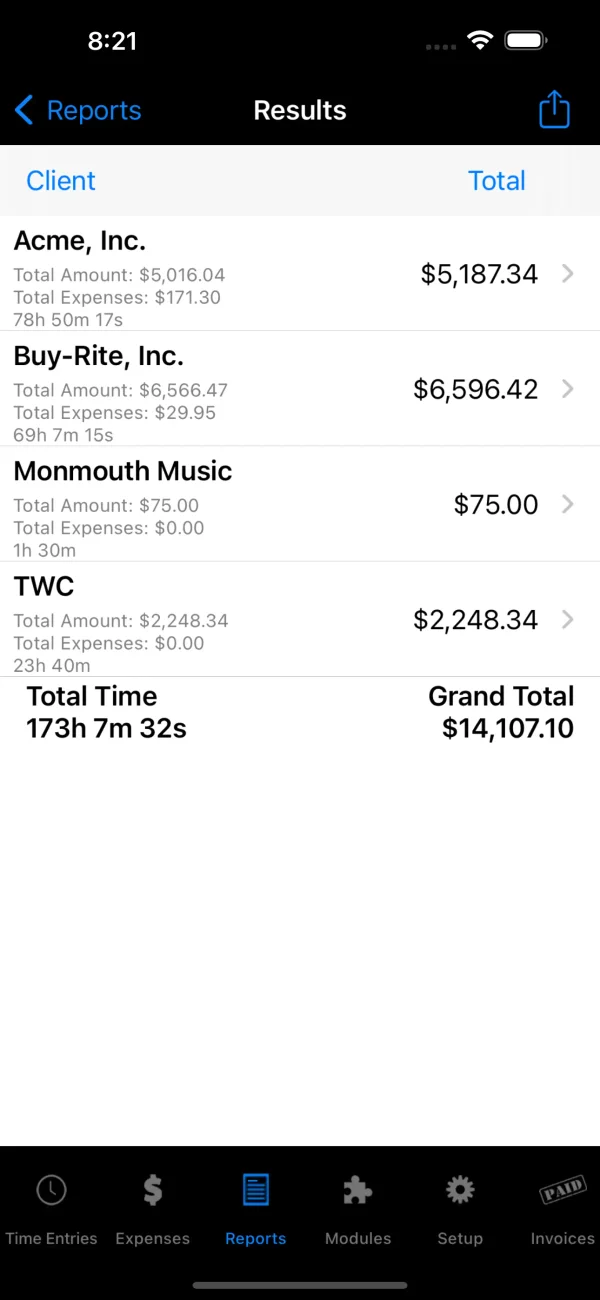
- Display Reports right on your device that you can view and export via email in HTML and/or CSV format. By Client or Timesheet
- Copy Client information from your Contacts list
- Dual taxes for countries such as Canada
- Full Backup & Restore capabilities
- and so much more!
NEW! "Time Master Client" companion app. How it works: the account owner sets up Clients, Projects, and Tasks in Time Master + Billing and pushes them to team members/subcontractors on Time Master Client. Those team members track time and expenses (and can optionally generate invoices) from the field, and it all syncs back to the main app for consolidated billing. Subscription-based.
OPTIONAL MODULES (one-time additional fee required as an "In App Purchase"):
- Invoicing: If you want to do billing directly from your iPhone or iPod Touch then look no further. The most powerful invoicing module built directly into Time Master. Professional PDF invoices can be emailed to the client, including your own logo.
- Synchronization: Wirelessly synchronize two or more devices. If you have an iPad and an iPhone and want to keep the data synchronized between the two devices, this is for you!
Time Master can track both time and expenses. You can track time using start and stop times, duration, and/or timers. All time entries are tracked for a single day, so time entries cannot be greater than 24 hours. It will allow you to time across days, for example if you start a job at 8 p.m. and finish at 2 a.m., it will have a duration of 6 hours.
Expenses can be setup for recurring fixed cost items, such as burning a CD, reimbursement of hardware items, or fluid things such as toll expenses, automobile mileage, etc.
Quick reporting can be done on the iPhone / iPad with the Reports function. The report can be emailed in an HTML and/or CSV format.
Adding new Clients, Projects, Tasks and Expenditures is super easy. You can create them on the fly without having to navigate to a separate maintenance screen. To edit them you can tap on Setup, do you edit and then return to where you left off in Time Entries or Expenses. By selecting a Project or Task first will automatically fill in the Client field for quick entry.
We’ve made everything as seamless as possible, as you would expect from a top class iOS application. Please click on the "On-Core website" link below to download the documentation on your computer.
Terms of Use: https://www.apple.com/legal/internet-services/itunes/dev/stdeula/
What’s new
Version 7.0.6 · Nov 24, 2026
Fixed a crash in Dropbox Backup when the backup list refreshed while loading.
Fixed a crash on Mac when choosing a client from Contacts.
Fixed a crash in the invoice list when an invoice had been deleted.
Fixed a crash when a Dropbox file listing failed.
App privacy
What On-Core Software LLC declares on the App Store about how this app handles data.
-
Data linked to you
May be collected and linked to your identity.
- Contact info
- User content
- Identifiers
- Usage data
- Diagnostics
Privacy practices may vary, for example with the features you use or your age.
Information
- Seller
- On-Core Software LLC
- Category
- Business
- Version
- 7.0.6
- Updated
- Nov 24, 2026
- Released
- Apr 10, 2009
- Size
- 57.2 MB
- Requires
- iOS 15.6 or later
- Age rating
- 4+
- Price
- $9.99
- In-app purchases
- Yes
- Languages
- English, Finnish, German, Norwegian Bokmål, Spanish
- Copyright
- © 2009-2026 On-Core Software LLC
You might also like
-
 Inspect CloudProductivity
-
 TimeTrack for FreelancersProject Time Tracker & Billing
-
 WorkingHours • Time TrackerWork Log & Timesheet Export
-
 Harvest: Track Time & InvoiceManage Receipts & Expenses
-
 Timelines Time TrackingPersonal & Work Hours Tracker
-
 Clio for Law Firms and LawyersBusiness
-
 Hours Tracker: Time TrackingHourly work and pay calculator
-
 Toggl Track (Legacy)For existing Track accounts
-
 Clockify Time TrackerTime tracker and timesheet
-
 Motion: Tasks & AI SchedulingA.I. Time and Project Manager