
Time Meter - Tracker and Sheet
Easy Time Logging
Designed for iPhone, iPad
Free · In-app purchases
- Age rating4+
- CategoryProductivity
- DeveloperProductive Tools OU
- LanguagesEnglish+ 4 more
- Size35.0 MB
Links to the official App Store page
Download.org hosts no file of Time Meter - Tracker and Sheet. The button opens its official App Store page, published by Productive Tools OU. Listing last checked on Nov 13, 2026.
Screenshots
About
Track time without breaking flow. See where your day actually goes.
Time Meter is a fast, focused time tracker for iPhone — with iCloud sync, Home Screen widgets, and Siri Shortcuts that fit into the way you
already use your phone. Built for freelancers tracking billable hours and anyone trying to spend their days more deliberately.
ONE-TAP TRACKING
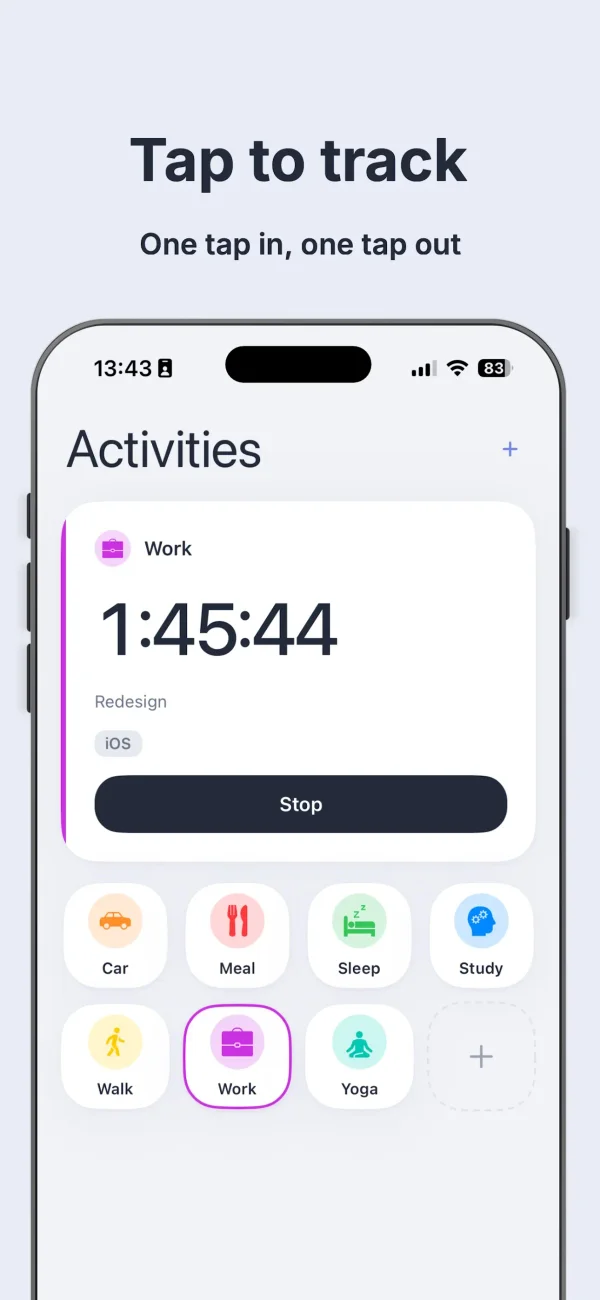
• Tap any activity to start. Tap again to stop. That's the whole loop.
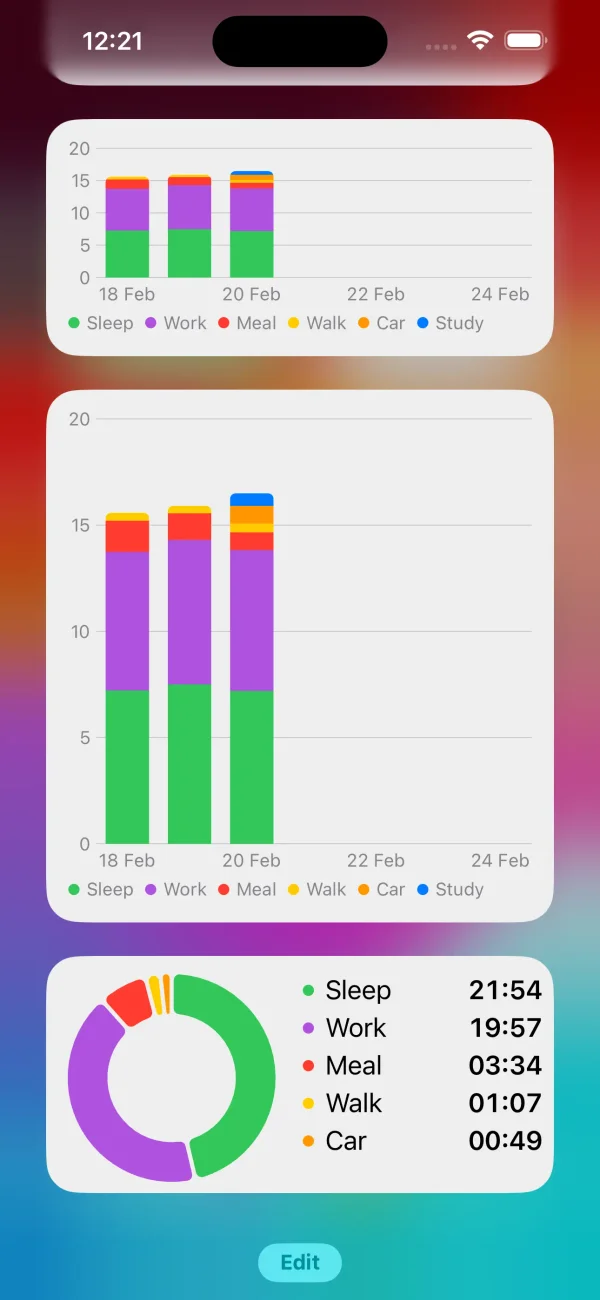
• Home Screen and Lock Screen widgets show today's totals or the activity you're currently running.
• Siri Shortcuts let you start and stop hands-free: "Hey Siri, start Work."
• Custom activities with names, colors, icons, and tags.
UNDERSTAND YOUR TIME
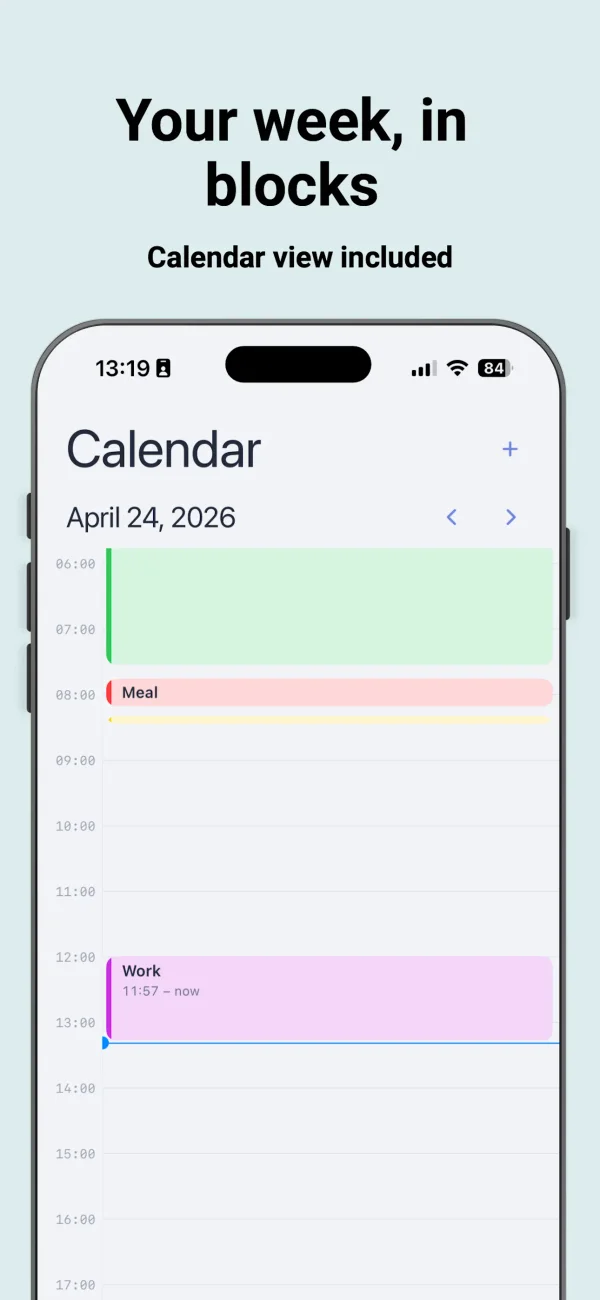
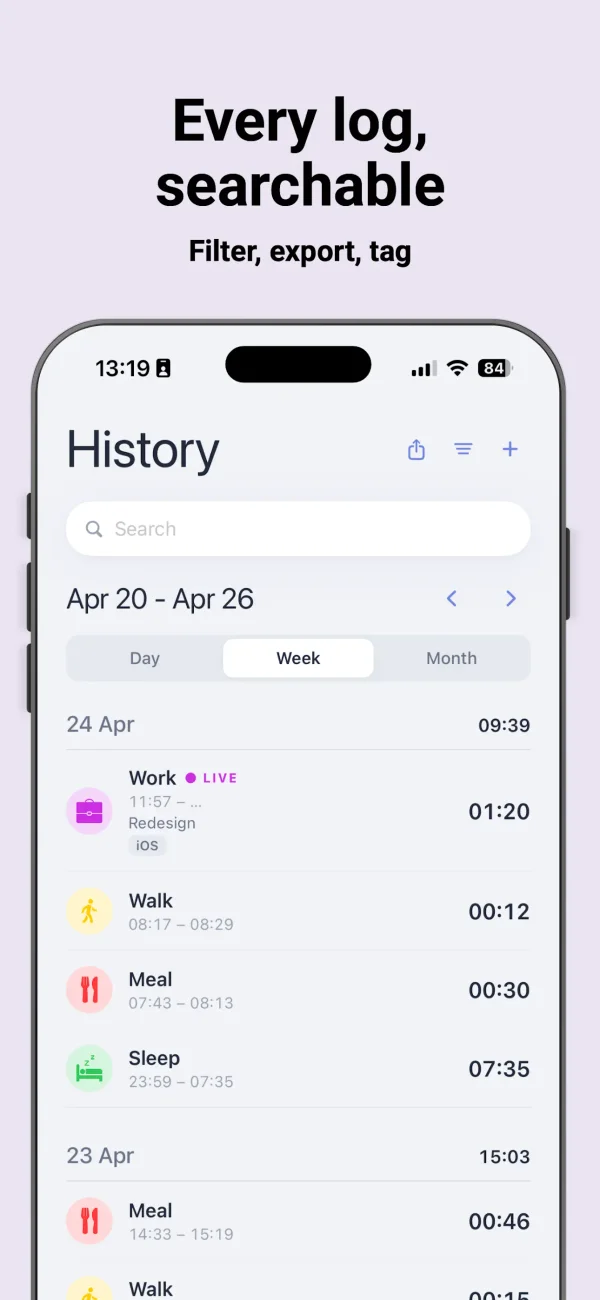
• Daily history grouped by day with running totals.
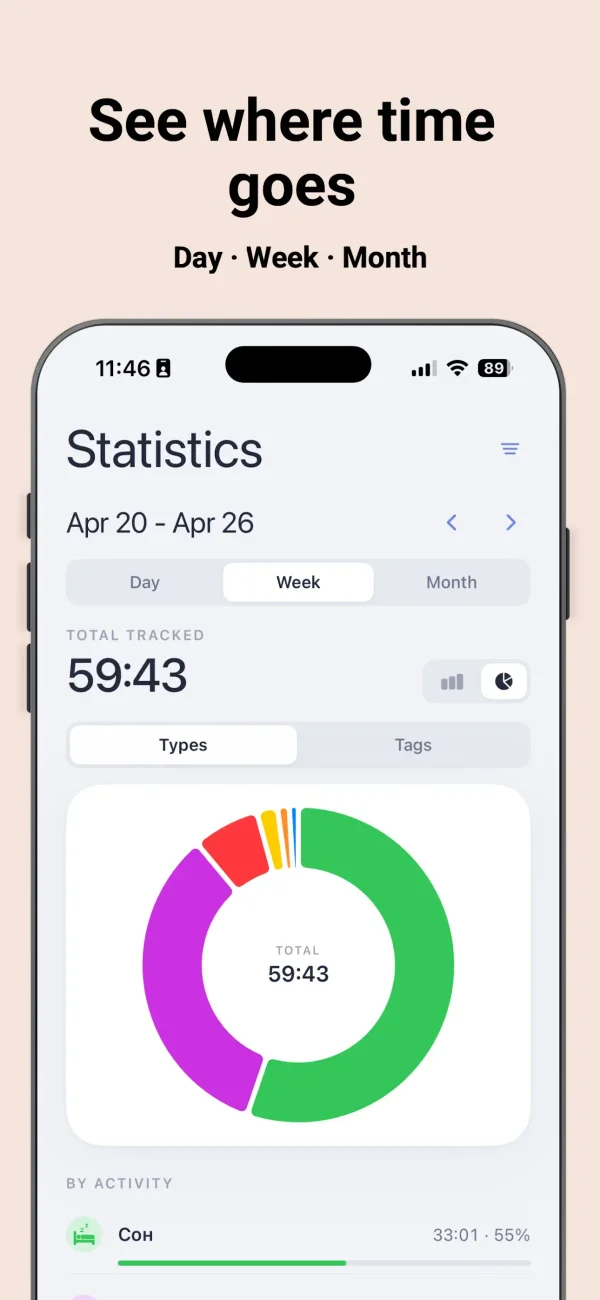
• Statistics with pie charts and stacked bar charts that make your patterns obvious at a glance.
• Flexible date ranges for last week, last month, or any window you choose.
• CSV export — your data, ready for a spreadsheet whenever you want it.
PREMIUM UNLOCKS
• iCloud Sync keeps activities, types, and tags in step across every device on your Apple ID.
• Unlimited activities (free plan tracks up to 5).
• Full history — every log kept, forever.
• Backup and restore the full database to a file you control.
• CSV import to bring in historical data from other trackers or spreadsheets.
One purchase. Lifetime access. No subscription. No account required.
What’s new
Version 2.3.0 · Nov 12, 2026
• Apple Health: bring in your sleep and workouts as tracked time, with sleep stages and score, heart rate zones, pace and routes, and their statistics by week and month.
• Notifications: Time Meter can tell you when a night or a workout ends, with Add right on the notification.
• Apple Watch: start and stop your activities from your wrist.
• The running timer now stays on the Lock Screen and in the Dynamic Island, with a Stop button.
• Widgets have names in the widget gallery, and Last 7 days and Last 30 days show exactly 7 and 30 days.
• Help has a quick tutorial and a link to the new user guide.
• Time Meter now speaks Japanese.
App privacy
What Productive Tools OU declares on the App Store about how this app handles data.
-
Data not linked to you
May be collected but is not linked to your identity.
- Usage data
- Diagnostics
Privacy practices may vary, for example with the features you use or your age.
Information
- Seller
- Productive Tools OU
- Category
- Productivity
- Version
- 2.3.0
- Updated
- Nov 12, 2026
- Released
- Feb 23, 2024
- Size
- 35.0 MB
- Requires
- iOS 17.0 or later
- Age rating
- 4+
- Price
- Free
- In-app purchases
- Yes
- Languages
- English, German, Japanese, Russian, Simplified Chinese
- Copyright
- © Productive Tools OU
You might also like
-
 SimpleTimeLoggerTime Tracking made easy
-
 Pomodoro.me - Focus on TasksSay No to Procrastination
-
 Shared To Do List — VeritaskTask Manager. Checklist. ToDo
-
 Motivation and Goals - MotivumDaily quotes, habit life reset
-
 aTimeLogger - Personal TrackerHours Timer & Tasks Tracking
-
 BlockyTime Lite - Time TrackerManage Time by Tapping Blocks
-
 WSTR: Daily Planner ScheduleCalendar Routine and Plans
-
 My Time - My Preciousfabulous daily routine tracker
-
 Time Tracker - TimelogHours tracking and goal timer
-
 ADHD Planner AI Task: SplittiTo Do List & Daily Organizer