- Age rating4+
- CategoryProductivity
- DeveloperTobias Heckel
- LanguagesEnglish+ 18 more
- Size19.4 MB
Links to the official App Store page
Download.org hosts no file of SimpleTimeLogger. The button opens its official App Store page, published by Tobias Heckel. Listing last checked on Nov 13, 2026.
Screenshots




About
TimeLogger – Take Control of Your Time. Powerful. Clear. Flexible.
TimeLogger is a powerful time tracker with a clean, uncluttered interface – all the complexity stays in the background so you can focus on your work.
Smart Time Tracking
- Quick Durations: Tap your most-used work durations to log time instantly – no manual clock setting needed
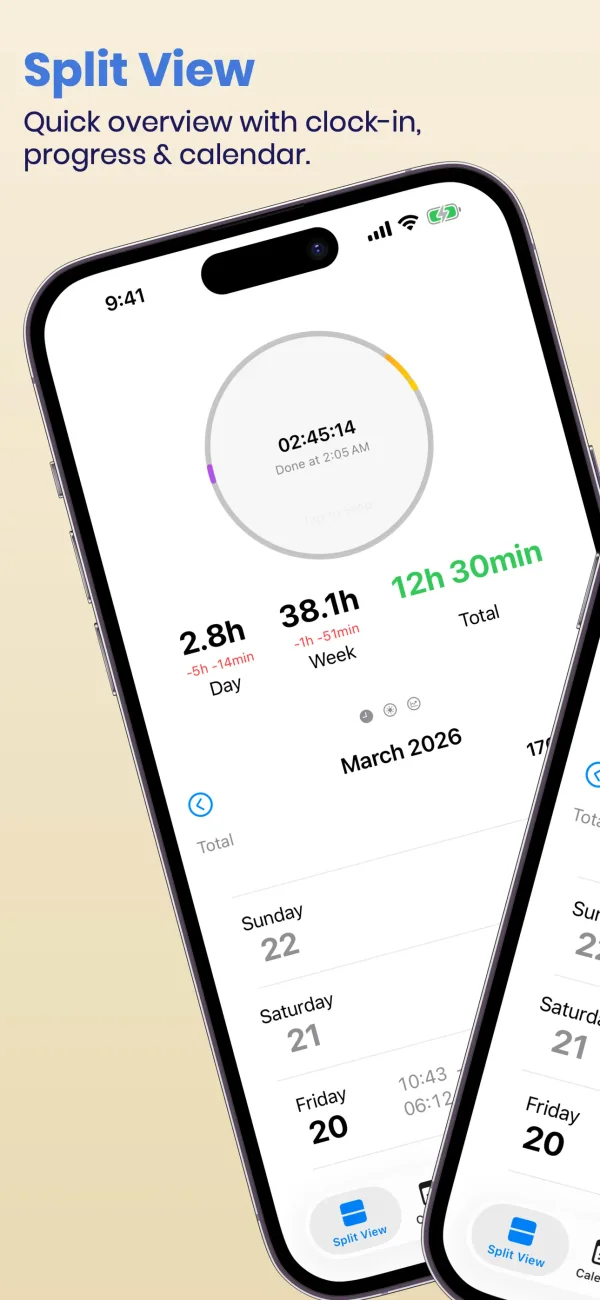
- "Finished by" display: See right in the Start/Stop button when you'll reach your target hours
- Home Screen Quick Actions: Start or stop tracking and add new entries without even opening the app
- Siri Shortcuts: Control TimeLogger with your voice – start tracking, add entries, open statistics, or export as PDF
- Midnight time tracking: Flexibly allocate shifts to the start day, end day, or split across both
- Add missed entries manually at any time
Multiple Jobs
- Manage multiple jobs separately – ideal for a second job or a new employer
- Each job with its own target hours, vacation allowance, and balance
Projects & Tags
- Projects: Assign every entry to a project – such as a client or job – and keep track of where your hours go
- Tags: Describe the context of your work with any number of tags like working from home or office – independent of the project and always optional
- Tag Breakdown: See in statistics the total hours and number of days for each of your tags – for example your working-from-home days for your tax return
- Filter: Narrow the calendar and statistics down to a single project
Export & Reports
- CSV Export: Export your working hours as a CSV file – perfect for further processing in Excel, Numbers & more
- PDF Export: Professionally designed Monthly Overview with a totals row showing all your totals at a glance
- Individual Export Options: Choose the row layout, separators, units, and additional columns like projects or tags
- Project Export: Export a project's hours as a PDF – perfect as proof for an invoice or a report
Reminders & Notifications
- Reminders to clock in and out, plus alerts when you reach your target hours or an automatic break applies
- Configurable separately for each weekday
- Naturally stays quiet on vacation, holidays, and sick days
Target Time & Work Balance
- Set individual target hours for each weekday
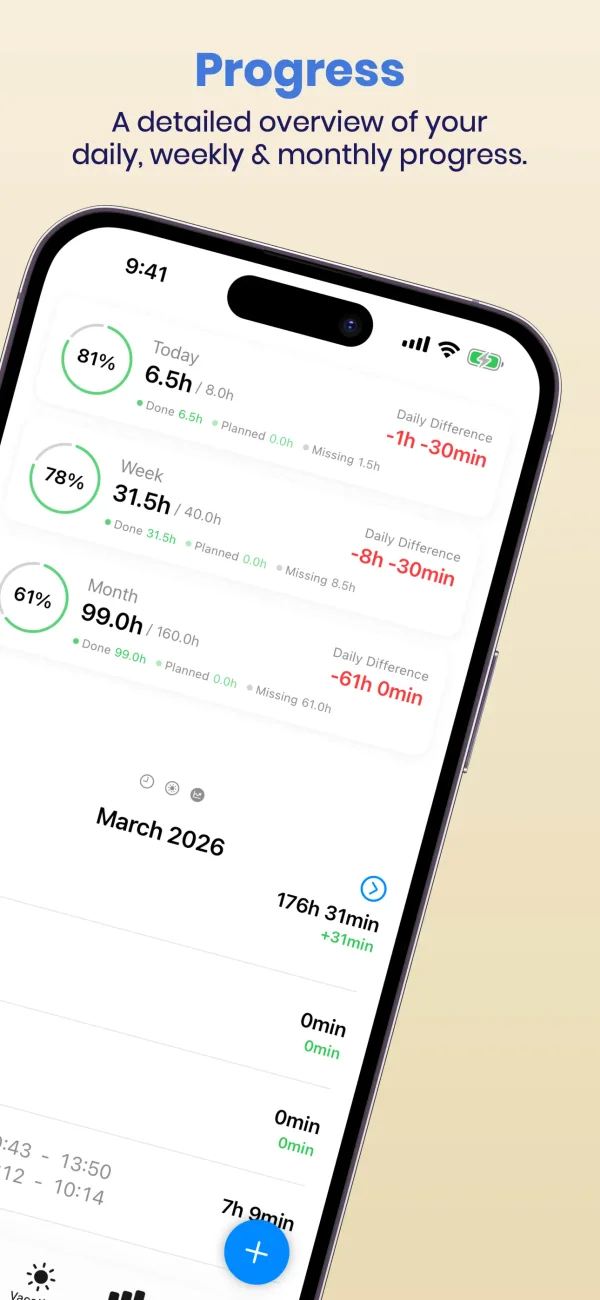
- Daily and weekly target time tracking with automatic running balance
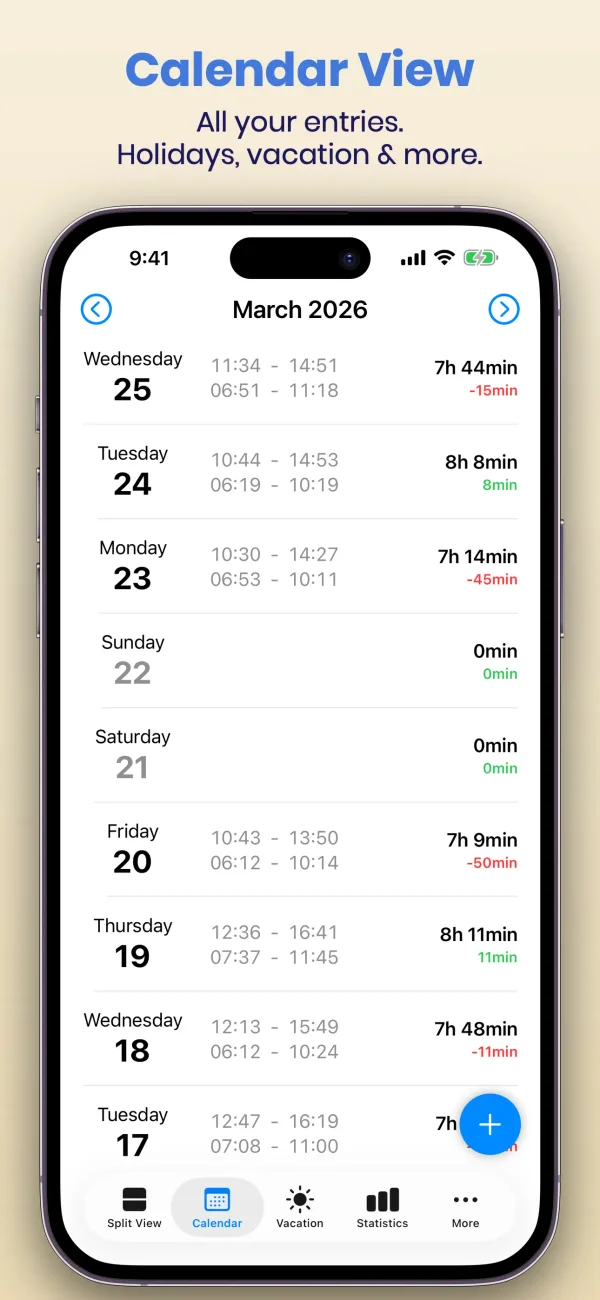
- Running Total Balance: Optionally, the calendar shows your cumulative balance up to each day right alongside it
- Missed targets are shown as negative balance in weekly and monthly charts
- Support for half workdays (e.g. Christmas Eve, New Year's Eve)
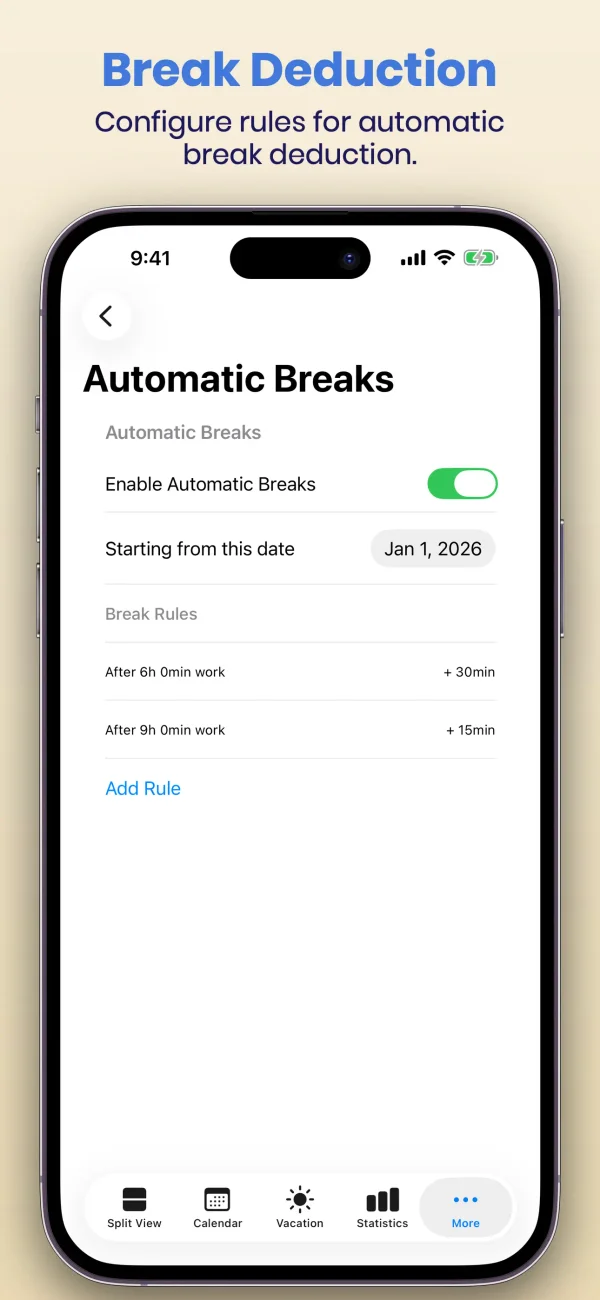
- Automatic breaks: Configurable legally or company-required break rules, also loggable manually
- Period-based target hours and vacation allowances – ideal when switching between full-time and part-time
Vacation & Absence Management
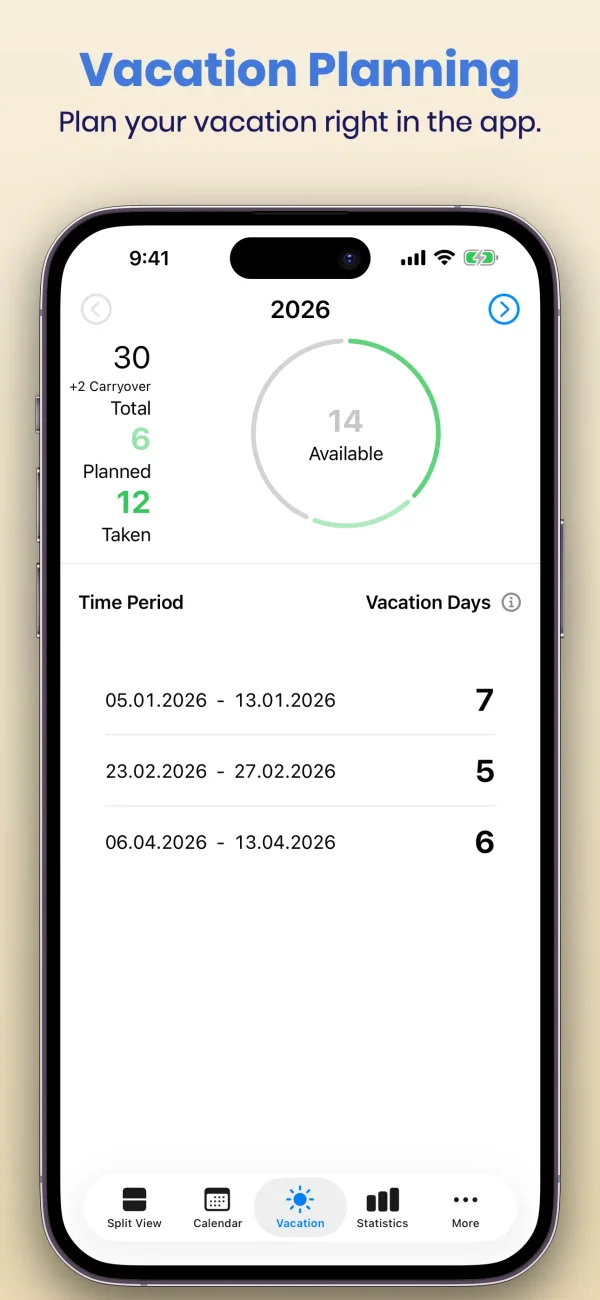
- Built-in vacation management: track available, planned, and taken days
- Create vacation with a single tap – right from the detail view
- Vacation Preview: instantly see how many vacation days a period will use before you confirm
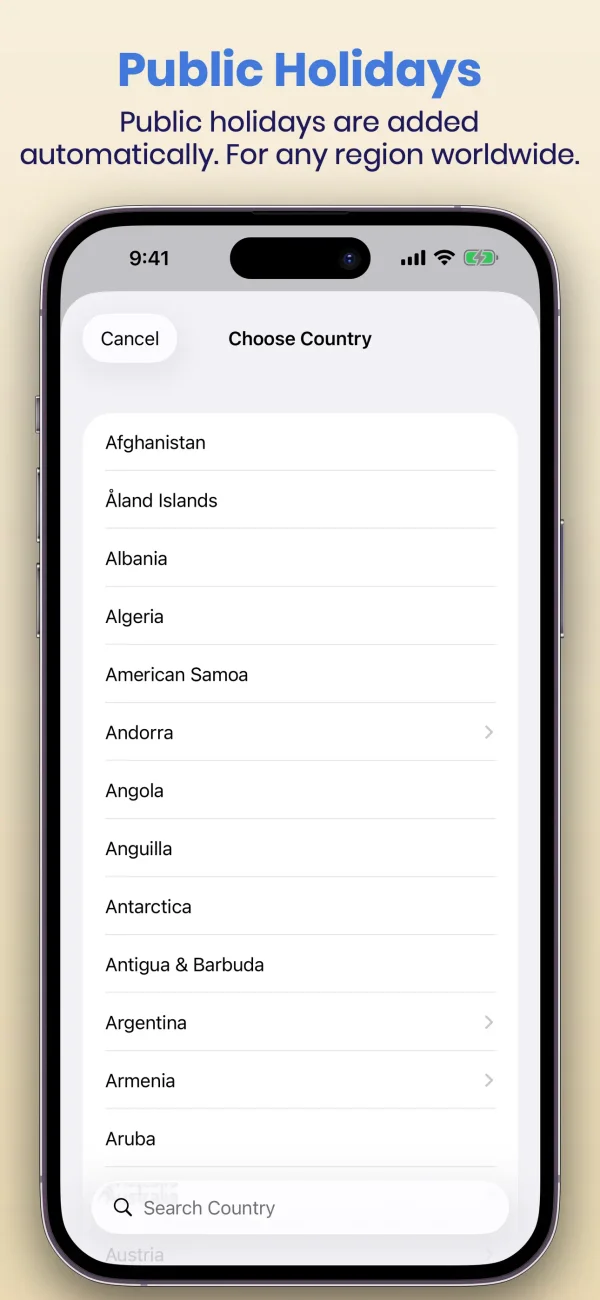
- Automatic Public Holidays: Choose your region and official holidays appear automatically in the calendar – works for any region worldwide
- Manual entry of other absence types like sick days, special leave, or compensatory time off
- Visual statistics with a comprehensive overview of all absences (sickness, vacation, and more)
Insights & Statistics
- Insights section: Discover patterns in your work behavior
- Clear, visual summaries of your time at a glance
Widgets & Live Activities
- Live Activity & Lock Screen Widgets: daily, weekly, and monthly progress on your lock screen and in the Dynamic Island
First-Class iPad Support
- Sidebar navigation and a thoughtfully designed layout optimized for the big screen
Help & FAQ
- Answers to common questions right in the app – about Jobs, Projects, Tags, time tracking, balance, and more
Questions, feedback, or suggestions?
Feel free to email us at TimeLogger@heckel.tech – we'd love to hear from you!
What’s new
Version 1.26.0 · Oct 21, 2026
New in this version:
• Automatic backups: TimeLogger now backs up your data daily and before updates. Under Settings → "Backup" you can see all backups, create or delete one yourself, and return to an earlier state at any time.
• Yearly export: Export a whole year as a single PDF or CSV file.
• Overlap warning: TimeLogger warns you before you save overlapping work entries and marks affected days in the calendar.
• Track with the Action Button, Control Center, and Lock Screen: new controls to start and stop time tracking.
• New Siri and Shortcuts action "Toggle time tracking".
• Start or stop tracking right from a notification with a quick action.
• Search the Help: the Help now has a search field with highlighted matches.
• Project description: projects can have a description with tappable links, including deep links into other apps.
Improved:
• The public holidays overview in the statistics now also shows automatically detected public holidays.
• The onboarding summary names the vacation start year instead of "this year".
Questions, suggestions, or feedback?
Feel free to write to us at TimeLogger@heckel.tech – we look forward to hearing from you!
App privacy
What Tobias Heckel declares on the App Store about how this app handles data.
-
Data not linked to you
May be collected but is not linked to your identity.
- Usage data
Privacy practices may vary, for example with the features you use or your age.
Information
- Seller
- Tobias Heckel
- Category
- Productivity
- Version
- 1.26.0
- Updated
- Oct 21, 2026
- Released
- Aug 14, 2024
- Size
- 19.4 MB
- Requires
- iOS 18.0 or later
- Age rating
- 4+
- Price
- Free
- Languages
- English, Dutch, French, German, Hindi, Indonesian, Italian, Japanese, Korean, Polish, Portuguese, Romanian + 7 more
- Copyright
- © 2024-2026 Tobias Heckel
You might also like
-
 Time Meter - Tracker and SheetEasy Time Logging
-
 SimpleTime – Time TrackerOne tap starts the clock
-
 Timelogger Plus: Time TrackerWork hours, tasks & goals
-
 aTimeLogger - Personal TrackerHours Timer & Tasks Tracking
-
 BlockyTime Lite - Time TrackerManage Time by Tapping Blocks
-
 Time Tracker - TimelogHours tracking and goal timer
-
 Timery: Time TrackerEasy time tracking with Toggl
-
 WorkingHours • Time TrackerWork Log & Timesheet Export
-
 Timelines Time TrackingPersonal & Work Hours Tracker
-
 ATracker Time TrackerDaily Task Habit Goal Routine