
Time Progress: Day Countdown
Days Until & Since on a Widget
Designed for iPhone
Free · In-app purchases
- Age rating4+
- CategoryUtilities
- DeveloperBin Yang
- LanguagesEnglish+ 17 more
- Size9.9 MB
Links to the official App Store page
Download.org hosts no file of Time Progress: Day Countdown. The button opens its official App Store page, published by Bin Yang. Listing last checked on Nov 17, 2026.
Screenshots


About
Time Progress keeps the days that matter in view: how many days are left until the next one, how many have passed since the last, and how far the year has come.
The day you are waiting for sits at the top, big enough to read at a glance. Put it on your Home Screen or Lock Screen and you do not even have to open the app.
HOW MANY DAYS LEFT
A trip, an exam, a birthday, a wedding, a due date, a last day at work. Add a name and a date and Time Progress counts down to it. The nearest one is always up top, and days that have gone by move to Past.
HOW MANY DAYS SINCE
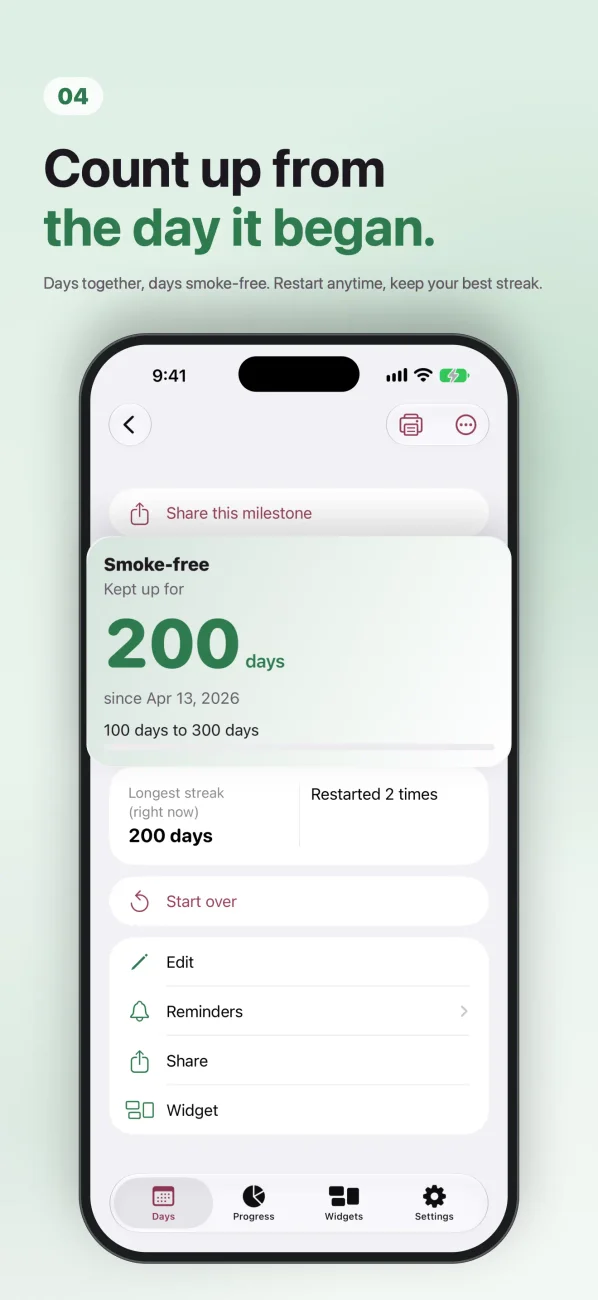
Give something a start date and watch the number grow: the day you met, the day the baby arrived, the day you quit. For a habit you are breaking, let it restart: start over when you slip, and your longest streak and restart count stay on record.
REMINDERS AND MILESTONES
Get a reminder 7 days before, 1 day before or on the day, at the time you choose. Count-ups can tell you when they reach 7, 30 or 100 days, and every year after that.
ON YOUR HOME SCREEN AND LOCK SCREEN
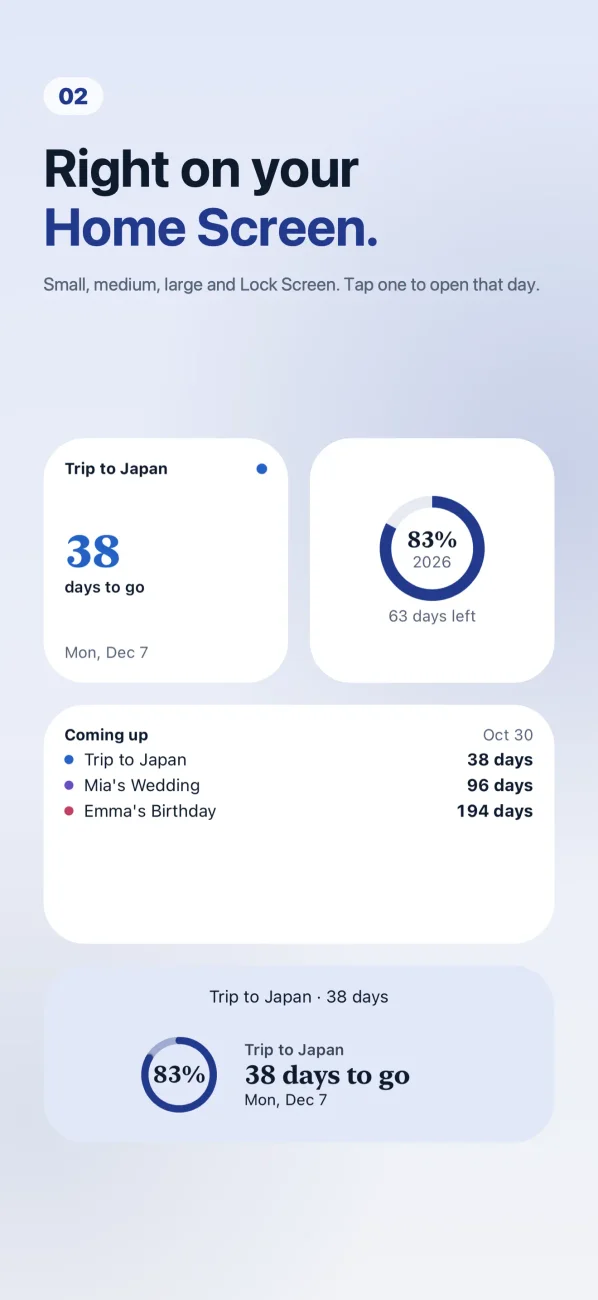
Small, medium and large widgets, plus Lock Screen widgets. Show the next day automatically, a day you pick, or the year, the month or today. Tap a widget to jump straight to that day.
THE YEAR, THE MONTH, TODAY
The Progress tab shows how much of the year, the month and today has already gone, live. Add a stretch of time of your own with a start and an end, such as a semester, a training plan or a whole life of 80 years, and watch it move toward 100%.
SHARE A DAY
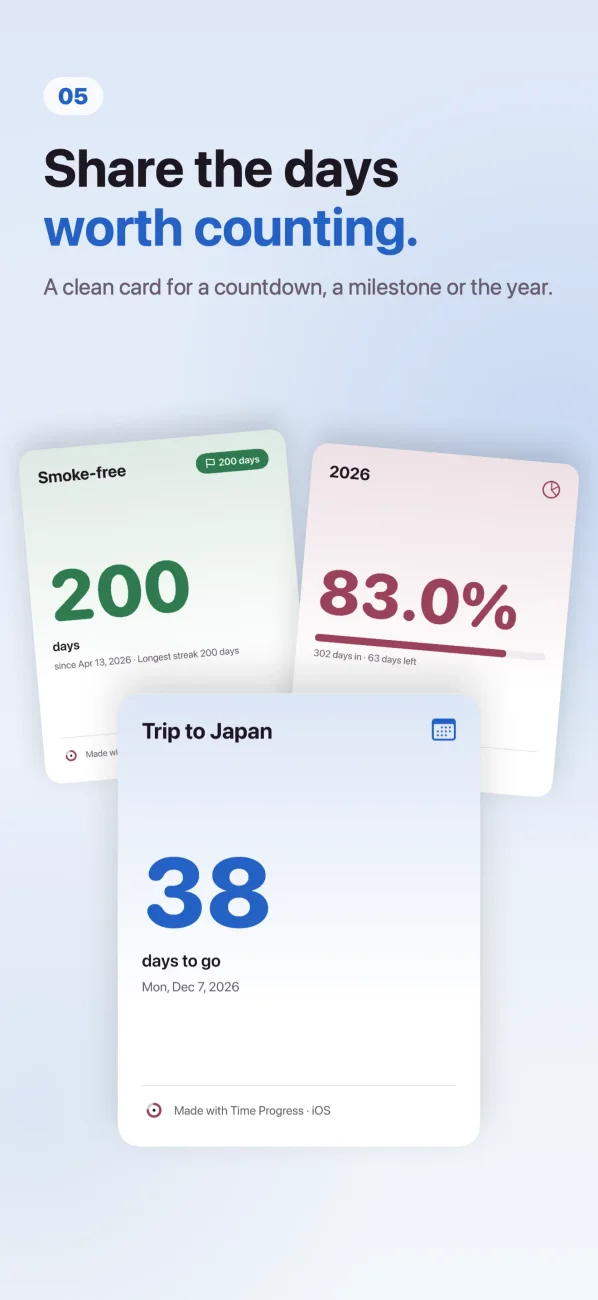
Turn a countdown, a milestone or the year's progress into a clean card and send it to the people it matters to.
TWO THEMES, LIGHT AND DARK
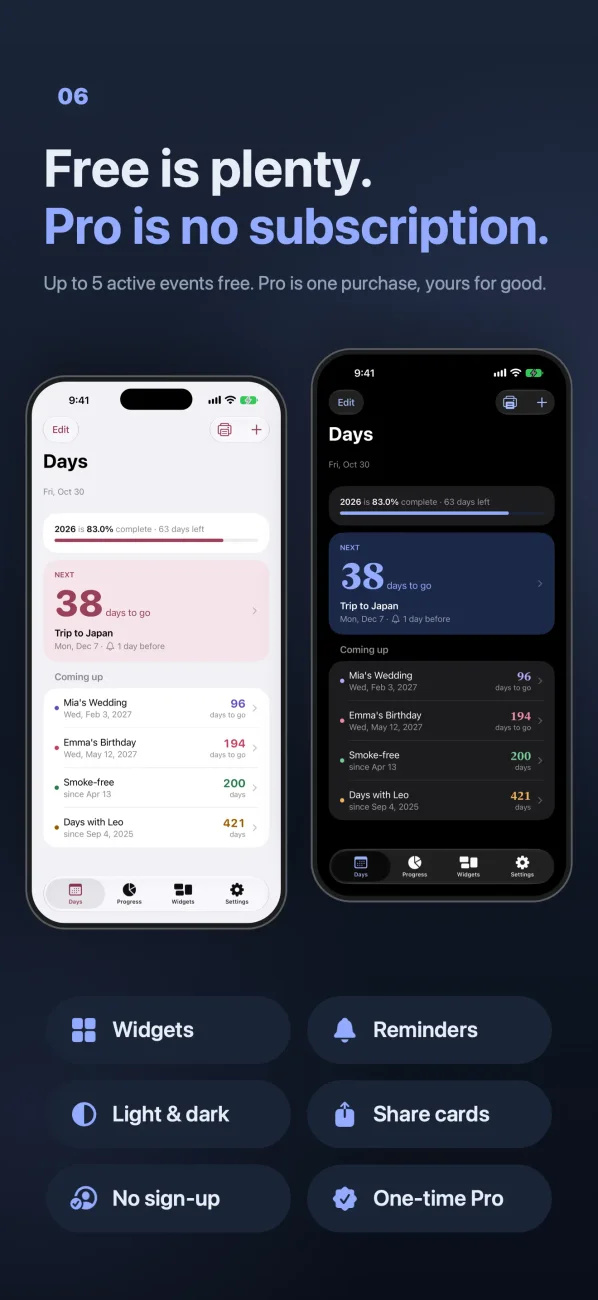
Plum and Indigo, each in light and dark. Widgets and share cards follow your choice. Supports large text sizes and VoiceOver.
FREE TO USE
Up to 5 active events, one standard reminder per event (7 days before, 1 day before or on the day), every widget, both themes and sharing are free. No ads, no account, no sign-up.
TIME PROGRESS PRO
One purchase unlocks Time Progress Pro for good: unlimited active events, advanced reminders (several per event, on your own days and times), CSV import and export, iCloud Sync across your devices, and Print & PDF export. It is not a subscription: pay once, and Pro works on every device signed in to your Apple Account.
Privacy: your days are stored on your device, and in your own iCloud account when sync is on. The app collects usage analytics to help us improve it. There is no advertising and no tracking. The privacy policy has the details.
What’s new
Version 2.5.0 · Oct 30, 2026
Now supports iPhone Duo: unfolded, your list is on the left and the open event on the right.
App privacy
What Bin Yang declares on the App Store about how this app handles data.
-
Data not linked to you
May be collected but is not linked to your identity.
- Identifiers
- Usage data
- Diagnostics
Privacy practices may vary, for example with the features you use or your age.
Information
- Seller
- Bin Yang
- Category
- Utilities
- Version
- 2.5.0
- Updated
- Oct 30, 2026
- Released
- Nov 24, 2025
- Size
- 9.9 MB
- Requires
- iOS 17.0 or later
- Age rating
- 4+
- Price
- Free
- In-app purchases
- Yes
- Languages
- English, French, German, Hindi, Indonesian, Italian, Japanese, Korean, Polish, Portuguese, Russian, Simplified Chinese + 6 more
- Copyright
- © 2026 Shosin Labs
You might also like
-
 シンプル記念日Utilities
-
 Goal LabVisualization of the path
-
 Year Journey - 365 with CatsCute Year Progress with Cats
-
 Countdown Calendar: TimeFeelDay counter, love & days since
-
 生日&纪念日倒计时Utilities
-
 DayBar: WidgetsCountdown & Day Counter
-
 日かぞえ|記念日カウントダウン・経過日数Utilities
-
 QingTrace CountdownCountdown, year view, memories
-
 記念日まで - あと何日?カウントダウンUtilities
-
 Time Grid: Life in DotsProgress Widgets at a Glance