
- Age rating4+
- CategoryUtilities
- Developer开棋 姜
- LanguagesGerman+ 7 more
- Size6.0 MB
Links to the official App Store page
Download.org hosts no file of QingTrace Countdown. The button opens its official App Store page, published by 开棋 姜. Listing last checked on Nov 12, 2026.
Screenshots

About
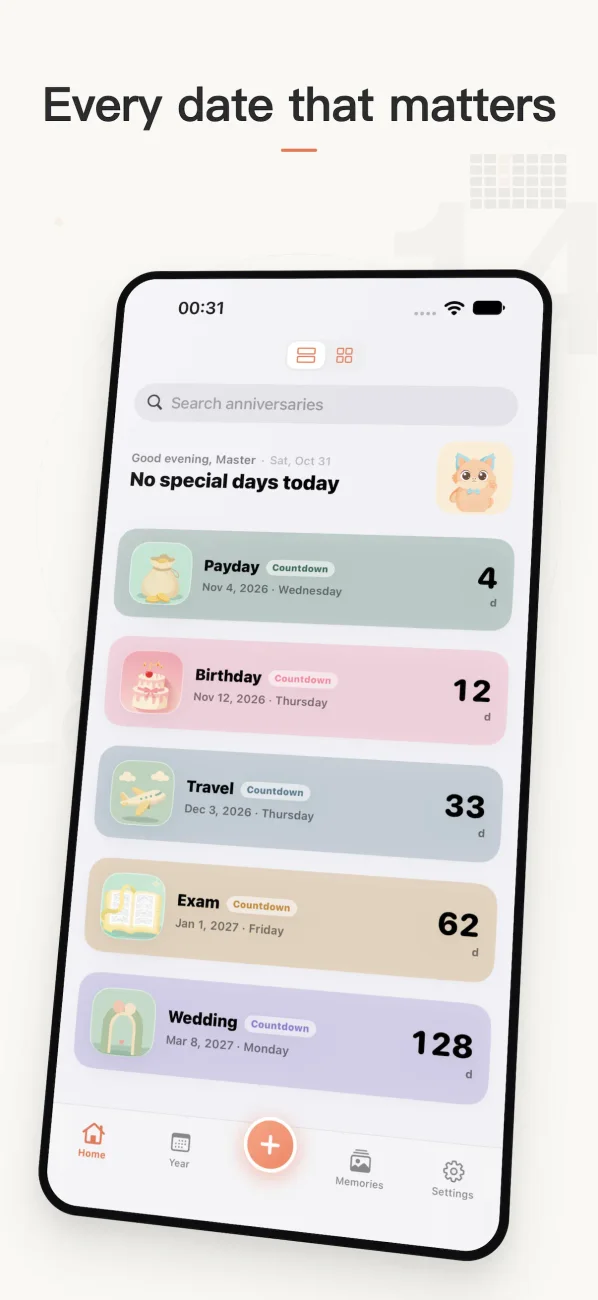
Countdown is a small tool that records time completely: days ahead count down, days that arrived count up, and days that passed stay in your memories.
WHO IT'S FOR
· People who track weddings, birthdays, exams, retirement and paydays
· People who glance at the Home Screen or Lock Screen for "how many days left"
· People who look back at old photos and want to note how the day felt
· NOT for: someone who only needs a single number and never looks back
THREE THINGS YOU'LL DO WITH IT
· Count down to a wedding or anniversary → enter the date once; Home Screen and Lock Screen show the days left, then flip to "Day N together" after the day arrives
· Lunar birthdays every year → choose Lunar repeat and it updates by the lunar calendar, so the date never drifts
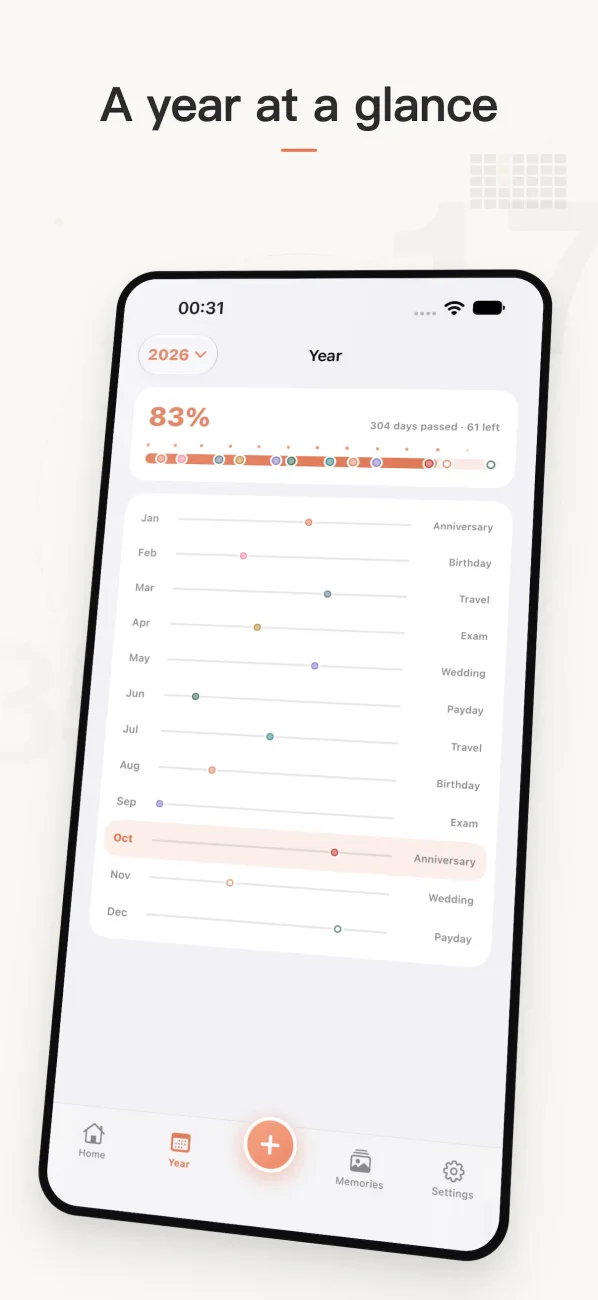
· Look back on the year → the Year view lists every date that arrived, month by month, so you can see how far you've come
WHAT'S NEW IN 2.0
· Four tabs: Home for every date, Year for the whole year, Memories for photos and moods, Settings for your data
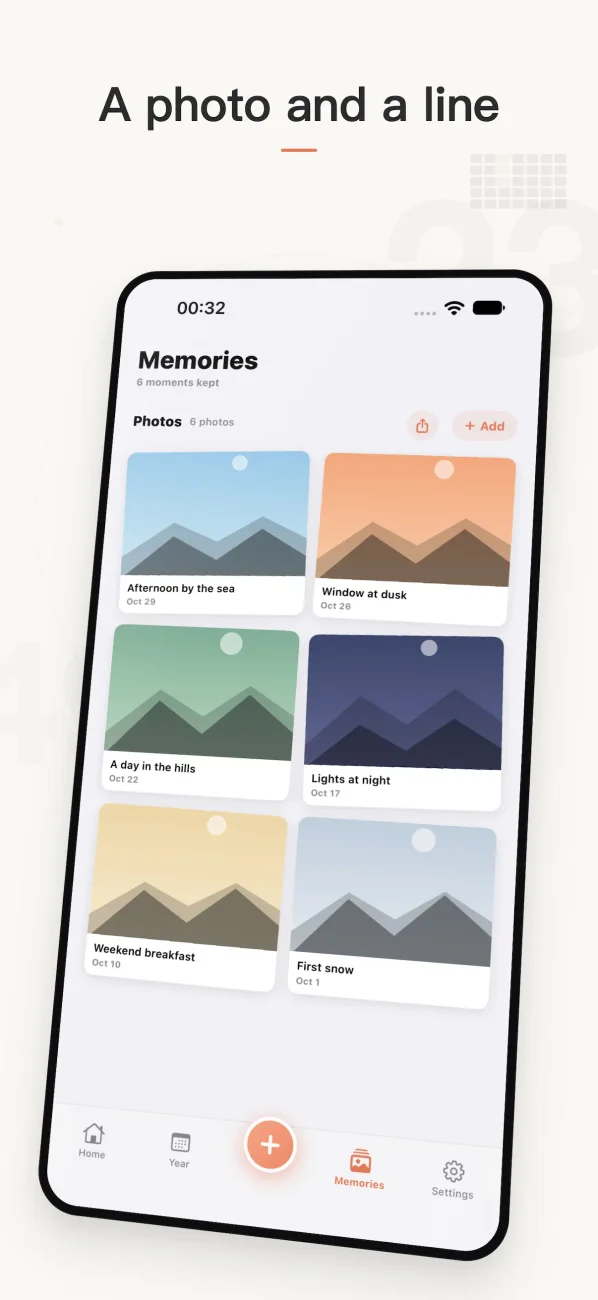
· Photo journal: a photo wall with a one-line note, up to 500 photos. Only the photo you pick is read — no access to your whole library
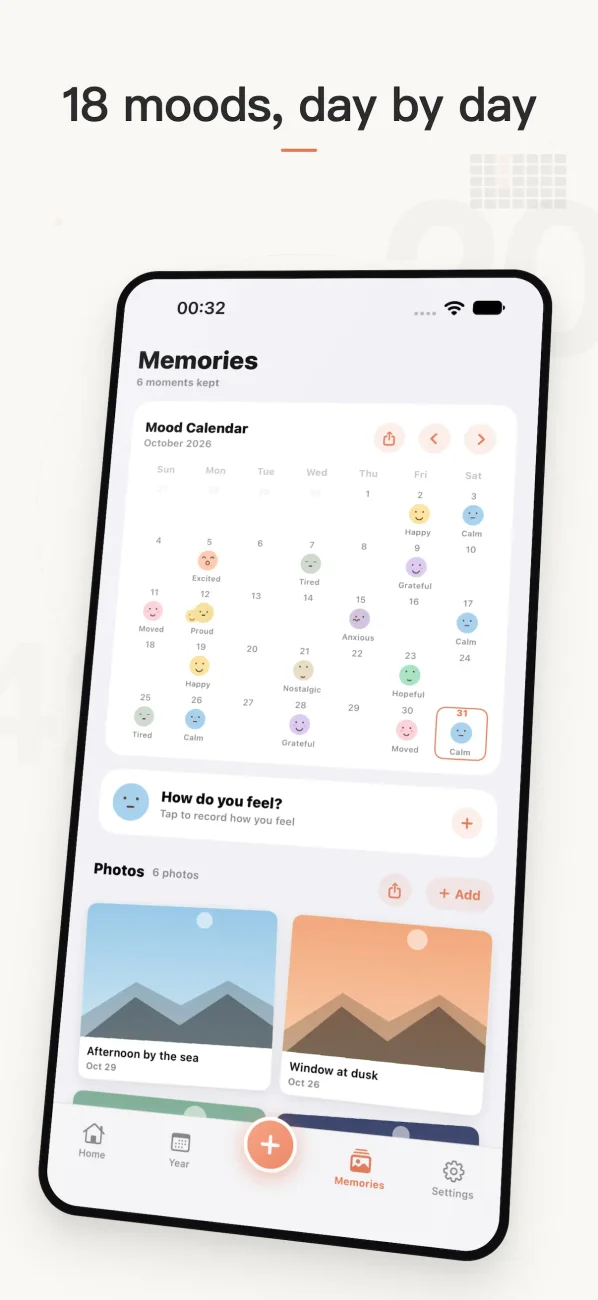
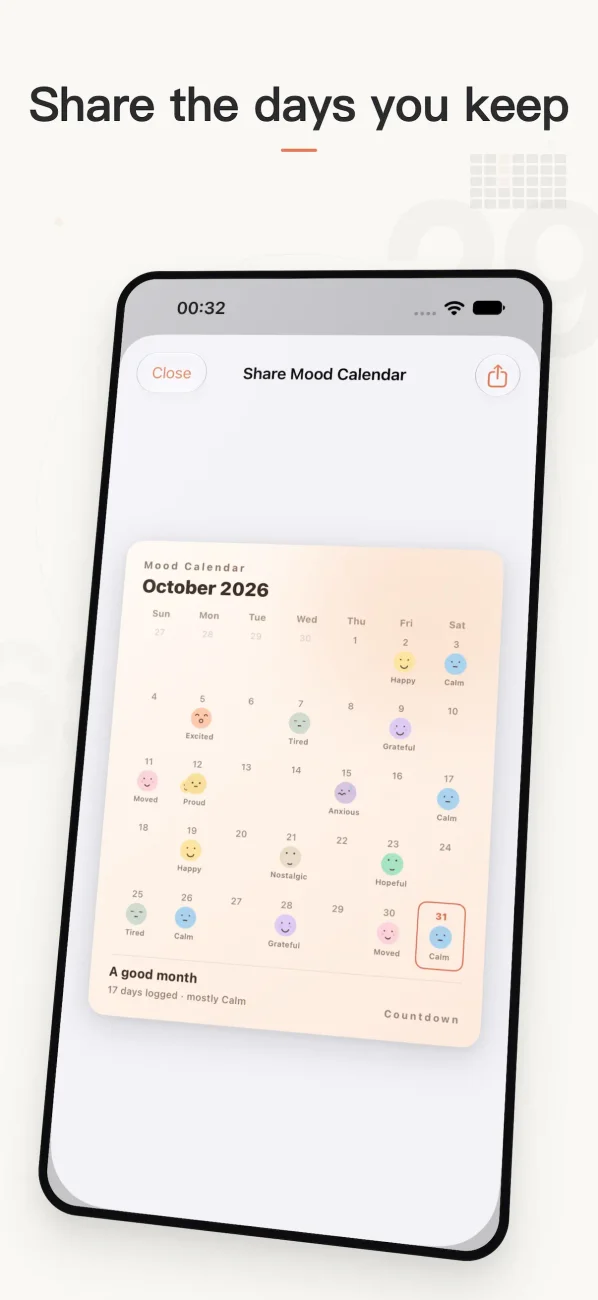
· Mood calendar: 18 moods, several entries per day, and a one-line summary at the end of the month
· Day-of celebration: open the app on the day and get a full-screen celebration with confetti — and a card you can share
· Share cards: event cards, the mood month card and a photo collage can all be saved as images
· Backup: export everything into one file; restore by merging (only what's missing) or replacing
WHAT MAKES IT DIFFERENT
· More than a countdown: it flips to count-up automatically, and adds a year view and memories
· More than one date: tags, filters and archiving keep dozens of events tidy
· Your data stays in your own iCloud: syncs across your iPhones; we don't relay it and can't read it
· 7 widgets: 5 for the Home Screen, 2 for the Lock Screen — zoom into one date or see them all
ABOUT US
Completely free. No ads, no in-app purchases, no subscriptions, no account needed.
FAQ
Q: Will I lose data when I change phones?
A: No. With the same Apple ID, everything syncs through iCloud automatically.
Q: Can I count working days only?
A: Yes. Each event has a Working-Days mode that counts Monday to Friday, useful for retirement or project deadlines.
Q: Can lunar birthdays repeat every year?
A: Yes. Choose "Lunar repeat" when creating the event; it updates by the lunar calendar each year.
Q: Are my moods and photos uploaded anywhere?
A: No. They are written to your own private iCloud space. We run no server that stores them and cannot read them.
Q: Is there anything to pay for?
A: No. Every feature is free — no ads, no in-app purchases, no subscriptions.
Q: Will a long list of events look messy?
A: No. Use tags and filters; past events move to "Past" automatically, and anything you don't need can be archived.
What’s new
Version 2.0.0 · Nov 2, 2026
2.0 is a full rebuild — almost every screen has been redone.
NEW STRUCTURE
Four tabs at the bottom: Home for every date, Year for the whole year, Memories for photos and moods, Settings at the end. The "+" in the middle creates an event anytime.
YEAR
See how many days of this year have passed and how many remain. Each of the 12 months lists the dates that arrived, and you can switch years to look back.
MEMORIES
A photo wall with a one-line note, up to 500 photos. Only the photo you pick is read.
18 moods, several entries per day, and a one-line summary at the end of the month.
DAY-OF CELEBRATION
Open the app on the day and you get a full-screen celebration with confetti. Event cards, the mood month card and photo collages can all be saved and shared.
BACKUP
Export everything into one file. When you change phones, restore by merging (only what's missing) or replacing.
ALSO
7 widgets, two Lock Screen layouts, lunar and working-day modes, tags and archiving are all still here.
App privacy
What 开棋 姜 declares on the App Store about how this app handles data.
-
Data not collected
The developer does not collect any data from this app.
Privacy practices may vary, for example with the features you use or your age.
Information
- Seller
- 开棋 姜
- Category
- Utilities
- Version
- 2.0.0
- Updated
- Nov 2, 2026
- Released
- Jul 21, 2026
- Size
- 6.0 MB
- Requires
- iOS 17.6 or later
- Age rating
- 4+
- Languages
- German, English, French, Japanese, Korean, Spanish, Traditional Chinese, Simplified Chinese
- Copyright
- © @2026 Shangxi
You might also like
-
 Simply: CountdownEvent tracker with widgets
-
 DaysThing - Countdown & DaysDay counter & countdown widget
-
 Time Progress: Day CountdownDays Until & Since on a Widget
-
 朝暮记Utilities
-
 When · Days That MatterIs there a day you still miss?
-
 Time Kept: Countdown TrackerTimeline, diary & memory lock
-
 Days Reminder - Count CalendarEvent Tracker Widget & Planner
-
 Countdown ۬Event Widget & Countdown Timer
-
 MemoryDay.Anniversary and countdown
-
 Versatile AnniversaryDates, Countdown & Memory